Page 2 - Table of Contents; Thank you for choosing a
Table of Contents Introduction . . . . . . . . . . . . . . . . . . . . . . . . . . . . . . . . . . . . . . . . . . . 1 Nomenclature . . . . . . . . . . . . . . . . . . . . . . . . . . . . . . . . . . . . . . . . . . 1 Safety Precautions . . . . . . . . . . . . . . . . . . . . . . . . . . . . . . . ....
Page 3 - NOMENCLATURE; Superior Design for Superior Performance; INTRODUCTION; SAP
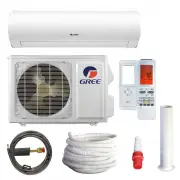
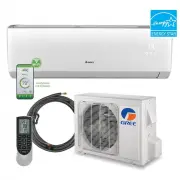
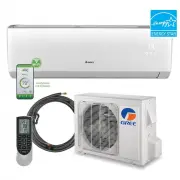
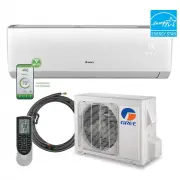
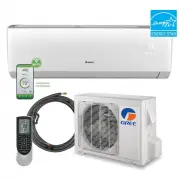
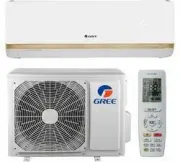
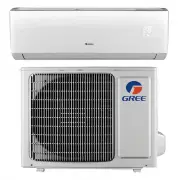
NOMENCLATURE Superior Design for Superior Performance Gree’s Sapphire Wall Mount Ductless Heat Pumps and Air Conditioners are beautifully designed to deliver effective cooling or heating, while fitting unobtrusively into any decor. Your Sapphire unit offers quiet, energy-efficient comfort for one ro...
Page 4 - SAFETY PRECAUTIONS; Please read the following before operation.; words are used with the safety-alert symbol.; WARNING
SAFETY PRECAUTIONS Please read the following before operation. Recognize safety information. This is the safety-alert symbol. When you see thissymbol on the unit and in instructions or manuals, be alert to the potential for personalinjury. Understand these signal words: DANGER , WARNING , and CAUTIO...
Page 5 - • Keep combustible materials away from the unit.
SAFETY PRECAUTIONS Please read the following before operation. • Disconnect electrical power to the indoor and outdoor units before performing any maintenance or cleaning. • Do not attempt to repair the Gree system yourself. Incorrect repairs may cause electric shock or fire. Contact a qualified ser...
Page 6 - PART NAMES; Indoor unit; Part Name; Horizontal Louver; Outdoor unit; Air outlet
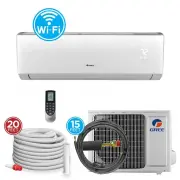
PART NAMES Indoor unit Part Name 1. Front Panel 2. Aux. Button3. Filter 4. Horizontal Louver 5. Remote Controller6. Inter-Connection Wire (sold separately) 7. Drain Hose (sold separately) 8. Refrigerant Lines (sold separately) Outdoor unit 5 Air outlet Air inlet Air inlet Air outlet 3 4 1 2 6 7 8 4
Page 7 - SYSTEM FUNCTIONS
SYSTEM FUNCTIONS WHISPER QUIET Not only are the Gree systems energy efficient but they are quiet too. Sapphire Wall Mount unitsoperate with sound lower than typical library sound levels. MULTI FAN SPEEDS Whether operating in either Cooling or Heating mode, the indoor fan can be set to your choiceof ...
Page 8 - MODE BUTTON; The remote controller and; LOCK MODE
SYSTEM FUNCTIONS MODE BUTTON The unit can be set to five different operating modes: HEAT, COOL, DRY, FAN ONLY and AUTO. NOTE: AUTO MODE has fixed setpoints of 68° F heating and 77° F cooling, which are not adjustable. The system will automatically select heating or cooling to maintain room temperatu...
Page 9 - BUTTONS ON REMOTE CONTROLLER; OPERATION OF WIRELESS REMOTE CONTROLLER
Send Signal Freeze Guard Turbo Mode Set time X-FAN TIMER ON /TIMER OFF Privacy Lock Up & Down Swing Louvers Left & Right Swing Louvers Fan Speed Light : Set Temperature : Indoor Room Temp. : Outdoor Ambient Temp. Sleep Mode Clock Heat Mode Fan Mode Dry Mode Cool Mode Auto Mode Operation mode...
Page 12 - HORIZONTAL SWING LOUVERS; Press this button again to cancel.; VERTICAL SWING LOUVERS; Indicates louver swings; TIMER SETTING; TIMER OFF button; Under Timer On and Off status, you can set TIMER
Vertical Louver Display Horizontal Louver Display HORIZONTAL SWING LOUVERS Press the Horizontal Swing Louver button to select continuous airsweep left to right. The Swing Louver icon will be displayed. Press this button again to cancel. For fixed air direction mode, press the OFF button to turn the ...
Page 13 - TRADITIONAL MODE - SLEEP 1; SLEEP MODE; The
11 OPERATION OF WIRELESS REMOTE CONTROLLER TRADITIONAL MODE - SLEEP 1 In Traditional Mode the unit will slowly relax the room set temperature by up to 4° F until Sleep Mode is cancelled. 1 EXPERT MODE - SLEEP 2 In Expert Mode the unit will adjust the room set temperature at a rate based on the start...
Page 14 - LIGHT BUTTON
12 OPERATION OF WIRELESS REMOTE CONTROLLER NOTE: During this procedure, if no button is pressed within 10 seconds, remote controller will automatically exit the sleep curve setting and resume original display. If ON/OFF, MODESLEEP, COOLING or HEATING button is pressed during the setting or inquiry p...
Page 16 - QUIET MODE; QUIET MODE cannot be selected in DRY or FAN; ENERGY SAVING MODE; FREEZE GUARD
Quiet Mode Display OPERATION OF WIRELESS REMOTE CONTROLLER QUIET MODE Sapphire’s QUIET MODE function delivers quiet comfort to your room. Press QUIET button to activate QUIET MODE in heating or cooling mode. The QUIET icon will be displayed on the remote controller. The unit operates normally for te...
Page 17 - CLOCK SETTING
15 OPERATION OF WIRELESS REMOTE CONTROLLER CLOCK SETTING Press this button to set clock time. “ ” icon on remote controller will blink. Within 5 seconds, press “+” or “–” button to set clock time. With each pressing of “+” or “–” buttons, clock time will increase or decrease 1 minute. To quickly adj...
Page 18 - CHANGING BATTERIES; CHANGING BATTERIES AND ADDITIONAL NOTES; If remote controller is lost or damaged, the
Removeold batteries Installnew batteries CHANGING BATTERIES OPERATION OF WIRELESS REMOTE CONTROLLER CHANGING BATTERIES AND ADDITIONAL NOTES To change batteries, slide cover off battery compartment on back of remote controller. Remove and safely discard old batteries. Insert two new AAA 1.5V dry batt...
Page 19 - OPERATION OF SMART CONTROL; FOR USE WITH YOUR SMARTPHONE; For the ultimate in convenience, your; COMMON NETWORK SETTING PROBLEMS; If WIFI control fails, check the following items one by one:; TO RESET WIFI MODULE
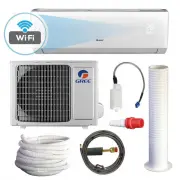
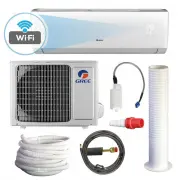
OPERATION OF SMART CONTROL FOR USE WITH YOUR SMARTPHONE For the ultimate in convenience, your Sapphire Heat Pump or Air Conditioner features a built-in intelligent WIFI capability and Smart Control function. This allows you to operate the unit through your smartphone. The system is compatible with d...
Page 20 - TROUBLESHOOTING; PROBLEM
18 TROUBLESHOOTING PROBLEM System does not restart. Indoor unit emits unpleasant odorwhen started. You hear a“water flowing” sound. A thin fog or vapor coming out of the indoor unit when system isrunning. You hear a slight cracking soundwhen the system stops or starts. The system will not run. The u...
Page 21 - You hear a harsh or unusual sound during operation.; CAUTION
TROUBLESHOOTING PROBLEM Water leaking from the indoor unit into the room. Wireless remote controller does not work. The unit will not deliver air. Moisture or condensation on the discharge air louvers or outlet vents. CAUSE/SOLUTION Cause: While it is normal for the system to generate condensate wat...
Page 22 - CARE AND CLEANING; FRONT PANEL CLEANING
AIR FILTER CLEANING Changing your air filter on a regular basis prevents many problems. Dirty air filters will affect the performance and the longevity of your unit. It is recommended that air filters be cleaned every three (3) months. To access and clean the filter: CARE AND CLEANING Take notice of...
Page 23 - ENERGY SAVING TIPS
21 ENERGY SAVING TIPS 1. Reduce room setpoint at night: During the nighttime hours you don't require the same level of conscious cooling or heating. Try using Sleep Mode to gradually relax roomtemperature and allow the unit to run less and save energy. 2. Curtains and shades: In the summer, it is re...
Page 24 - LIMITED WARRANTY STATEMENT
LIMITED WARRANTY STATEMENT FOR WARRANTY SERVICE OR REPAIR: Contact your installing contractor. You may find the installer’s name on the equipment or in your Owner’s packet. Complete product registration below and send back by email to [email protected]. GREE distributor (hereinafter “Company”) warra...