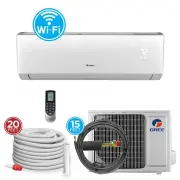
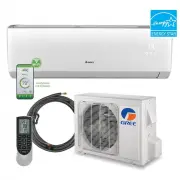
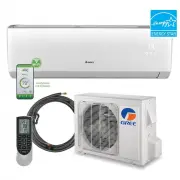
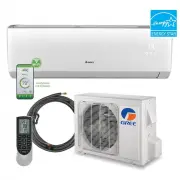
Page 2 - Table of Contents; Thank you for choosing a; Liv Heat Pump System!; ENERGY SAVING TIPS; Damaged or Lost Remote Co ntroller
Table of Contents Introduction . . . . . . . . . . . . . . . . . . . . . . . . . . . . . . . . . . . . . . . . . . . 2 Nomenclature . . . . . . . . . . . . . . . . . . . . . . . . . . . . . . . . . . . . . . . . . . 2 Safety Precautions . . . . . . . . . . . . . . . . . . . . . . . . . . . . . . . ....
Page 3 - Superior Design for Superior Performance; INTRODUCTION; CAUTION; TROUBLESHOOTING; PROBLEM
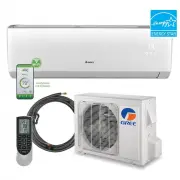
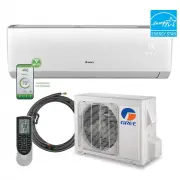
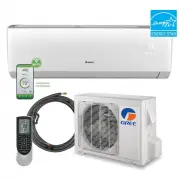
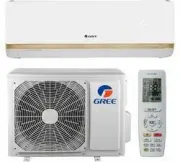
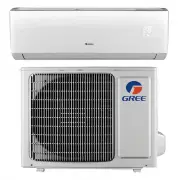
Superior Design for Superior Performance Gree’s Liv Inverter-driven, Mini Split Heat Pumps are beautifully designed to deliver effectivecooling or heating, while fitting unobtrusively into any decor. The indoor unit’s aestheticallypleasing, minimalist design blends nicely in any home or office. Your...
Page 4 - SAFETY PRECAUTIONS; Please read the following before operation.; words are used with the safety-alert symbol.; • Keep combustible materials away from the unit.; WARNING
SAFETY PRECAUTIONS Please read the following before operation. Recognize safety information. This is the safety-alert symbol. When you see thissymbol on the unit and in instructions or manuals, be alert to the potential for personalinjury. Understand these signal words: DANGER , WARNING , and CAUTIO...
Page 5 - Front Panel Display; AIR FILTER CLEANING; CARE AND CLEANING; FRONT PANEL CLEANING
CAUTION SAFETY PRECAUTIONS Please read the following before operation. • Do not put hands or any objects into the air inlets or outlets. This may cause personal injury or damage the unit. • When cleaning, be careful not to splash water on the unit. Doing this may cause electricshock or damage to uni...
Page 6 - PART NAMES; Indoor unit; Part Name; Outdoor unit; Air outlet; Use insulated object to press the Aux. button.; OPERATION OF WIRELESS REMOTE CONTROLLER; CHANGING BATTERIES AND ADDITIONAL NOTES
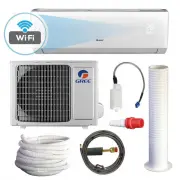
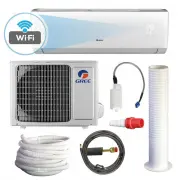
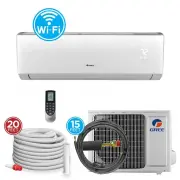
PART NAMES Indoor unit Part Name 1. Front Panel 2. Aux. Button3. Air Filter 4. Horizontal Louver 5. Remote Controller6. Wired Tether Controller (sold separately) 7. Inter-Connection Wire (sold separately)8. Drain Hose (sold separately) 9. Refrigerant Lines (sold separately) Outdoor unit 5 6 Air outl...
Page 7 - SYSTEM FUNCTIONS; SLEEP MODE
SYSTEM FUNCTIONS WHISPER QUIET Not only are the Gree systems energy efficient but they are quiet too. Liv High-Wall unitsoperate with sound pressure levels starting as low as 2 6 dB(A). MULTI FAN SPEEDS Whether operating in either Cooling or Heating mode, the indoor fan can be set to your choice of ...
Page 10 - Remote Controller; Introduction for icons on display screen
Remote Controller Introduction for icons on display screen 12 MODE BUTTON Use the “ MODE ” button to select one of the available modes. The selected mode will be displayed on the remote controller and the appropriate light will illuminate on the front display panel. AUTO – Unit will automatically se...
Page 12 - Auto
10 REMOTE CONTROLLER OPERATIONS The wireless remote controller is sleek, veand functions on your Vireo system from tbuttons make it easy-to-understand and e The remote controller is set from factory tremote controller OFF with the ON/OFF on the remote simultaneously for 5 secon ON/OFF BUTTON When th...
Page 13 - . On releasing button after setting is finished, temperature ind
9 TWD-1594 Livo+ owners printer.qxp_Layout 1 2/21/17 2:11 PM Page 21 12 SLEEP button TEMP button 7 8 ▲ Under COOL or HEAT mode, press this button to start up sleep function. " " icon is displayed on remote controller. Press this button again to cancel sleep function and " " icon will...
Page 14 - POLYMERIC AIR FILTER
8 SYSTEM FUNCTIONS POLYMERIC AIR FILTER The polymeric mesh filters save energy by preventing the indoor coils from being plugged with dirt and lint. This economical and sturdy filter may be washed, vacuumed and reused. FAHRENHEIT °F / CELSIUS °C The remote controller and indoor wall unit front panel...
Page 15 - TIMER OFF button; Function introduction for combination buttons; Energy-saving function; button and the remote controller won’t send signal.
OPERATION OF WIRELESS REMOTE CONTROLLER TWD-1594 Livo+ owners printer.qxp_Layout 1 2/21/17 2:10 PM Page 17 14 ● ● resumes displaying. Cancel TIMER ON: Under the condition that TIMER ON is started up, press "TIMER ON" button to cancel it. TIMER OFF button "TIMER OFF" button can set th...
Page 16 - unit displays “CL”. (This function is applicable for some models)
6 TWD-1594 Livo+ owners printer.qxp_Layout 1 2/21/17 2:10 PM Page 15 15 Child lock function Under heating mode, press "TEMP" and "CLOCK" buttons simultaneously to start ▲ Press "▲" and " " simultaneously to turn on or turn o ff child lock function. When child lock fun...
Page 18 - DAMAGED OR LOST REMOTE CONTROLLER
5 6 Air outlet Air inlet Air inlet Air outlet 2 7 8 9 Use insulated object to press the Aux. button. DAMAGED OR LOST REMOTE CONTROLLER If remote controller is lost or damaged, the Liv system can be turned off directly from the in-door unit. Lift the front panel of the indoor wall unit, then press th...
Page 22 - Livo Heat Pump System!
Table of Contents Introduction . . . . . . . . . . . . . . . . . . . . . . . . . . . . . . . . . . . . . . . . . . . 2 Nomenclature . . . . . . . . . . . . . . . . . . . . . . . . . . . . . . . . . . . . . . . . . . 2 Safety Precautions . . . . . . . . . . . . . . . . . . . . . . . . . . . . . . . ....
Page 23 - LIMITED WARRANTY STATEMENT
Models: LIVS09HP115V1BLIVS12HP115V1BLIVS09HP230V1BLIVS12HP230V1B LIVS18HP230V1BLIVS24HP230V1BLIVS30HP230V1BLIVS36HP230V1B HIGH-WALL DUCTLESSAIR CONDITIONING & HEATING SYSTEM OWNER’S MANUAL LIMITED WARRANTY STATEMENT FOR WARRANTY SERVICE OR REPAIR: Contact your installing contractor. You may find...