Page 3 - Contents; Operation and Maintenance; CAUTION
Contents Operation and Maintenance Operation Notices Installation Installation Notice Safety Precautions..........................1 Installation and Maintenance.........17 Precautions.....................................4 Preparation before installation.......19 Parts Name..............................
Page 4 - Exception Clauses
This appliance is not intended for use by persons (including children) with reduc-ed physical, sensory or mental capabilities or lack of experience and knowledge, unless they have been given supervision or instruction concerning use of the ap-pliance by a person responsible for their safety. Childre...
Page 5 - WARNING
1 Do not disassemble or modify unit. To prevent injury to the user or other people and property damage, the following instructions must be followed. Incorrect operation due to ignoring of instructions may cause harm or damage. The seriousness is classified by the following indications. WARNING This ...
Page 7 - Operation of Current Device
3 Operation of Current Device Please contact Customer Service. with a new cord - please contact Customer Service.
Page 8 - Working temperature range; Precautions; Warning
Indicator Indicator Note: Plug may be different with the actual product.Please refer to actual product. Working temperature range Indoor side DB/WB(°C/°F) Outdoor side DB/WB(°C/°F) Maximum cooling 32/23 (90/74) 43/26 (110/79) The operating temperature range (outdoor temperature) for cooling only uni...
Page 9 - Parts Name; Power cord
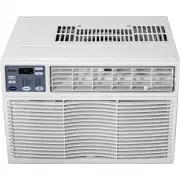
Parts Name NOTE:Panel outlook picture, just for reference, please take the real unit as standard. Control panel Power cord Air outlet frame Fan directionadjusting rod Air-in panel
Page 10 - Function and Control
After putting through the power, air conditioner will give out a sound and indic- ators on control panel will be on. After that, you operate the air conditioner through remote controller or control panel. Function and Control Cooling indicator SE indicator fan Fan indicator Dry indicator Auto speed ...
Page 11 - Mode button; Under this mode, the unit will operate automatically according to
Mode button Press this button can your required operation mode in turn. Correspondingindicator will be on. Under this mode, air conditioner operates under cooling mode. Cooling indicator will be on. Press “Fan Speed” button can adjust the fan speed. Under this mode, the unit will operate automatical...
Page 12 - Filter check button
/ button Under temperature setting status, after each pressing of “ ” or “ ” button, temperature will increase or decrease 1°. Temperature setting range: ~°.Under timer setting status, after each pressing of “ ” or “ ” button, time will increase or decrease 0.5h or 1h. Display 1. Under ON status wit...
Page 13 - Introduction of remote controller; MODE button
Introduction of remote controller Note: This is a general use remote controller, it could be used for the air conditioners with multifunction; For some function, which the model doesn’t have, if press the corresponding button on the remote controller that the unit will keep the original running stat...
Page 14 - NOTE: There are 3 speeds for the Fan Speed of this model.
1 - / + button Under timer setting status, after each pressing of “+” or “-” button, time will Pressing + or - button once will increase or decrease set temperature by 1°F(°C).Hold + or - button for 2s, set temperature on remote controller will change quickly.Release the button after your required s...
Page 15 - Replacement of Batteries in Remote Controller; than 8m, and there should be no obstacles between them.; NOTICE
1 Replacement of Batteries in Remote Controller 1. Press the mark “ ” on back cover of batteries box cover for remote controller with fingers as shown in the fig, and then remove the batteries box cover along the arrowdirection. Battery Cover of battery box Remove Reinstall 2. Replace with two #7 (A...
Page 16 - Instruction for fan direction adjusting; ction according to your requirement.
1 Instruction for fan direction adjusting You can adjust the fan direction adjusting rod to select left&right air outlet dire- ction according to your requirement. You can adjust the air outlet frame to select up&down air outlet direction acc- ording to your requirement. Fan direction adjust...
Page 17 - Clean and Maintenance; conditioner to avoid electric shock.; Clean the panel; In order to reduce damage or rust under no-use season, you can cover
1 Clean and Maintenance Warning !"$ conditioner to avoid electric shock. %*"<= %*""">"= " 1. Open the panel Pull the groove at both sides of panel forcibly to open"$"?$= =QX*?" QX*?"?$= = Z"?" ["?"= \?"*]]^]X (below 45 degree) dis...
Page 18 - Phenomenon
1 #$% && '(&& Please check below items before asking for maintenance. If the problem still can't be solved, please contact dealer or professional person. Phenomenon &( Air conditioner can't operate |"} *]= \"$"} Q"$= !} Ask professional person to replace air sw...
Page 19 - Malfunction code
Whether air outlet or air inlet is blocked? Eliminate the obstacles. Under heating mode, whether indoor temperature is reachedto set temperature? Indoor unit will stop blowing fan after reaching to set temperature. In order to prevent cold air, air conditioner will delay for a while tobe started up,...
Page 21 - Installation and Maintenance; prevent electric shock, casualty and other accidents.
1 Installation and Maintenance Warning {!*""$*$= %X$_= $""X=|! prevent electric shock, casualty and other accidents. % $)& *% ,&%0 Installing the unit in the following places may cause malfunction. If it is unavoidable,please consult the local dealer:= "$^*^XX!"...
Page 22 - electricity and safety.
1 10 &$% %% $ % 1. Must follow the electric safety regulations when installing the unit.= $""]$"^>"?"] and air switch. 3. Make sure the power supply matches with the requirement of air conditioner. [!""]$X]""<^?X"= 4. Please make sure the power sup...
Page 23 - Preparation before installation; ools for installation
19 Preparation before installation T ools for installation Products and spare parts list Phillips screwdriver Window type unit Sealing strip ( without adhesive) Sealing strip ( with adhesive) Left tripod (1) Type A screw (10) Remote controller Batteries Owner's manual Right tripod (1) Type C screw (...
Page 24 - W indow types and requirements; dow
2 W indow types and requirements Note: !"""=\ types of window, you may need to adjust the window. \]""X""^]X]!"!_]=|">X for details. ""$"!?" strap, brick or metal. <X!""*"!"= 2 (3$ The height of window frame is higher t...
Page 25 - Installation procedure; case upwards to remove it.; lift the panel upwards to remove it.
2 41 %& Installation procedure 1. Hold the clasps at the two sides of panel; pull out the panel to a certain degree along the arrow direction and then lift the panel upwards to remove it.<?""X*= = QX*?$X*= Note: When removing the front case, pull out the bottom and then lift the fron...
Page 26 - Step 2: Install upper guide rail; then take out the gasket and binder.
2 Step 2: Install upper guide rail screw at the two sides of outer case, and then pull out the main unit from the outer case. (It is advised that two persons handle this operation, one person holding the outer case and the other person holding the clasp of main unit and pulling out the main unit fro...
Page 31 - Ask two persons to push the main unit slowly into the outer case.; case at the top of outer case, and then push the bottom of front case)
2 ?)& 1. Ask two persons to push the main unit slowly into the outer case. 2. \""$$?"*= grounding screw screw screw = \""?= case at the top of outer case, and then push the bottom of front case) ķ ĸ