Page 2 - THANK YOU FOR MAKING GE APPLIANCES A PART OF YOUR HOME; Consumer Support section of this Owner’s Manual.
2 49-7000089 Rev. 0 THANK YOU FOR MAKING GE APPLIANCES A PART OF YOUR HOME Whether you grew up with GE Appliances, or this is your first, we’re happy to have you in the family. We take pride in the craftsmanship, innovation and design that goes into every GE Appliances product, and we think you will...
Page 3 - READ ALL INSTRUCTIONS BEFORE USING THE APPLIANCE; SAFETY; WARNING
49-7000089 Rev. 0 3 READ AND SAVE THESE INSTRUCTIONS IMPORTANT SAFETY INFORMATION READ ALL INSTRUCTIONS BEFORE USING THE APPLIANCE SAFETY INFORMA TION WARNING To reduce the risk of burns, electric shock, fire, injury to persons, or exposure to excessive microwave energy: When using electrical applia...
Page 5 - VENT FAN; PACEMAKERS; GROUNDING INSTRUCTIONS
49-7000089 Rev. 0 5 READ AND SAVE THESE INSTRUCTIONS IMPORTANT SAFETY INFORMATION READ ALL INSTRUCTIONS BEFORE USING THE APPLIANCE SAFETY INFORMA TION VENT FAN The fan will operate automatically under certain conditions. Take care to prevent the starting and spreading of accidental cooking fires whi...
Page 6 - PRECAUTIONS TO AVOID POSSIBLE EXPOSURE
6 49-7000089 Rev. 0 SAFETY INFORMA TION IMPORTANT SAFETY INFORMATION READ ALL INSTRUCTIONS BEFORE USING THE APPLIANCE PRECAUTIONS TO AVOID POSSIBLE EXPOSURE TO EXCESSIVE MICROWAVE ENERGY (a) Do Not Attempt to operate this oven with the door open since open-door operation can result in harmful exposu...
Page 7 - Features
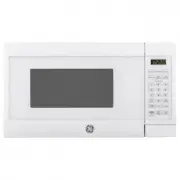
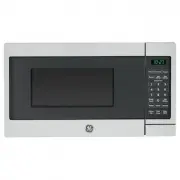
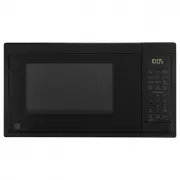
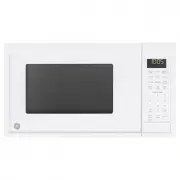
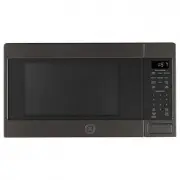
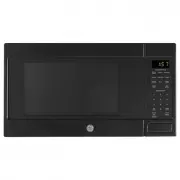
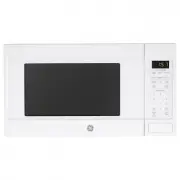
49-7000089 Rev. 0 7 Throughout this manual, features and appearance may vary from your model. 1. Door Handle. 2. Door Latches.3. Window with Metal Shield. Screen allows cooking to be viewed while keeping microwaves confined in the oven. 4. Control Panel and Selector Dial.5. Removable Turntable. Do n...
Page 8 - Controls; Microwave Cooking Time and Auto Features; Sensor Features
8 49-7000089 Rev. 0 Controls USING YOUR OVEN: Controls Microwave Cooking Time and Auto Features Press Turn and push dial to enter Cook Time Amount of cooking time Press once (Cook Time I) to microwave any time between 15 seconds and 99 minutes.Press twice (Cook Time II) to add a 2nd microwave cookin...
Page 9 - Microwave Cooking; Combination Fast Cooking; USING YOUR; Cooking Method
49-7000089 Rev. 0 9 Do not use the shelves when microwave cooking. Always use the shelf when baking. For best results, use one shelf in the lower position. Cooking Method Microwave energy is distributed evenly throughout the oven for thorough, fast cooking of food. Heat Source Microwave energy. Heat...
Page 10 - Cookware Tips; Cookware; Convection Bake or Roast; Combination Fast Bake; How to use Accessories
10 49-7000089 Rev. 0 Cookware Tips USING YOUR OVEN: Cookware Tips Convection Bake or Roast Metal Pans are recommended for all types of baked products, but especially where browning is important.Dark or dull finish metal pans are best for breads and pies because they absorb heat and produce crisper c...
Page 11 - Select the Best Method of Cooking
49-7000089 Rev. 0 11 Use the following guide to select the best method of cooking. Recipes can be adapted using the guidelines below to determine the appropriate cooking mode. Foods Microwave Bake Roast Fast Cook Appetizers Dips and Spreads Pastry Snacks Beverages Sauces and Toppings Sou...
Page 12 - Time and; Using the Dial; Cook Time; Cook Time I; Time and Auto Microwave Features
12 49-7000089 Rev. 0 USING YOUR OVEN: Time and Auto Microwave Features Using the Dial You can make selections on the oven by turning the dial and pressing it to enter the selection.Pressing the dial can also be used in place of the Start/ Pause button for quicker programming of the oven. Cook Time (...
Page 13 - Weight Defrost
49-7000089 Rev. 0 13 Time and Auto Microwave Features Weight Defrost (Do not use the shelves when microwave cooking.) Weight Defrost automatically sets the defrosting times and power levels to give even defrosting results for meats, poultry and fish weighing up to one pound. ■ Remove meat from packa...
Page 15 - Power Level
49-7000089 Rev. 0 15 USING YOUR OVEN: Time and Auto Microwave Features Time and Auto Microwave Features 1. First, follow directions for Cook Time or Time Defrost. 2. Press the Power Level button. 3. Turn the dial clockwise to increase and counterclockwise to decrease the power level. Press the dial ...
Page 16 - Humidity Sensor; Cook; Sensor Microwave Features
16 49-7000089 Rev. 0 Sensor Microwave Features Humidity Sensor What happens when using the Sensor Features: The Sensor Features detect the increasing humidity released during cooking. The oven automatically adjusts the cooking time to various types and amounts of food.Do not use the Sensor Features ...
Page 17 - Popcorn; How to Adjust the Automatic Popcorn Setting to; Reheat; Beverage
49-7000089 Rev. 0 17 Popcorn (Do not use the shelves when microwave cooking.) To use the Popcorn feature: 1. Follow package instructions, using Cook Time if the package is less than 2.0 ounces or larger than 3.5 ounces. Place the package of popcorn in the center of the turntable. 2. Press the Popcor...
Page 18 - Cooking Tips; Sensor Food Type Guide
18 49-7000089 Rev. 0 USING YOUR OVEN: Sensor Microwave Features Sensor Microwave Features Cook (Do not use the shelves when microwave cooking.) 1. Place covered food in the oven and close the door. Press the Cook button. ENTER FOOD TYPE appears in the display. 2. Turn the dial to the desired food ty...
Page 19 - For Best Results...; Convection Bake or Convection Roast with Preheat; Convection Bake or Convection without Preheating; Convection Bake Offset; About the Baking and Roasting Features; Baking and Roasting Feature
49-7000089 Rev. 0 19 Baking or roasting uses a heating element to raise the temperature of the air inside the oven. Any oven temperature from 225°F to 425°F may be set. A fan gently circulates this heated air throughout the oven, over and around the food, producing golden brown exteriors and rich, m...
Page 20 - Fast Cook without Preheat; Fast Cook with Preheat; About the Fast Cook feature
20 49-7000089 Rev. 0 Fast Cook without Preheat 1 If your recipe does not require preheating, press the Fast Cook button. 2 Turn the dial to set the oven temperature and press to enter. 3 Turn the dial to set the cook time and press to enter. Press the dial or the Start/Pause button to start the oven...
Page 21 - Cooking Complete Reminder; Other Features
49-7000089 Rev. 0 21 Mute On/Off You can control sound using Mute On/Off button. Control Lock-Out You may lock the control panel to prevent the oven from being accidentally started during cleaning or being used by children.To lock or unlock the controls, press and hold 3 seconds. When the control pa...
Page 22 - Chef Connect; Auto Night Light
22 49-7000089 Rev. 0 Other Features Chef Connect Use the Chef Connect feature for connecting your microwave to a GE Appliances range to sync your vent fan, cooktop surface lights and clock via Bluetooth technology. 1. You must have a Chef Connect enabled range. To pair your microwave for the first t...
Page 24 - Microwave Terms; Term
24 49-7000089 Rev. 0 Microwave Terms Term Definition Arcing Arcing is the microwave term for sparks in the oven. Arcing is caused by: ■ metal or foil touching the side of the oven. ■ foil that is not molded to food (upturned edges act like antennas). ■ metal such as twist-ties, poultry pins, gold-ri...
Page 25 - Care and Cleaning; Helpful Hints; How to Clean the Outside; CARE AND
49-7000089 Rev. 0 25 Care and Cleaning Helpful Hints An occasional thorough wiping with a solution of baking soda and water keeps the inside fresh. Be certain the oven control is turned off before cleaning any part of this oven. How to Clean the Inside Walls, Floor, Inside Window, Metal and Plastic ...
Page 26 - Replacing the LED Lamp; Cooktop Light/Nite Light; REPLACING THE LIGHT BULB
26 49-7000089 Rev. 0 Replacing the LED Lamp Cooktop Light/Nite Light Replace with LED lamp. See back cover for ordering online at GEAppliances.com. 1. To replace the cooktop light/nite light, first disconnect the power at the main fuse or circuit breaker panel, or pull the plug. 2. Remove the screw ...
Page 27 - Reusable Vent Filters; Removing and Cleaning the Filters; Vent Fan; Exhaust Feature; Charcoal Filter; CHARCOAL FILTER REPLACEMENT; EXHAUST FEA
49-7000089 Rev. 0 27 Reusable Vent Filters The metal filters trap grease released by foods on the cooktop. They also prevent flames from foods on the cooktop from damaging the inside of the oven. For this reason, the filters must always be in place when the hood is used. The vent filters should be c...
Page 28 - Before you call for service; TROUBLESHOOTING
28 49-7000089 Rev. 0 Problem Possible Cause What To Do Oven will not start A fuse in your home may be blown or the circuit breaker tripped. Replace fuse or reset circuit breaker. Power surge. Unplug the microwave oven, then plug it back in. Plug not fully inserted into wall outlet. Make sure the 3-p...
Page 29 - Things That Are Normal With Your Microwave Oven; FEDERAL COMMUNICATIONS COMMISSION RADIO FREQUENCY
49-7000089 Rev. 0 29 Troubleshooting Tips... Before you call for service Things That Are Normal With Your Microwave Oven ■ Moisture on the oven door and walls while cooking. Wipe the moisture off with a paper towel or soft cloth. ■ Moisture between the oven door panels when cooking certain foods. Mo...
Page 30 - What GE Appliances will not cover:; LIMITED W; Microwave Oven Limited Warranty; EXCLUSION OF IMPLIED WARRANTIES; company
30 49-7000089 Rev. 0 Staple your receipt here. Proof of the original purchase date is needed to obtain service under the warranty . GEAppliances.com All warranty service is provided by our Factory Service Centers, or an authorized service technician. To schedule service online, visit us at GEApplian...
Page 31 - Filler Panel Kits; Filter Kits; Optional Kits; OPTIONAL
49-7000089 Rev. 0 31 Filler Panel Kits JX36BWW – White JX36BBB – Black JX36BES – Slate JX36BDS – Dark Slate JX36BSS – Stainless JX36BTS – Black Stainless When replacing a 36" range hood, filler panel kits fill in the additional width to provide a custom built-in appearance. For installation betw...