Page 2 - THANK YOU FOR MAKING GE APPLIANCES A PART OF YOUR HOME.; card included in the packing material.
2 49-7000095 Rev. 0 THANK YOU FOR MAKING GE APPLIANCES A PART OF YOUR HOME. Whether you grew up with GE Appliances, or this is your first, we’re happy to have you in the family. We take pride in the craftsmanship, innovation and design that goes into every GE Appliances product, and we think you wil...
Page 3 - READ ALL INSTRUCTIONS BEFORE USING THE APPLIANCE; WARNING
49-7000095 Rev. 0 3 READ AND SAVE THESE INSTRUCTIONS SAFETY INFORMA TION IMPORTANT SAFETY INSTRUCTIONS READ ALL INSTRUCTIONS BEFORE USING THE APPLIANCE WARNING To reduce the risk of burns, electric shock, fire, injury to persons, or exposure to excessive microwave energy: When using electrical appli...
Page 4 - VENT FAN
4 49-7000095 Rev. 0 READ AND SAVE THESE INSTRUCTIONS SAFETY INFORMA TION IMPORTANT SAFETY INSTRUCTIONS READ ALL INSTRUCTIONS BEFORE USING THE APPLIANCE WARNING Continued OPERATING ■ Do not operate the oven without the turntable in place. The turntable must be unrestricted so it can turn. ■ Make sure...
Page 5 - SAFETY; PACEMAKERS; GROUNDING INSTRUCTIONS; PRECAUTIONS TO AVOID POSSIBLE EXPOSURE
49-7000095 Rev. 0 5 READ AND SAVE THESE INSTRUCTIONS IMPORTANT SAFETY INSTRUCTIONS READ ALL INSTRUCTIONS BEFORE USING THE APPLIANCE SAFETY INFORMA TION PACEMAKERS Most pacemakers are shielded from interference from electronic products, including microwaves. However, patients with pacemakers may wish...
Page 6 - Controls
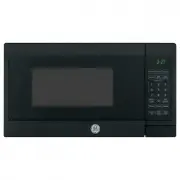
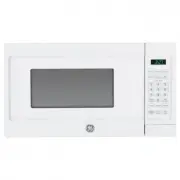
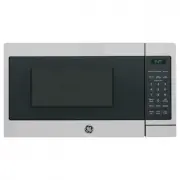
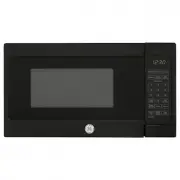
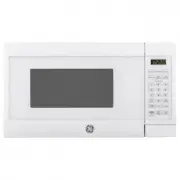
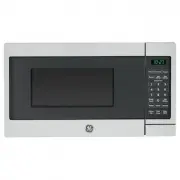
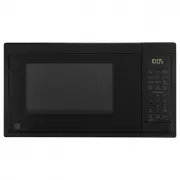
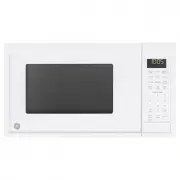
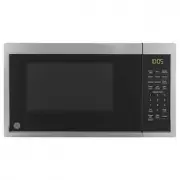
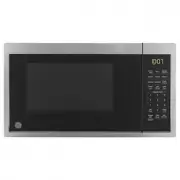
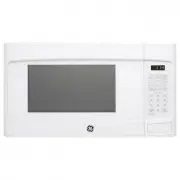
6 49-7000095 Rev. 0 Throughout this manual, features and appearance may vary from your model. 1. Door Handle. Pull to open the door. The door must be securely latched for the microwave to operate. 2. Door Latches.3. Window with Metal Shield. Screen allows cooking to be viewed while keeping microwave...
Page 7 - USING YOUR; Cooking Controls; Check the Convenience Guide before you begin.; Time Features; Sensor Features
49-7000095 Rev. 0 7 USING YOUR OVEN: Controls Controls You can microwave by time or with the sensor features. Not all features on all models. Cooking Controls Check the Convenience Guide before you begin. Time Features Press Enter Cook Time Amount of cooking time Express Cook Starts Immediately! Add...
Page 8 - Changing the Power Level; Cook Time I; Cook Time II; Features
8 49-7000095 Rev. 0 Changing the Power Level The power level may be entered or changed immediately after entering the feature time for Cook Time, Time Defrost, Add 30 Sec or Express Cook. The power level may also be changed during the time countdown.1. Press Cook Time . 2. Enter cooking or defrostin...
Page 10 - Weight Defrost; Time Defrost
10 49-7000095 Rev. 0 Weight Defrost The Defrost Weight/Time feature gives you two ways to defrost food.Press Defrost Weight/Time once for weight defrost or twice for Time Defrost.Use Weight Defrost for meat, poultry and fish up to 6 pounds. Use Time Defrost for most other frozen foods. Weight Defros...
Page 12 - About the Time Features
12 49-7000095 Rev. 0 Add 30 Sec You can use this feature two ways: n It will add 30 seconds to the time counting down each time the pad is pressed. n It can be used as a quick way to set 30 seconds of cooking time. Express Cook This is a quick way to set cooking time for 1 –5 minutes. Press one of t...
Page 13 - About the Auto Features
49-7000095 Rev. 0 13 Weight Defrost Weight defrost automatically sets the defrosting times and power levels to give even defrosting results for meats, poultry and fish weighing up to six pounds.1. Press Defrost Weight/Time once. 2. Using the conversion guide, enter food weight. For example, press pa...
Page 14 - Sensor; Humidity Sensor; Beverage Feature
14 49-7000095 Rev. 0 Sensor Features USING YOUR OVEN : Sensor Features Humidity Sensor The Sensor Features detect the increasing humidity released during cooking. The oven automatically adjusts the cooking time to various types and amounts of food. Do not use the Sensor Features twice in succession ...
Page 15 - Reheat
49-7000095 Rev. 0 15 Sensor Features USING YOUR OVEN: Sensor Features Reheat The Reheat feature reheats single servings of previously cooked foods or a plate of leftovers.1. Place covered food in the oven. Press Reheat . 2. Press one of the Express Cook pads (from 1 to 4) to select the food you wish...
Page 16 - Other; Cooking Complete Reminder; Turntable
16 49-7000095 Rev. 0 Other Features USING YOUR OVEN: Other Features Cooking Complete Reminder To remind you that you have food in the oven, the oven will display “Food is Ready” and beep once a minute until you either open the oven door or press Cancel/Off . Set Clock Press to enter the time of day ...
Page 18 - Microwave terms
18 49-7000095 Rev. 0 Microwave terms Arcing Arcing is the microwave term for sparks in the oven. Arcing is caused by: • the metal shelf being installed incorrectly and touching the microwave walls. • metal or foil touching the side of the oven. • foil that is not molded to food (upturned edges act l...
Page 19 - How to Clean the Outside; Care and Cleaning; CARE AND
49-7000095 Rev. 0 19 Helpful Hints An occasional thorough wiping with a solution of baking soda and water keeps the inside fresh.Be sure the power is off before cleaning any part of this oven. How to Clean the Inside Walls, Floor, Inside Window, Metal and Plastic Parts on the Door Some spatters can ...
Page 20 - Cooktop Light/Nite Light; Vent Fan; Removing and Cleaning the Filters
20 49-7000095 Rev. 0 Cooktop Light/Nite Light Replace with a 120 volt, 50 watt (max.) halogen bulb. See back cover for ordering online at geappliances. com. 1. To replace the cooktop light/nite light, first disconnect the power at the main fuse or circuit breaker panel, or pull the plug. 2. Remove t...
Page 21 - Charcoal Filter; CHARCOAL FILTER REPLACEMENT
49-7000095 Rev. 0 21 Care and Cleaning CARE AND CLEANING Charcoal Filter The charcoal filter cannot be cleaned. It must be replaced. See back cover for ordering online at GEAppliances.comIf the model is not vented to the outside, the air will be recirculated through a disposable charcoal filter that...
Page 22 - Troubleshooting Tips; Problem; Things That Are Normal With Your Microwave Oven; TROUBLESHOOTING TIPS; RADIO FREQUENCY INTERFERENCE STATEMENT
22 49-7000095 Rev. 0 Troubleshooting Tips Problem Possible Causes What To Do Oven will not start A fuse in your home may be blown or the circuit breaker tripped. • Replace fuse or reset circuit breaker. Power surge. • Unplug the microwave oven, then plug it back in. Plug not fully inserted into wall...
Page 23 - What GE Appliances will not cover:; LIMITED W; Microwave Oven Limited Warranty; EXCLUSION OF IMPLIED WARRANTIES; company
49-7000095 Rev. 0 23 Staple your receipt here. Proof of the original purchase date is needed to obtain service under the warranty . GEAppliances.com All warranty service is provided by our Factory Service Centers, or an authorized service technician. To schedule service online, visit us at GEApplian...
Page 24 - Recirculating Charcoal Filter Kit; 5” Cabinet Installation Kit
24 49-7000095 Rev. 0 OPTIONAL KITS Optional Kits Filler Panel Kits JX36BSS - Stainless JX36BWW - White JX36BBB – Black JX36BTS – Black Stainless JX36BES – Slate When replacing a 36” range hood, filler panel kits fill in the additional width to provide a custom built-in appearance. For installation b...
Page 25 - Notes
Page 28 - Consumer Support; GE Appliances Website; Schedule Service; Contact Us
28 49-7000095 Rev. 0 Printed in China Consumer Support CONSUMER SUPPORT GE Appliances Website Have a question or need assistance with your appliance? Try the GE Appliances Website 24 hours a day, any day of the year! You can also shop for more great GE Appliances products and take advantage of all o...