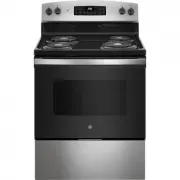
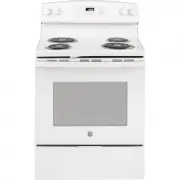
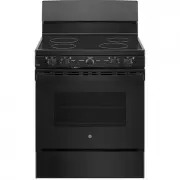
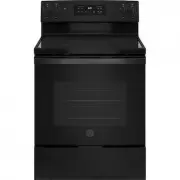
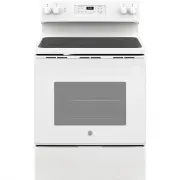
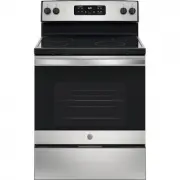
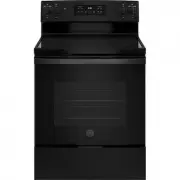
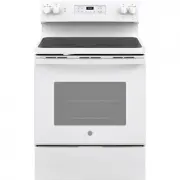
Page 2 - THANK YOU FOR MAKING GE APPLIANCES A PART OF YOUR HOME.; card included in the packing material.
2 49-2000999 Rev. 1 THANK YOU FOR MAKING GE APPLIANCES A PART OF YOUR HOME. Whether you grew up with GE Appliances, or this is your first, we’re happy to have you in the family. We take pride in the craftsmanship, innovation and design that goes into every GE Appliances product, and we think you wil...
Page 3 - READ ALL INSTRUCTIONS BEFORE USING THE APPLIANCE; SAFETY; WARNING; WARNING; GENERAL SAFETY INSTRUCTIONS; CAUTION
49-2000999 Rev. 1 3 READ AND SAVE THESE INSTRUCTIONS IMPORTANT SAFETY INFORMATION READ ALL INSTRUCTIONS BEFORE USING THE APPLIANCE SAFETY INFORMA TION ANTI-TIP DEVICE To reduce the risk of tipping the range, the range must be secured by a properly installed anti-tip bracket. See installation instruc...
Page 4 - KEEP FLAMMABLE MATERIALS AWAY FROM THE RANGE; IN THE EVENT OF A FIRE, TAKE THE FOLLOWING; IMPORTANT SAFETY INFORMATION
4 49-2000999 Rev. 1 WARNING KEEP FLAMMABLE MATERIALS AWAY FROM THE RANGE Failure to do so may result in fire or personal injury. ■ Do not store or use flammable materials in an oven or near the cooktop, including paper, plastic, pot holders, linens, wall coverings, curtains, drapes and gasoline or o...
Page 5 - COOKTOP SAFETY INSTRUCTIONS; RADIANT COOKTOP SAFETY INSTRUCTIONS
49-2000999 Rev. 1 5 SAFETY INFORMA TION READ AND SAVE THESE INSTRUCTIONS IMPORTANT SAFETY INFORMATION READ ALL INSTRUCTIONS BEFORE USING THE APPLIANCE WARNING COOKTOP SAFETY INSTRUCTIONS ■ Never leave the surface units unattended. Boilovers cause smoking and greasy spillovers that may catch on fire....
Page 6 - How to Remove Protective Shipping Film and Packaging Tape; SELF-CLEANING OVEN SAFETY INSTRUCTIONS; OVEN SAFETY INSTRUCTIONS
6 49-2000999 Rev. 1 How to Remove Protective Shipping Film and Packaging Tape Carefully grasp a corner of the protective shipping film with your fingers and slowly peel it from the appliance surface. Do not use any sharp items to remove the film. Remove all of the film before using the appliance for...
Page 7 - How to Set; Surface Units; Dual and Triple Surface Units and Control Knobs (on some models); Surface
49-2000999 Rev. 1 7 Throughout this manual, features and appearance may vary from your model. How to Set Push the knob in and turn in either direction to the setting you want.A surface ON indicator light will glow when any surface unit is on For glass cooktop surfaces: A HOT COOKTOP indicator light ...
Page 9 - Cookware for Radiant Glass Cooktop; Recommended; For Best Results
49-2000999 Rev. 1 9 USING THE RANGE: Cookware for Radiant Glass Cooktop Cookware for Radiant Glass Cooktop The following information will help you choose cookware which will give good performance on glass cooktops. NOTE: Follow all cookware manufacturer’s recommendations when using any type of cookw...
Page 10 - Connecting your WiFi Connect Enabled Oven
10 49-2000999 Rev. 1 WiFi Connect (on some models) USING THE RANGE: WiFi Connect Your oven is designed to provide you with two-way communication between your appliance and smart device. By using the WiFi Connect features, you will be able to control essential oven operations such as temperature sett...
Page 11 - Oven Controls
49-2000999 Rev. 1 11 USING THE RANGE: Oven Controls Oven Controls 1. Convection Cooking Modes: Convection cooking modes use increased air circulation to improve performance. The type of benefit depends on the mode. Your oven has the following convection cooking modes: Convection Bake and Convection ...
Page 12 - Special Features; Fahrenheit or Celsius Temperature
12 49-2000999 Rev. 1 USING THE RANGE: Special Features Special Features There are several different special features on your range. To change the settings of these special features: ■ Press the Bake and Broil pads at the same time and hold until the special features menu is displayed. ■ Use the 2 or...
Page 13 - Sabbath Mode
49-2000999 Rev. 1 13 Sabbath Mode The Sabbath mode feature complies with standards set forth by Star K. Some of these standards that will be noticed by the consumer include the disabling of tones, disabling of oven lights, and delays of about 30 seconds to one minute on display changes. Only continu...
Page 14 - Oven Racks; Oven Cookware; Cookware Guidelines; Aluminum Foil and Oven Liners
14 49-2000999 Rev. 1 The number of rack positions may vary by model. USING THE RANGE: Oven Racks / Aluminum Foil / Oven Cookware Oven Racks Recommended rack positions for various types of foods are provided in the Cooking Guide. Adjusting rack position is one way to impact cooking results. For examp...
Page 15 - Cooking Modes
49-2000999 Rev. 1 15 Your new oven has a variety of cooking modes to help you get the best results. These modes are described below. Refer to the Cooking Guide section for rack position and other recommendations for specific modes and foods. Remember, your new oven may perform differently than the o...
Page 16 - Oven Cooking Guide
16 49-2000999 Rev. 1 FOOD TYPE RECOMMENDED MODE(S) RECOMMENDED RACK POSITION(S) ADDITIONAL SUGGESTIONS Baked Goods Layer Cakes, sheet cakes, bundt cakes, muffins, quick breads on a Single Rack Bake 3 Use shiny cookware. Layer cakes* on Multiple Racks Bake Convection Bake 2 and 4 Ensure adequate airf...
Page 17 - Air Fry Cooking Guide; Air Fry Cookware Guidelines
49-2000999 Rev. 1 17 CARE AND CLEANING: Cooking Guide Oven Cooking Guide Air Fry Cooking Guide Air Fry is a special, no-preheat, cooking mode that is designed to produce foods with a crispier exterior than traditional oven cooking. Select Air Fry , then input the desired set temperature and press St...
Page 18 - Cleaning the Range – Exterior
18 49-2000999 Rev. 1 A child or adult can tip the range and be killed. Verify the anti-tip bracket has been properly installed and engaged. Ensure the anti-tip bracket is re-engaged when the range is moved. Do not operate the range without the anti-tip bracket in place and engaged. Failure to follow...
Page 19 - Cleaning the Range – Interior; Manual Cleaning; Steam Clean Mode
49-2000999 Rev. 1 19 CARE AND CLEANING: Cleaning the Range – Interior Cleaning the Range – Interior The interior of your new oven can be cleaned manually or by using Steam Clean or Self Clean modes.Spillage of marinades, fruit juices, tomato sauces and basting liquids containing acids may cause disc...
Page 20 - Racks; Oven Heating Elements
20 49-2000999 Rev. 1 Cleaning the Range – Interior (Cont.) Racks All racks can be washed with warm, soapy water. Enameled (not shiny) racks can be left in the cavity during self clean. Racks may be more difficult to slide, especially after a self-clean. Put some vegetable oil on a soft cloth or pape...
Page 21 - Metal Marks and Scratches; Cleaning the Glass Cooktop
49-2000999 Rev. 1 21 CARE AND CLEANING: Cleaning the Glass Cooktop To maintain and protect the surface of your glass cooktop, follow these steps:1. Before using the cooktop for the first time, clean it with a ceramic cooktop cleaner. This helps protect the top and makes cleanup easier. 2. Regular us...
Page 23 - Oven Light
49-2000999 Rev. 1 23 Oven Light CARE AND CLEANING: Oven Light WARNING SHOCK OR BURN HAZARD: Before replacing oven light bulb, disconnect the electrical power to the range at the main fuse or circuit breaker panel. Failure to do so may result in electric shock or burn. CAUTION BURN HAZARD: The glass ...
Page 24 - Oven Door
24 49-2000999 Rev. 1 CARE AND CLEANING: Oven Door / Storage Drawer The door is very heavy. Be careful when removing and lifting the door. Do not lift the door by the handle. To remove the door: 1. Fully open the door.2. Pull the hinge locks down toward the door frame, to the unlocked position. A too...
Page 25 - Removable Storage Drawer (on some models); Removable
49-2000999 Rev. 1 25 Removable Storage Drawer (on some models) The storage drawer is a good place to store cookware and bakeware. Do not store plastics or flammable material in the drawer.The storage drawer may be removed for cleaning under the range. Clean the storage drawer with a damp cloth or sp...
Page 26 - Before you call for service; Problem
26 49-2000999 Rev. 1 TROUBLESHOOTING TIPS Troubleshooting Tips ... Before you call for service Save time and money! Review the charts on the following pages first and you may not need to call for service. Check out self-help videos and FAQ at GEAppliances.com/support. Problem Possible Cause What To ...
Page 27 - TROUBLESHOOTING
49-2000999 Rev. 1 27 Troubleshooting Tips ... Before you call for service Problem Possible Cause What To Do Food does not broil properly Oven controls improperly set. Make sure you select the appropriate broil mode. Improper rack position being used. See Cooking Guide for rack location suggestions. ...
Page 30 - What GE Appliances will not cover:; LIMITED W; EXCLUSION OF IMPLIED WARRANTIES; company
30 49-2000999 Rev. 1 Staple your receipt here. Proof of the original purchase date is needed to obtain service under the warranty . GEAppliances.com All warranty service is provided by our Factory Service Centers, or an authorized Customer Care ® technician. To schedule service online, visit us at G...
Page 31 - ACCESSORIES; Looking For Something More?; Accessories; Parts
49-2000999 Rev. 1 31 ACCESSORIES Looking For Something More? GE Appliances offers a variety of accessories to improve your cooking and maintenance experiences! Refer to the Consumer Support page for phone numbers and website information.The following products and more are available: Accessories Acce...
Page 32 - Consumer Support
32 49-2000999 Rev. 1 Printed in the United States Consumer Support CONSUMER SUPPORT GE Appliances Website Have a question or need assistance with your appliance? Try the GE Appliances Website 24 hours a day, any day of the year! You can also shop for more great GE Appliances products and take advant...