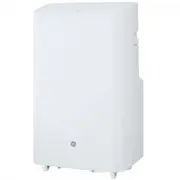
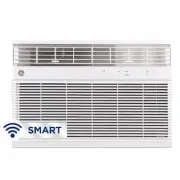
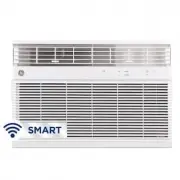
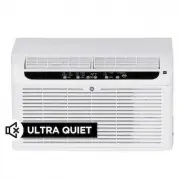
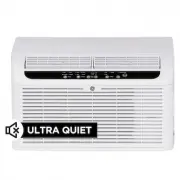
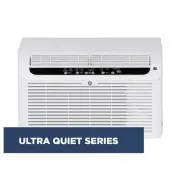
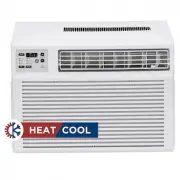
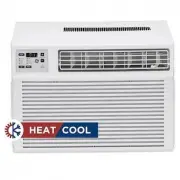
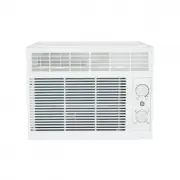
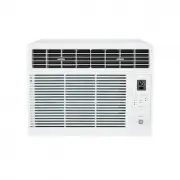
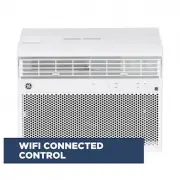
Page 2 - THANK YOU FOR MAKING GE APPLIANCES A PART OF YOUR HOME.; card included in the packing material.
2 49-5000544 Rev. 1 THANK YOU FOR MAKING GE APPLIANCES A PART OF YOUR HOME. Whether you grew up with GE Appliances, or this is your first, we’re happy to have you in the family. We take pride in the craftsmanship, innovation and design that goes into every GE Appliances product, and we think you wil...
Page 3 - IMPORTANT SAFETY INSTRUCTIONS; READ AND SAVE THESE INSTRUCTIONS; READ ALL INSTRUCTIONS BEFORE USING THE APPLIANCE; IMPORT; WARNING; How to Insert the Batteries in the Remote Control; WARNING
49-5000544 Rev. 1 3 IMPORTANT SAFETY INSTRUCTIONS WARNING To reduce the risk of fire, electrical shock, injury to persons, or damage when using the air conditioner, follow basic precautions, including the following: • Read all of the instructions before using this appliance. • Plug into a grounded 3...
Page 4 - Controls
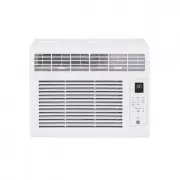
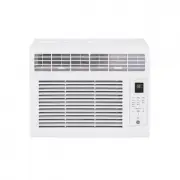
4 49-5000544 Rev. 1 Features and appearance will vary. Lights next to the buttons on the air conditioner control panel indicate the selected settings. A. Control Panel Display Displays the Set Temperature in degrees Fahrenheit or degrees Celsius, or the hours remaining in a Time Delay. B. Power Butt...
Page 5 - Cool Mode; Dry Mode—Dehumidification; Power Outage Recovery Feature; USING THE
49-5000544 Rev. 1 5 Controls Cool Mode Use the Cool mode for cooling. To set the Cool mode: 1. Press the MODE button until the Cool indicator light is lit. 2. Press the FAN EXWWRQWRVHW+,*+0(',80RU/2: fan speed. 3. Press + or - to set the desired temperature. After settings have been made, the displa...
Page 6 - REMOTE CONTROL
6 49-5000544 Rev. 1 Controls USING THE AIR CONDITIONER Features and appearance may vary. ,FRQVRQWKHUHPRWHFRQWUROLQGLFDWHWKHVHOHFWHGVHWWLQJV ć C A B C D E F REMOTE CONTROL ,QVHUWWKHWZREDWWHULHVSURYLGHG 2. Aim the remote control at the signal receiver on the control panel to operate the air conditione...
Page 7 - Air Filter; CAUTION; DO NOT; CLEANING; Electrical Shock Hazard
49-5000544 Rev. 1 7 Care and Cleaning CARE AND CLEANING Air Filter The air filters should be cleaned at least every two weeks for your unit to operate at optimum efficiency. CAUTION DO NOT operate the air conditioner without a filter because dirt and lint will clog it and reduce performance. To remo...
Page 8 - If the unit is not being used for a long period of time:; Care and Cleaning; Internal Water Tank; To Empty the Internal Water Tank:; Continuous Draining
8 49-5000544 Rev. 1 How to Insert the Batteries in the Remote Control 1. Remove the battery cover by sliding it according to the arrow direction. ,QVHUWQHZEDWWHULHVPDNLQJVXUHWKDWWKHDQG± of battery are installed correctly. 3. Reattach the cover by sliding it back into position. NOTES: Ŷ8VH³$$$´YROWDO...
Page 9 - Installation Instructions; Location Requirements; INST; BEFORE YOU BEGIN; Note to Installer; Completion time –
49-5000544 Rev. 1 9 Installation Instructions Location Requirements • Place the air conditioner on a flat, level surface in a ORFDWLRQWKDWLVDWOHDVW´FPIURPDQ\ZDOO NOTE: $PLQLPXPFOHDUDQFHRI´FPIURP the air conditioner to the wall must be maintained to ensure proper airflow. 0DLQWDLQDPLQLPXP´FPFOHDUDQF...
Page 10 - PARTS INCLUDED
10 49-5000544 Rev. 1 INST ALLA TION INSTRUCTIONS Installation Instructions 1. Auto Swing Louver2. Controls3. Built-in Handle &DVWHUV 5. Upper Filter Panel6. Top Continuous Drain7. Exhaust Vent 8. Lower Drain /'&,3OXJ&RUG:LQGHU 11. Lower Filter Panel12. Power Cord13. Remote Control14. 2 A...
Page 11 - Window Panel Combinations to fit window openings
49-5000544 Rev. 1 11 Installation Instructions INST ALLA TION INSTRUCTIONS Window Panel Combinations to fit window openings (Appearance may vary) Window Opening 20” Center Panel Only :LQGRZ2SHQLQJ´ï»´ &HQWHU3DQHOï»´([WHQVLRQ :LQGRZ2SHQLQJï»´´ &HQWHU3DQHO´([WHQVLRQ :LQGRZ2SHQLQJï»´ï»´ &a...
Page 12 - UNPACK AIR CONDITIONER; Excessive Weight Hazard
12 49-5000544 Rev. 1 INST ALLA TION INSTRUCTIONS Installation Instructions 1. UNPACK AIR CONDITIONER • Remove packaging materials. Save the carton and the foam packaging for storing the air conditioner when not in use. NOTE: There are NO packing materials inside the air conditioner to remove—Do Not ...
Page 13 - Install from the back.; Typical Vinyl Window Installation
49-5000544 Rev. 1 13 4. Install Main Window Panel and Extension Panels NOTE: Measure the window opening and use the extension panels as referenced on page 11 to fit your window. 1 . Open the window and place the window kit assembly into the window. NOTE: The window assembly is designed to accommodat...
Page 15 - Error Codes
49-5000544 Rev. 1 15 TROUBLESHOOTING TIPS Troubleshooting Tips Problem Possible Causes Solution Unit does not start or operate Power supply cord is not plugged into an outlet. Plug the power cord into a grounded 3 prong outlet. Power supply cord has tripped. Press and release the RESET button on the...
Page 16 - REGULATORY INFORMATION; How it Works; SmartHQ; WIFI SETUP; GE Appliances SmartHQ (for customers in the United States); GE Appliances SmartHQ Enabled*; Getting Started; connected; Questions about SmartHQ
16 49-5000544 Rev. 1 WiFi Setup (on some models) REGULATORY INFORMATION FCC/IC Compliance Statement: This device complies with Part 15 of the FCC Rules. Operation is subject to the following two conditions:1. This device may not cause harmful interference.2. This device must accept any interference ...
Page 17 - Limited Warranty; EXCLUSION OF IMPLIED WARRANTIES -; LIMITED W
49-5000544 Rev. 1 17 Limited Warranty Staple your receipt here. Proof of the original purchase date is needed to obtain service under the warranty . EXCLUSION OF IMPLIED WARRANTIES - Your sole and exclusive remedy is product repair as provided in this Limited Warranty. Any implied warranties, includ...
Page 18 - Consumer Support; CONSUMER SUPPORT
18 49-5000544 Rev. 1 Printed in China Consumer Support GE Appliances Website Have a question or need assistance with your appliance? Try the GE Appliances Website 24 hours a day, any day of the year! You can also shop for more great GE Appliances products and take advantage of all our on-line suppor...
Page 19 - ACCONDICIONADORES DE AIRE; PARA SALA; MANUAL DEL
49-5000544 Rev. 0 09-20 GEA APCD07 APWD07 APCD08 APWD08 APSD08 APCD10 APWD10 APXD10 ACCONDICIONADORES DE AIRE PARA SALA Escriba los números de modelo y serie aquí: # de Modelo _____________ # de Serie _______________ Puede encontrar estos números en una etiqueta en el costado del acondicionador de a...
Page 20 - GRACIAS POR HACER QUE GE APPLIANCES SEA PARTE DE SU HOGAR.; tenerlo en la familia.
2 49-5000544 Rev. 0 GRACIAS POR HACER QUE GE APPLIANCES SEA PARTE DE SU HOGAR. Ya sea que haya crecido usando GE Appliances, o que ésta es su primera vez, nos complace tenerlo en la familia. Sentimos orgullo por el nivel de arte, innovación y diseño de cada uno de los electrodomésticos de GE Applian...
Page 21 - INSTRUCCIONES IMPORTANTES DE SEGURIDAD; INFORMACIÓN DE SEGURIDAD; ADVERTENCIA; Cómo Insertar las Baterías en el Control Remoto
49-5000544 Rev. 0 3 INSTRUCCIONES IMPORTANTES DE SEGURIDAD ADVERTENCIA Para reducir el riesgo de incendio, choque eléctrico, lesiones a personas o daños al utilizar el acondicionador de aire, siga precauciones básicas, incluyendo las siguientes: • Lea todas las instrucciones antes de usar este elect...
Page 23 - Controles; Modo de Refrigeración; Modo de Ventilación; USO
49-5000544 Rev. 0 Controles Modo de Refrigeración 8VHHOPRGR&22/5HIULJHUDFLyQSDUDHQIULDU Para configurar el modo COOL (Refrigeración): 3UHVLRQHODWHFOD02'(0RGRKDVWDTXHODOX]LQGLFDGRUDGH COOL (Refrigeración) esté encendida. 3UHVLRQHODWHFOD)$19HQWLODGRUSDUDFRQILJXUDUODYHORFLGDGGHO YHQWLODGRUHQ+,*+$OW...
Page 24 - CONTROL REMOTO; Enfriamiento
6 49-5000544 Rev. 0 Las luces al lado de las teclas de toque en el panel de control del acondicionador de aire indicarán los ajustes seleccionados. Las funciones y el aspecto pueden variar. USO DEL ACONDICIONADOR DE AIRE Controles ć C A B C D E F CONTROL REMOTO ,QVHUWHODVGRVEDWHUtDVLQFOXLGDV 2. Apun...
Page 25 - FILTROS DE AIRE; PRECAUCIÓN; LIMPIEZA; Riesgo de descarga eléctrica
49-5000544 Rev. 0 7 Cuidado y Limpieza CUIDADO Y LIMPIEZA FILTROS DE AIRE Los filtros de aire deben limpiarse al menos una vez a la semana para garantizar que la unidad funcione con una eficiencia óptima. PRECAUCIÓN No opere el acondicionador de aire si los filtros de aire no están en su lugar.Para ...
Page 26 - TANQUE DE AGUA INTERIOR; Drenaje Continuo; CÓMO INSERTAR LAS PILAS EN EL CONTROL REMOTO; RANGEMENT
8 49-5000544 Rev. 0 Cuidado y Limpieza CUIDADO Y LIMPIEZA TANQUE DE AGUA INTERIOR El indicador de agua llena se ilumina cuando el tanque de agua interno está lleno de agua de condensación. La unidad no enfriará hasta que el tanque haya sido vaciado, a fin de evitar desbordes y posibles daños sobre e...
Page 27 - Requisitos De Ubicación; ANTES DE INICIAR
49-5000544 Rev. 0 9 INSTRUCCIONES DE INST ALACIÓN Instrucciones de instalación Requisitos De Ubicación • Coloque el acondicionador de aire sobre una supercie plana y nivelada en una ubicación que esté al menos a ´FPGHODSDUHG NOTA: La distancia recomendada de la ventana para un UHQGLPLHQWRySWLPRHVGH³...
Page 28 - PARTES INCLUIDAS
49-5000544 Rev. 0 USO DEL ACONDICIONADOR DE AIRE Pièces Et Caractéristiques PARTES INCLUIDAS (Apariencia puede variar) 5HMLOODFRQ%DODQFHR$XWRPiWLFR 2. Controles 3. Manija Incorporada 4. Rueditas (4) 3DQHOGHO)LOWUR6XSHULRU 6. Drenaje Superior Continuo 9HQWLODFLyQGH6DOLGD 8. Drenaje Inferior 9. Enchuf...
Page 33 - Códigos de Error
49-5000544 Rev. 0 SOLUCIONAR PROBLEMAS Solucionar problemas Problema Causas posibles Qué hacer La unidad no se pone en marcha ni funciona El cable de suministro de energía no está enchufado en un toma corriente. Conecte el cable eléctrico a un toma corriente de3 terminales con conexión a tierra. El ...
Page 34 - INFORMACIÓN REGULATORIA; Cómo Funciona; CONFIGURACIÓN WIFI; GE Appliances SmartHQ (Para clientes en Estados Unidos); Puesta en marcha
49-5000544 Rev. 0 Configuración WiFi (en algunos modelos) INFORMACIÓN REGULATORIA Declaración de Cumplimiento con FCC/IC: (VWHGLVSRVLWLYRQRSRGUiFDXVDULQWHUIHUHQFLDVSHUMXGLFLDOHV 2. Este dispositivo debe aceptar cualquier interferencia recibida, incluidas las interferencias que puedan provocar un fun...
Page 35 - GARANTÍA; Garantía de su acondicionador de aire—garantía limitada de un año.; Qué No Será Cubierto:; Incluya en el paquete una copia del receptor de la
49-5000544 Rev. 0 Abroche su recibo aquí. Para acceder al servicio técnico de acuerdo con la garantía deberá contar con la prueba de la fecha original de compra. GARANTÍA LIMIT ADA Garantía de su acondicionador de aire—garantía limitada de un año. Abroche su recibo aquí. Para acceder al servicio téc...
Page 36 - Soporte al Cliente
49-5000544 Rev. 0 SOPORTE P ARA EL CONSUMIDOR Impreso en China Soporte al Cliente GE Appliances Sitio Web ¿Desea realizar una consulta o necesita ayuda con su electrodoméstico? ¡Intente a través del Sitio Web de Electrodomésticos GH*($SSOLDQFHVODVKRUDVGHOGtDFXDOTXLHUGtDGHODxR8VWHGWDPELpQSXHGHFRPSUDU...