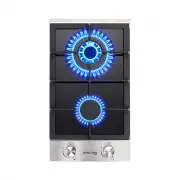
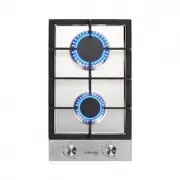
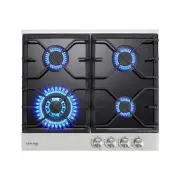
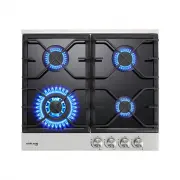
Page 4 - Important Safety Instructions
Important Safety Instructions • Never leave the appliance unattended when in use. Boil over causes smoking and greasy spillovers that may ignite. • Never use your appliance as a work or storage surface. • Never leave any objects or utensils on the appliance. • Do not place or leave any magnetisable ...
Page 5 - Congratulations
• This appliance can be used by children aged from 8 years and above and persons with reduced physical,sensory or mental capabilities or lack of experi- ence and knowledge if they have been given supervision or instruction concerning use of the appliance in a safe way and understand the hazards invo...
Page 6 - Product Overview
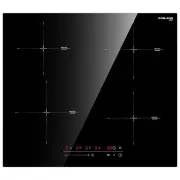
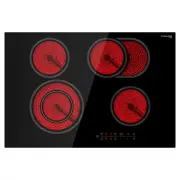
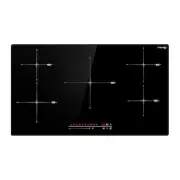
1. Max. 2300W boost 2600W zone 2. Max. 1200W boost 1500W zone 3. Max. 2000W boost 2300W zone 4. Max. 1200W boost 1500W zone 5. Glass plate 6. Control panel 1. ON/OFF control 2. Stop&go 3. Warming functions control 4. Boost function control 5. Power/Timer regulating control 6. Heating zone select...
Page 8 - Choosing The Right Cookware
Choosing The Right Cookware • Only use cookware with a base suitable for induction cooking. Look for the induction symbol on the packaging or on the bottom of the pan. • You can check whether your cookware is suitable by carrying out a magnet test. Move a magnet towards the base of the pan. If it is...
Page 9 - Using Your Induction Cooktop; To start cooking
Using Your Induction Cooktop To start cooking 1. Touch the ON/OFF control. After power on, the buzzer beeps once, all displays show “ – “ or “ – – “, indicating that the induction cooktop has entered the state of standby mode. 2. Place a suitable pan on the cooking zone that you wish to use. • Make ...
Page 12 - Locking The Controls; To lock the controls
Locking The Controls • You can lock the controls to prevent unintended use(for example children accidentally turning the cooking zones on). • When the controls are locked, all the controls except the ON/OFF control are disabled. To lock the controls Touch and hold the keylock control for 3 seocnd. T...
Page 14 - Using The Timer As A Minute Minder
(844) 538-7890 [email protected] www.gaslandchef.com 8350 Patriot Blvd STE B, N. Charleston, SC 29418 13 www.gaslandchef.com Using The Timer As A Minute Minder If you are not selecting any cooking zone 1. Make sure the cooktop is turned on. NOTE: you can use the minute minder even if you’re not sele...
Page 15 - Setting The Timer To Turn One Cooking Zone Off
(844) 538-7890 [email protected] www.gaslandchef.com 8350 Patriot Blvd STE B, N. Charleston, SC 29418 14 www.gaslandchef.com Setting The Timer To Turn One Cooking Zone Off 1. Touching the heating zone selection control that you want to set the timer for. 2. Touch timer control, the minder indicator ...
Page 18 - Heat Settings; Heat setting
(844) 538-7890 [email protected] www.gaslandchef.com 8350 Patriot Blvd STE B, N. Charleston, SC 29418 17 www.gaslandchef.com Heat Settings The settings below are guidelines only. The exact setting will depend on several factors, including your cookware and the amount you are cooking. Experiment with...
Page 19 - Care And Cleaning
(844) 538-7890 [email protected] www.gaslandchef.com 8350 Patriot Blvd STE B, N. Charleston, SC 29418 18 www.gaslandchef.com Care And Cleaning What? Important! How? t o t r e w o p e h t h c ti w S .. 1 cooktop off. 2. Apply a cooktop cleaner while the glass is still warm(but not hot!) h ti w y r d ...
Page 20 - Hints And Tips; Problem
(844) 538-7890 [email protected] www.gaslandchef.com 8350 Patriot Blvd STE B, N. Charleston, SC 29418 19 www.gaslandchef.com Hints And Tips Problem What to do Possible causes No power. Make sure the induction cooktop is connected to the power supply and that it is switched on. Check whether there is...
Page 22 - Failure Display And Inspection
(844) 538-7890 [email protected] www.gaslandchef.com 8350 Patriot Blvd STE B, N. Charleston, SC 29418 Failure Display And Inspection If an abnormality comes up, the induction cooktop will enter the protective state automatically and display corresponding protective codes: 21 www.gaslandchef.com Prob...
Page 24 - Model
(844) 538-7890 [email protected] www.gaslandchef.com 8350 Patriot Blvd STE B, N. Charleston, SC 29418 Model L W H D A B X IH30BF IH60BF 23 1 / 5 ’’ 20 1 / 2 ’’ 2 2 / 5 ’’ 2 1 / 5 ’’ 22 1 / 4 ’’ 19 1 / 2 ’’ 2’’ mini 20¹/ ₂ ″ 11¹/ ₂ ″ 2 2 / 5 ″ 2 ¹ / 5 ″ 10 2 / 5 ″ 19 2 / 5 ″ 2″ mini Under any circums...
Page 26 - Cautions
(844) 538-7890 [email protected] www.gaslandchef.com 8350 Patriot Blvd STE B, N. Charleston, SC 29418 A B Screw Bracket C Screw Hole D Bottom Base 25 www.gaslandchef.com Cautions 1. The induction cooktop must be installed by qualified personnel or technicians. We have professionals at your service. ...
Page 27 - locatingthefixingbrackets
(844) 538-7890 [email protected] www.gaslandchef.com 8350 Patriot Blvd STE B, N. Charleston, SC 29418 26 www.gaslandchef.com locatingthefixingbrackets • The unit should be placed on a stable, smooth surface (use the packaging).Donotapplyforceontothecontrolsprotrudingfromthehob.