Page 4 - Hot Surface Hazard; • Metallic objects such as knives, forks, spoons; Cut Hazard
4 not be affected by the electromagnetic field. • Failure to follow this advice may result in death. Hot Surface Hazard • During use, accessible parts of this appliance will become hot enough to cause burns. • Do not let your body, clothing or any item other than suitable cookware contact the Induct...
Page 7 - • Warning: If the surface is cracked, switch
7 reduced physical,sensory or mental capabilities or lack of experience and knowledge if they have been given supervision or instruction concerning use of the appliance in a safe way and understand the hazards involved. • Children shall not play with the appliance. Cleaning and user maintenance shal...
Page 8 - Congratulations
8 be supervised continuously. WARNING:In order to prevent tipping of the appliance,this stabilizing means must be installed.Refer to the instructions for installation. WARNING:Use only hob guards designed by the manufactuer of the cooking appliance or indicated by the manufacture of the appliance in...
Page 9 - Product Overview
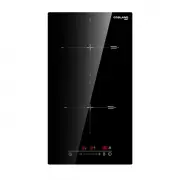
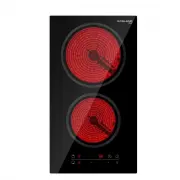
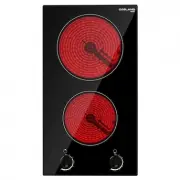
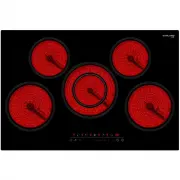
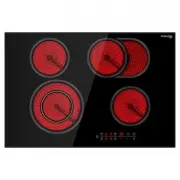
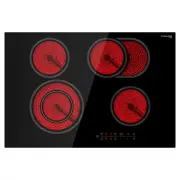
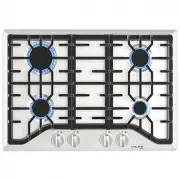
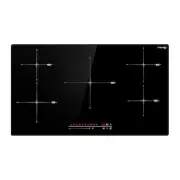
9 Product Overview Top View (IH60BF) Control Panel (IH60BF) 1. max. 2000 W zone 2. max. 1500 W zone 3. max. 2000 W zone 4. max. 1500 W zone 5. Glass plate 6. Control panel 1. Heating zone selection controls 2. Timer control 3. Power / Timer regulating key 4. Key lock control 5. ON/OFF control
Page 10 - A Word on Induction Cooking
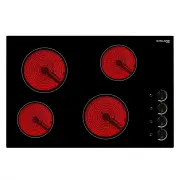
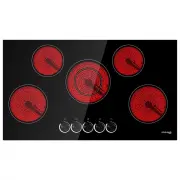
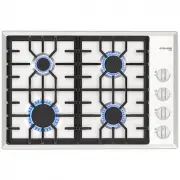
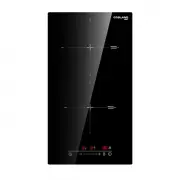
10 Top View (IH30BF) Control Panel (IH30BF) A Word on Induction Cooking Induction cooking is a safe, advanced, efficient, and economical cooking technology. It works by electromagnetic vibrations generating heat directly in the pan, rather than indirectly through heating the glass surface. The glass...
Page 11 - Before using your New Induction Hob; Using the Touch Controls; Choosing the right Cookware
11 Before using your New Induction Hob • Read this guide, taking special note of the ‘Safety Warnings’ section. • Remove any protective film that may still be on your Induction hob. Using the Touch Controls • The controls respond to touch, so you don’t need to apply any pressure. • Use the ball of y...
Page 12 - Using your Induction Hob; To start cooking
12 the same size as the cooking zone. Use pans whose diameter is as large as the graphic of the zone selected.Using a pot a slightly wider energy will be used at its maximum efficiency.If you use smaller pot efficiency could be less than expected.Pot less than 140 mm(5 1/2 in) could be undetected by...
Page 13 - When you have finished cooking
13 3. Touching the heating zone selection control, and an indicator next to the key will flash 4. Select a heat setting by touching the “ - “ or “ + ” control. • If you don’t choose a heat setting within 1 minute, the induction hob will automatically switch off. You will need to start again at step ...
Page 14 - Locking the Controls
14 2. Turn the cooking zone off by touching the “ - ” and scrolling down to “ 0 ”. Make sure the display shows ” 0 ” , then shows ” H ” . 3. Turn the whole cooktop off by touching the ON/OFF control. 4. Beware of hot surfaces, “ H ” will show which cooking zone is hot to touch. It will disappear whe...
Page 15 - Using the Timer; Using the Timer as a Minute Minder
15 When the hob is in the lock mode,all the controls are disable except the ON/OFF , you can always turn the induction hob off with the ON/OFF control in an emergency,but you shall unlock the hob first in the next operation Over-Temperature Protection A temperature sensor equipped can monitor the te...
Page 19 - Cooking Guidelines
19 2. When cooking timer expires, the corresponding cooking zone will be switch off automatically. NOTE: If you want to change the time after the timer is set, you have to start from step 1. Cooking Guidelines Take care when frying as the oil and fat heat up very quickly, particularly if you’re usin...
Page 20 - Heat Settings
20 – the firmer it feels the more ‘well done’ it will be. 5. Leave the steak to rest on a warm plate for a few minutes to allow it to relax and become tender before serving. For stir-frying 1. Choose an induction compatible flat-based wok or a large frying pan. 2. Have all the ingredients and equipm...
Page 21 - Care and Cleaning
21 Care and Cleaning What? How? Important! Everyday soiling on glass (fingerprints, marks, stains left by food or non-sugary spillovers on the glass) 1. Switch the power to the cooktop off. 2. Apply a cooktop cleaner while the glass is still warm (but not hot!) 3. Rinse and wipe dry with a clean clo...
Page 22 - Hints and Tips
22 Hints and Tips Problem Possible causes What to do The induction hob cannot be turned on. No power. Make sure the induction hob is connected to the power supply and that it is switched on. Check whether there is a power outage in your home or area. If you’ve checked everything and the problem pers...
Page 23 - Failure Display and Inspection
23 The induction hob or a cooking zone has turned itself off unexpectedly, a tone sounds and an error code is displayed (typically alternating with one or two digits in the cooking timer display). Technical fault. Please note down the error letters and numbers, switch the power to the induction hob ...
Page 24 - Selection of installation equipment
24 Technical Specification Model IH60BF IH60BF(US) Cooking Zones 4 Zones 4 Zones Supply Voltage 220-240V~ 220-240V~ Frequency 50/60Hz 50/60Hz Rating Power 6600-7200W 6600-7200W Product Size L×W×H 590X520X55mm 23 1/5 *20 1/2 *2 1/5 in Built-in Dimension A×B 560X490mm 22 1/5 *19 1/2 in Model IH30BF IH...
Page 28 - Cautions
28 Model: IH30BF Cautions 1. The induction hotplate must be installed by qualified personnel or technicians. We have professionals at your service. Please never conduct the operation by yourself. 2. The hob will not be installed directly above a dishwasher, fridge, freezer, washing machine or clothe...
Page 29 - Connecting the hob to the mains power supply
29 4. The wall and induced heating zone above the table surface shall withstand heat. 5. To avoid any damage, the sandwich layer and adhesive must be resistant to heat. Connecting the hob to the mains power supply The power supply should be connected in compliance with the relevant standard, or a si...