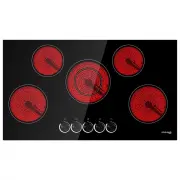
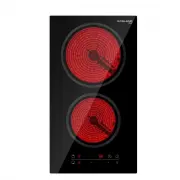
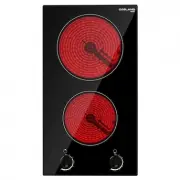
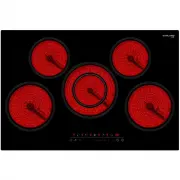
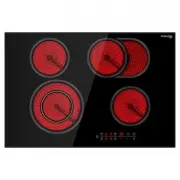
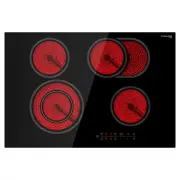
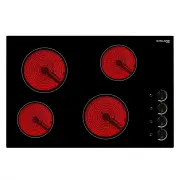
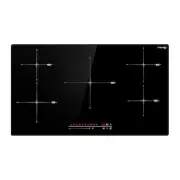
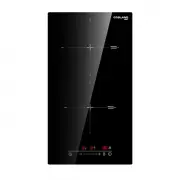
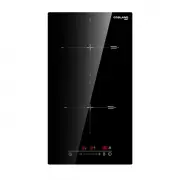
Page 5 - Congratulations; on the purchase of your new Ceramic Hob.; Product Overview
5 •A steam cleaner is not to be used. •The appliance is not intended to be operated by means of an external timer or separate remote-control system. Congratulations on the purchase of your new Ceramic Hob. We recommend that you spend some time to read this Instruction / Installation Manual in order ...
Page 8 - Product Information; Before using your New Ceramic Hob; Using the Touch Controls; Choosing the right Cookware
8 Product Information The ceramic cooker hob can meet different kinds of cuisine demands because of resistance wire heating, micro-computerized control and multi-power selection. It’s an ideal really the optimal choice for modern families. Before using your New Ceramic Hob • Read this guide, taking ...
Page 9 - Using your Ceramic Hob; To start cooking
9 Always lift pans off the ceramic hob – do not slide, or they may scratch the glass. Using your Ceramic Hob To start cooking • After power on, the buzzer beeps once, all the indicators light up for 1 second then go out, indicating that the ceramic hob has entered the state of standby mode. 1. Touch...
Page 10 - When you have finished cooking
10 3. For Model CH90BF-AU, select a heat setting by touching the “ - “ or “ + ” control. Then touch “ - “ or “ + ” to adjust the heating stage. • If you don’t choose a heat setting within 1 minute, the ceramic hob will automatically switch off. You will need to start again at step 1. • You can modif...
Page 11 - Locking the Controls; To lock the controls; Over-Temperature Protection
11 2. Turn the whole cooktop off by touching the ON/OFF control. 4. Beware of hot surfaces • “ H ” showing means the cooking zone is hot to touch. It will disappear when the surface has cooled down to a safe temperature. It can also be used as an energy saving function if you want to heat further pa...
Page 12 - Power level; Using the Timer; Using the Timer as a Minute Minder; If you are not selecting any cooking zone
12 Residual Heat Warning When the hob has been operating for some time, there will be some residual heat. The letter “ ”appears to warn you to keep away from it. Auto Shutdown Protection Another safety feature of the hob is auto shutdown. This occurs whenever you forget to switch off a cooking zone....
Page 13 - Setting the timer to turn one cooking zone off
13 Touch and hold the “ - “ or “ + ” control of the timer to decrease or increase by 10 minutes. 4. When the time is set, it will begin to count down immediately. The display will show the remaining time and the timer indicator will flash for 5 seconds. 5. Buzzer will beep for 30 seconds and the tim...
Page 16 - Power Management; Power management function on Group A; Cooking Tips
16 2. When cooking timer expires, the corresponding cooking zone will be switched off automatically. NOTE: If you want to change the time after the timer is set, you have to start from step 1. Power Management Power management function on Group A • If both zones are working on/above power stage 7, t...
Page 18 - Heat Settings; Heat setting; Care and Cleaning
18 Heat Settings The settings below are guidelines only. The exact setting will depend on several factors, including your cookware and the amount you are cooking. Experiment with the cooktop to find the settings that best suit you. Heat setting Suitability 1 - 2 • Delicate warming for small amounts ...
Page 19 - Hints and Tips; Problem
19 Boilovers, melts, and hot sugary spills on the glass Remove these immediately with a fish slice, palette knife or razor blade scraper suitable for ceramic glass cooktops, but beware of hot cooking zone surfaces: 1. Switch the power to the cooktop off at the wall. 2. Hold the blade or utensil at a...
Page 20 - Technical Specification
20 The touch controls are difficult to operate. There may be a slight film of water over the controls or you may be using the tip of your finger when touching the controls. Make sure the touch control area is dry and use the ball of your finger when touching the controls. The glass is being scratche...
Page 21 - Installation; Selection of installation equipment; Model
21 Installation Selection of installation equipment Cut out the work surface according to the sizes shown in the drawing. For the purpose of installation and use, a minimum of 50mm(2 in) space shall be preserved around the hole. Be sure the thickness of the work surface is at least 30mm(1 1/5 in). P...
Page 23 - Cautions
23 Adjust the bracket position to suit for different work surface’s thickness. Cautions 1. The ceramic cooker hob must be installed by qualified personnel or technicians. We have professionals at your service. Please never conduct the operation by yourself. 2. The ceramic cooker hob shall not be mou...
Page 24 - Connecting the hob to the mains power supply
24 Connecting the hob to the mains power supply The power supply should be connected in compliance with the relevant standard, or a single-pole circuit breaker. The method of connection is shown below. 1. If the cable is damaged or needs replacing, this should be done by an after-sales technician us...