Page 2 - Energy Saving Tips
VC 421VC 422 1 1. Important Notes Page 3-4 For your safety Page 3 Operating for the first time Page 4 About use Page 4 2. Features Page 5-6 Features VC 421 Page 5 Features VC 422 Page 5 Special accessories Page 5 Visual signals Page 6 3. Operation VC 421 Page 7-8 Switching on and off Page 7 Indicato...
Page 3 - And now we wish you lots of fun cooking.
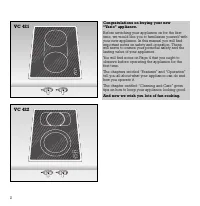
2 Congratulations on buying your new “Vario” appliance. Before switching your appliance on for the first time, we would like you to familiarize yourself withyour new appliance. In this manual you will findimportant notes on safety and operation. Thesewill serve to ensure your personal safety and the...
Page 4 - For your safety; Do not operate the appliance if it is damaged.
3 For your safety Do not operate the appliance if it is damaged. The appliance must only be connected by an authorised specialist, paying attention to the relevant regulations of the power supplycompanies and the regional constructionregulations. Observe the assembly instructions! The appliance coul...
Page 5 - Do not use the cooking surface to store items.
4 Operating for the first time Remove the packaging from the appliance anddispose of it according to local regulations. Be careful to remove all accessories from thepackaging. Keep packaging elements and plasticbags away from children. This appliance is labelled in accordancewith the European Direct...
Page 6 - Special accessories
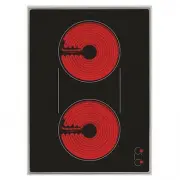
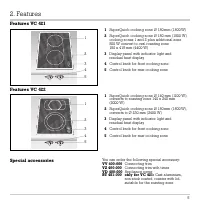
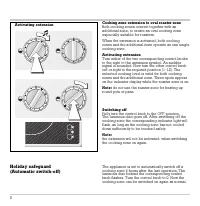
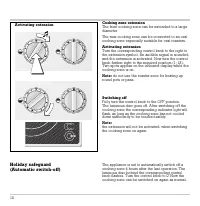
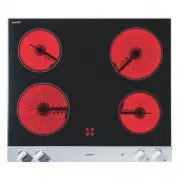
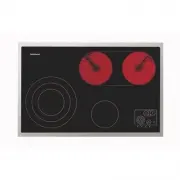
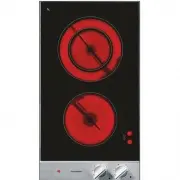
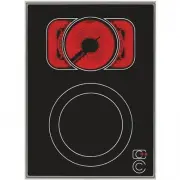
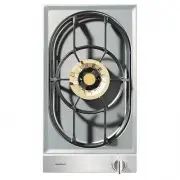
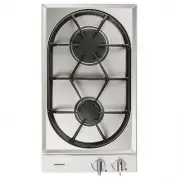
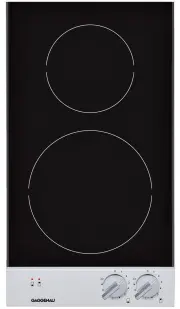
5 Features VC 421 Features VC 422 Special accessories 1 SuperQuick cooking zone Ø 180 mm (1800 W) 2 SuperQuick cooking zone Ø 180 mm (1800 W)cooking zones 1 and 2 plus additional zone 800 W convert to oval roasting zone180 x 415 mm (4400 W) 3 Display panel with indicator light and residual heat disp...
Page 7 - Visual signals
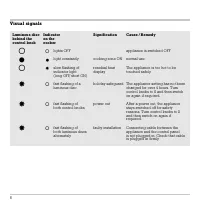
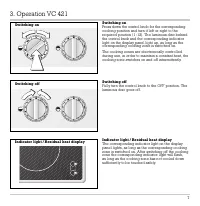
Visual signals 6 Luminous disc Indicator Signification Cause / Remedy behind the on the control knob cooker lights OFF appliance is switched OFF light constantly cooking zone ON normal use slow flashing of residual heat The appliance is too hot to be indicator light display touched safely. (long OFF...
Page 13 - Settings Table
12 Settings Table Cooking Cooking method Examples level 12 Boiling Water Searing Meat Heating Fat, liquids Boiling Soup, sauce Blanching Vegetables 11 - 9 Roasting Meat, fish, potatoes 8 - 7 Browning Flour, onions Roasting Almonds, breadcrumbs Baking Pancakes, egg dishes Boiling in open pot Liquids ...
Page 16 - Subject to technical change without notice.
Technical Data Total connected load: 4 400 WVC 421/422-110 220-240 V / 400 V 2N VC 421/422-510 240 V Important notes on installation This appliance can be combined with all Gaggenau Vario 400 Series appliances. This appliance may be installed in kitchencombinations made of wood or similar combustibl...
Page 17 - Preparing the cabinet; • Cut out the recess for the hob in your worktop.
Preparing the cabinet • Cut out the recess for the hob in your worktop. Proceed as indicated on the installation sketch.The installation sketch contains the measurementsof the space required for the trim between theappliances. Several appliances can also beinstalled in individual recesses, as long a...
Page 18 - Installing the control panel; • Before installation, remove all styrofoam
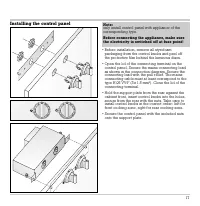
Installing the control panel • Before installation, remove all styrofoam packaging from the control knobs and peel off the protective film behind the luminous discs. • Open the lid of the connecting terminal on the control panel. Secure the mains connecting leadas shown in the connection diagram. Se...
Page 19 - Installing the cooktop; • Firmly plug the connecting cable in the cooktop
Installing the cooktop • Firmly plug the connecting cable in the cooktop and in the control panel (the plugs must lock intoplace). • T urn the clamping screws to the side. Insert the hob with the control panel on the front into the cut-out and align it. Note: do not stick the hob onto the worktop wi...