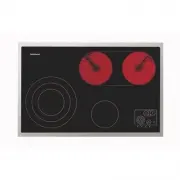
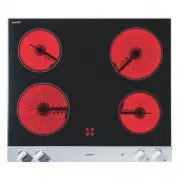
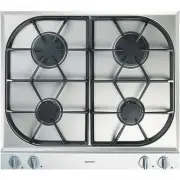
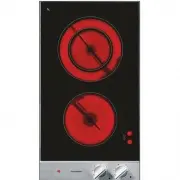
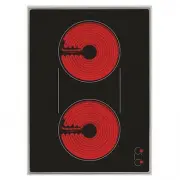
Page 4 - For your safety; You must not operate the appliance if it is damaged.
3 For your safety You must not operate the appliance if it is damaged. The appliance must only be connected by an authorised specialist, paying attention to the relevant regulations of the power supplycompanies and the regional constructionregulations. Observe the assembly instructions! The applianc...
Page 5 - Switch off the hob after use.
4 Operating for the first time Remove the packaging from the appliance anddispose of it according to local regulations. Becareful to remove all accessories from thepackaging. Keep packaging elements and plasticbags away from children. This appliance is labelled in accordancewith the European Directi...
Page 7 - Operating principles; Sensor pads
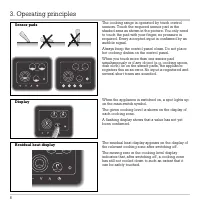
The cooking range is operated by touch controlsensors. Touch the required sensor pad in theshaded area as shown in the picture. You only needto touch the pad with your finger, no pressure isrequired. Every accepted input is confirmed by anaudible signal. Always keep the control panel clean. Do not p...
Page 8 - Additional features
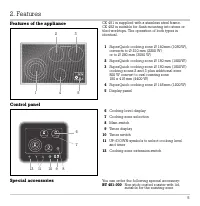
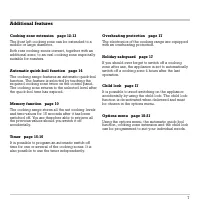
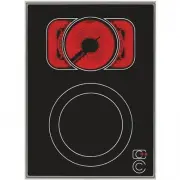
Additional features Cooking zone extension page 12-13 The front left cooking zone can be extended to amiddle or large diameter. Both rear cooking zones convert, together with anadditional zone, to an oval cooking zone especiallysuitable for roasters. Automatic quick-boil function page 14 The cooking...
Page 11 - within 5 seconds
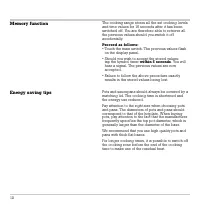
Memory function Energy saving tips The cooking range stores all the set cooking levelsand time values for 15 seconds after it has beenswitched off. You are therefore able to retrieve allthe previous values should you switch it offaccidentally. Proceed as follows: • Touch the main switch. The previou...
Page 12 - Settings table
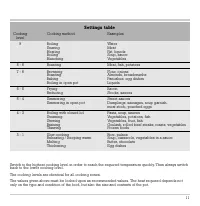
11 Settings table Cooking Cooking method Examples level 9 Boiling Water Searing Meat Heating Fat, liquids Boiling Soup, sauce Blanching Vegetables 8 - 6 Roasting Meat, fish, potatoes 7 - 6 Browning Flour, onions Roasting Almonds, breadcrumbs Baking Pancakes, egg dishes Boiling in open pot Liquids 6 ...
Page 13 - Cooking zone extension front left; Additional functions
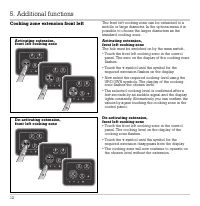
Cooking zone extension front left The front left cooking zone can be extended to amiddle or large diameter. In the options menu it ispossible to choose the larger diameters as thestandard cooking zone. Activating extension,front left cooking zone The hob must be switched on by the main switch. • Tou...
Page 14 - Cooking zone extension rear; Activating extension, rear cooking zones
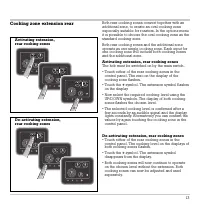
Cooking zone extension rear Both rear cooking zones convert together with anadditional zone, to create an oval cooking zoneespecially suitable for roasters. In the options menuit is possible to choose the oval cooking zone as thestandard cooking zone. Both rear cooking zones and the additional zoneo...
Page 15 - Automatic quick-boil function; Switching on the automatic quick-boil function
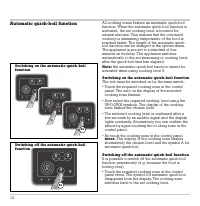
Automatic quick-boil function All cooking zones feature an automatic quick-boilfunction. When the automatic quick boil function isactivated, the set cooking level is boosted forseveral minutes. This ensures that the continuedcooking or simmering temperature of the food isreached faster. The length o...
Page 16 - Timer operation; Programming a switch-off time
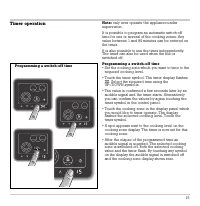
Timer operation Note: only ever operate the appliance under supervision. It is possible to program an automatic switch-offtime for one or several of the cooking zones. Anyvalue between 1 and 90 minutes can be entered onthe timer. It is also possible to use the timer independently.The timer can also ...
Page 17 - Changing or erasing a given time value
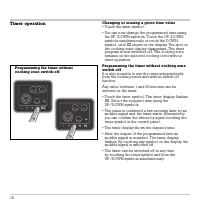
Timer operation Changing or erasing a given time value • Touch the timer symbol. • You can now change the programmed time using the UP-/DOWN-symbols. Touch the UP-/DOWN-symbols simultaneously or touch the DOWN-symbol, until 00 shows on the display. The spot on the cooking zone display disappears. Th...
Page 18 - Switching on the child lock
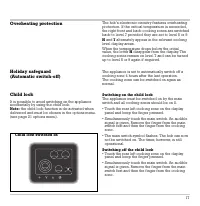
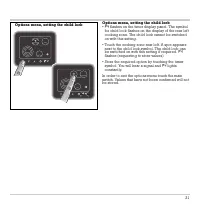
Overheating protection Holiday safeguard (Automatic switch-off) Child lock It is possible to avoid switching on the applianceaccidentally by using the child lock. Note: the child lock function is de-activated when delivered and must be chosen in the options menu.(see page 21 options menu). The hob’s...
Page 25 - Remedying slight malfunctions yourself
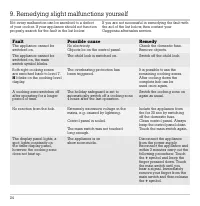
Not every malfunction can be ascribed to a defectof your cooker. If your appliance should not functionproperly, search for the fault in the list below. If you are not successful in remedying the fault withthe aid of the list below, then contact yourGaggenau after-sales service. 24 Fault Possible cau...
Page 26 - Technical Data; Total connected load: 8680 W; Important notes on installation; Subject to technical change without notice.; of 0.46 Ohm at the interface
25 Technical Data Total connected load: 8680 W Important notes on installation Pay attention to the "Important notes" on page3 and 4. The appliance must only be connected by anauthorised specialist, paying attention to therelevant regulations of the power supply companiesand the regional con...
Page 27 - Removal of the hob
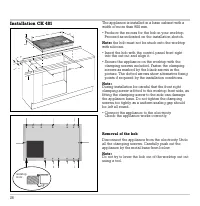
26 Installation CK 481 The appliance is installed in a base cabinet with awidth of more than 900 mm. • Produce the recess for the hob in your worktop. Proceed as indicated on the installation sketch. Note: the hob must not be stuck onto the worktop with silicone. • Insert the hob with the control pa...
Page 28 - Installation CK 482; • Clean and degrease the edge of the cut-out, using; as seen from above
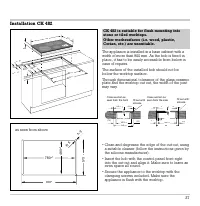
Installation CK 482 The appliance is installed in a base cabinet with awidth of more than 900 mm. As the hob is fixed inplace, it has to be easily accessible from below incase of repairs. The surface of the installed hob should not bebelow the worktop surface. Through dimensional tolerance of the gl...