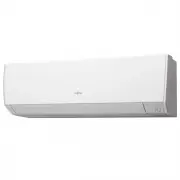
Page 2 - SAFETY PRECAUTIONS; This mark warns of death or serious injury.; Contents
En-1 1. SAFETY PRECAUTIONS To prevent personal injury or property damage, read this section carefully before you use this product, and be sure to comply with the following safety precautions. Incorrect operation due to failure to follow the instructions may cause harm or damage, the seriousness of w...
Page 3 - WARNING; Indoor unit accessories; Remote controller holder installation
En-2 WARNING • Do not install the unit in area filled with mineral oil such as a factory or area containing a large amount of splashed oil or steam such as a kitchen. • Do not start or stop the operation of this product by inserting or pulling out the power plug, or by turning on or off the circuit ...
Page 4 - In rooms with instantaneous fluorescent lights, such as; Name; and the operation procedure may differ.; For Basic operations; CAUTION; remote controller and the indoor unit may affect the
En-3 WARNING • Keep out of reach of children. Swallowing the batteries can lead to chemical burns, perforation of soft tissue, and death. Severe burns can occur within 2 h of ingestion. Seek medical attention immediately. 3. NAME OF PARTS CAUTION For appropriate signal transmission between the remot...
Page 5 - Controls the up and down airflow direction.; After replacing batteries; Press this button as shown in the following figure.; For Timer operations; Activates or deactivates the On timer, Off; Signal transmitter
En-4 For Powerful operation ................. Refer to page 8. Activates or deactivates the Powerful operation. For Airflow settings ....................... Refer to page 5. Controls the fan speed. Sets the automatic Swing operation. Controls the up and down airflow direction. After replacing batter...
Page 6 - Put batteries as shown in the figure above.; steps to start operation; Temperature setting range; Temperature unit switching; to finish the setting.
En-5 3.3. Battery loading Battery type: R03/LR03/AAA x 2 57 6 4 8 1 2 3 1 ~ 3 Put batteries as shown in the figure above. 4 Press to start clock setting. 5 Press ( ) to set day of the week (Monday to Sunday). * By pressing , the time indicator can be changed from a 24-hour to a 12-hour clock. 6 Pres...
Page 7 - Air Outlet Selection switch; For details of the airflow ranges, refer to “Airflow direction; Before you adjust the left and right airflow direction,; Up and down airflow direction; Air outlet selection
En-6 • How to set to blow out air from the upper and lower air outlets. Air Outlet Selection switch Upper airflow Upper and lower airflow NOTES: • Set the air outlet selection switch to the end. Otherwise, air outlet cannot be selected as intended. Description of operation Operation Mode Airflow Con...
Page 8 - Examples of Weekly timer; Select On timer or Off timer in step 2 of “Timer setting; In Heating mode; In Cooling or Dry mode; Setting details; to set on time or off time.
En-7 Examples of Weekly timer Example 1 7:00 9:00 11:00 17:00 23:00 Monday to Friday Program 1 Program 2 Program 3 Program 4 On Off On Off 26 °C 28 °C Wake up Leave for work Come back home Go to sleep Saturday (No timer settings) Sunday Program 1 Program 2 Program 3 Program 4 Off Off Off Off (On) ...
Page 9 - ENERGY SAVING OPERATION; to turn off the air conditioner.
En-8 7. ENERGY SAVING OPERATION 7.1. Economy operation It saves more electricity than other operation modes by changing the set temperature to a moderate setting. ) Press to activate/deactivate the Economy operation. [ ] indicator on the indoor unit will turn on. Indicator Lamp TIMER OPERATION ECONO...
Page 10 - Cleaning indoor unit body; Remove the air filter.; SETTINGS ON INSTALLATION; Remote controller custom code setting; How to set the remote controller custom code; CLEANING AND CARE; Before cleaning this product, be sure to turn it off and
En-9 The frequency of the cleaning is as shown in the following table. What to do Frequency Cleaning indoor unit body When you notice Cleaning air filter Every 2 weeks Cleaning Ion deodorization filter Every 3 months Replacing Apple-catechin filter (Model name: UTR-FA16) Replacing Ion deodorization ...
Page 11 - Close the intake grille.; Cleaning Ion deodorization filter and; Remove the air; Replacing Ion deodorization filter
En-10 4. Reinstall the air filter. Align the sides of the air filter with the panel, and push in fully, making sure the 2 upper tabs are returned properly to their holes in the panel. Air filter Panel Air filter Panel 5. Close the intake grille. NOTES: If dirt accumulates on the air filter, airflow ...
Page 12 - GENERAL INFORMATION; Heating performance; You can use wired and wireless remote controller together.; by turning off the electrical breaker or disconnecting; Does not operate at all.; Poor cooling or heating performance.
En-11 11. GENERAL INFORMATION Heating performance This air conditioner operates on the heat pump principle, absorbing heat from air outdoors and transferring that heat to the indoor unit. As a result, the operating performance is reduced as outdoor air temperature drops. If you feel that the heati...
Page 13 - Airflow is weak or stops.; Smell coming from the unit.; following cases. Then consult authorized service personnel.; State of indicator lamps; State
En-12 □ <In the Cooling mode> Are there other heating apparatus or com- puters operating, or too many people in the room? ⇒ Turn the heating apparatus or computers off, or set the tem - perature lower. (Refer to page 5 .) Airflow is weak or stops. □ Is the fan speed set to Quiet? ⇒ To change t...
Page 14 - Manual Auto operation and Filter indicator -; Status
En-13 Manual Auto operation and Filter indicator - You can operate the air conditioner with on the indoor unit. Status Time to keep pressing Mode or operation In operation More than 3 seconds Stop Stopping 2 seconds or less Filter indicator reset More than 3 seconds and less than 10 seconds Auto *...