Page 2 - Installation Checklist; family
2 InTROduCTIOn InTROduCTIOn Read all the safety instructions in the front of your Use & Care Manual . Remove all packaging materials from your ap- pliance before cooking . Confirm that the electrical power to the appli- ance is turned on . Test all cooking zones to make sure they are wor...
Page 3 - dEfInITIOnS
3 ImPORTanT SafETy InSTRuCTIOnS dEfInITIOnS This is the safety alert symbol . It is used to alert of potential personal injury hazards . Obey all safety messages that follow this symbol to avoid possible injury or death . WaRnInG Indicates a potentially hazardous situa- tion which, if not avoided, m...
Page 4 - GROundInG InSTRuCTIOnS; WaRnInG
4 ImPORTanT SafETy InSTRuCTIOnS ImPORTanT InSTRuCTIOnS fOR unPaCKInG and InSTaLLaTIOn ImPORTanT Read and follow the below instructions and precautions for unpacking, installing, and servicing your appliance . Remove all tape and packaging before us- ing the appliance . Destroy the carton and plastic...
Page 10 - BEfORE SETTInG SuRfaCE COnTROLS; using Proper Cookware; Cookware material Types; ImPORTanT
10 BEfORE SETTInG SuRfaCE COnTROLS using Proper Cookware The size and type of cookware used will influence the heat setting needed for best cooking results . Be sure to follow the recommendations for using proper cookware as illustrated in “Figure 1: Testing cookware” and “Figure 2: Proper cookware”...
Page 11 - Locations of the Radiant Surface Elements
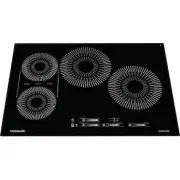
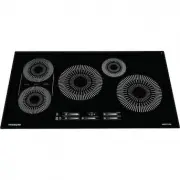
11 BEfORE SETTInG SuRfaCE COnTROLS Locations of the Radiant Surface Elements Your cooktop is equipped with radiant surface ra- diant elements with different wattage ratings . The ability to heat food quicker and in larger volumes increases as the element wattage increases . figure 3: 5-zone Cooktop ...
Page 12 - Element On and Hot Surface Backlit Knobs
12 BEfORE SETTInG SuRfaCE COnTROLS Element On and Hot Surface Backlit Knobs Each control knob features a backlight that indi- cates whether a cooktop surface element is ON or HOT .• A white glow means the element is ON .• A red glow means the element is HOT . The red backlight will glow when the ele...
Page 13 - Home Canning
13 BEfORE SETTInG SuRfaCE COnTROLS Home Canning Be sure to read and observe all the following points when home canning with your appliance . Check with the USDA (United States Department of Agri- culture) Web site and be sure to read all the infor- mation they have available as well as follow their ...
Page 14 - CauTIOn
14 SETTInG SuRfaCE COnTROLS SETTInG SuRfaCE COnTROLS Single radiant surface elements (all mod-els) To operate the single radiant element:1 . Place correctly sized cookware on surface ele- ment . 2 . Push in and turn the surface control knob in either direction (Figure 9) to the desired setting (refe...
Page 16 - CaRE and CLEanInG
16 CaRE and CLEanInG Remove spills and any heavy soiling as soon as possible . Regular cleaning will reduce the difficulty of major cleaning later . figure 11: use cleaners with caution Surface or area Cleaning Recommendation Aluminum and vinyl Using a soft cloth, clean with mild dish detergent and ...
Page 18 - Cooktop maintenance; Cooktop Cleaning
18 CaRE and CLEanInG Cooktop maintenance Consistent and proper cleaning is essential to maintaining your ceramic glass cooktop .Prior to using your cooktop for the first time, apply a ceramic cooktop cleaning cream (available in most hardware, grocery, and department stores) to the ceramic surface ....
Page 19 - Cooktop Control Knob Reinstallation
19 CaRE and CLEanInG Cooktop Control Knob Reinstallation To remove a knob: turn to the OFF position, grasp firmly, and pull off the shaft . To replace a knob: line up the OFF marking and push the knob into place . For information about cleaning the knobs, see page 17 . ImPORTanT Each cooktop surface...
Page 20 - BEfORE yOu CaLL
20 BEfORE yOu CaLL 1-800-265-8352 (Canada) frigidaire.ca 1-800-374-4432 (United States) frigidaire.com Let us help you troubleshoot your concern! This section will help you with common issues . If you need us, visit our website, chat with an agent, or call us . We may be able to help you avoid a ser...
Page 22 - welcome; home; owner support; Our home is your home. Visit us if you; registration
welcome home Frigidaire.com 1-800-374-4432 Frigidaire.ca 1-800-265-8352 owner support accessories service Our home is your home. Visit us if you need help with any of these things: registration (See your registration card for more information.)