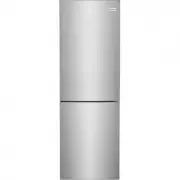
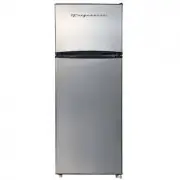
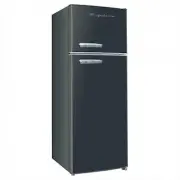
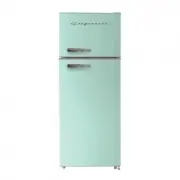
Page 2 - INTRODUCTION; Doors; Installation Checklist; family
2 INTRODUCTION Doors Door seals completely to cabinet on all sides Leveling Refrigerator is level side-to-side and front-to-back Cabinet is set solid on all corners Electrical Power House power turned on Refrigerator plugged in Final Checks Shipping material removed Refrigerator and fr...
Page 3 - IMPORTANT SAFETY INFORMATION
3 WARNING WARNING indicates a potentially haz- ardous situation which, if not avoided, could result in death or serious injury. IMPORTANT IMPORTANT indicates installation, oper- ation or maintenance information which is important but not hazard-related. DANGER DANGER indicates an imminently haz- ard...
Page 4 - Proper Disposal of your Appliance; Electrical information; IMPORTANT
4 IMPORTANT SAFETY INFORMATION Proper Disposal of your Appliance Risk of child entrapment Child entrapment and suffocation are not problems of the past. Junked or aban- doned appliances are still dangerous – even if they will sit for “just a few days”. If you are getting rid of your old unit, please...
Page 5 - FEATURES; *Features may vary according to model
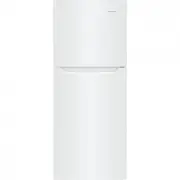
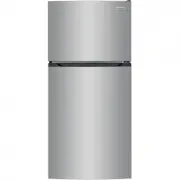
5 FEATURES *Features may vary according to model A Freezer Drawers B Chiller C Crisper D Crisper Cover E Refrigerator Shelves F Thermostat and Light G Door Bins H Leveling Feet IMPORTANT Cleaning your Refrigerator Remove tape and glue residue from sur- faces before turning the refrigerator on. Rub a...
Page 6 - INSTALLATION; Location; Installation
6 INSTALLATION This Use & Care Guide provides general operating instructions for your model. Use the appliance only as instructed in this Use & Care Guide. Before starting the unit, follow these important first steps. Location • Choose a place that is near a ground- ed electrical outlet. Do ...
Page 7 - DOOR REVERSAL; NOTE; Tools Needed
7 DOOR REVERSAL NOTE The direction in which your refriger- ator doors open (door swing) can be reversed, from left to right or right to left, by moving the door hinges from one side to the other. Reversing the door swing should be performed by a qualified person. IMPORTANT Before you begin, turn t...
Page 8 - DOOR REVERSAL
8 DOOR REVERSAL 7. Take off the upper door. Using a Phillips screw driver, take out the screw from the middle hinge. Take off the lower door. 8. Move the hinge hole covers from left side to right side. 9. Remove the adjustable feet from both sides. (See Figure A.) Remove the bottom hinge. (See Figur...
Page 10 - CONTROLS AND SETTINGS; Control Panel Display
10 CONTROLS AND SETTINGS Control Panel Display Buttons and Temperature SettingsMode : Press Mode to select Vacation Mode or Freeze Boost Mode and wait until the flash turns to continuous light, then the Mode is selected successfully. Zone : Under Normal Mode , press Zone to select the compartment fo...
Page 11 - Error Codes
11 CONTROLS AND SETTINGS Normal Mode The default mode is Normal Mode. In this mode, you can set the temperatures of both Refrigerator and Freezer compartments. Door Open Alarm If door is left open for more than 60 seconds, alarm will sound. Close door immediately to conserve energy. Error Codes If t...
Page 12 - CARE AND CLEANING; Protecting your investment
12 CARE AND CLEANING Protecting your investment Keeping your refrigerator clean maintains appearance and prevents odor build-up. Wipe up any spills immediately and clean the freezer and refrigerator compartments at least twice a year. When cleaning, take the following precautions: • Never use CHLORI...
Page 14 - TROUBLESHOOTING; Common Occurences
14 1-800-265-8352 (Canada) Frigidaire.ca 1-800-374-4432 (United States) Frigidaire.com TROUBLESHOOTING Common Occurences Refrigerator does not run. • Ensure the plug is tightly pushed into an electrical outlet. • Check/replace the fuse with a 15-amp time-delay fuse. Reset the circuit breaker. Applia...
Page 15 - LIMITED WARRANTY
15 LIMITED WARRANTY Your appliance is covered by a one year limited warranty. For one year from your original date of purchase, Electrolux will pay all costs for repairing or replacing any parts of this appliance that prove to be defective in materials or workmanship when such appliance is installed...
Page 16 - welcome; home; owner support; Our home is your home. Visit us if you; registration; (See your registration card
welcome home Frigidaire.com 1-800-374-4432 Frigidaire.ca 1-800-265-8352 owner support accessories service Our home is your home. Visit us if you need help with any of these things: registration (See your registration card for more information.)