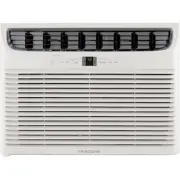
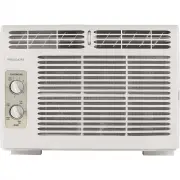
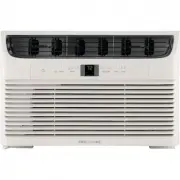
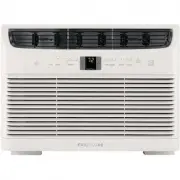
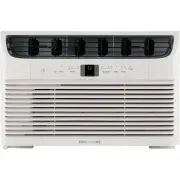
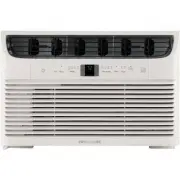
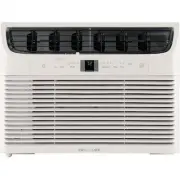
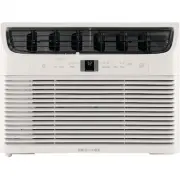
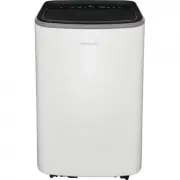
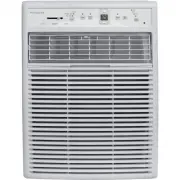
Page 2 - INTRODUCTION; Welcome to our; family
2 INTRODUCTION Welcome to our family Model NumberSerial NumberPurchase Date Thank you for bringing Frigidaire into your home! We see your purchase as the beginning of a long relationship together.This manual is your resource for the use and care of your product. Please read it before using your appl...
Page 3 - For Your Safety; IMPORTANT SAFETY INSTRUCTIONS; Prevent Accidents; WARNING; Electrical Information; WARNING; Do not use an extension cord or an; WARNING
3 For Your Safety IMPORTANT SAFETY INSTRUCTIONS WARNING Do not store or use gasoline or other flammable vapors and liquids in the vicinity of this or any other appliance. Read product labels for flammability and other warnings. Prevent Accidents WARNING To reduce the risk of fire, electrical shock, ...
Page 4 - NOTE; DANGER! Avoid Serious Injury or Death; SAFETY PRECAUTIONS; CAUTION! Avoid Injury or damage to the; CAUTION
4 IMPORTANT SAFETY INSTRUCTIONS NOTE The power supply cord with this air conditioner contains a current detection device designed to reduce the risk of fire. Please refer to the section ‘Operation of Current Device’ for details. In the event that the power supply cord is damaged, it cannot be repair...
Page 11 - Wiring Diagram; Risk of fire flammable materials; POWER
Wiring Diagram 11 IMPORTANT SAFETY INSTRUCTIONS IMPORTANT NOTE: Read this manual carefully before installing or operating your new air conditioning unit. Make sure to save this manual for future reference. CAUTION: Risk of fire flammable materials CAUTION CAUTION CAUTION This symbol shows that the o...
Page 12 - PACKAGING & NORMAL SOUNDS; Packaging
12 PACKAGING & NORMAL SOUNDS Vibration Unit may vibrate and make noise because of poor wall or window construction or incorrect installation. 4 Pinging or Swishing Droplets of water hitting condenser during normal operation may cause “pinging or swishing” sounds. Note: Don’t try to drill any hol...
Page 13 - AIR CONDITIONER FEATURES; Air Conditioner Features; REMOTE CONTROL
13 AIR CONDITIONER FEATURES Air Conditioner Features I J K L A Turns Unit On Or Off B Set Mode C Adjusts Temperature/Timer D Fan speed display E Fan speed button F Sleep button G Timer button H Timer icon I PureAir TM Filter icon J Dust Filter change icon K Displays Temperature/Time L Child lock ico...
Page 14 - OPERATING INSTRUCTIONS; mode when powered on each time.
14 OPERATING INSTRUCTIONS NOTE TO TURN UNIT ON: PRESS ON/OFF BUTTON DO THIS: YOU WILL SEE: NOTE: The unit will run in Eco(energy saver) mode when powered on each time. In this mode, the fan will continue to run for 3 minutes after compressor shuts off. The fan then cycles on for 120 seconds at 10 mi...
Page 15 - TO OPERATE ON FAN ONLY:
15 OPERATING INSTRUCTIONS YOU WILL SEE: COOL FEATURE: DO THIS: PRESS MODE BUTTON CHOOSE COOL TO OPERATE ON FAN ONLY: DO THIS: PRESS MODE BUTTON CHOOSE FAN ONLY Use this function when cooling is not desired, such as for room air circulation or to exhaust stale air. You can choose any fan speed you pr...
Page 16 - TO ACTIVATE THE CHILD LOCK FEATURE:
16 OPERATING INSTRUCTIONS Eco (ENERGY SAVER) MODE: The unit is factory set to run in Eco (energy saver) mode. We recommend leaving the unit in Eco mode to help save energy and money. However, to switch out of Eco mode, press the mode button until another mode is selected. In Eco mode, the fan will c...
Page 17 - PUREAIR; RESET PUREAIR
17 DIMMING DISPLAY: SLEEP FEATURE: YOU WILL SEE: DO THIS: PRESS SLEEP BUTTON OPERATING INSTRUCTIONS PUREAIR TM FILTER(sold separately): PUREAIR TM FILTER INDICATOR: RESET PUREAIR TM FILTER LIGHT: Red light DO THIS: HOLD SLEEP BUTTON 5 SECONDS White light This unit can be used with PureAir TM Filters...
Page 18 - TO CHANGE THE TEMPERATURE SCALE
18 OPERATING INSTRUCTIONS TO CHANGE THE TEMPERATURE SCALE (°F OR °C): DO THIS: PRESS AND HOLD THE UP/DOWN BUTTONS SIMULTANEOUSLY FOR 3 SECONDS TO ACTIVATE TIMER FEATURE: Note: For Delay Stop or Start, press the Timer button when the unit is in the On or Off position. Then tap or hold the “ − ” or “ ...
Page 19 - Error Code Description
19 OPERATING INSTRUCTIONS FAULT CODES: Error Code Description EH00 Internal memory chip failure When below error code show on the display, please contact your Authorized Frigidaire Service Center. EH60 Indoor ambient temperature sensor is open/short circuited EH0b Communication malfunction of main c...
Page 20 - Air Directional Louvers
• There is a 2-Second delay for the compressor shutting down when selecting FAN ONLY. This is to cover the possibility of having to roll through to select another mode. • The control will maintain the set temperature within 2 degrees Fahrenheit, between 60°F and 90°F degrees. • After a power outage,...
Page 21 - CARE AND CLEANING; Cabinet Cleaning
Clean your air conditioner occasionally to keep it looking new. Be sure to unplug the unit before cleaning to prevent shock or fire hazards. The Dust filter should be checked at least once a month to see if cleaning is necessary. Trapped particles in the Dust filter can build up and cause an accumul...
Page 22 - ENERGY SAVING IDEAS; Do not block air flow inside with blinds,; Energy Saving Ideas; Winter Storage
22 ENERGY SAVING IDEAS • Do not block air flow inside with blinds, curtains or furniture; or outside with shrubs, enclosures, or other buildings. • The capacity of the room air conditioner must fit the room size for efficient and satisfactory operation. • Install the room air conditioner on the shad...
Page 23 - BEFORE YOU CALL; SOLUTION
Air conditioner turns on and off rapidly. • Dirty Dust filter - air restricted. Clean filters. Refer to Care and Cleaning section. • PureAir TM filter(sold separately) may be dirty. Replace with new filter. Refer to Care and Cleaning section. To defrost, set to FAN ONLY mode. • Outside temperature e...
Page 24 - For Frigidaire Service.
Room too cold. • Set temperature too low. Increase set temperature. • Remote Sensing activated (on some models) and remote control located in Hot Spot - Relocate remote control or deactivate remote sensing. Remote Sensing Deactivating Prematurely (some models). • Remote control not located within ra...
Page 25 - Canada; USA; MAJOR APPLIANCE LIMITED WARRANTY
ExclusionsThis warranty does not cover the following: DISCLAIMER OF IMPLIED WARRANTIES; LIMITATION OF REMEDIES If You Need Service Canada 1.800.265.8352 Electrolux Canada Corp. 5855 Terry Fox Way Mississauga, Ontario, Canada L5V 3E4 USA 1.800.944.9044 Electrolux Major Appliances 10200 David Taylor D...
Page 26 - welcome; home; owner support; Our home is your home. Visit us if you; registration; (See your registration card
welcome home Frigidaire.com 1-800-944-9044 Frigidaire.ca 1-800-265-8352 owner support accessories service Our home is your home. Visit us if you need help with any of these things: registration (See your registration card for more information.) 16120300A29477 (July 2019)