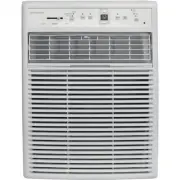
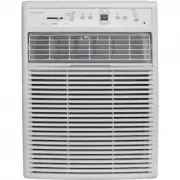
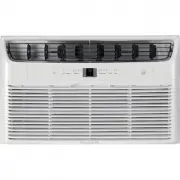
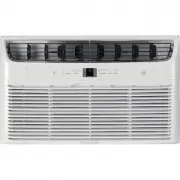
Page 2 - Important Safety Instructions; For Your Safety; WARNING; Prevent Accidents; WARNING; Electrical Information; WARNING; SAFETY PRECAUTIONS; DANGER! Avoid Serious Injury or Death
Important Safety Instructions WARNING For Your Safety Do not store or use gasoline or other flammable vapors and liquids in the vicinity of this or any other appliance. Read product labels for flammability and other warnings. WARNING Prevent Accidents To reduce the risk of fire, electrical shock, or...
Page 3 - READ THIS SECTION BEFORE ATTEMPTING TO OPERATE AIR CONDITIONER.; Unit must be upright for one hour prior to operating.; CAUTION! Avoid Injury or damage to the unit or other property; Explanation of symbols displayed on the unit
Important Safety Instructions 3 . d e v r e s e r s t h g ir l l A . c n I , s t c u d o r P e m o H x u l o r t c e l E 9 0 0 2 READ THIS SECTION BEFORE ATTEMPTING TO OPERATE AIR CONDITIONER. Unit must be upright for one hour prior to operating. Plug in & press RESET The power supply cord conta...
Page 4 - CAUTION
Important Safety Instructions 4 2009 Electrolux Home Products, I . d e v r e s e r s t h g ir ll A . c n CAUTION • This appliance is not intended for use by persons (including children) with reduced physical ,sensory or mental capabilities or lack of experience and knowledge, unless they have been g...
Page 5 - Normal Sounds; High pitched Chatter; Product Registration; Product Registration, Packaging & Normal Sounds; Packaging; Remove all packaging from inside the carton, along with any
Record Your Model and Serial Numbers Record in the space provided below the model and serial numbers. On all models, the serial plate is located on the outside of the cabinet. Model No. Serial No. Register Your Product The self-addressed PRODUCT REGISTRATION CARD should be filled in completely, sign...
Page 6 - ELECTRONIC CONTROL; Air Conditioner Features; NOTE; Air Conditioner Features & Operating Instructions; NOTE: The unit will run in Cool mode with Eco feature
Before you begin, thoroughly familiarize yourself with the control panel and remote as shown below and all its functions, then follow the symbol for the functions you desire. The unit can be controlled by the touch pad alone or with the remote. ELECTRONIC CONTROL Air Conditioner Features . d e v r e...
Page 7 - Operating Instructions; TO CHANGE TEMPERATURE SETTlNG:
7 Operating Instructions . d e v r e s e r s t h g ir l l A . c n I , s t c u d o r P e m o H x u l o r t c e l E 9 0 0 2 Operating Instructions (continued) TO CHANGE TEMPERATURE SETTlNG: YOU WILL SEE: PRESS TO RAISE PRESS TO LOWER DO THIS: Note: Tap or hold either up ( ) or down ( ) button until th...
Page 8 - TO USE AUTO FAN FEATURE:
Operating Instructions Operating Instructions (continued) . d e v r e s e r s t h g ir l l A . c n I , s t c u d o r P e m o H x u l o r t c e l E 9 0 0 2 Note: Fan starts at Low Speed and adjusts to a proper speed according to the room temperature dictates. For example, if the room doesn't get too ...
Page 10 - REMOTE SENSING FEATURE; YOU WILL SEE HOW MUCH TIME IS CHOSEN:
Operating Instructions Operating Instructions (continued) . d e v r e s e r s t h g ir l l A . c n I , s t c u d o r P e m o H x u l o r t c e l E 9 0 0 2 Note: This feature can be activated from the remote control ONLY, the unit must be in a cooling mode. To activate the remote sensing feature, poi...
Page 11 - TO CHANGE TEMPERATURE DISPLAY:
Operating Instructions Operating Instructions (continued) . d e v r e s e r s t h g ir l l A . c n I , s t c u d o r P e m o H x u l o r t c e l E 9 0 0 2 YOU WILL SEE: TO TURN UNIT OFF: DO THIS: PRESS ON/OFF BUTTON TO CHANGE TEMPERATURE DISPLAY: DO THIS: PRESS AND HOLD THE UP and DOWN BUTTONS TOGET...
Page 12 - ADDITIONAL THINGS YOU SHOULD KNOW; Air Directional Louvers; Slider Type
ADDITIONAL THINGS YOU SHOULD KNOW Now that you have mastered the operating procedure, here are more features in your control that you should become familiar with. The "Cool" circuit has an automatic 3 minute time delayed start if the unit is turned off and on quickly. This prevents overheati...
Page 13 - Care and Cleaning & Energy Saving Ideas; Energy Saving Ideas; Air Filter Cleaning
Care and Cleaning & Energy Saving Ideas 13 . d e v r e s e r s t h g ir l l A . c n I , s t c u d o r P e m o H x u l o r t c e l E 9 0 0 2 Energy Saving Ideas Do not block air flow inside with blinds, curtains or furniture; or outside with shrubs, enclosures, or other buildings. The capacity of...
Page 14 - Before You Call; For Frigidaire Service.
OCCURRENCE SOLUTION Wall plug disconnected. Push plug firmly into wall outlet. Plug Current Device Tripped. Press the RESET button. House fuse blown or circuit breaker tripped. Replace fuse with time delay type or reset circuit breaker. Control is OFF. Turn Control ON and set to desired setting. Air...
Page 15 - Major Appliance Limited Warranty
Major Appliance Limited Warranty 15 . d e v r e s e r s t h g ir l l A . c n I , s t c u d o r P e m o H x u l o r t c e l E 9 0 0 2 Exclusions 1. Products with original serial numbers that have been removed, altered or cannot be readily determined. This warranty does not cover the following: 2. Pro...