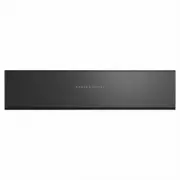
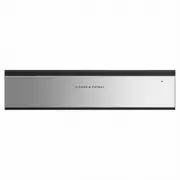
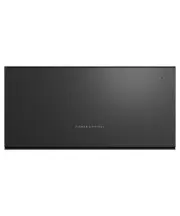
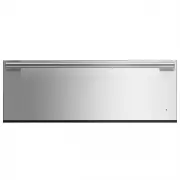
Page 3 - CONTENTS; Registration
3 CONTENTS Safety and warnings 4 Before you begin 8 Using your Warming Drawer 10 Functions 11Delayed Start 13 Sabbath mode 14 Loading your appliance 15 Using the wire shelf 16 Cooking charts 17 Care and troubleshooting 19 Service and warranty 20 Registration To register your product visit our websit...
Page 4 - SAFETY AND WARNINGS; Cut Hazard; Failure to use caution could result in injury.; Electric Shock Hazard; Failure to follow this advice may result in; Hot Surface Hazard; Failure to follow this advice could result in
4 SAFETY AND WARNINGS ! WARNING! Cut Hazard Failure to use caution could result in injury. • Take care: some edges may be sharp.• Do not put fingers in the drawer when closing. ! WARNING! Electric Shock Hazard Failure to follow this advice may result in electric shock or death. • If the product is d...
Page 5 - Tipping Hazard; This product may tip. Keep children away; • The drawer must be secured in place by; Fire Hazard; • Flammable materials should not be stored in the
5 SAFETY AND WARNINGS WARNING! Tipping Hazard This product may tip. Keep children away and take care. Failure to follow this advice may result in injury. • The drawer must be secured in place by supplied screws. • Ensure there is a fixed shelf directly above the drawer if it is not installed under a...
Page 6 - READ AND SAVE THIS GUIDE; in these instructions.
6 SAFETY AND WARNINGS READ AND SAVE THIS GUIDE WARNING! To reduce the risk of fire, electrical shock, injury to persons or damage when using the appliance, follow the important safety instructions listed below. Read all the instructions before using the appliance. Use the appliance only for its inte...
Page 7 - Safety; Do not touch hot surfaces. Use handles or knobs.; Packaging disposal; Remove packaging and recycle materials that can be reused.
7 SAFETY AND WARNINGS Safety z Do not touch hot surfaces. Use handles or knobs. z Do not sit or lean on the appliance. Damage to the surface of the glass may cause it to shatter. z Do not store hazardous objects that can explode like containers with gas or air chambers (e.g spray cans). z Do not imm...
Page 8 - BEFORE YOU BEGIN; Drawer features & accessories
8 BEFORE YOU BEGIN z Ensure the installer has completed the final checklist in the installation instructions. z Read this guide, taking special note of the Safety and warnings section. Drawer features & accessories 1 Control panel 2 Indicator light 3 Push-to-open door 4 Serial plate* 5 Heated gl...
Page 9 - Control panel features
9 All layers printed and illuminated (locking layer) printed only 1. ALL ARTWORK MUST BE APPROVED PRIOR TO MANUFACTURE2. ALL ARTWORK HIGHLIGHTED YELLOW REPRESENTS LEDS: 750329 WHITE QTBRIGHTEK 3.5x3.2x1.9 GFX_UI_WB60 576754 1 LEP 15/03/19 Release to order sample glass 3 1:1 1/1 PANTONE COOL GRAY 2 -...
Page 10 - USING YOUR WARMING DRAWER; Touch the button to switch the drawer ON.; Standby mode
10 USING YOUR WARMING DRAWER For push-to-open models, touch the centre-front of the drawer to open. Do not force the drawer open. Touch the button to switch the drawer ON. Select the desired heating function. If no function is selected, the drawer will start at the default setting. Press the centre ...
Page 11 - FUNCTIONS; CUPS; PLATES; Heat circulates from the heated glass base; WARM; Heat circulates from the heated glass base
11 FUNCTIONS CUPS Heat circulates from the heated glass base z Heat is circulated for 30 minutes. z Heating duration depends on material and thickness of the cups including quantity, height and arrangement. z Do not place any cups and/or glasses in front of the ventilation slots. This will block the...
Page 12 - RAPID PROOF; Heat is produced for 30 minutes.; DEHYDRATE; Heat is circulated for four hours.; SLOW COOK; Heat is circulated for six hours
12 FUNCTIONS RAPID PROOF Gentle heat is generated from heated glass base z Heat is produced for 30 minutes. z Provides warm and draught-free enviroment for proofing dough for bread making or pizza. DEHYDRATE Heat circulates from the heated glass base and rear fan z Heat is circulated for four hours....
Page 13 - During delayed start:
13 DELAYED START For push-to-open models, touch the centre-front of the drawer to open. Do not force the drawer open. Touch the button and select the desired function. Touch and hold the button for five seconds to activate DELAYED START. Use and to increase or decrease the desired DELAYED START time...
Page 14 - , operation of up to 72 hours can be set and
14 SABBATH MODE Touch the button for 10 seconds to activate SABBATH MODE. Touch the button for 10 seconds to deactivate SABBATH MODE. The temperature and duration indicators will illuminate briefly three times to indicate SABBATH MODE has been enabled. The temperature and duration indicators will il...
Page 15 - LOADING YOUR APPLIANCE; For WB60SD models; Mixed load
15 LOADING YOUR APPLIANCE For WB60SD models Diameter guide for WB60SDTEB Tall model16x Ø250mm Dinner16x Ø180mm Bread & Butter20x Ø190mm Saucer Maximum load Do not load more than 25kg to prevent damage to the appliance. Unloading the dishes Keep dishes in the Warming Drawer until you need to take...
Page 16 - USING THE WIRE SHELF
16 The wire shelf is available for WB60SDT models to increase the loading surface. USING THE WIRE SHELF Insert the wire shelf in the left or right hand side of the Warming Drawer. wire shelf
Page 17 - COOKING CHARTS; FOOD TYPE
17 COOKING CHARTS The information in these charts is for guidance only. Refer to your recipe or the packaging and be prepared to adjust the cooking times and settings accordingly. FOOD TYPE FUNCTION g/kg SEAR TIME (mins/side) INTERNAL TEMP (°C) TIME MEAT, BEEF STEAK Rare Slow Cook 100-300g 1-2 50 30...
Page 18 - WELLNESS
18 COOKING CHARTS WELLNESS FUNCTION TEMPERATURE SETTING DURATION RECOMMENDATIONS TIPS HEATING WHEAT BAG Slow Cook Max (6) 45-60 mins Place directly on Glass Slow heating reduces risk of wheat deterioration or burning HEATING TOWELS Plates Medium (3/4) 45-60 mins Place directly on Glass Moisten and r...
Page 19 - CARE AND TROUBLESHOOTING; Cleaning the drawer exterior and interior; Ensure that the appliance is turned off or set in; before cleaning. Do not; PROBLEM; Troubleshooting
19 CARE AND TROUBLESHOOTING Cleaning the drawer exterior and interior z Ensure that the appliance is turned off or set in STANDBY MODE before cleaning. Do not use high pressure or steam cleaners. z Remove any soiling or excess cleaning solution immediately. z Clean the surfaces with a soft cloth dam...
Page 20 - SERVICE AND WARRANTY; Before you call for service or assistance
20 SERVICE AND WARRANTY Before you call for service or assistance Refer to the installation guide and your user guide to: z Ensure your product is correctly installed. z Ensure you are familiar with its normal operation. z Check the model and serial numbers. z Check the date of installation. If afte...