Page 3 - CONTENTS; Registration
3 CONTENTS Registration To register your product visit our website: fisherpaykel.com/register Safety and warnings 5 Before you begin 10 Control panel 13 Food modes 14 Features 15Settings 16Wi-Fi connection 17 Adjusting the temperature 18 Food mode presets 19 Changing features 20 Changing settings 21...
Page 5 - SAFETY AND WARNINGS; Electric Shock Hazard; Failure to do so can result in death, electric; • Read and follow the safety and warnings; This appliance contains flammable
5 SAFETY AND WARNINGS WARNING! Electric Shock Hazard Failure to do so can result in death, electric shock, fire or injury to persons. • Read and follow the safety and warnings outlined in this user guide before operating this appliance. WARNING! This appliance contains flammable refrigerant isobutan...
Page 6 - READ AND SAVE THIS GUIDE; including the following:
6 SAFETY AND WARNINGS READ AND SAVE THIS GUIDE WARNING! Read entire manual. Failure to follow all guides and rules could cause personal injury or property damage. When using this appliance, always exercise basic safety precautions including the following: General Use z This appliance is designed for...
Page 7 - To reduce the risk associated with choking:
7 SAFETY AND WARNINGS z Your water filtration system can withstand up to 120psi (827kPa) of water pressure. z If a pressure limiting valve is supplied, ensure that it is installed before installing the water filtration system. DO NOT install if water pressure exceeds 120psi (827kPa). WARNING! To red...
Page 8 - Servicing
8 SAFETY AND WARNINGS Servicing z Your appliance is designed to operate for many years without the need for service checks. However, if your appliance is malfunctioning, have it attended to by your Fisher & Paykel trained and supported service technician as soon as possible. z All electrical rep...
Page 9 - Storing food and drinks
9 SAFETY AND WARNINGS Storing food and drinks z Only models with 4-star compartment(s) are suitable for the freezing of foodstuffs. z Ensure hot foods and beverages are cooled sufficiently before placing them into the appliance. Hot items may cause other foods to warm to unsafe temperatures. It may ...
Page 10 - BEFORE YOU BEGIN; Features
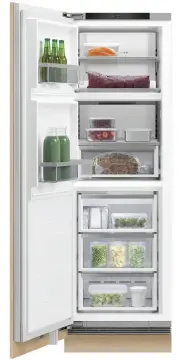
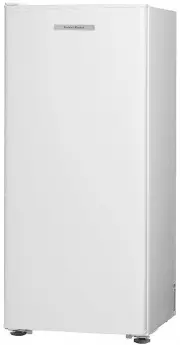
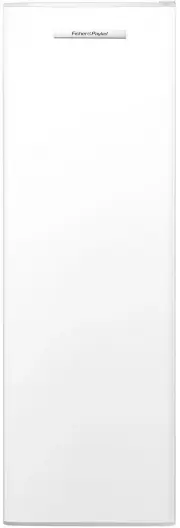
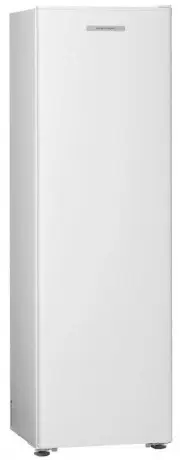
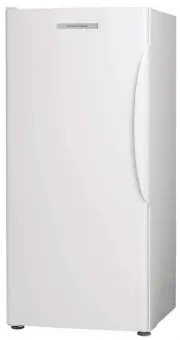
10 BEFORE YOU BEGIN Dual Zone Refrigerator (RS6019S2) Dual Zone Freezer (RS6019F2) Features 1 Control panel 2 Dairy compartment 3 Adjustable shelving 4 Door shelves 5 Bottle holder accessory 6 Bottle shelf 7 Humidity control bins 2 1 6 4 3 7 5 Features 1 Control panel 2 Adjustable shelving 3 Freezer...
Page 13 - CONTROL PANEL; Bottom mount / Dual Zone Refrigerator / Freezer; Menu; Install mode
13 CONTROL PANEL Bottom mount / Dual Zone Refrigerator / Freezer Triple Zone Refrigerator / Freezer 1 Menu Press to access product features and settings, or to return to standby. If the display has been locked, hold for two seconds to unlock. 2 Display screen Displays product features and settings. ...
Page 14 - FOOD MODES; Variable temperature zones
14 FOOD MODES Variable temperature zones Separate zones allow for different temperature settings and food modes for a variety of foods. FOOD MODES DESCRIPTION TYPES OF FOOD TO STORE PANTRY(12°C) PANTRY mode provides a cool, dark place for a wide variety of foods that perish quickly or may spoil at r...
Page 15 - FEATURES
15 FEATURE DESCRIPTION ICE Turns on or off your automatic ice maker in the bottom compartment. Your ice maker is designed to automatically dispense ice into the ice storage bin below until it detects the bin is full. The more ice you use, the more it makes. Before first use the automatic ice system ...
Page 16 - SETTINGS; SETTING
16 SETTINGS SETTING DESCRIPTION WI-FI SETUP May enable you to connect to your home wireless network and operate remotely using the app. WATER FILTER TIMER RESET Enables you to reset the water filter replacement reminders.Reminders are set for every six months. FORCE ICE FLIP Enables you to force the...
Page 17 - Getting started; On your mobile device:
17 Setup Wi-Fi Settings 3.0°C Fridge Pantry 12.0°C Chill -0.5°C Setup Wi-Fi Settings 3.0°C Fridge Pantry 12.0°C Chill -0.5°C Setup Wi-Fi Settings 3.0°C Fridge Pantry 12.0°C Chill -0.5°C Getting started Your appliance may be connected to your home wireless network and operated remotely using the app....
Page 18 - ADJUSTING THE TEMPERATURE; Adjusting the temperature from quick access
18 ADJUSTING THE TEMPERATURE From the idle screen, press Fridge 3.0 °C Fridge 3.0 °C Fridge 5.0 °C or Fridge 3.0 °C Fridge 3.0 °C Fridge 5.0 °C to select the desired compartment. Press Fridge 3.0 °C Fridge 3.0 °C Fridge 5.0 °C to confirm the selection. Press Fridge 3.0 °C Fridge 3.0 °C Fridge 5.0 °C...
Page 19 - FOOD MODE PRESETS
19 FOOD MODE PRESETS Food modes have been grouped into preset combinations. Ensure each compartment is running the intended food mode and is appropriate for the foods being stored. Ensure the appropriate food mode has been selected for the food types you wish to store. Refer to ‘Food modes’ and ‘Foo...
Page 20 - CHANGING FEATURES
20 CHANGING FEATURES Press Fridge 3.0 °C Fridge 3.0 °C Fridge 5.0 °C to display the menu. Press Fridge 3.0 °C Fridge 3.0 °C Fridge 5.0 °C or Fridge 3.0 °C Fridge 3.0 °C Fridge 5.0 °C to scroll through the list and select the required feature . Press Fridge 3.0 °C Fridge 3.0 °C Fridge 5.0 °C to confi...
Page 21 - CHANGING SETTINGS
21 CHANGING SETTINGS Press Fridge 3.0 °C Fridge 3.0 °C Fridge 5.0 °C to display the menu. Press Fridge 3.0 °C Fridge 3.0 °C Fridge 5.0 °C or Fridge 3.0 °C Fridge 3.0 °C Fridge 5.0 °C to scroll through the list and locate SETTINGS. Press Fridge 3.0 °C Fridge 3.0 °C Fridge 5.0 °C to confirm. Press Fri...
Page 22 - Using the water dispenser (Triple Zone Refrigerator and B model); Locking/unlocking the water dispenser
22 WATER DISPENSER Using the water dispenser (Triple Zone Refrigerator and B model) The water dispenser is located inside on the left side wall of the top compartment. To dispense water, gently press the dispensing pad with a glass or container.To stop the flow of water, simply pull your glass or co...
Page 23 - An ice scoop is provided for hygienic use.; ICE MAKER
23 Your automatic ice maker will produce ice into the storage bin below. Ice making will continue until the storage bin is full. Ice making will resume once you start to use the stored ice.On initial start up of your appliance, your ice maker may take several hours to produce ice. This is normal. Pl...
Page 24 - STORAGE FEATURES; REFRIGERATOR
24 STORAGE FEATURES REFRIGERATOR Fruits and vegetables bins with humidity control lids Lids create a humid microclimate by reducing dry air going into the bins. The specially designed groves retain condensation, keeping humidity high and reduce dripping onto the produce below. Sepreate fruits and ve...
Page 25 - CARE AND CLEANING; Pull the shelf towards you.; Exterior cleaning; Condenser coils; Interior cleaning; Cantilevered glass shelves
25 CARE AND CLEANING 1 2 To remove, hold the front and back edge of the shelf firmly.Push the shelf up vertically to dislodge from back support lugs. Pull the shelf towards you. Fixed shelf 1 2 Pull the shelf towards you to release the clips. Lift shelf up to remove. Do not use harsh chemicals, abra...
Page 26 - Removing the bins
26 Removing the bins The runners are pre-lubricated to help open and close the bins. Do not remove the grease from the runners to maintain its smooth function. If the bins are not regularly fully extended, the extension of the runners may be reduced. To restore the extension of the runners pull them...
Page 27 - Humidity control lids (Upper Compartment)
27 CARE AND CLEANING 1 2 Remove fixed shelf. Humidity control lids (Upper Compartment) 1 2 Remove the bin. Pull the humidity control lid towards you to release the clip. Humidity control lids (Lower Compartment) Lift the humidity control lid upwards to remove Lift lid up and slide out to remove. 3
Page 28 - Turn the ice maker to; on the control panel.
28 CARE AND CLEANING Holiday/vacation (Freezer only) Before leaving: Turn the ice maker to OFF on the control panel. Shut off the water supply to the appliance. On return: Turn on the ice maker. Discard the first full bin of ice. Pull the bin towards you to remove. Push both runners back into the ap...
Page 29 - FOOD CARE; For best food care; We recommend using; when you are adding food items to your appliance, such; Items stored in your refrigerator; We recommended cooling carbonated beverages only when the; function
29 FOOD CARE For best food care z Store only high-quality, fresh food in your appliance. z Store perishable foods in the appliance immediately after purchase. Storing at room temperature increases the rate of deterioration and can allow harmful microbial growth. z Foods such as meat, poultry and sea...
Page 30 - USER WARNINGS AND SOUNDS; Faults
30 USER WARNINGS AND SOUNDS Faults z In the unlikely event a fault occurs, 4 rapid beeps will be heard and the fault will be displayed on the control panel. z Record the fault code displayed on the control panel and contact a Fisher & Paykel trained and supported service technician in order to r...
Page 31 - TROUBLESHOOTING; PROBLEM
31 TROUBLESHOOTING If there is a problem with your appliance, please check the following points before contacting your local Fisher & Paykel trained and supported service technician or the Customer Care Centre. Product parts and accessories can be purchased through the Fisher & Paykel Custom...
Page 34 - ELECTRICAL AND ELECTRONIC EQUIPMENT (WEEE); EU; The symbol
34 EUROPEAN DIRECTIVE 2012/19/EU ON WASTE ELECTRICAL AND ELECTRONIC EQUIPMENT (WEEE) EU This appliance is marked according to the European Directive 2012/19/EU on Waste Electrical and Electronic Equipment (WEEE). By ensuring this product is disposed of correctly, you will help prevent potential nega...
Page 35 - MANUFACTURER’S WARRANTY AND SERVICE GUIDE; To access your Warranty and Service Guide; NZ; Complete and keep for safe reference:
35 MANUFACTURER’S WARRANTY AND SERVICE GUIDE To access your Warranty and Service Guide Scan the QR code with your smartphone to access your warranty and book a service, or view online at https://www.fisherpaykel.com/nz/help-and-support/warranty-information This product has been designed for use in a...
Page 36 - Before you call for service or assistance; Your product is correctly installed.; IE
36 MANUFACTURER’S WARRANTY AND SERVICE GUIDE This product has been designed for use in a domestic (residential) environment. This product is not designed for any commercial use. Any commercial use by the customer will affect this products Manufacturer’s Warranty. For spare parts, please contact Fish...
Page 37 - In UK if you need assistance; If you need service
37 MANUFACTURER’S WARRANTY AND SERVICE GUIDE In UK if you need assistance Call the Fisher & Paykel Customer Care Centre and talk to one of our Customer Care Consultants. Toll Free: 08000 886 605 Website: fisherpaykel.com Postal address: Fisher & Paykel Appliances Ltd, Turing House, Ortensia ...