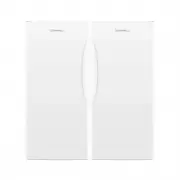
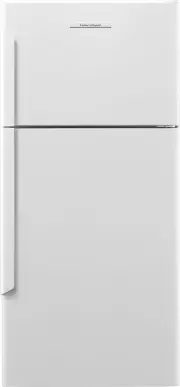
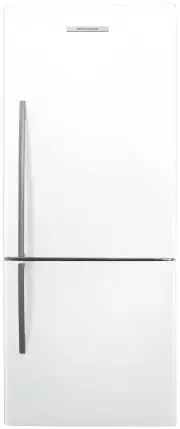
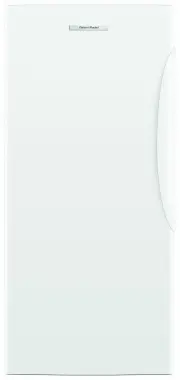
Page 3 - CONTENTS; Registration
3 CONTENTS Registration To register your product visit our website: fisherpaykel.com/register Safety and warnings 5 Before you begin 10 Control panel 12 Food modes 13 Features 14Settings 15Wi-Fi connection 16 Adjusting the temperature 17 Food mode presets 18 Changing features 19 Changing settings 20...
Page 5 - SAFETY AND WARNINGS; Electric Shock Hazard; Failure to do so can result in death, electric; • Read and follow the safety and warnings; This appliance contains flammable; READ AND SAVE THIS GUIDE; including the following:
5 SAFETY AND WARNINGS WARNING! Electric Shock Hazard Failure to do so can result in death, electric shock, fire or injury to persons. • Read and follow the safety and warnings outlined in this user guide before operating this appliance. WARNING! This appliance contains flammable refrigerant isobutan...
Page 6 - Electrical
6 SAFETY AND WARNINGS z This refrigerating appliance is intended to be used at ambient temperatures ranging from 61 °F (16 °C) to 100 °F (38 °C). The product performance may be compromised when operating outside of this temperature range. z For storage of general household foods in the most efficien...
Page 7 - Servicing
7 SAFETY AND WARNINGS Servicing z Your refrigerator is designed to operate for many years without the need for service checks. However, if your refrigerator is malfunctioning, have it attended to by your Fisher & Paykel trained and supported service technician as soon as possible. All electrical...
Page 8 - exist, you must install a water hammer arrester.; To reduce the risk associated with choking:; installation of the water filter.; Ice making; temperature settings only.
8 SAFETY AND WARNINGS z Filter replacement is the consumer’s responsibility and will not be covered by the warranty except in the case of faulty parts or materials within the filter cartridge. z If the water has not created ice for some time or ice has an unpleasant taste or odour dispose of ice and...
Page 9 - following conditions:
9 SAFETY AND WARNINGS IMPORTANT! This device complies with part 15 of the FCC Rules. Operation is subject to the following conditions: z This device may not cause harmful interference. z This device must accept any interference received, including interference that may cause undesired operation. z D...
Page 10 - BEFORE YOU BEGIN; Features
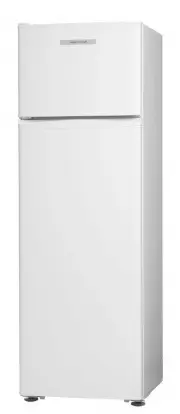
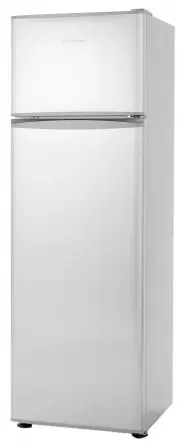
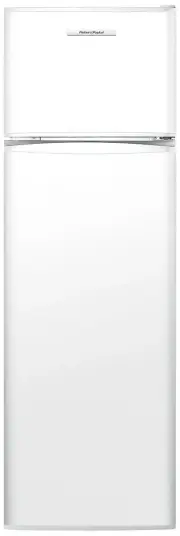
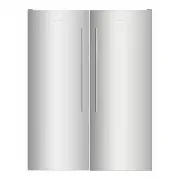
10 BEFORE YOU BEGIN Triple Zone Refrigerator (RS2474S3) Triple Zone Freezer (RS2474F3) Features 1 Control panel 2 Pocket shelf 3 Adjustable shelving 4 Fixed shelves 5 Bottle holder accessory 6 Bottle shelf 7 Variable temperature zones 8 Automatic ice maker (not shown)* 9 Freezer bins !0 Water filter...
Page 12 - CONTROL PANEL; Bottom mount Refrigerator Freezer; Menu; Install mode
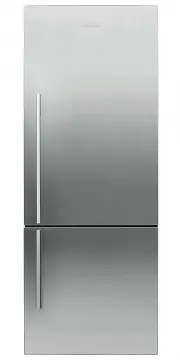
12 CONTROL PANEL Bottom mount Refrigerator Freezer Triple Zone Refrigerator / Freezer 1 Menu Press to access product features and settings, or to return to standby. If the display has been locked, hold for two seconds to unlock. 2 Display screen Displays product features and settings. 3 Scroll Press...
Page 13 - FOOD MODES; Variable temperature zones
13 FOOD MODES Variable temperature zones Separate food modes, in both fridge and freezer, allow you adjust the temperature independently for optimal storage. FOOD MODES DESCRIPTION TYPES OF FOOD TO STORE PANTRY(12°C/54°F) PANTRY mode provides a cool, dark place for a wide variety of foods that peris...
Page 14 - FEATURES
14 FEATURE DESCRIPTION ICE Turns on or off your automatic ice maker in the bottom compartment. Your ice maker is designed to automatically dispense ice into the ice storage bin below until it detects the bin is full. The more ice you use, the more it makes. Before first use the automatic ice system ...
Page 15 - SETTINGS; SETTING
15 SETTINGS SETTING DESCRIPTION WI-FI SETUP May enable you to connect to your home wireless network and operate remotely using the app. WATER FILTER TIMER RESET Enables you to reset the water filter replacement reminders. FORCE ICE FLIP Enables you to force the ice tray to flip. This is used when fl...
Page 16 - Getting started; On your mobile device:
16 Setup Wi-Fi Settings 37.0°F Fridge Pantry 54.0°F Chill 32.0°F Setup Wi-Fi Settings 37.0°F Fridge Pantry 54.0°F Chill 32.0°F Setup Wi-Fi Settings 37.0°F Fridge Pantry 54.0°F Chill 32.0°F Getting started Your appliance may be connected to your home wireless network and operated remotely using the a...
Page 17 - ADJUSTING THE TEMPERATURE; Adjusting the temperature from quick access
17 ADJUSTING THE TEMPERATURE From the idle screen, press Fridge 3.0 °C Fridge 3.0 °C Fridge 5.0 °C or Fridge 3.0 °C Fridge 3.0 °C Fridge 5.0 °C to select the desired compartment. Press Fridge 3.0 °C Fridge 3.0 °C Fridge 5.0 °C to confirm the selection. Press Fridge 3.0 °C Fridge 3.0 °C Fridge 5.0 °C...
Page 18 - FOOD MODE PRESETS
18 FOOD MODE PRESETS Food modes have been grouped into preset combinations. Ensure each compartment is running the intended food mode and is appropriate for the foods being stored. Ensure the appropriate food mode has been selected for the food types you wish to store. Refer to ‘Food modes’ and ‘Foo...
Page 19 - CHANGING FEATURES
19 CHANGING FEATURES Press Fridge 3.0 °C Fridge 3.0 °C Fridge 5.0 °C to display the menu. Press Fridge 3.0 °C Fridge 3.0 °C Fridge 5.0 °C or Fridge 3.0 °C Fridge 3.0 °C Fridge 5.0 °C to scroll through the list and select the required feature . Press Fridge 3.0 °C Fridge 3.0 °C Fridge 5.0 °C to confi...
Page 20 - CHANGING SETTINGS
20 CHANGING SETTINGS Press Fridge 3.0 °C Fridge 3.0 °C Fridge 5.0 °C to display the menu. Press Fridge 3.0 °C Fridge 3.0 °C Fridge 5.0 °C or Fridge 3.0 °C Fridge 3.0 °C Fridge 5.0 °C to scroll through the list and locate SETTINGS. Press Fridge 3.0 °C Fridge 3.0 °C Fridge 5.0 °C to confirm. Press Fri...
Page 21 - Using the water dispenser (Triple Zone Refrigerator and B model); Locking/unlocking the water dispenser
21 WATER DISPENSER Using the water dispenser (Triple Zone Refrigerator and B model) The water dispenser is located inside on the left side wall of the top compartment. To dispense water, gently press the dispensing pad with a glass or container.To stop the flow of water, simply pull your glass or co...
Page 22 - . Refer to ‘Changing; ICE MAKER
22 Your automatic ice maker will produce ice into the storage bin below. Ice making will continue until the storage bin is full. Ice making will resume once you start to use the stored ice.On initial start up of your appliance, your ice maker may take several hours to produce ice. This is normal. Pl...
Page 23 - STORAGE FEATURES; REFRIGERATOR
23 STORAGE FEATURES REFRIGERATOR Fruits and vegetables bins with humidity control lids Lids create a humid microclimate by reducing dry air going into the bins. The specially designed groves retain condensation, keeping humidity high and reduce dripping onto the produce below. Sepreate fruits and ve...
Page 24 - CARE AND CLEANING; Exterior cleaning; Condenser coils; Interior cleaning; Cantilevered glass shelves
24 CARE AND CLEANING Do not use harsh chemicals, abrasives, ammonia, chlorine, bleach, concentrated detergents, solvents or abrasive scouring pads on any part of your appliance. Some of these chemicals may damage your appliance.Clean all surfaces with a mild liquid detergent dissolved in warm water ...
Page 25 - Removing the bins
25 CARE AND CLEANING 1 2 To remove a bin, extend the bin on its runners, and empty the bin. Removing the bins The runners are pre-lubricated to help open and close the bins. Do not remove the grease from the runners to maintain its smooth function. If the bins are not regularly fully extended, the e...
Page 27 - CLEANING AND CARE; Turn the ice maker to; on the control panel.; Bin Removal
27 Pull the bin towards you to remove. Push both runners back into the appliance. CLEANING AND CARE Holiday/vacation (Freezer only) Before leaving: Turn the ice maker to OFF on the control panel. Shut off the water supply to the appliance. On return: Turn on the ice maker. Discard the first full bin...
Page 28 - FOOD CARE; For best food care; We recommend using; when you are adding food items to your appliance, such; Items stored in your refrigerator; We recommended cooling carbonated beverages only when the; function
28 FOOD CARE For best food care z Store only high-quality, fresh food in your appliance. z Store perishable foods in the appliance immediately after purchase. Storing at room temperature increases the rate of deterioration and can allow harmful microbial growth. z Foods such as meat, poultry and sea...
Page 29 - USER WARNINGS AND SOUNDS; Faults
29 USER WARNINGS AND SOUNDS Faults z In the unlikely event a fault occurs, 4 rapid beeps will be heard and the fault will be displayed on the control panel. z Record the fault code displayed on the control panel and contact a Fisher & Paykel trained and supported service technician in order to ...
Page 30 - TROUBLESHOOTING; PROBLEM
30 TROUBLESHOOTING If there is a problem with your appliance, please check the following points before contacting your local Fisher & Paykel trained and supported service technician or the Customer Care Center. Product parts and accessories can be purchased through the Fisher & Paykel Custom...
Page 33 - Complete and keep for safe reference:
33 SERVICE & WARRANTY Complete and keep for safe reference: Model Serial No. Purchase Date Purchaser Dealer City State Zip Country For details of your Manufacturer’s Warranty and contacts for servicing, please refer to your separate ‘Service & Warranty’ book provided with your refrigerator.T...