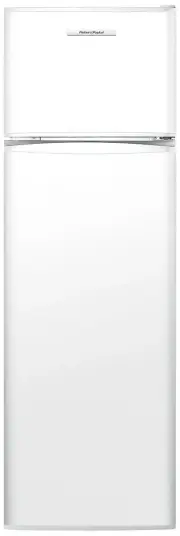
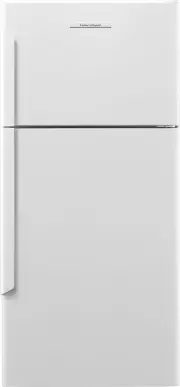
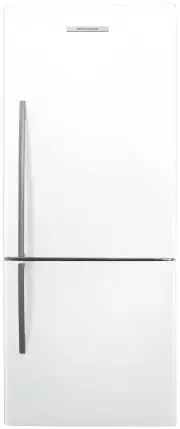
Page 3 - SAVE THESE INSTRUCTIONS; Registration; CONTENTS
1 IMPORTANT! SAVE THESE INSTRUCTIONS The models shown in this User guide may not be available in all markets and are subject to change at any time. For current details about model and specification availability in your country, go to our website fisherpaykel.com or contact your local Fisher & Pa...
Page 5 - INTRODUCTION
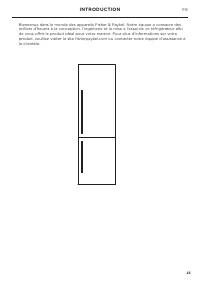
3 INTRODUCTION Welcome to the family of Fisher & Paykel appliances. Our team has spent thousands of hours designing, engineering and testing this refrigerator to ensure you get the perfect product for your home. For more information on your product please visit fisherpaykel.com or contact our Cu...
Page 6 - IMPORTANT SAFETY INSTRUCTIONS; Electrical; SAFETY AND WARNINGS
4 ! WARNING! Electric Shock HazardRead and follow the safety and warnings outlined in this user guide before operating this appliance.Failure to do so can result in death, electric shock, fire or injury to persons. Use this appliance only for the intended purpose as described in the user guide. IMPO...
Page 7 - Cleaning; Use only soap based cleaning products.; Disposal; Never freeze carbonated drinks. They may explode.
5 IMPORTANT! ● ● Your appliance is designed to operate for many years without the need for service checks. However, if your appliance is malfunctioning, have it attended to by your Fisher & Paykel trained and supported service technician as soon as possible. ● ● If you suspect that the product i...
Page 8 - STORAGE FEATURES; COMPONENTS; Humidity controlled bin
6 STORAGE FEATURES COMPONENTS Humidity controlled bin This bin helps to provide a humid microclimate to extend the storage times of fruit and vegetables. Shelving ● ● Selectable shelf heights. ● ● Heat treated safety glass. ● ● Adjustable door shelves. Variable temperature compartment This compartme...
Page 9 - SPECIAL FEATURES; Control panel
7 SPECIAL FEATURES Control panel 1 POWER Press to turn the appliance on or off. ● ● To turn the refrigerator on press for 3 seconds, the control panel will function as normal. ● ● To turn the refrigerator off press for 3 seconds, the control panel will not function. 2 Compartment select button Press...
Page 10 - Variable temperature compartment
8 SPECIAL FEATURES Variable temperature compartment This compartment is controlled by a separate system to the refrigerator and freezer compartments to provide you with greater flexibility of food storage. Different foods require different storage temperatures so we have designed this compartment to...
Page 11 - Setting a special function; To activate and deactivate ‘Fast Freeze’:; Max Cool; To activate and deactivate ‘Max Cool’:
9 SPECIAL FEATURES Setting a special function Fast Freeze This function helps you get the best possible results when freezing fresh food. ‘Fast Freeze’ boosts the freezing speed by dropping the freezer compartment to a colder temperature for a preset time to ensure freshness, texture and taste are r...
Page 12 - Holiday Mode; To activate and deactivate ‘Holiday Mode’:; Sabbath mode
10 SPECIAL FEATURES Holiday Mode This function allows your refrigerator to run in an energy efficient state to save you energy when you are away. Be sure to remove any perishable food items or items close to their expiry dates before activating the ‘Holiday Mode’. To activate and deactivate ‘Holiday...
Page 13 - OPERATING INSTRUCTIONS; Setting/changing the temperature of a compartment; Press the ‘Compartment’ select button to scroll; Display screen
11 OPERATING INSTRUCTIONS Setting/changing the temperature of a compartment When the refrigerator is first turned on, the powerful cooling system will automatically cool both refrigerator and freezer compartments to their recommended ideal temperatures — 37°F (3°C) refrigerator and 1°F (-18°C) freez...
Page 14 - When switched on, the refrigerator will take several hours to cool.
12 OPERATING INSTRUCTIONS Using your refrigerator ● ● When switched on, the refrigerator will take several hours to cool. ● ● You can start to store food in it 2 – 3 hours after it has been turned on. ● ● The refrigerator and variable temperature compartment temperatures will automatically default t...
Page 15 - CLEANING CARE AND MAINTENANCE; Exterior cleaning; Clean exterior surfaces with warm water and detergent only.; Interior cleaning; Interior
13 CLEANING CARE AND MAINTENANCE IMPORTANT! The ‘POWER’ button is not equivalent to turning off the power at the wall. For cleaning and maintenance, the appliance must be disconnected from the power supply at the wall socket. Exterior cleaning ● ● Clean exterior surfaces with warm water and detergen...
Page 16 - Maintenance; Replacement of the interior light
14 CLEANING CARE AND MAINTENANCE Maintenance Replacement of the interior light The LED lighting in your refrigerator saves energy and has a long lifetime. However, if replacement of an LED is required, simply call your Fisher & Paykel trained and supported service technician and they will replac...
Page 17 - FOOD CARE; For best food care; Beverages are best stored standing upright in the door shelves.; Items stored in your refrigerator; Choose only high quality foods that freeze well.
15 FOOD CARE For best food care ● ● Store only high-quality, fresh food in your appliance. ● ● Store perishable foods in the appliance immediately after purchase. Storing at room temperature increases the rate of deterioration and can allow harmful microbial growth. ● ● Foods such as meat, poultry a...
Page 18 - TROUBLESHOOTING; PROBLEM; Appliance does
16 TROUBLESHOOTING If there is a problem with your appliance, please check the following points before contacting your local Fisher & Paykel trained and supported service technician or the Customer Care Center. Product parts and accessories can be purchased through Fisher & Paykel Customer C...
Page 20 - Complete and keep for safe reference:
18 SERVICE & WARRANTY For details of your manufacturer’s warranty and contacts for servicing, refer to your separate service and warranty book provided with your appliance. This product has been designed for use in a normal domestic (residential environment). This product is not designed for any...
Page 23 - CONSERVEZ CES INSTRUCTIONS; Enregistrement; TABLE DES MATIÈRES
21 IMPORTANT! CONSERVEZ CES INSTRUCTIONS Les modèles illustrés dans ce Guide d’utilisation peuvent ne pas être disponibles dans tous les pays et sont sujets à modifications sans préavis. Pour les plus récentes informations sur la disponibilité des modèles et des caractéristiques dans votre pays, veu...
Page 26 - CONSIGNES DE SÉCURITÉ IMPORTANTES; Alimentation électrique; CONSIGNES DE SÉCURITÉ ET MISES EN GARDE
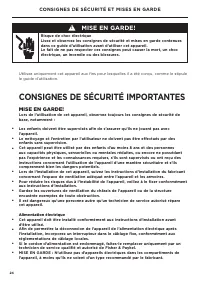
24 ! MISE EN GARDE! Risque de choc électriqueLisez et observez les consignes de sécurité et mises en garde contenues dans ce guide d’utilisation avant d’utiliser cet appareil.Le fait de ne pas respecter ces consignes peut causer la mort, un choc électrique, un incendie ou des blessures. Utilisez uni...
Page 27 - Nettoyage; Utilisez uniquement des produits de nettoyage à base de savon.; Mise au rebut
25 IMPORTANT! ● ● Votre appareil est conçu pour fonctionner pendant de nombreuses années sans nécessiter de vérifications d’entretien. Toutefois, si votre appareil devait présenter un problème de fonctionnement, faites-le vérifier le plus rapidement possible par un technicien de service qualifié et ...
Page 28 - COMPOSANTS; Bac à humidité contrôlée; CARACTÉRISTIQUES DE RANGEMENT
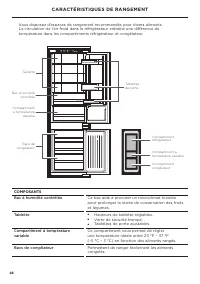
26 COMPOSANTS Bac à humidité contrôlée Ce bac aide à procurer un microclimat humide pour prolonger la durée de conservation des fruits et légumes. Tablette ● ● Hauteurs de tablette réglables. ● ● Verre de sécurité trempé. ● ● Tablettes de porte ajustables. Compartiment à température variable Ce comp...
Page 29 - Panneau de commande; FONCTIONS SPÉCIALES
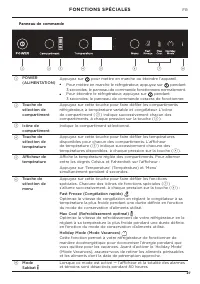
27 Panneau de commande 1 POWER (ALIMENTATION) Appuyez sur pour mettre en marche ou éteindre l’appareil. ● ● Pour mettre en marche le réfrigérateur, appuyez sur pendant 3 secondes; le panneau de commande fonctionnera normalement. ● ● Pour éteindre le réfrigérateur, appuyez sur pendant 3 secondes; le ...
Page 30 - Compartiment à température variable
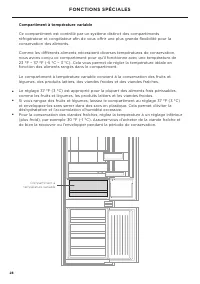
28 Compartiment à température variable Ce compartiment est contrôlé par un système distinct des compartiments réfrigérateur et congélateur afin de vous offrir une plus grande flexibilité pour la conservation des aliments. Comme les différents aliments nécessitent diverses températures de conservatio...
Page 31 - Réglage d’une fonction spéciale; Pour activer et désactiver ‘Fast Freeze’ (Congélation rapide) :
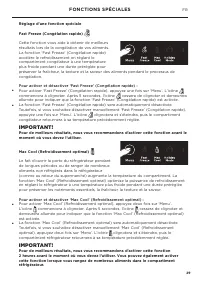
29 Réglage d’une fonction spéciale Fast Freeze (Congélation rapide) Cette fonction vous aide à obtenir de meilleurs résultats lors de la congélation de vos aliments. La fonction ‘Fast Freeze’ (Congélation rapide) accélère le refroidissement en réglant le compartiment congélateur à une température pl...
Page 32 - Mode Sabbat; L’icône s’allumera sur le panneau de commande.
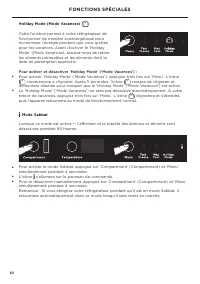
30 Holiday Mode (Mode Vacances) Cette fonction permet à votre réfrigérateur de fonctionner de manière écoénergétique pour économiser l’énergie pendant que vous quittez pour les vacances. Avant d’activer le ‘Holiday Mode’ (Mode Vacances), assurez-vous de retirer les aliments périssables et les alimen...
Page 33 - Réglage/modification de la température d’un compartiment; Appuyez sur la touche de sélection ‘Compartment’; Écran d’affichage; INSTRUCTIONS D’UTILISATION
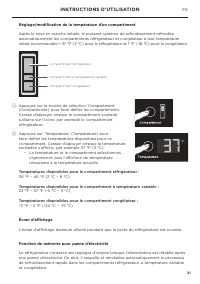
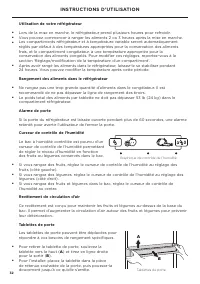
31 Réglage/modification de la température d’un compartiment Après la mise en marche initiale, le puissant système de refroidissement refroidira automatiquement les compartiments réfrigérateur et congélateur à leur température idéale recommandée — 37 °F (3 °C) pour le réfrigérateur et 1 °F (-18 °C) p...
Page 35 - Intérieur; NETTOYAGE ET ENTRETIEN
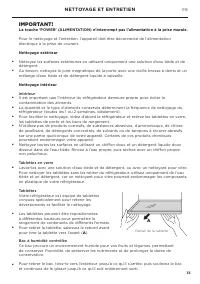
33 IMPORTANT! La touche ‘POWER’ (ALIMENTATION) n’interrompt pas l’alimentation à la prise murale. Pour le nettoyage et l’entretien, l’appareil doit être déconnecté de l’alimentation électrique à la prise de courant. Nettoyage extérieur ● ● Nettoyez les surfaces extérieures en utilisant uniquement un...
Page 36 - Entretien; Remplacement de la lumière intérieure
34 Entretien Remplacement de la lumière intérieure L’éclairage DEL de votre réfrigérateur permet d’économiser l’énergie et offre une longue durée de vie. Toutefois, si le remplacement d’une ampoule DEL est requis, appelez simplement un technicien de service qualifié et autorisé de Fisher & Payke...
Page 37 - CONSERVATION DES ALIMENTS
35 Pour une conservation optimale des aliments ● ● Conservez uniquement des aliments frais de grande qualité dans votre appareil. ● ● Conservez les aliments périssables dans l’appareil immédiatement après l’achat. La conservation à la température ambiante accélère la détérioration et peut entraîner ...
Page 38 - DÉPANNAGE
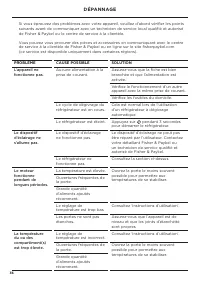
36 Si vous éprouvez des problèmes avec votre appareil, veuillez d’abord vérifier les points suivants avant de communiquer avec un technicien de service local qualifié et autorisé de Fisher & Paykel ou le centre de service à la clientèle. Vous pouvez vous procurer des pièces et accessoires en com...
Page 39 - Consultez ‘Instructions d’utilisation’.
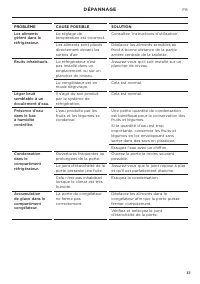
37 PROBLÈME CAUSE POSSIBLE SOLUTION Les aliments gèlent dans le réfrigérateur. Le réglage de température est incorrect. Consultez ‘Instructions d’utilisation’. Les aliments sont placés directement devant les sorties d’air. Déplacez les aliments sensibles au froid à bonne distance de la partie arrièr...
Page 40 - Remplir et conserver pour référence ultérieure :; SERVICE ET GARANTIE
38 Pour plus de détails sur la garantie du fabricant et les coordonnées pour le service, reportez-vous au manuel d’entretien et de garantie distinct, fourni avec votre appareil. Ce produit a été conçu pour une utilisation dans un environnement domestique normal (résidentiel). Il n’est pas conçu pour...