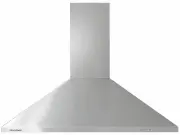
Page 3 - CONTENTS; SAVE THIS GUIDE; Registration; Special features
1 CONTENTS IMPORTANT! SAVE THIS GUIDE The models shown in this user guide may not be available in all markets and are subject to change at any time. For current details about model and specification availability in your country, please go to our website fisherpaykel.com or contact your local Fisher ...
Page 5 - INTRODUCTION
3 INTRODUCTION Welcome to the family of Fisher & Paykel appliances. Our team has spent thousands of hours designing, engineering and testing this Integrated Rangehood to ensure you get the perfect product for your home. For more information on your product please visit fisherpaykel.com or contac...
Page 6 - SAFETY AND WARNINGS; person(s) in accordance with all applicable codes and standards,
4 SAFETY AND WARNINGS ! WARNING! Weight HazardThe appliance is heavy. Please ensure adequate care is taken when installing the appliance to prevent personal injury. Weight of the products are:HPB6028-1 = 14 kgHPB7528-1 = 17 kgHPB7548-1 = 21 kgHPB9028-1 = 19 kgHPB9048-1 = 23 kgHPB9048-2 = 31 kgHPB12...
Page 7 - IMPORTANT SAFETY INSTRUCTIONS; ENTIRE; READ AND SAVE THESE INSTRUCTIONS
5 SAFETY AND WARNINGS IMPORTANT SAFETY INSTRUCTIONS READ THE ENTIRE SET OF INSTRUCTIONS BEFORE INSTALLING OR USING THIS APPLIANCE. A copy of the user guide and installation guide for this product can also be found at fisherpaykel.com. ! WARNING: When using this appliance always exercise basic safety...
Page 8 - SPECIAL FEATURES; Remote control
6 SPECIAL FEATURES Remote control Selected models have a remote control provided with the rangehood. This remote can also be purchased as an optional accessory for other models of this rangehood. The remote is designed to make your rangehood easier to use. It allows you to adjust the fan speed and b...
Page 9 - FOR BEST PERFORMANCE; Rangehood width; Condensation can be minimised by:; Gas cooking considerations
7 FOR BEST PERFORMANCE This rangehood should be turned on for a few minutes before cooking in order to establish air currents upward through the rangehood. This will also enable hot air removal from your kitchen and keep the rangehood surface cool. When heat, smoke, moisture, grease and cooking odou...
Page 10 - OPERATING INSTRUCTIONS; RANGEHOOD CONTROL PANEL FEATURES; Power; If the fan was off, it will turn on at fan speed 1.
8 OPERATING INSTRUCTIONS RANGEHOOD CONTROL PANEL FEATURES Power Turns your rangehood ON and OFF.Also allows you to delay shut off. Fan speed Allows you to change the fan speed. 1 2 3 4 5 Fan speed indicator Indicates the current speed of the fan.1 is the lowest fan speed and 5 the highest. Light All...
Page 11 - Delayed shut off; Fan speed; To reset the clean filter reminder:
9 OPERATING INSTRUCTIONS Delayed shut off To use delayed shut off: ● ● Press and hold the button, the light around the button will blink. ● ● The fan speed will operate for 5 minutes, starting at the current speed and then at each decreasing speed before turning OFF (the fan will stop and the light ...
Page 12 - To turn the fan ON, press the button once.
10 Remote control (selected models or optional extra) Selected models have a remote control provided with the rangehood. This remote can also be purchased as an optional accessory for other models of this rangehood. The remote is designed to make your rangehood easier to use. It allows you to adjust...
Page 13 - Light; To turn the light ON, press the button once.; Battery indicator
11 OPERATING INSTRUCTIONS Light ● ● To turn the light ON, press the button once. ● ● To increase/decrease the brightness press the button. The light brightness will increase with each button press until it reaches its highest level, at the next button press it will return to the lowest level. ● ● To...
Page 14 - CLEANING AND MAINTENANCE; Wear gloves to protect against sharp edges.; discolour the surfaces:
12 CLEANING AND MAINTENANCE WARNING! ● ● Before servicing or cleaning your rangehood, switch the power off at the control panel and disconnect the power to prevent power from being switched on accidentally. ● ● Allow the appliance to cool after the power has been turned off before servicing. ● ● The...
Page 15 - Filter cleaning; To remove the filters:; NOT
13 CLEANING AND MAINTENANCE Filter cleaning IMPORTANT! ● ● The filters can cause damage and/or injury if dropped. Ensure you use both hands to remove and replace the filters. To remove the filters: 1 Use the handles to hold the filter (refer to A ). 2 Pull the filter toward you, pushing against the ...
Page 16 - Replacing the LED lights; To replace the filters:
14 CLEANING AND MAINTENANCE Replacing the LED lights To replace the LED lights please contact your Fisher & Paykel trained and supported service technician. Refer to fisherpaykel.com or your separate service and warranty book provided with your rangehood for contact details. To replace the filte...
Page 17 - Filters require cleaning.; TROUBLESHOOTING
15 PROBLEM POSSIBLE CAUSES WHAT TO DO Fan has turned off automatically. Fan, light and power buttons will illuminate red. This blower is equipped with a sensor to automatically turn OFF the fan when excessive heat is detected by the rangehood. Remove the source of heat, wait until the control panel ...
Page 18 - PARTS AND ACCESSORIES; Filters; Parts; Remote control kit
16 PARTS AND ACCESSORIES Filters ● ● 200mm x 225mm ● ● 200mm x 300mm ● ● 400mm x 225mm ● ● 400mm x 300mm Remote control Parts Accessories ¾” OD x 3/16” ID Flat Washer #10-32 Pan Head Pozi Drive Wall Plug #8 x 3/4” Truss Head Philips Drive Self Tapping Screw ¼-20 x ½” Pan Head Philips Drive Machine S...
Page 19 - SERVICE AND WARRANTY; Complete and keep for safe reference:
17 SERVICE AND WARRANTY For details of your manufacturer’s warranty and contacts for servicing, please refer to your separate service and warranty book provided with your rangehood. Complete and keep for safe reference: Model Serial No. Purchase Date Purchaser Dealer Suburb Town Country