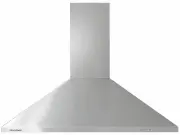
Page 3 - CONTENTS; SAVE THESE INSTRUCTIONS; Registration
1 CONTENTS Introduction 3Safety and warnings 4 Installation instructions 7 Operating instructions 15 Cleaning and maintenance 16 Parts and accessories 18 Manufacturer’s Warranty 19 Customer Care 21 IMPORTANT! SAVE THESE INSTRUCTIONS The models shown in this user guide may not be available in all mar...
Page 5 - INTRODUCTION; Thank you for purchasing a Fisher & Paykel product.
3 INTRODUCTION Thank you for purchasing a Fisher & Paykel product. Thousands of hours go into the design, engineering, testing and perfecting of each Fisher & Paykel appliance. The care and attention given to creating these beautiful products doesn’t stop once it has found its home with you....
Page 6 - SAFETY AND WARNINGS; Weight Hazard
4 SAFETY AND WARNINGS ! WARNING! 8.2 kg (HP60) 11.5 kg (HP90) Weight Hazard The appliance is heavy. Please ensure adequate care is taken when installing the appliance to prevent personal injury. The appliance must be installed onto a solid wall, stud, beam or truss. Weight of the product is 8.2 kg (...
Page 7 - IMPORTANT SAFETY INSTRUCTIONS
5 SAFETY AND WARNINGS IMPORTANT SAFETY INSTRUCTIONS WARNING! When using this appliance always exercise basic safety precautions including the following: ● ● Please read the entire set of instructions before installing or using this appliance. ● ● Please make this information available to the person ...
Page 9 - INSTALLATION INSTRUCTIONS; Contents of packaging
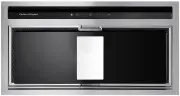
7 INSTALLATION INSTRUCTIONS Contents of packaging 13 mm screw (2) Installation instructionsUser guide manual (1) 125 mm ducting adapter (1) Rangehood (1) Built-In Integrated Rangehood HP60IDCHX2, HP90IDCHX2, HP60IHCB3 and HP90IHCB3 models NZ AU ROW INSTALLATION INSTRUCTIONS USER GUIDE 150 mm ducting...
Page 10 - Product and cabinetry cutout dimensions
8 INSTALLATION INSTRUCTIONS J K H I G EB FC A D M N O ( A ) M N Power cord location Ducting adapter Ø L Product and cabinetry cutout dimensions HP60 HP90
Page 11 - PRODUCT DIMENSIONS
9 INSTALLATION INSTRUCTIONS HP60 HP90 PRODUCT DIMENSIONS mm mm A Overall height of product (with ducting adapter) 350 (395) 315 (360) B Overall width of product 530 830 C Overall depth of product 280 280 D Thickness of flange 2 2 E Width of chassis 492 792 F Depth of chassis 255 255 G Height of side...
Page 12 - Height of rangehood; Electric cooktop
10 INSTALLATION INSTRUCTIONS Height of rangehood MINIMUM CLEARANCES mm P Height top of cooktop to base of product Electric cooktop Gas cooktop min. 600 – max. 750 min. 650 – max. 750 Rangehood installation height above the cooktop is the user’s preference. Lower installation heights will improve the...
Page 13 - Venting options; Ducted
11 INSTALLATION INSTRUCTIONS Venting options Attention should be given to ensure that any applicable regulations concerning the discharge of exhaust air are fulfilled. The rangehood can be installed to operate with the exhaust air ducted externally from the kitchen, or installed to operate with the ...
Page 14 - accordance with all applicable codes and standards.; Prepare for installation.
12 INSTALLATION INSTRUCTIONS WARNING! ● ● This appliance is heavy and requires two persons for unpacking and installation ● ● Installation work and electrical wiring must be done by qualified person(s) in accordance with all applicable codes and standards. ● ● Failure to install the screws or fixing...
Page 15 - Remove the filters and face plate of the rangehood.
13 INSTALLATION INSTRUCTIONS 4 Remove the filters and face plate of the rangehood. 360˚ 1 360˚ 2 360˚ 360˚ 360˚ 360˚ 3 4 5 6
Page 16 - Connect duct and plug rangehood in.
14 INSTALLATION INSTRUCTIONS 5 Connect duct and plug rangehood in. 6 Lift the rangehood and fit through the opening of the cupboard till the spring loaded brackets / clips hold the product in place. 7 Secure rangehood while tightening the 4 brackets / clips. width depth 2.3 2.2 2.1 x4 width depth 2....
Page 17 - OPERATING INSTRUCTIONS; Touch control panel; Filter
15 OPERATING INSTRUCTIONS Touch control panel CONTROL PANEL FEATURES Filter cleaning alert Activated regularly to alert of the need to clean filters. It can be deactivated with a single press. Timer Turn the timer on. The fan operates for 5 minutes at the current speed and each descending speed befo...
Page 18 - CLEANING AND MAINTENANCE; After rinsing and drying, replace the filters.
16 CLEANING AND MAINTENANCE WARNING! ● ● Unplug or disconnect the appliance from the power supply before servicing or cleaning. ● ● When replacing the bulb, let the bulb cool, and assure that power to the rangehood has been turned off. Use new bulbs according to that indicated on the rangehood namep...
Page 19 - Light bulb replacement
17 CLEANING AND MAINTENANCE Bulb replacement Light bulb replacement Note: replacement bulbs are not covered by warranty. 1 Open the glass panel. 2 Remove the aluminium filters. 3 Unscrew the light bulb. 4 Insert the replacement bulb into the lamp socket. 5 Replace the aluminium filters. 6 Replace th...
Page 20 - PARTS AND ACCESSORIES; ITEM; LED bulb x2
18 PARTS AND ACCESSORIES ITEM REFERENCE NUMBER LED bulb x2 792393 Aluminium filter 792429 Recirculation carbon filter x2 792481 Ducting 150 mm kit (eaves) PD-RHK150E Ducting 150 mm kit (wall) PD-RHK150W
Page 21 - MANUFACTURER’S WARRANTY; This Manufacturer’s Warranty DOES NOT cover
19 MANUFACTURER’S WARRANTY You automatically receive a 2 year Manufacturer’s Warranty with the purchase of this Built-In Integrated Rangehood covering parts and labour for servicing within the country of purchase. Fisher & Paykel undertakes to: Repair or, at its option, replace without cost to t...
Page 22 - For Australian Customers
20 MANUFACTURER’S WARRANTY For Australian Customers This Manufacturer’s Warranty is an extra benefit and does not affect your legal rights. Our goods come with guarantees that cannot be excluded under the Australian Consumer Law. You are entitled to a replacement or refund for a major failure and fo...
Page 23 - CUSTOMER CARE; Your product is correctly installed.; In New Zealand if you need assistance...*
21 CUSTOMER CARE Before you call for service or assistance... Check the things you can do yourself. Refer to your user guide and check that: 1 Your product is correctly installed. 2 You are familiar with its normal operation. If after checking these points you still need assistance or parts, please ...
Page 24 - removed to be able to see them.; Complete and keep for safe reference:
22 *If you call, write or contact our website please provide: your name and address, model number, serial number, date of purchase and a complete description of the problem. This information is needed in order to better respond to your request for assistance. Product details can be found on the insi...