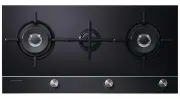
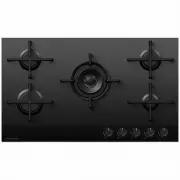
Page 3 - CONTENTS; SAVE THESE INSTRUCTIONS
1 CONTENTS IMPORTANT! SAVE THESE INSTRUCTIONS The models shown in this user guide may not be available in all markets and are subject to change at any time. For current details about model and specification availability in your country, please go to our website www.fisherpaykel.com or contact your l...
Page 4 - SAFETY AND WARNINGS; Operation and maintenance
2 SAFETY AND WARNINGS Operation and maintenance WARNING! Electrical Shock Hazard Do not cook on a broken or cracked cooktop. If the cooktop surface should break or crack, switch the appliance off immediately at the mains power supply (wall switch) and contact a qualified technician. Switch the cookt...
Page 7 - IMPORTANT SAFETY INSTRUCTIONS
5 SAFETY AND WARNINGS IMPORTANT SAFETY INSTRUCTIONS ● ● Never leave the appliance unattended when in use. Boilover causes smoking and greasy spillovers that may ignite. ● ● Never use your appliance as a work or storage surface. ● ● Never leave any objects or utensils on the appliance. ● ● Do not pla...
Page 11 - INTRODUCTION; Introducing your cooktop; As heat is transferred without loss, you save energy.; Before using your new cooktop; Remove any protective film that may still be on your cooktop.; Using the touch controls; Use the ball of your finger, not its tip.
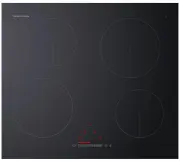
9 INTRODUCTION Introducing your cooktop Congratulations on your new purchase. Your Fisher & Paykel induction cooktop is the ultimate in induction cooking, giving you the speed, precision, and simplicity of electronic control, and the easy-care elegance of a ceramic glass surface. For more inform...
Page 12 - CHOOSING THE RIGHT COOKWARE; To check if cookware is suitable; Put some water in the pan you want to check.; Quality of cookware
10 CHOOSING THE RIGHT COOKWARE To check if cookware is suitable ● ● Carry out a magnet test: ● ● Move a magnet across the base of the pan. If the magnet is attracted then the pan is induction suitable. ● ● Note: Make sure attraction is consistent across the base of the pan. If there are gaps, such a...
Page 13 - Cookware guidelines; Cookware made from the following materials is suitable:
11 CHOOSING THE RIGHT COOKWARE Cookware guidelines ● ● Cookware made from the following materials is suitable: ● ● stainless steel with a magnetic base or core ● ● aluminium and copper with a magnetic base or core ● ● cast iron ● ● steel or enamelled steel. ● ● Cookware made from the following mater...
Page 14 - USING YOUR INDUCTION COOKTOP; Maximum output when set on PowerBoost.
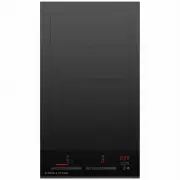
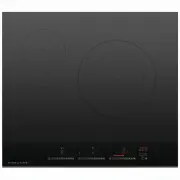
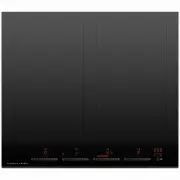
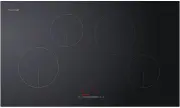
12 USING YOUR INDUCTION COOKTOP * Maximum output when set on PowerBoost. COOKING ZONE ZONE DIAMETER POWER POWERBOOST RECOMMENDED MINIMUM PAN SIZE 1 200 mm 2300 W 3000 W * 145 mm 2 160 mm 1200 W 1400 W * 110 mm 2 2 2 2 2 1 1 1 1 2 2 2 1 1 1 1 CI604CTB model CI804CTB model CI904CTB model CI704CTB mode...
Page 15 - Touch controls overview; Keylock control; CL; if flashing and beeping:
13 USING YOUR INDUCTION COOKTOP Touch controls overview To select a setting on the selector: Touch at one point to “jump” to a specific setting OR slide your finger along the selector. ON/OFF control Turns the cooktop on and off Keylock control Locks the controls(except ON/OFF) to prevent unintended...
Page 16 - To start cooking; a red indicator light will glow.; Always place small pans in the; will appear in the cooking zone displays.
14 USING YOUR INDUCTION COOKTOP To start cooking 1 Touch and hold the ON/OFF control for 2 seconds. ● ● a red indicator light will glow. 3 Place a suitable pan on the cooking zone you wish to use. ● ● Make sure the bottom of the pan and the surface of the cooking zone are clean and dry. IMPORTANT! A...
Page 17 - If a display flashes; you have not placed a pan on the correct cooking zone or
15 USING YOUR INDUCTION COOKTOP 5 Select a heat setting by touching or sliding the setting selector with your finger. ● ● The setting will appear in the display of the selected cooking zone. ● ● If you don’t choose a heat setting within 20 seconds, the cooktop will automatically turn off. Start with...
Page 18 - When you have finished cooking; To turn the whole cooktop off
16 USING YOUR INDUCTION COOKTOP When you have finished cooking To turn off an individual cooking zone, but continue to use other cooking zones To turn the whole cooktop off 1 To turn off an individual cooking zone Select the cooking zone you want to turn off. 2 Decrease its heat setting until the di...
Page 19 - Locking the controls; To lock the controls; the cooktop off with the ON/OFF control in an emergency.
17 USING YOUR INDUCTION COOKTOP Locking the controls ● ● You can lock the controls to prevent unintended use (for example children accidentally turning cooking zones on). ● ● When the controls are locked, all controls except the ON/OFF control are disabled. To lock the controls 1 Make sure that the ...
Page 20 - USING THE POWERBOOST FEATURE; Using the PowerBoost feature; on the large elements
18 USING THE POWERBOOST FEATURE Using the PowerBoost feature This feature enables you to sear meat or bring liquid to the boil very quickly. When a cooking zone is set for PowerBoost, it uses more than 100% of the power of that particular cooking zone, resulting in a boost of intense heat. IMPORTANT...
Page 21 - USING THE GENTLEHEAT FEATURE; Using the GentleHeat feature
19 USING THE GENTLEHEAT FEATURE Using the GentleHeat feature This heat setting provides continuous gentle heat and is ideal for: ● ● delicate cooking tasks such as melting chocolate ● ● keeping cooked food warm. IMPORTANT! If reheating cooked food from cold, always bring it to the boil on a higher s...
Page 22 - USING THE TIMER; Using the timer
20 USING THE TIMER Using the timer You can use the timer in two ways: ● ● As a minute minder ● ● As a timer to automatically turn off a cooking zone IMPORTANT! Never leave the cooktop unattended when in use, even if you have set the timer to automatically turn a cooking zone off. To set the timer as...
Page 23 - begins counting down.; When the set time is up; Touch any control to stop the beeping.
21 USING THE TIMER 5 After a few seconds the display will then indicate for you to set the left-hand digit. 6 Set the left-hand digit using the setting selector. The timer display will flash for a few seconds and then remain steadily lit. The cooking zone displays will turn off. The timer is now set...
Page 24 - Select a cooking zone already in use.
22 USING THE TIMER Using the timer IMPORTANT! Never leave the cooktop unattended when in use, even if you have set the timer to automatically turn a cooking zone off. To set the timer for a cooking zone 1 Select a cooking zone already in use. 3 The flashing indicator in the timer display means that ...
Page 26 - COOKING GUIDELINES; Cooking tips; Simmering, cooking rice
24 COOKING GUIDELINES IMPORTANT! Take care when frying: oil and fat heat up very quickly. At extremely high termperatures oil and fat will ignite spontaneously and this presents a serious fire risk. PowerBoost is not recommended for cooking with oil and fat, such as deep frying. Cooking tips ● ● Whe...
Page 27 - Heat settings; er; HEAT SETTING
25 COOKING GUIDELINES Heat settings The settings below are guidelines only. The exact setting will depend on several factors, including your cookware and the amount you are cooking. Experiment with the cooktop to find the settings that best suit you. P er centage of po w er % 100 80 60 40 20 0 u 1 2...
Page 28 - CARE AND CLEANING; angle and scrape
26 CARE AND CLEANING WHAT? HOW? IMPORTANT! Everyday soiling on glass (fingerprints, marks, stains left by food or non-sugary spillovers on the glass) 1 Switch the power to the cooktop off at the wall. 2 Apply cooktop cleaner while the glass is still warm (but not hot!) 3 Rinse and wipe dry with a cl...
Page 29 - TROUBLESHOOTING
27 TROUBLESHOOTING WHAT? HOW? IMPORTANT! Everyday soiling on glass (fingerprints, marks, stains left by food or non-sugary spillovers on the glass) 1 Switch the power to the cooktop off at the wall. 2 Apply cooktop cleaner while the glass is still warm (but not hot!) 3 Rinse and wipe dry with a clea...
Page 30 - PROBLEM
28 TROUBLESHOOTING PROBLEM POSSIBLE CAUSES WHAT TO DO Some pans make crackling or clicking noises. This may be caused by theconstruction of your cookware (layers of different metals vibrating differently). This is normal for induction cookware and does not indicate a fault. The cooktop makes a low h...
Page 31 - WARRANTY AND SERVICE; Your product is correctly installed.
29 WARRANTY AND SERVICE Before you call for service or assistance ... Check the things you can do yourself. Refer to the installation instructions and your user guide and check that: 1 Your product is correctly installed. 2 You are familiar with its normal operation. If after checking these points y...
Page 32 - Requirements of EEC Directive 93/68; on the product, or on the documents accompanying the product,
30 WARRANTY AND SERVICE This cooktop has been designed and constructed in accordance with the followingcodes and specifications: In New Zealand and Australia:AS/NZS 60335-1:2011 General Requirements for Domestic electrical appliancesAS/NZS 60335-2-6:2014 Particular Requirements for Domestic electric...