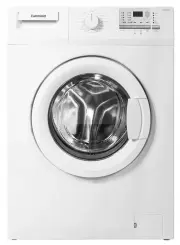
Page 2 - Important instructions for safety and environment; Authorized
2 / EN Washing Machine / User’s Manual 1 Important instructions for safety and environment This section contains safety instructions that will help protect from risk of personal injury or property damage. Failure to follow these instructions shall void any warranty. 1.1 General safety • This product...
Page 3 - Package information
3 / EN Washing Machine / User’s Manual 1.2 Intended use • This product has been designed for domestic use. It is not suitable for commercial use and it must not be used out of its intended use. • The product must only be used for washing and rinsing of laundry that are marked accordingly. • The manu...
Page 4 - Installation; Appropriate installation location
4 / EN Washing Machine / User’s Manual 2 Installation Refer to the nearest Authorised Service Agent for installation of the product. To make the product ready for use, review the information in the user manual and make sure that the electricity, tap water supply and water drainage systems are approp...
Page 5 - Connecting to the drain; Adjusting the feet; Electrical connection; Transportation of the product
5 / EN Washing Machine / User’s Manual 3. Open the taps completely after making the hose connection to check for water leaks at the connection points. If any leaks occur, turn off the tap and remove the nut. Retighten the nut carefully after checking the seal. To prevent water leakages and damages c...
Page 6 - Preparation; Sorting the laundry; Laundry type
6 / EN Washing Machine / User’s Manual 3 Preparation 3.1 Sorting the laundry • Sort laundry according to type of fabric, colour, and degree of soiling and allowable water temperature. • Always obey the instructions given on the garment tags. 3.2 Preparing laundry for washing • Laundry items with met...
Page 7 - Loading the laundry; Using detergent and softener
7 / EN Washing Machine / User’s Manual 3.6 Loading the laundry 1. Open the loading door. 2. Place laundry items loosely into the machine. 3. Push the loading door to close until you hear a locking sound. Ensure that no items are caught in the door. C The loading door is locked while a programme is r...
Page 8 - Tips for efficient washing; Clothes
8 / EN Washing Machine / User’s Manual • If the gel detergent thickness is not fluidal or in the shape of capsule liquid tablet, put it directly into the drum before washing. • Put tablet detergents into the main wash compartment (compartment nr. "2") or directly into the drum before washing...
Page 9 - Operating the product; Preparing the machine; • Cottons
9 / EN Washing Machine / User’s Manual 4 Operating the product 4.1 Control panel 1 - Programme Selection knob (Uppermost position On / Off) 2 - Display 3 - Delayed Start button 4 - Programme Follow-up indicator 5 - Start / Pause button 6 - Auxiliary Function buttons 7 - Spin Speed Adjustment button ...
Page 10 - Additional programmes; • Cottons Eco; • Allergy; • Hand Wash; • Shirts; Special programmes; • Rinse; Temperature selection
10 / EN Washing Machine / User’s Manual 4.5 Additional programmes For special cases, additional programmes are available in the machine. C Additional programmes may differ according to the model of the machine. • Cottons Eco You may wash your normally soiled durable cotton and linen laundry in this ...
Page 11 - Programme and consumption table
11 / EN Washing Machine / User’s Manual 4.9 Programme and consumption table • : Selectable * : Automatically selected, no canceling. ** : Energy Label programme (AS/NZS 2040) *** : If maximum spin speed of the machine is lower then this value, you can only select up to the maximum spin speed. - : Se...
Page 12 - Auxiliary function selection
12 / EN Washing Machine / User’s Manual 4.10 Auxiliary function selection Select the desired auxiliary functions before starting the programme. Furthermore, you may also select or cancel auxiliary functions that are suitable to the running programme without pressing the Start / Pause button when the...
Page 13 - Starting the programme; To activate the Child Lock:; Progress of programme; Switching the machine to pause mode
13 / EN Washing Machine / User’s Manual 4.11 Starting the programme Press Start / Pause button to start the programme. Programme follow-up light showing the startup of the programme will turn on. C If no programme is started or no key is pressed within 1 minute during programme selection process, th...
Page 14 - Maintenance and cleaning; Cleaning the detergent drawer
14 / EN Washing Machine / User’s Manual 5 Maintenance and cleaning Service life of the product extends and frequently faced problems decrease if cleaned at regular intervals. 5.1 Cleaning the detergent drawer Clean the detergent drawer at regular intervals (every 4-5 washing cycles) as shown below i...
Page 15 - Cleaning the loading door and the drum; Drum; Cleaning the body and control panel
15 / EN Washing Machine / User’s Manual 5.2 Cleaning the loading door and the drum Residues of softener, detergent and dirt may accumulate in your machine in time and may cause unpleasant odours and washing complaints. To avoid this, use the Drum Cleaning programme. If your machine is not featured w...
Page 17 - Technical specifications
17 / EN Washing Machine / User’s Manual WM8 8 84605973 230 V / 50Hz 10 22001200 6 Technical specifications C Technical specifications may be changed without prior notice to improve the quality of the product. C Figures in this manual are schematic and may not match the product exactly. C Values stat...
Page 18 - Troubleshooting
18 / EN Washing Machine / User’s Manual 7 Troubleshooting Programme cannot be started or selected. • Washing machine has switched to self protection mode due to a supply problem (line voltage, water pressure, etc.). >>> To cancel the programme, turn the Programme Selection knob to select an...