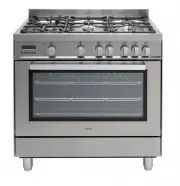
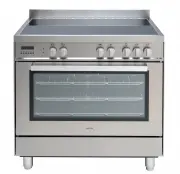
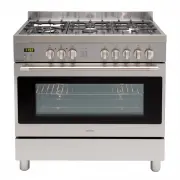
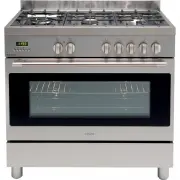
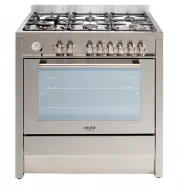
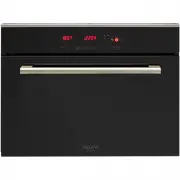
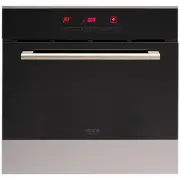
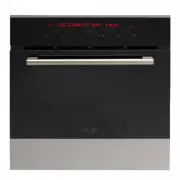
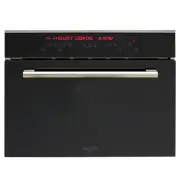
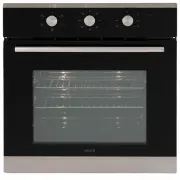
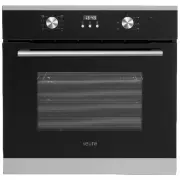
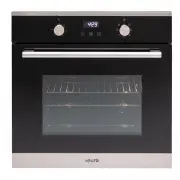
Page 2 - USER INSTRUCTIONS; GENERAL WARNINGS; not damaged in any way.; packaging; Safety is a good habit to get into; improper, incorrect or unreasonable use of the appliance.; ATTENTION
USER INSTRUCTIONS GENERAL WARNINGS Read carefully all the instructions contained in this booklet. It provides you with important information regarding the safe installation, use and maintenance of the appliance as well as useful advice for getting the best out of your oven. Keep this booklet in a sa...
Page 4 - If the power supply cord has been damaged or needs to be replaced; It is a good idea to do as the following:; Only use the appliance to cook food, nothing else; INDICATOR LIGHTS; persons in order to avoid a hazard.; Cleaning and user maintenance shall not be made by children.
Service Canters authorized by the manufacturer must be contacted in the following cases: - If in doubt about the soundness of the appliance after removing it from the packaging; - If the power supply cord has been damaged or needs to be replaced; - If the appliance breaks down or functions poorly; a...
Page 5 - INSTALLING THE APPLIANCE; IMPORTANT:Unplug your oven before; Fitting the appliance
performing installation or maintenance! Installation should be carried out according to the instructions by a professionally qualified person. The manufacturer declines all responsibility for any damage to persons, animals or things due to a wrong installation. - Fit the appliance into its surround ...
Page 6 - to fixed wiring as follow:; WARNING: THIS APPLIANCE MUST BE EARTHED; appliance as indicated on the specification plate.
- If the appliance just fitted with supply leads but does not come already fitted with a plug, then permanently connect to fixed wiring as follow: WARNING: THIS APPLIANCE MUST BE EARTHED - Check that the power rating of the mains supply and of the sockets are suitable for the maximum power of the ap...
Page 7 - Control Panel; Top Oven Functions
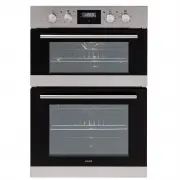
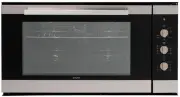
Top oven + main oven: 4 functions + 8 functions (without rotisserie) Control Panel The oven offers a bacis choice between two type of cooking:A) conventional oven cookingB) grill (infrared radiant heat) Selector functions:Pls read functions according to your oven model. Top outside+bottom heating el...
Page 8 - Main Oven Functions
The oven offers a bacis choice between two type of cooking:A) conventional oven cookingB) grill (infrared radiant heat) Selector functions:Pls read functions according to your oven model. Light in the oven . Top outside heating element+bottom heating elementBoth the lower and upper heating elements ...
Page 10 - Clock Functions
Countdown To set a countdown, a signal sounds after the time has elapsed. This function does not affect the operation of the oven. Cook time To set how long the oven is to be in use. End time To set when the oven is to switch off again. Time To set, change or check the time (See also section “Before...
Page 11 - How to use the clock functions; Switching off the Time Display
How to use the clock functions z When a function has been selected, the corresponding function indicator flashes for approx. 5 seconds. During this time the desired times can be set using the or button. z When the desired time has been set, the function indicator flashes for approx. another 5 second...
Page 12 - Countdown
Countdown 1. Press Selection button repeatedly, until the function indicator Countdown flashes. 2. Using the or button, set the required Countdown (m ax. 2 hours 30 minutes). After approx. 5 seconds, the display shows the remaining time. The function indicator Countdown will light up. When the time ...
Page 13 - Cook time
Cook time 1. Press Selection button repeatedly, until the function indicator Cook time flashes. 2. Using the or button, set the required cooking time. After approx. 5 seconds, the display returns to the current time. The function indicator Cook time will light up. When the time has elapsed, the func...
Page 14 - End time
End time 1. Press Selection button repeatedly, until the function indicator End time flashes. 2. Using the or button, set the required switch-off time. After approx. 5 seconds, the display returns to the current time. The function indicator End time will light up. When the time has lapsed, the funct...
Page 15 - Technical Data
height 888mm width 595mm depth 546mm usable volume 42 + 60 litres Model Multifunction oven Rated Voltage 220-240V Technical Data Dimension nominal electrical input in W(toll. +5 / -10%) Top outside heating element 750W Top inside heating element 1000W Bottom heating element 1050W Light 15/25W Maximu...
Page 19 - How to keep Your Oven in Shape; This appliance is for household use only, don’t use it outdoors!; Do not uses steam equipment to clean the appliance.
How to keep Your Oven in Shape This appliance is for household use only, don’t use it outdoors! Important: Unplug your oven before cleaning, or performing maintenance! To extend the life of your oven, it must be cleaned frequently, keeping in mind that: Ƽ Do not uses steam equipment to clean the app...
Page 20 - Protective kit
WARNING : Ensure that the appliance is unplugged before replacing the lamp to avoid the possibility of electric shock. Warning: Do not operate appliance with damaged cord or plug or after the apliance malfunctions, or has been damaged in any manner, return appliance to the nearest Authorized Service...
Page 21 - Instruction of Removable Glazing Door
Disassembling/assembling the oven door To make it easier to clean the inside of your oven, the oven door can be removed, by proceeding as follows (fig. 11): ƽ Open the door completely and lift the 2 levers “B” (fig.11-1); ƽ Now, shutting the door slightly, you can lift it out by pulling out the hook...
Page 22 - F i t t i n g O v e n S h e l v e s; e sure the product is
Step 1 Step 2 Step 3 Step 4 F i t t i n g O v e n S h e l v e s 1 . E n s u r e s h e l f o r i e n t a t i o n i s c o r r e c t ( r e f e r p i c t u r e b e l o w ) 2 . S l i d e i n t o o v e n a t a n a n g l e u n t i l r a i s e d b a c k o f s h e l f i s p a s t t h e s t o p o n s i d e r ...