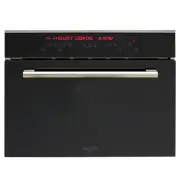
Page 8 - WARNINGS; The electrical insulation could be damaged.; not fall below 5°C; Do not use the oven to heat the room.; heating elements inside the oven
WARNINGS x This appliance is designed to be used by adults who are familiar with these user instructions. This appliance is not intended for use by persons (including children) with reduced physical, sensory or mental capabilities, or lack of experience and knowledge, unless they have been given sup...
Page 10 - BLUE
INSTALLATION Remove the appliance from the package and check that the product and power cord are NOT damaged. Otherwise, contact the retailer before operating the appliance. Do not lift the product by the door handle. Packaging (e.g. paper, polystyrene) may be hazardous to children (danger of suffoc...
Page 11 - Do not use steam cleaners to clean the oven.
Oven preparation and pre-use N.B. Disconnect the oven from the mains power, or move the omnipolar switch to OFF, before cleaning the oven. Before using the oven, thoroughly clean the inside using a soft cloth or non-abrasive sponge dampened with warm water and washing-up liquid. Insert the grill and...
Page 12 - Maximum pickup voltage:
INSTRUCTIONS FOR CORRECT INSTALLATION TECHNICAL DATA x Water tray capacity: 1.2 L. x Usable volume (cooking chamber): 27 L. x Gross volume (cooking chamber): 31 L. x Connection voltage: 220-240V~ 50/60Hz x Maximum pickup voltage: 2.2kW 10
Page 13 - Oven dimensions
Page 14 - DESCRIPTION OF THE OVEN AND ACCESSORIES; 6 Fixing hole in position
DESCRIPTION OF THE OVEN AND ACCESSORIES Preliminary operation to be done before switching on the oven, or before choosing a cooking cycle Before switching on the oven check that the cap (15) is inserted on its place (14). In case of cooking cycles with the probe, insert it (6). The oven does not sta...
Page 15 - DESCRIPTION OF THE CONTROL PANEL; Description of the keys
DESCRIPTION OF THE CONTROL PANEL Description of the keys 1. Keys for setting the cooking chamber temperature and display area for the temperature indication ( + to increase, - to decrease, min. 30C°-max. 230°C * depending on the cycle selected, see page 15 ) 2. Keys for setting the food probe temper...
Page 16 - ON; HOW TO TURN THE OVEN OFF; OFF
FIRST START-UP When the oven is connected to the mains power supply for the first time, a wait message ( WAIT ) and some product identification information appear on the display. Do not touch the keypad during this brief period. N.B. It is normal that the Tangential Fan turns on and then shuts off a...
Page 17 - COOKING CYCLES AVAILABLE; STEAM COOKING; . The production of steam in the cooking chamber is
COOKING CYCLES AVAILABLE Function name and symbol Function description Min-Max. Chamber temp. T default Food probe T default STEAM COOKING During steam cooking, the steam coming from the boiler flows into the cooking chamber. The steam heats the cooking chamber and cooks the food. This cooking mode ...
Page 18 - HOW TO SELECT A COOKING FUNCTION; Press one of the two direction keys:; USING A COOKING FUNCTION THAT INCLUDES STEAM; Insert the pitcher into its seat.; USING A COOKING FUNCTION THAT DOES NOT INCLUDE STEAM
HOW TO SELECT A COOKING FUNCTION Press one of the two direction keys: (7) to select the desired cooking cycle. See function explanation in the table above. (cooking cycles available) N.B. If no selection is made within 5 minutes, the oven will turn off automatically. USING A COOKING FUNCTION THAT IN...
Page 19 - ACTIVATE CYCLE; HOW TO USE THE ALARM FUNCTION; ALARM
HOW TO CHANGE THE COOKING CHAMBER TEMPERATURE Press one of the two keys (1) to change, with steps of +/- 5°C, the preset temperature. The cooking chamber temperature is always displayed on the left side of the letter W . N.B. The degree symbol “ ° ” flashes during the oven preheating period until th...
Page 21 - HOW TO PROGRAM THE START AND STOP OF THE OVEN; END OF COOKING; HOW TO CANCEL AN OVEN START/STOP PROGRAM; COOKING IN PROGRESS; COOKING FINISHED MODE; COOKING FINISHED
HOW TO PROGRAM THE START AND STOP OF THE OVEN Turn on the oven, select a cooking function and set the desired cooking temperature. Use the keys (3) to set the cooking time. The maximum time that can be set is 10 hours. Then press the key: (9), select the item END OF COOKING with key (8). When the me...
Page 23 - START COOKING
HOW TO CHANGE THE FOOD PROBE TEMPERATURE Press one of the two keys (2) to change, with steps of +/- 1°C, the food probe temperature. Maximum temperature that can be set: 90°C Minimum temperature that can be set: 30°C The food probe temperature value is displayed with the following graphic symbol to ...
Page 25 - HOW TO ADD STEAM IN THE HOT AIR + STEAM COOKING MODE; PRESS
HOW TO ADD STEAM IN THE HOT AIR + STEAM COOKING MODE The hot air + steam cooking cycle allows the user to add steam at any time during the cooking. In this manner the right degree of humidity inside the cooking chamber is reached or maintained in order to obtain a more tender dish. Once the cycle ha...
Page 26 - HOW TO MOVE AROUND INSIDE THE MENU; Turn on the oven. When the following message is displayed:
HOW TO MOVE AROUND INSIDE THE MENU Turn on the oven. When the following message is displayed: mo SELECT COOKING MENU press the key: (9) to display the first item in the list: “ RECIPES ” To view the menu structure: press the key: (9) to scroll down the list press the key: (9) to scroll up the list...
Page 27 - MENU STRUCTURE FLOW-CHART
Page 29 - MEAT recipe list
MEAT recipe list The cooking modes listed have been determined for pieces of meat weigthing about 1 Kg. Dish: Cooking chamber temperature °C Food probe temperature * °C Cooking time Level Cooking cycle HAUNCH OF PORK 90 70 3 BEEF RUMP 90 70 3 VEAL RUMP 90 68 3 ROAST PORK 90 72 3 PORK NECK 100 75 3 M...
Page 31 - DESSERTS recipe list; HOW TO PERSONALIZE THE RECIPE LIST
DESSERTS recipe list Dish: Cooking chamber temperature °C Food probe temperature * °C Cooking time Level Cooking cycle BISCUITS 150 00 h .35 ’ 3 YOGURT BISCUITS 170 00 h .15’ 3 PLUM CAKE 170 01 h .00 ’ 3 SOUFFLES 200 00 h .35’ 3 APPLE PIE 170 01 h .00 ’ 3 SPONGE CAKE 170 00 h .40 ’ 3 NOTE: The setti...
Page 32 - HOW TO DELETE YOUR OWN RECIPE; DONE; PRACTICAL COOKING SUGGESTIONS
HOW TO DELETE YOUR OWN RECIPE Select menu and select the recipes item, with key (8). Scroll the items with key (9) or key (9) until the text YOUR OWN RECIPES is displayed. Confirm the selection with key (8) Use one of the two keys (9) to scroll the items until the following text is displayed: DELETE...
Page 34 - HOW TO PERSONALIZE YOUR OVEN; mo; LANGUAGE; how to move around inside the menu
HOW TO PERSONALIZE YOUR OVEN Turn on the oven. When the following message is displayed: mo SELECT COOKING MENU press the key: (9) to display the first item in the list: “ RECIPES ”. Press the key (9) and confirm the selection “SETTINGS” with key (8) Move around inside the SETTINGS submenu using th...
Page 35 - UNLOCK KEYS
x SET TIME Allows to set the current time. Keep one of the two keys mentioned previously pressed down to scroll faster. x CLOCK DISPLAYED If NO is selected, the current time is not displayed when the oven is off. x NIGHT MODE Default setting = NO If the setting is changed to YES, when the oven is of...
Page 36 - WATER HARDNESS °fH
KEYPAD LOCK DETAILS The key allows to turn on / off the light in the cooking chamber regardless of the oven state. The key allows to turn the oven off. BUZZER Allows to select one of the 3 levels (low, medium, high) for the intensity of the buzzer that sounds during a warning. Default setting: MEDIU...
Page 37 - Activate the cooking chamber cleaning cycle with key; BOILER DESCALING; on; DESCALING CYCLE RECOMMENDED FOR BOILER; THE CYCLE HAS A FIXED DURATION OF 12 HOURS. THUS, IT IS
START CLEANING CYCLE Menu items: COOKING CHAMBER BOILER DESCALING COOKING CHAMBER The purpose is to facilitate the removal of any residue of food, grease, etc. after a cooking process. The oven fills the cooking chamber with a certain quantity of steam for a fixed period of time (10 min.). Activate ...
Page 38 - Cap
INSTRUCTIONS for boiler descaling process: Dosing : fill the pitcher with water up to the 0.6 L mark , add 5 teaspoons of citric acid monohydrate and dissolve. Insert the pitcher in the appropriate seat and start the descaling process with key (8). The appliance will display the time remaining until...
Page 39 - RESET SETTINGS; OVEN OFF MODE; The keypad is deactivated except for the on/off key
RESET SETTINGS This function is used to reset the system in case of problems. Caution: All the system variables are returned to the original values and your own recipes are deleted. Select the item : “ RESET SETTINGS ” with key (8) and follow the instructions provided on the display. At the end of t...
Page 40 - WHAT TO DO IN CASE OF AN ANOMALY; PROBLEM SOLUTION; WHAT TO DO IN CASE OF A BLACK-OUT
WHAT TO DO IN CASE OF AN ANOMALY PROBLEM SOLUTION The oven does not work. Check whether the omnipolar switch or any residual-current circuit breaker (cut-out) of the electrical system is off. In case of problems with the electrical system, consult a qualified electrician. If the oven still does not ...
Page 41 - ERROR CODES TABLE; Cause
ERROR CODES TABLE The electronic system continually performs a series of diagnostic tests. If some parameters are incorrect, the control unit deactivates the functions and displays an error code (Err followed by three numerical digits); all the heating elements are turned off, including the fan insi...
Page 43 - HOW TO CHANGE THE OVEN LIGHT BULB; Instruction for changing the light bulb:; HOW TO CHANGE THE COOKING CHAMBER SEAL
glass frame Rubber seal HOW TO CHANGE THE OVEN LIGHT BULB Disconnect the appliance from the power supply or place the omnipolar switch in the OFF position. Check that the oven is at room temperature, otherwise wait for it to cool. The oven light bulb must have the following characteristics: x Supply...
Page 44 - HOW TO DISASSEMBLE THE OVEN DOOR; Open the oven door completely.
HOW TO DISASSEMBLE THE OVEN DOOR 1. Open the oven door completely. 2. Locate the hinges (C) , see the drawing to the side: 3. Tip back the brackets (A) on the two hinges (C). 4. Grip the door on the two sides and close it slowly halfway, the brackets (A) will hook onto the door of the appliance. 5. ...
Page 45 - HOW TO REASSEMBLE THE OVEN DOOR; Open the door completely.; OVEN DETAILS; Touch-Control Keypad
HOW TO REASSEMBLE THE OVEN DOOR 1. Insert the two brackets into the appropriate openings, keeping the door semi-closed. 2. Open the door completely. 3. Tip over the two hinges (C) moving them forward. OVEN DETAILS Touch-Control Keypad This is a particular type of keypad which is touch-sensitive. To ...
Page 47 - The symbol
DISPOSAL Packaging The parts of the oven packaging (cardboard, EPS expanded polystyrene, PE plastic bags) should be disposed of in compliance with environmental regulations and using appropriate separated collection channels. Oven: Disconnect the oven from the outlet or, in case of fixed installatio...