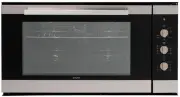
Page 9 - DESCRIPTION OF THE CONTROL PANEL; Description of the keys; indication
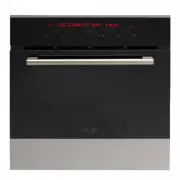
DESCRIPTION OF THE CONTROL PANEL Description of the keys 1. Keys for setting the cooking chamber temperature and display area for the temperature indication ( + to increase, - to decrease, min 50°C – max 250°C) 2. and 9. Menu options scrolling keys3. Keys for programming timed events and display are...
Page 10 - ON; HOW TO TURN THE OVEN OFF; OFF
FIRST START-UP When the oven is connected to the mains power supply for the first time, a wait message ( WAIT ) and some product identification information appear on the display. Do not touch the keypad during this brief period. N.B. It is normal that the tangential fan turns on and then shuts off a...
Page 11 - COOKING CYCLES AVAILABLE
COOKING CYCLES AVAILABLE Function name and symbol Function description Min-Max chamber temp. (°C) Default chamber temp. (°C) TRADITIONAL COOKING This method of cooking provides traditional cooking with heat from the top and lower elements. Particularly suitable for traditional roasting and baking on...
Page 12 - HOW TO SELECT A COOKING FUNCTION; oven off mode; HOW TO CHANGE THE COOKING CHAMBER TEMPERATURE; ACTIVATE CYCLE
HOW TO SELECT A COOKING FUNCTION Press one of the two direction keys: (7) to select the desired cooking cycle. See function explanation in the table above (cooking cycles available). N.B. If no selection is made within 5 minutes, the oven will turn off automatically. See section oven off mode . HOW ...
Page 13 - HOW TO USE THE ALARM FUNCTION; ALARM; Note; : The buzzer is automatically; how to start the cooking
HOW TO USE THE ALARM FUNCTION Press one of the two keys (4) to activate the function. The symbol begins to flash and the display shows the message: ALARM and the digits 00.00 appear. Use the keys (4) individually to set the desired time. The maximum time that can be set is 23 hours and 59 minutes. A...
Page 14 - END OF COOKING; HOW TO CANCEL AN OVEN START/STOP PROGRAM; COOKING IN PROGRESS; COOKING FINISHED MODE; COOKING FINISHED
HOW TO CANCEL A COOKING TIME Press the keys (3) simultaneously to cancel the time previously programmed for this function. The cooking time is set to zero. HOW TO PROGRAM THE START AND STOP OF THE OVEN Turn on the oven, select a cooking function and set the desired cooking temperature. Use the keys ...
Page 16 - HOW TO MOVE AROUND INSIDE THE MENU; Turn on the oven. When the following message is displayed:
HOW TO MOVE AROUND INSIDE THE MENU Turn on the oven. When the following message is displayed: mo SELECT COOKING MENU press the key: (9) to display the first item in the list: “ RECIPES ” To view the menu structure: press the key: (9) to scroll down the list press the key: (9) to scroll up the list...
Page 19 - HOW TO PERSONALIZE THE RECIPE LIST; SAVE; HOW TO LOAD YOUR OWN RECIPE; DONE
HOW TO PERSONALIZE THE RECIPE LIST Select an item from the list and set the data according to your own needs. Remember that it is possible to cook by time (cooking time) or with the food probe. Activate the cooking, then press the key (9) repeatedly until the following text appears: SAVE COOKING CYC...
Page 20 - PRACTICAL COOKING SUGGESTIONS; All cooking must be carried out with the door closed.; ACCESSORIES; Drip pan
PRACTICAL COOKING SUGGESTIONS x All cooking must be carried out with the door closed. x Always use completely dry oven gloves or pot holders to remove the hot dishes from theoven. x Use containers able to withstand maximum temperatures of 300°C or higher. x During or at the end of the cooking phase,...
Page 21 - Flat rack; PUTTING THE ACCESSORIES IN THE OVEN; Position the accessories at the levels shown in the figure below.
ACCESSORIES Flat rack For the safety of the user the rack has an indented part on both sides which stop it from accidentally coming off the runners (see the figure below).To take the rack out lift it up where the indents are. Standard drip pan The drip pan can be used as a tray for cooking food in w...
Page 22 - mo; PYROLYSIS; PYROLYSIS IN PROGRESS
HOW TO ACTIVATE A PYROLYSIS CYCLE NOTES / WARNINGS During automatic cleaning, the surfaces of the oven become very hot. Keep children away. Through the glass of the oven door, you may note some particles that light: this is spontaneous combustion, which is absolutely normal and is in no way dangerou...
Page 23 - HOW TO DELAY THE START OF PYROLYSIS; CYCLE; END OF PYROLYTIC CYCLE
HOW TO DELAY THE START OF PYROLYSIS After selecting the most suitable mode of pyrolysis, upon appearance of the message: CYCLE ACTIVE MENU Press key (9) to postpone the start-up of pyrolysis with respect to the current time. select the item: END COOKING with key (8). Upon appearance of the messa...
Page 24 - HOW TO PERSONALIZE YOUR OVEN; LANGUAGE; how to move around inside the menu
HOW TO PERSONALIZE YOUR OVEN Turn on the oven. When the following message is displayed: mo SELECT COOKING MENU press the key: (9) to display the first item in the list: “RECIPES”. Press the key (9) and confirm the selection “SETTINGS” with key (8) Move around inside the SETTINGS submenu using the ...
Page 27 - WHAT TO DO IN CASE OF AN ANOMALY; PROBLEM SOLUTION; WHAT TO DO IN CASE OF A BLACK-OUT
WHAT TO DO IN CASE OF AN ANOMALY PROBLEM SOLUTION The oven does not work. Check whether the omnipolar switch or any residual-current circuit breaker (cut-out) of the electrical system is off. In case of problems with the electrical system, consult a qualified electrician. If the oven still does not ...
Page 28 - REPLACING THE BULB; Unplug the appliance from the electrical power supply.
REPLACING THE BULB Important: Unplug the appliance from the electrical power supply. Check that the oven is at room temperature, otherwise wait for it to cool. Remove the side rack. To replace the oven bulb B , remove the protective cover A by turning it anti-clockwise. Replace the burnt-out bulb an...