Page 3 - incidental or consequential
Equator Appliances undertakes to the consumer-owner to repairor, at our option, to replace any part of this product which proves to be defective in workmanship or material under normal personal, family or household use, in USA and Canada, for a period of one year from the date of original purchase. ...
Page 4 - WARRANTY SERVICE
You can register your Warranty by any of the following methods:1. Mail in the Warranty Registration Card2. Register online at www.ApplianceDesk.com 3. Scan the QR Code Appliance Desk Phone/Text: 1-800-776-3538Email: [email protected] Web: www.ApplianceDesk.com Business hours: 9:00 am to 5:00 pm week...
Page 5 - Safety; Do not store or use flammable liquids or vapors near the dishwasher.
Safety Do not store or use flammable liquids or vapors near the dishwasher. Under certain conditions, hydrogen gas may be produced in a hot water system that has not been used for two weeks or more. HYDROGEN GAS IS EXPLOSIVE. If the hot-water system has notbeen used for a long period, before using th...
Page 6 - Installation; Place the Dishwasher on a flat level surface.
2 Installation Installation of the dishwasher should be done by a qualified technician. Place the dishwasher in an area where it will not be exposed to the weather and to freezing temperatures and away from sources of heat and high humidity. Place the Dishwasher on a flat level surface. Disconnect the...
Page 7 - Preparation and Operation
Do not operate the dishwasher unless all enclosure panels are properly in place. Preparation and Operation Generally, the dishwasher is designed for cups and glasses on thetop rack; plates and pots on the bottom rack; and long serving utensils on the very top rack. When loading the dishwasher: · Pla...
Page 8 - Setting the Wash Programs; Power Button
Setting the Wash Programs Add rinse aid into the smaller dispenser. This needs to be done only periodically and not before every wash cycle. The rinse aid indicator light will come on when the level is low and should be refilled soon. Close the dispensers and then the door firmly until it clicks. Pres...
Page 9 - Sensor Programs
Program Selection Information In addition to referring to the Program table, the following descriptions of each of the Programs will be useful in determining which cycle to use. P1 - ECO: Use for normally soiled dishes. Program uses less electricity and water. P2 - Sensor: Use to auto adjust time, t...
Page 10 - – You can delay the start of the program.
6 Review the options in the middle of the Control Panel to select additional functions. Extra Button – You may select: Sanitize – increases the water temperature in the final rinse.Rinse – adds an extra rinse to the selected wash cycle.Dry – increases water temperature. ··· Delay Button – You can del...
Page 11 - Removing items after cycle is complete:; Maintenance
Child Lock To prevent children from playing with or operating the machine, you can activate Child Lock by pressing and holding Extra and Half Load buttons simultaneously for 3 seconds. “CL” will be displayed. To deactivate Child Lock, repeat the same instructions. End of Program When the wash progra...
Page 13 - Troubleshooting; Problem
Troubleshooting Problem Possible Cause and Solution Program doesn't start Check the fuse. Check if it is plugged in correctly to the power source. Ensure the water inlet tap is turned on and hoses are not clogged. Check that the door is completely closed. Switch the dishwasher on by pressing Power b...
Page 14 - Error Codes
If the following Error Codes are displayed, first check the Troubleshooting Guide and contact Customer Service to resolve problems. Error Codes 10 82211 82140 82170 82125 82140 82130 82170 82076 82076 82076 82197 82172 82176 82141 Diverter motorassembly Power cord 82177 82173 82173
Page 15 - Technical Specifications; Water Pressure; Rated Power; California Proposition 65; Heater Power; Safe Disposal
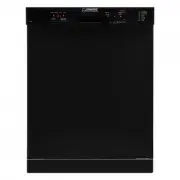
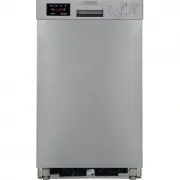
11 Technical Specifications ModelLoad CapacityElectrical Water Pressure Rated Power Water ConsumptionWeight Net / Gross Product Dimensions (HxWxD)Packaging Dimensions (HxWxD) WB / BB / SB - 82 14 place setting120V 60Hz 12A 43.5 - 145psi 1400 W 4 Gallons 86 / 90.4 lbs32.3 x 23.5 x 22.4 (inch)33.5 x 25...