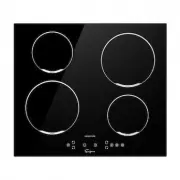
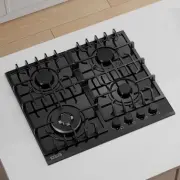
Page 3 - Congratulations; on the purchase of your; Part 1. Safety Warnings; Important; Installation; Electrical Shock Hazard
3 Congratulations on the purchase of your new cooktop and thank you for choosing us! Please read all instructions carefully before use . Part 1. Safety Warnings Safety Warnings Your safety is important to us. Please read below information carefully before installing or using your Cooktop. Important ...
Page 5 - Operation and maintenance
5 instructions for installation. • This appliance is to be properly installed and earthed only by a suitably qualified person. • This appliance should be connected to a circuit which incorporates an isolating switch providing full disconnection from the power supply. • Failure to install the applian...
Page 6 - Hot Surface Hazard
6 electromagnetic safety standards. • However, persons with cardiac pacemakers or other electrical implants (such as insulin pumps) must consult with their doctor or implant manufacturer before using this appliance to make sure that their implants will not be affected by the electromagnetic field. •...
Page 13 - Installation Instructions
13 Part 2. Installation Installation Instructions The appliance must be installed and connected in accordance with current regulations. After unpacking the appliance, ensure there is no visible damage. If it has been damaged during transit, DO NOT USE, contact where you buy immediately. Selection of...
Page 15 - Do not install the cooktop without the foam gasket!; Before locating the fixing brackets
15 Do not install the cooktop without the foam gasket! The gasket should be attached to the cooktop in the following method: ▪ Remove the protective film from the gasket. ▪ Then attach the gasket to the lower side of the glass, next to the edge. ▪ The gasket must be attached along the entire length ...
Page 16 - Cautions
16 below diagrams, the mounted clips on the sides can secure your cooktop sturdily. Connecting the cooktop to the mains power supply The power supply should be connected in compliance with the relevant standard, or a single-pole circuit breaker. The appliance has a large power rating and must be con...
Page 18 - Part 3. Operation Instructions; Ceramic Cooktop
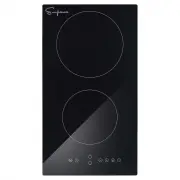
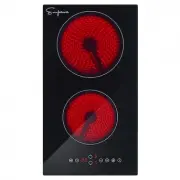
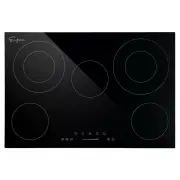
18 Part 3. Operation Instructions Ceramic Cooktop Model: EMPV-12REC10 1 1 Control Panel 1. 1800W Cooking Zone 2. 1200W Cooking Zone 3. Glass plate 4. Control panel 1. Cooking Zone selection button 2. Heating level/Timer “ - ” button 3. Heating level/Timer “+” button 4. Child Lock control button 5. S...
Page 23 - Induction Cooktop
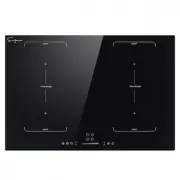
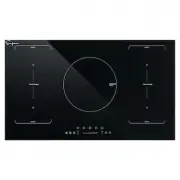
23 Induction Cooktop Model: EMPV-30EC04 Control Panel 6 8 9 1. 1500W boost 2000W Cooking Zone 2. 2000W boost 2600W Cooking Zone 3. 3000W boost 3600W Flexi Bridge-Left 4. 2000W boost 2600W Cooking Zone 5. 1500W boost 2000W Cooking Zone 6. 3000W boost 3600W Flexi Bridge -Right 7. Glass plate 8. Contro...
Page 27 - Using your Cooktop; To start cooking
27 Using your Cooktop To start cooking 1. After the cooktop be connected to electricity and power on. Press and hold the ON/OFF control button for about 3 seconds till you hear a “ beep ” to turn the cooktop on. Now the cooktop enters into Standby mode, all heat setting indicators and Timer setting ...
Page 28 - To turn off cooktop; Using Large Heating Area-Ceramic Cooktop
28 To turn off cooktop 1. You can turn the cooking zone off by adjust heat setting to level 0, which indicator shows “ - “ . 2. You can also turn the whole cooktop off by touching the ON/OFF control button. Note: If there is power cut off during cooking, all setting will be cancelled. Note: The cool...
Page 29 - Using Booster Function-Induction Cooktop; Flexi-Bridge-Induction Cooktop
29 Using Booster Function-Induction Cooktop Some of induction cooktop models might have one or several cooking zones which has Booster function. You can use the “ Boost er” function to boost power of relevant cooking zone for a maximum power rating for 5 minutes. This function could reduce the cooki...
Page 30 - Child Lock Safety Control
30 the pans centered on the cooking zone covering both cross. Active the flexible induction bridge To activate a flexible bridge as a single big zone, first press either of the two cooking zone selection buttons of this flexible area, then press the Flexible bridge control button. When flexible brid...
Page 32 - Using the Timer as a Minute Minder
32 Timer overview Using the Timer as a Minute Minder If you have not selected any cooking zones 1.Touch the timer control button , the number in timer indicator flashing. 2. Then adjust Minute Minder setting follows below: 1) Touch control models: • Set heat setting by touching the or button. • If p...
Page 33 - Setting the timer to turn cooking zone off
33 Setting the timer to turn cooking zone off 1. Touch the heating zone selection control button to select the cooking zone you wish to set timer for. 2. Touch the timer control button , the number in timer indicator flashing. 3. Then adjust Timer setting 1) Touch control models: • Set heat setting ...
Page 34 - Detection of Pan and Small Articles; Residual Heat Warning; Auto Shutdown
34 Note: The default setting of minute reminder and timer is 30 minutes. Note: After adjusting, the setting in timer indicator will flashing for 5 seconds and then stop flashing, then the setting be confirmed. Note: The minute reminder and timer can be use at same time, timer indicator shows the low...
Page 35 - Cooking Tips
35 Power level 1 2 3 4 5 6 7 8 9 Default working timer (hour) 8 8 8 4 4 4 2 2 2 Over-heat Protection A temperature sensor equipped can monitor the temperature inside the cooktop. When an excessive temperature is monitored, the cooktop will auto stop operation. Over-flow Protection For your safety, t...
Page 37 - Heat Settings; Part 4. Cleaning and Maintenance; Cleaning and Maintenance; Cleaning the Cooktop Surface
37 Heat Settings The settings below are guidelines only. The exact setting will depend on factors including your cookware and the amount you are cooking. Experiment with the cooktop to find the settings that best suit you. Heat setting Suitability 1 - 2 • delicate warming for small amounts of food •...
Page 38 - Hints and Tips
38 Hints and Tips What? How? Important! Everyday soiling on glass (fingerprints, marks, stains left by food or non-sugary spillovers on the glass) 1. Switch off the power supply. 2. Apply a vitro-ceramic glass cleaner while the glass is still warm (but not hot!) 3. Rinse and wipe dry with a clean cl...
Page 39 - Maintenance of the Cooktop; Failure Inspection for induction cooktop
39 Maintenance of the Cooktop If you find something goes wrong for your cooktop, before contact the service or where you purchased it, please check whether below: 1. There is no power to the appliance: - Check whether there is a power cut of your department; - Check whether the appliance be connecte...