Page 3 - Operation and maintenance; This appliance complies with electromagnetic safety
3 • To avoid a hazard, this appliance must be installed according to these installation instructions. • This appliance must be properly installed and earthed, only by a suitably qualified person. • This appliance should be connected to a circuit which incorporates an isolating switch providing full ...
Page 4 - Important safety instructions
4 • Metallic objects such as knives, forks, spoons, and lids should not be placed on the cooktop surface as they can become extremely hot • Keep children away. • Handles of saucepans may be hot to touch. Check saucepan handles do not overhang other cooking zones. Keep handles out of reach of childre...
Page 7 - GUIDE TO FEATURES OF THE COOKTOP; Model EMCER64E; Power Zones
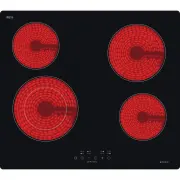
7 GUIDE TO FEATURES OF THE COOKTOP Model EMCER64E Power Zones Control Panel Symbols KEY # FUNCTIONS KEY # FUNCTIONS Key 1. ON/OFF Key 6. Timer Key 2. MINUS Key 7. Dual zone Key 3. PLUS / Key 4. Zone selection / Key 5. Child lock / Model # EMCER64E Power of zone - 1 1100/2200W Power of zone - 2 1200W...
Page 8 - Before using your New Cooktop; Remove any protective film that may still be on your cooktop.; Using the Touch Controls; Use the ball of your finger, not its tip.; Choosing the right Cookware
8 Before using your New Cooktop • Read this guide, taking special note of the ‘Safety Warnings’ section. • Remove any protective film that may still be on your cooktop. Using the Touch Controls • The controls respond to touch, so you don’t need to apply any pressure. • Use the ball of your finger, n...
Page 9 - Using your Cooktop; increased during cooking as required.; When you have finished cooking; Using the extendable zone
9 Using your Cooktop Switching the cooktop on and off Switch the cooktop power on and off by using the separate main switch. 1. Touch the ON/OFF key (1). All the indicators show “- “. 2. Place a suitable pan on the cooking zone that you wish to use. Make sure the bottom of the pan and the surface of...
Page 10 - Power level
10 Upon selecting the cooking zone, only the center zone will be turned on, to activate the outer zone: 1. Select a cooking zone with the extendable zone function. 2. Touch the extendable zone key (7), the indicator display will show “ = ” To cancel the outer zone, press the extendable zone key (7) ...
Page 11 - Using the Timer as a Minute Minder; the setting time finished.; Setting the timer to turn one or more cooking zones off
11 Using the Timer You can use the timer in two different ways: 1. You can use it as a minute minder. In this case, the timer does not turn any cooking zone off when the set time is up. 2. You can use it as a cut off timer to turn one or more cooking zones off when the set time is up. You can set th...
Page 12 - corresponding timer will be shown in the timer indicator.; Cooking Guidelines; When food comes to the boil, reduce the power setting.; Care and Cleaning
12 If the timer is set on more than one zone: 1. When you set the time for several cooking zones simultaneously, decimal dots of the relevant cooking zones are on. The minute display shows the remaining time. The dot of the corresponding zone flashes. 2. Once the countdown timer expires, the corresp...
Page 13 - Questions and quick check
13 Important! • When the cooktop is switched off at the main switch, there will be no ‘hot surface’ indicator, but the cooking zone may still be hot! Take extreme care! • Heavy-duty scourers, some nylon scourers and harsh/abrasive cleaning agents may scratch the glass. Always read the label to check...
Page 14 - Error Code; ATTENTION; Installation; Selection of installation equipment; Model
14 Error Code If an abnormality arises, the cooktop will enter the protective state automatically and display corresponding protective codes: Error Codes Problem Possible causes What to do E0 & repeated beep sound warning. Overheating protection: the cooktop is over heated. Stop cooking till the...
Page 15 - Air intake; Before you install the cooktop, make sure that:; the work surface is made of a heat-resistant material.
15 ATTENTION : In all circumstances, make sure the cooktop is well ventilated and the air inlet and outlet are not blocked. Ensure the cooktop is in good working state. Note: The safety distance between the cooktop and the cupboard above should be at least 760mm. The minimum height for a rangehood a...
Page 17 - When you have installed the cooktop, make sure that; the isolating switch is easily accessible by the customer.; Cautions; conduct the operation by yourself.; Connecting the cooktop to the mains power supply
17 When you have installed the cooktop, make sure that • the power supply cable is not accessible through cupboard doors or drawers. • there is adequate flow of air from outside the cabinetry to the base of the cooktop. • if the cooktop is installed above a drawer or cupboard space, a thermal protec...
Page 18 - WARRANTY FORM
18 To connect the cooktop to the mains power supply, do not use adapters, reducers, or branching devices, as they can cause overheating and fire. The power supply cable must not touch any hot parts and must be positioned so that its temperature will not exceed 75˚C at any point. The electrician must...