Page 2 - C o n t e n t s; S o f t w a r e i n t e l l i g e n t u p g r a d e; F e a t u r e s
F e a t u r e s . . . . . . . . . . . . . . . . . . . . . . . . . . . . . . . . . . . . . . . . . . . . . . . . . . . . . . . . . . . . . . . . . . . . . . . . . . . . . . . . . . . . . . . . . . . . . . . . . . . . . . . . . . . . . . . . . . . . . . 1 F o r y o u r A t t e n t i o n . . . . . . . ...
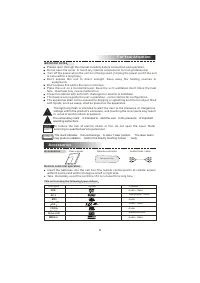
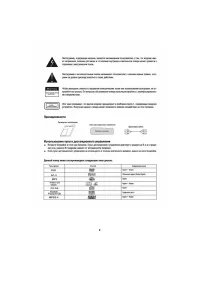
Page 3 - I M P O R TA N T N O T E S; F o r Yo u r A t t e n t i o n; Wa r n i n g; K o d a k; VCD; m e t r e s a n d w i t h i n 3 0 d e g r e e a t l e f t o r r i g h t s i d e .; A c c e s s o r i e s; T h i s u n i t c a n p l a y t h e f o l l o w i n g t y p e s o f d i s c s; Symbol; DVD; Disc types; R e m o t e c o n t r o l l e r o p e r a t i o n; e q u i p m e n t s
To r e d u c e t h e r i s k o f e l e c t r i c s h o c k o r f i r e , d o n o t o p e n t h e c o v e r. R e f e rs e r v i c i n g t o q u a l i f i e d s e r v i c e p e r s o n n e l . This mark indicates this unit belongs to class 1 laser product. The laser beam may produce radiation harm to ...
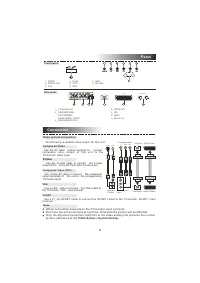
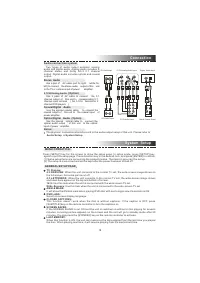
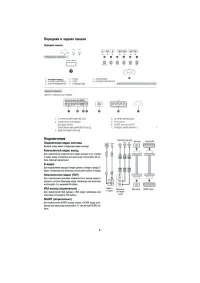
Page 4 - Vi d e o s y s t e m c o n n e c t i o n; V G A; i n; S y s t e m S e t u p; C o n n e c t i o n; C o m p o s i t e Vi d e o; S C A R T; P a n e l; F r o n t p a n e l
V G A VGA Y U/Pb V/Pr Component input VGA Input VGA Output Y V/Pr U/Pb Component video output VIDEO S-VIDEO VIDEO S-VIDEO SCART Output SCART Input Video and S-Video Vi d e o s y s t e m c o n n e c t i o n S-Video V G A Notes: T h e f o l l o w i n g a v a i l a b l e v i d e o o u t p u t f o r t h...
Page 5 - . 1 C H A n a l o g A u d i o; Coaxial Digital; A u d i o S e t u p; M E N U O P E R AT I O N :; Wi d e - S q u e e z e; G E N E R A L S E T U P PA G E
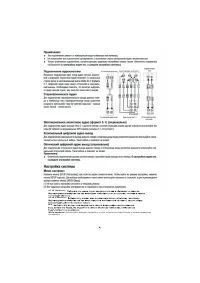
A u d i o c o n n e c t i o n s y s t e m Stereo Audio 5 . 1 C H A n a l o g A u d i o ( O p t i o n ) Coaxial Digital Audio Optical Digital Audio (Option) Tw o t y p e s o f a u d i o o u t p u t s y s t e m s : a n a l o g a u d i o a n d d i g i t a l a u d i o . A n a l o g a u d i o i n c l u d...
Page 6 - DIGITAL AUDIO SETUP PAGE; T E S T TO N E
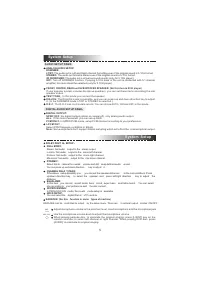
S y s t e m S e t u p System Setup DIGITAL AUDIO SETUP PAGE A U D I O S E T U P PA G E : ANALOG AUDIO SETUP:DOWNMIX:LT/RT: The audio out is Left and Right channel formatting even if the original sound is 5.1CH format. STEREO: The audio out format is stereo even if the original sound is 5.1CH format....
Page 7 - V I D E O S E T U P PA G E; Y U V; P R E F E R E N C E P A G E; S e t t h e o u t p u t a t PA L s y s t e m .; A U D I O , S U B T I T L E a n d D I S C M E N U L A N G U A G E PA G E :; PA S S W O R D PA G E :
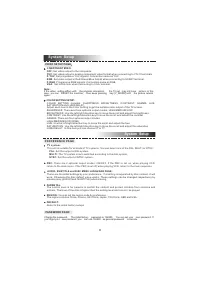
S y s t e m S e t u p System Setup V I D E O S E T U P PA G E C O M P O N E N T VID E O :O F F : S e t v i d e o o u t p u t t o t h e c o m p o s i t e . Y U V : S e t v i d e o o u t p u t i n a n a l o g c o m p o n e n t v i d e o f o r m a t w h e n c o n n e c t i n g t o Y / U / V t e r m i n...
Page 8 - B a s i c o p e r a t i o n; P l a y
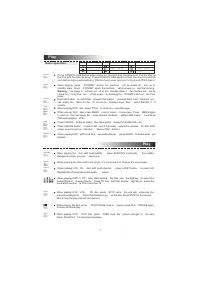
P l a y P r e s s O P E N / C L O S E b u t t o n w h e n p o w e r o n , t h e d i s c t r a y i s p u s h e d o u t . P u t t h e d i s c o nt h e t r a y w i t h t h e t i t l e f a c e d u p . P r e s s O P E N / C L O S E a g a i n t o c l o s e t h e d i s c t r a y a n d t h eu n i t s t a r ...
Page 9 - W hen playing DVD disc, press PREV to
P l a y P r e s s t h i s b u t t o n f o r q u i c k f o r w a r d s e a r c h Press this button for quick rewind search W hen playing DVD disc, press PREV to the previous chapter . When playing SVCD, VCD, CD disc, press PREV to the previous track. When playing DVD disc, press NEXT to the next chap...
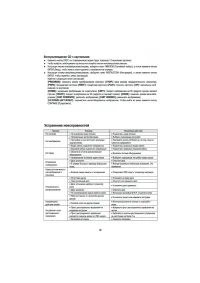
Page 10 - Tr o u b l e s h o o t i n g; Tu r n o n / o ff t h e p o w e r a n d t r y a g a i n .; P r e s s [ ] , 1 2 s m a l l p i c t u r e s w i l l s h o w o n t h e T V s c r e e n .; Press direction key to select the desired picture.; P L AY P I C T U R E C D D I S C; u p / d o w n d i r e c t i o n; P L AY M P 3 D I S C
Tr o u b l e s h o o t i n g C a u s e ( s ) The power cord isn't connected Video cable isn't connected well Audio cable isn't connected well Audio setup isn't correct Dirty disc In fast forward or fast rewind mode Without disc Disc is bad Disc is put upside down Dirty disc There are menu on TV scre...
Page 11 - S p e c i f i c a t i o n; Audio f
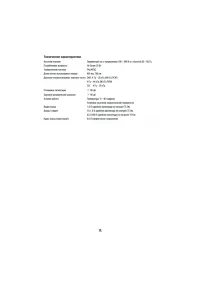
S p e c i f i c a t i o n P o w e r s u p p l y Power consumption TV system Audio f requency range S/N ratio Laser wave length Audio dynamic range AC ~100-240V/50-60Hz Less than 20W PAL/NTSC 650nm, 780nm DVD: 4Hz~22kHz 48kHz PCM 4Hz~ 44kHz 96kHz PCM CD: 4Hz~20kHz 90dB 90dB Operating conditions Video...
Page 16 - телевизору
Wide-squeeze: Используйте данную настройку, когда устройство подключено к широкоэкранному телевизору 4:3 PS (PanScan): 4:3 LB (LetterBox): 16:9:
Page 18 - разъем для микрофона.; MIC; Установка компонентного видео режима
• KAРАОКЕ: (Данная функция присутствует не у всех моделей). Вывод КАРАОКЕможно изменять в меню настроек. Существует два режима вывода: ON (Вкл.) или OFF(Выкл.) • •• Отрегулируйте мощность микрофона до минимального уровня. Вставьте шнур микрофона в разъем для микрофона. С помощью ручки громкости микр...