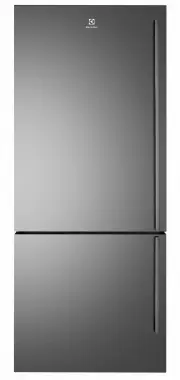
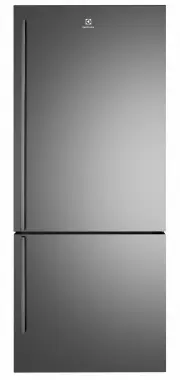
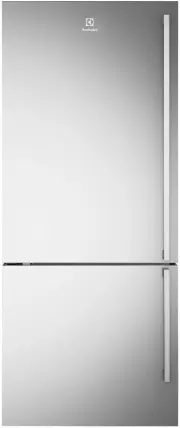
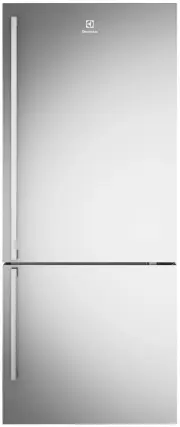
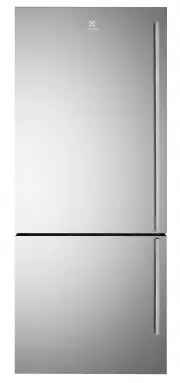
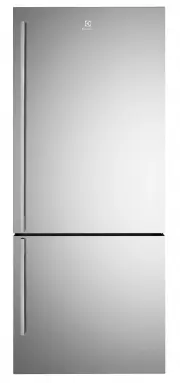
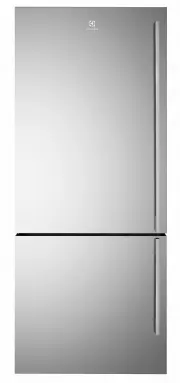
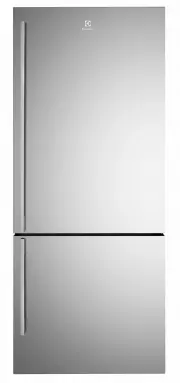
Page 2 - Conditions of use; CONTENTS; rtant; CONGRATULATIONS
WARNING This symbol indicates information concerning your personal safety. CAUTION This symbol indicates information on how to avoid damaging the refrigerator IMPORTANT This symbol indicates tips and information about use of the refrigerator ENVIRONMENT This symbol indicates tips and information abo...
Page 3 - IMPORTANT SAFETY INSTRUCTIONS; veranda. The ambient should be above 10°C.
NOTE: You must read these warnings carefully before installing or using the refrigerator. If you need assistance, contact your customer care centre. The manufacturer will not accept liability, should these instructions or any other safety instructions incorporated in this book be ignored. WARNING • ...
Page 4 - FEATURES AT A GLANCE; Deodoriser; Expandable bin
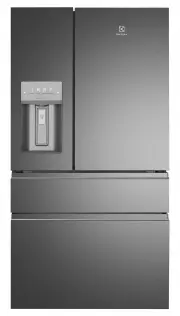
FEATURES AT A GLANCE 1 12 TasteLock TM crisper 23 2 Ice Maker Air distributor - Multiflow 13 TasteLock TM crisper 24 3 Deodoriser 14 Left Snack Zone compartment 25 4 Water filter 15 Right Snack Zone Compartment 26 5 Flip up glass shelf 16 Upper fixed door bin 27 6 Slide/fold glass shelf 17 Left fixe...
Page 5 - Locating the refrigerator; NOTE: Doors are designed to sit proud of; INSTALLING YOUR NEW APPLIANCE; Unpacking; RECOMMENDED; Front face of bench; mm
ENVIRONMENT Most of the packing materials are recyclable. Please dispose of those materials through your local recycling depot or by placing them in appropriate collection containers. Important – check for any damages or marks. If you find the refrigerator is damaged or marked, you must report it wi...
Page 6 - Door opening; Flipper; Raise; WRONG
Door opening Your refrigerator should be positioned to allow easy access to a counter when removing food. For best use of refrigerator drawers and freezer baskets, the refrigerator should be in a position where both can be fully opened. CAUTION LED lighting Your appliance is fitted with long life LE...
Page 7 - CONNECTING THE WATER SUPPLY; NOTE: Expect the first ice harvest within first 24
WARNING To avoid electric shock, which can cause death or severe personal injury, disconnect the refrigerator from electrical power before connecting a water supply line to the refrigerator. WARNING To Avoid Property Damage: • DO NOT install water supply tubing in areas where temperatures fall below...
Page 8 - IMPORTANT
IMPORTANT 8 electrolux.com.au Your refrigerator’s water supply system includes several tubing lines, a water filter, and a water valve. To ensure that your water dispenser works properly, this system must be completely filled with water when your refrigerator is first connected to the household wate...
Page 9 - ABOUT THE USER INTERFACE; Controls –External User interface
BUTTON / ICON DESCRIPTION PRIMARY FUNCTION 1. Lock Icon Indicates if the user interface is locked. 2. WATER Selects operation water mode of appliance. 3. CUBES Selects operation cubes mode of appliance. 4. CRUSHED Selects operation crushed mode of appliance. 5. CONNECT Press and hold for 3 second to...
Page 10 - WI-FI CONNECTIVITY SETUP; This chapter describes how to connect the smart; You will need to accept the; *Set up will take 3 to 5 mins depending on your network; until you see the Wi-Fi icon starts flashing.; Connect your fridge; You ’ll need to select your; Return to the app screen for connection to next step.
Frequency 2.412 - 2.472 GHz Protocol IEEE 802.11b/g/n Download the Electrolux Life app for free now. Requires Iphone6/IOS 9.3/ Android 5.0 and above. 10 electrolux.com.au WI-FI CONNECTIVITY SETUP This chapter describes how to connect the smart appliance (fridge) to the Wi-Fi network and to link it t...
Page 11 - You’ll need to select your Wi-Fi network name and; then return to
11 CONNECTION SUCCESS! 100% Add Appliance Carrier 1:20 PM COMPLETE 100% Add Appliance Carrier 1:20 PM Fill up the details below to complete warranty registration. Purchase Date My Fridge Display Appliance Name as Complete warranty registration STEP 4/4 Connect your fridge to your home Wi-Fi* You’ll ...
Page 12 - Controls – Internal User interface
ABOUT THE USER INTERFACE Controls – Internal User interface BUTTON / ICON DESCRIPTION PRIMARY FUNCTION 1. Compartment Selector button Selects controllable compartment. 2. Lock Icon Indicates if the user interface is locked. 3. Digital display Indicates temperature of selected compartment. 4. Decreas...
Page 14 - Controls –
BUTTON / ICON DESCRIPTION PRIMARY FUNCTION 1. Unlock Press the UNLOCK icon. It will lock automatically after 3 seconds without any interaction. A tone will sound once panel is locked/unlocked. 2. Freezer To change the drawer temperature when in the freezer temp setting, use the control panel display...
Page 15 - Alerts and Alarms; Installation; Automatic Ice & Water Dispenser; NOTE: The water dispenser has a built-in device; SETTING COOLING TEMPERATURES
NOTE: The recommended settings for a product installed in a kitchen is 3˚C for the fresh food compartment and -17˚C for the freezer. IMPORTANT If your product has food freezing in the fresh food compartment, increase the temperature setting 1 or 2 degrees. If you place food within 1 inch in front of...
Page 17 - Adjusting the ice bin Auger; STORAGE FEATURES; To change a shelf position:; Flip Shelf; Auger
CAUTION NEVER use an ice pick or similar sharp instrument to break up the ice. This could damage the ice bin and dispenser mechanism. To loosen stuck ice, use warm water. Before replacing the ice bin, make sure it is completely dry. IMPORTANT When removing or replacing the ice bin, avoid rotating th...
Page 18 - lide; Opening the Crisper Drawer; Removing the; Slide back the cover to allow access to the drawers.; Opening the SnackZone; Crisper
2. With front half fully below back half, lift front of shelf to flip it upwards toward the back of the cabinet. S lide -Under/Flip Shelf Drawers Your refrigerator includes a variety of storage drawers. TasteLock TM Crisper (with automatic humidity control) Crisper drawers are designed for storing f...
Page 19 - Adjustable Door Bins; Freezer Features; Freezer Basket; Lower Basket Divider
Adjustable Door Bins Freezer Features Freezer Basket To remove upper freezer basket: 1. Open freezer compartment completely.2. Lift up and out to remove upper freezer basket.Reverse the steps to reinstall basket. IMPORTANT There are wheels on the bottom of the drawer. Make sure all wheels are aligne...
Page 20 - GENERAL INFORMATION; The open face must (carbon media) of the filter
GENERAL INFORMATION CLEANING YOUR REFRIGERATOR WARNING BEFORE CLEANING: Turn the refrigerator off at the power point and unplug the cord to prevent any chance of electrocuting yourself. Doors and exterior (white and silver): You should only clean the doors with lukewarm soapy water and a soft cloth....
Page 22 - FOOD STORAGE GUIDE; Please note, use this information as a guide only,; RECOMMENDED STORAGE TIMES FOR FRESH FOODS *; ULTRA CHILL
FOOD STORAGE GUIDE IMPORTANT * Please note, use this information as a guide only, actual storage times will vary depending on how you use your refrigerator. CATEGORY PRODUCT RECOMMENDED STORAGE TIMES FOR FRESH FOODS * STORAGE TIPS REFRIGERATOR ULTRA CHILL FREEZER MEAT Sausages and Mince 1-2 Days 3-5...
Page 23 - TROUBLESHOOTING
Concern What to do Refrigerator is too warm. Ensure food is allowed to cool before placing inside the refrigerator. Ensure the appliance is set up as per instructions on page 11. Ensure that contents are not obstructing the cooling vents. Ensure the door is not held open or is being opened too frequ...
Page 24 - Refrigerator operation; Concern
TROUBLESHOOTING Refrigerator operation Concern What to do Appliance will not run It is normal for the freezer fan not to operate during the automatic defrost cycle, or for a short time after the appliance is switched on. Ensure that the cord is plugged into a live power outlet and outlet is switched...
Page 25 - Automatic Ice maker system; Door operation
Concern What to do Freezer door pops open. This is normal and should re-close. This happens when the refrigerator door is closed too quickly. If the freezer door stays open, it indicates that the appliance needs to be tilted backwards a little further. Refer to section “Installing your new appliance...
Page 26 - Warranty; Important Notice
26 electrolux.com.au FOR SALES IN AUSTRALIA AND NEW ZEALAND APPLIANCE: ELECTROLUX REFRIGERATORS AND FREEZERS This document sets out the terms and conditions of the product warranties for Electrolux Appliances. It is an important document. Please keep it with your proof of purchase documents in a saf...
Page 27 - NOTES
27 NOTES ......................................................................................................................................................................................................... ............................................................................................
Page 28 - Electrolux Home Products New Zealand; Electrolux Home Products Australia
shop.electrolux.com.au telephone: 1300 363 640fax: email:web: 1800 350 067[email protected]electrolux.com.au Electrolux Home Products New Zealand telephone: 0800 436 245fax: email:web: 0800 225 088[email protected]electrolux.co.nz To add a touch of professional inspiration to your home, visit electr...