Dyson 664609-01 - Manuals
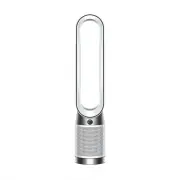
User Manual Dyson 664609-01


Summary
Power and continuous monitoring Stand-by on/off Continuous monitoring Continuous monitoring Press the Standby on/off button on your Dyson purifying fan or remote control to stop your machine. It will continue to monitor the air quality. Press and hold the Auto mode button on the remote control for 5...
Information menu Press this button to scroll through the information being monitored by your Dyson purifying fan. Information about air quality, temperature, humidity and filter levels is shown on the LCD screen. When a particular type of pollutant causes air quality to decrease, a symbol for the po...
Changing your HEPA+Carbon filter Supplied with a HEPA+Carbon filter. To change your HEPA+Carbon filter, push down on the buttons either side of your machine to release the outer cover. Push down on the tabs to remove the filter. Push the replacement filter into the outer cover and make sure the tabs...
Dyson Air Purifiers Manuals
-
 Dyson 308008-01
User Manual
Dyson 308008-01
User Manual
-
 Dyson 310158-01
User Manual
Dyson 310158-01
User Manual
-
 Dyson 368960-01
User Manual
Dyson 368960-01
User Manual
-
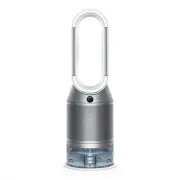 Dyson 369169-01
User Manual
Dyson 369169-01
User Manual
-
 Dyson 369803-01
User Manual
Dyson 369803-01
User Manual
-
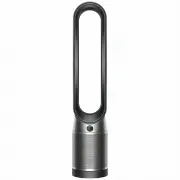 Dyson 379532-01
User Manual
Dyson 379532-01
User Manual
-
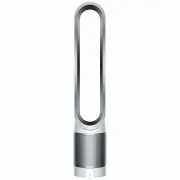 Dyson 385275-01
User Manual
Dyson 385275-01
User Manual
-
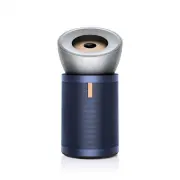 Dyson 410636-01
User Manual
Dyson 410636-01
User Manual
-
Dyson 497043-01
User Manual
-
 Dyson 497044-01
User Manual
Dyson 497044-01
User Manual
-
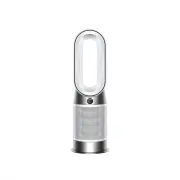 Dyson 664610-01
User Manual
Dyson 664610-01
User Manual
-
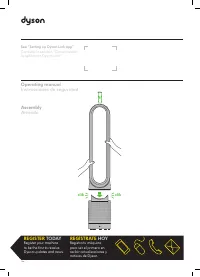 Dyson TP00 428157-01
User Manual
Dyson TP00 428157-01
User Manual