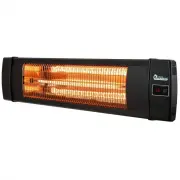
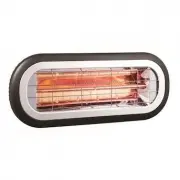
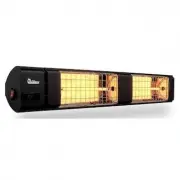
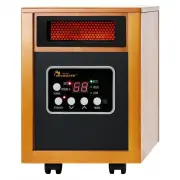
Page 2 - Warning; IMPORTANT SAFETY INSTRUCTIONS
1 | P a g e Warning THESE INSTRUCTIONS SHOULD BE READ CAREFULLY AND RETAINED FOR FUTURE REFERENCE, We cannot be liable for any damages caused by failure to observe these instructions. IMPORTANT SAFETY INSTRUCTIONS READ CAREFULLY-The infrared heater is designed for safe operation. Nevertheless, insta...
Page 3 - extension cord or; Introduction; Model
2 | P a g e safety. Children and vulnerable people should be supervised to ensure they do not play with the appliance. 18. If the supply cord is damaged in any way, it must be replaced by the manufacturer or its service agent or a similarly qualified person in order to avoid a hazard. 19. To prevent...
Page 4 - INSTALLATION; the
3 | P a g e INSTALLATION Tools Needed: * Pencil *Hammer *Level *Screw Driver *Power Drill and drill bits A mounting bracket is provide d with the heater which has been specifically designed to allow this product to be fitted to ceiling or wall before drilling the holders for the ceiling/wall is soli...
Page 5 - nuts and screws supplied.; Installation; Accessories parts; L shaped bracket 4pcs; Mounting step; L shaped Bracket installation
4 | P a g e 20. Fasten the brackets securely to the mounting surface and the backside of the heater using the nuts and screws supplied. 21. Fasten the heater securely on the brackets using the nuts and bolts supplied. 22. The brackets can be used to adjust the direction of the heater, adjust the hea...
Page 6 - anchor is flush
5 | P a g e 3. Drill holes with a smaller diameter drill bit than the plastic anchors 4. Insert the point end of plastic anchor into the holes, Tap the anchor with a hammer until the anchor is flush 5. Using a screwdriver attach the mounting bracket to the holes which with plastic anchor inside.
Page 7 - Ensure mains power is OFF before commencing installation.
6 | P a g e 6. Fasten the heater on the L shaped bracket by the black screws on the back of heater Ensure mains power is OFF before commencing installation. The supplied mains cable must not contact the top surface of the heater during operation. The mounting height and intensity should reflect the ...
Page 9 - OPERATING
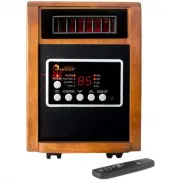
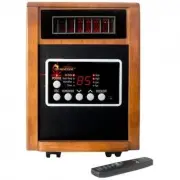
8 | P a g e FUNCTION & OPERATION OPERATING Product Key Function: 1. Turn on the power, the product is standby mode display (- -); 2. Press key function: press the button, then press the heat levels (L1-L2-L3- standby - off) Remote Control Instructions 1. POWER BUTTON: Turn the heater off. 2. UP ...
Page 10 - Troubleshooting; Check to see if the power button on the back of heater is power on.; MAINTENANCE
9 | P a g e NOTICE: 1. Replace the old batteries with the same type batteries. Otherwise, your heater may not function well. 2. Pull out the batteries in case of long terms of disuse to prevent leakage which may impair your remote control. 3. Do not allow water or liquid to get into the remote contr...
Page 11 - CLEANING
10 | P a g e CLEANING Regular and careful cleaning helps your infrared heater operate efficiently for many trouble-free years. To clean your heater, follow steps below: 1. Unplug the power cord for your safety before cleaning your appliance. 2. Make sure the heater is cool before continuing. 3. To k...
Page 12 - Warranty Information; Register your product at our website:; Love it? Help us make the product more for you.
11 | P a g e Warranty Information Register your product at our website: Or visit DrHeaterUSA.com/register-your-heater Feedback Love it? Help us make the product more for you. Let us know with a customer review. Please visit: https://www.amazon.com/review/review-your-purchases# At Dr. Heater USA, we ...