Deerma DEM-YS10W - Manuals
Deerma DEM-YS10W Coffee Machine – User Manual in PDF format online.
Manuals:
User Manual Deerma DEM-YS10W

Summary
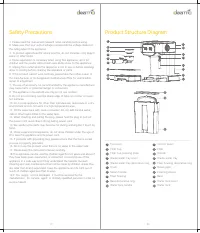
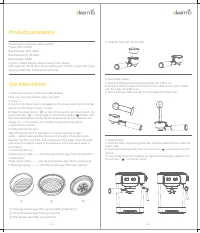
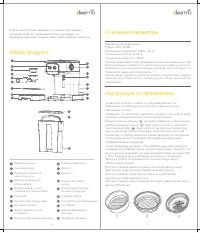
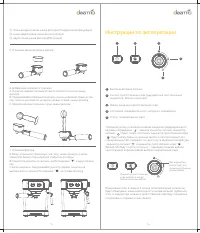
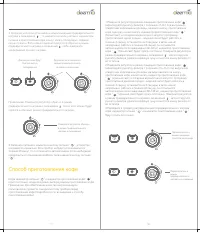
1.Place the machine on a flat and stable desktop. Note: Can clean the tabletop with a wet cloth.2. Power onA. Confirm that the product is plugged into the power socket and the socket can be used for power supply normally. B. Press the power button “ ” on the control panel to start the product, the p...
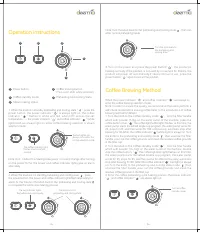
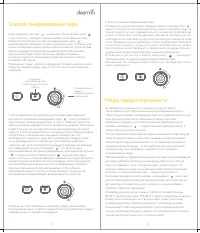
Co ff ee making button (Two color LED: white and red ) 2 Preheating And Cooling State 4 Power button 1 Co ff ee standby mode 3 Steam making status 5 1. When the knob is in standby preheating and cooling state “ ”, press the power button: the power indicator “ ” is always light on, the coffee indicat...
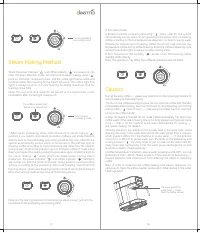
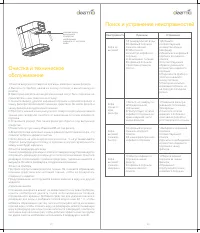
Steam Making Method Note: During steam production, if need stop the steam output, just turn the knob back to the preheating and cooling state. When the power indicator “ ” and coffee indicator “ ” are always on, can enter the steam selection mode. Turn the knob to steam making status “ ” position, t...