Page 8 - CONTENTS; / DESCRIPTION OF THE OVEN
8 CONTENTS EN 1 / DESCRIPTION OF THE OVEN • Presentation of your oven ...................................................................... 2• Description of controls ..............................................................................9• Description of accessories ...........................
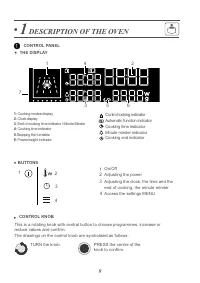
Page 9 - DESCRIPTION OF THE OVEN; The drawings on the control knob are symbolised as follows:; CONTROL KNOB; Adjusting the power
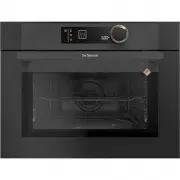
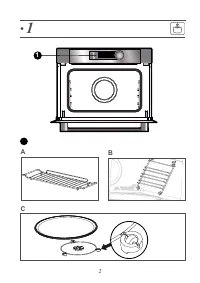
9 • 1 DESCRIPTION OF THE OVEN 1- Cooking modes display 2- Clock display 3- End of cooking time indicator / Minute Minder 4- Cooking time indicator 5 -Stopping the turntable 6- Power/weight indicator This is a rotating knob with central button to choose programmes, increase orreduce values and confir...
Page 10 - ACCESSORIES
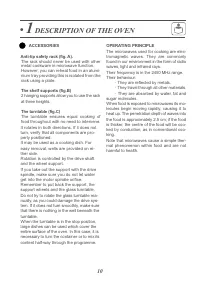
10 • 1 DESCRIPTION OF THE OVEN ACCESSORIES Anti-tip safety rack (fig. A). The rack should never be used with othermetal cookware in microwave function. However, you can reheat food in an alumi-nium tray providing this is isolated from therack using a plate. The shelf supports (fig.B) 2 hanging suppo...
Page 11 - SETTINGS
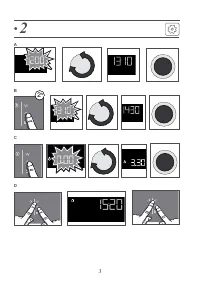
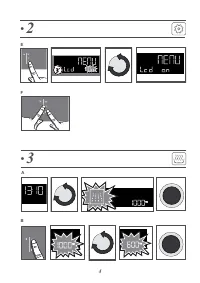
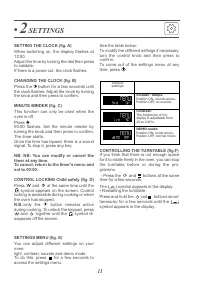
11 SETTING THE CLOCK (fig. A) When switching on, the display flashes at12:00. Adjust the time by turning the dial then pressto validate.If there is a power cut, the clock flashes. CHANGING THE CLOCK (fig. B) Press the button for a few seconds until the clock flashes. Adjust the clock by turningthe k...
Page 12 - USE; Position; Cooking fresh or frozen vegetables.
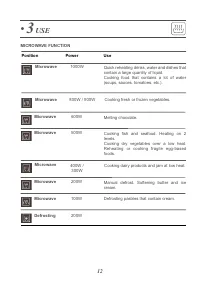
12 • 3 USE Microwave Position Use Power MICROWAVE FUNCTION Microwave Quick reheating drinks, water and dishes thatcontain a large quantity of liquid.Cooking food that contains a lot of water(soups, sauces, tomatoes, etc.). 1000W Cooking fresh or frozen vegetables. 800W / 900W Microwave Melting choco...
Page 13 - flashes; NB; Select; THE AUTOMATIC; You simply select the type of programme
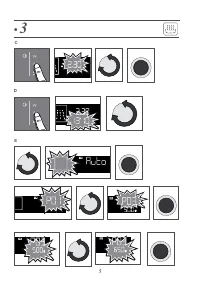
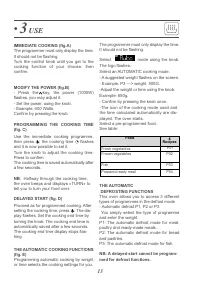
13 • 3 USE IMMEDIATE COOKING (fig.A) The programmer must only display the time.It should not be flashing.Turn the control knob until you get to thecooking function of your choose, thenconfirm. MODIFY THE POWER (fig.B) - Press the key, the power (1000W) flashes, you may adjust it.- Set the power, usi...
Page 14 - MEMORISE A COOKING MODE; CARE; EXTERNAL SURFACE
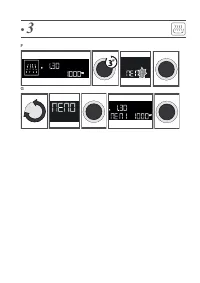
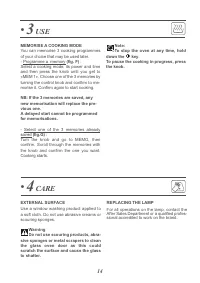
14 • 3 USE MEMORISE A COOKING MODE You can memorise 3 cooking programmesof your choice that may be used later.- Programme a memory (fig. F) : Select a cooking mode, its power and timeand then press the knob until you get to«MEM 1». Choose one of the 3 memories byturning the control knob and confirm ...
Page 15 - SERVICING AND REPAIRS, FRANCE; Any repairs to your appliance must be made; You may resolve certain little problems yourself:; The oven is not heating.; Check that the oven is correctly connected and that your installa-; DEMO; Replace the bulb or the fuse. Check that the oven is correctly; The cooling fan continues to operate after the oven stops.; This is normal the fan may; ANOMALIES AND SOLUTIONS
15 • 6 AFTER-SALES SERVICE SERVICING AND REPAIRS, FRANCE Any repairs to your appliance must be made by a qualified professional accredited to workon the brand. When calling, please provide thefull references of your appliance (commercialreference, service reference, serial number), sothat we can han...
Page 16 - FUNCTION SUITABILITYA TESTS; Test
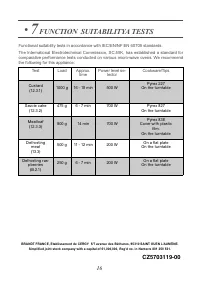
BRANDT FRANCE, Etablissement de CERGY 5/7 avenue des Béthunes, 95310 SAINT OUEN L’AUMÔNE. Simplified joint stock company with a capital of €1,000,000, Reg’d no. in Nanterre 801 250 531. • 7 FUNCTION SUITABILITYA TESTS Test Load Approx. time Power level se- lector Cookware/Tips Custard (12.3.1) 1000...