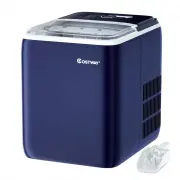
Page 2 - Important Notices:
Important Notices: When using an electrical appliance, basic safety precautions should always be followed to reduce the risk of fire, electric shock, and/or injury, including the following: 1. Read all instructions before using. 2. Remove all packing material and carefully check your ice maker to en...
Page 6 - Control Panel Operation; POWER: Power switch SELECT: Mode selection
Control Panel Operation : POWER: Power switch SELECT: Mode selection CLEAN: Cleaning button SMALL : small ice selection LARGE big ice selection ICE FULL ice full alarm ADD WATER : water shortage alarm 1) P OWER: Plug i n t he p ower and t he s ource indicator f lashes. P ress the POWER button, the p...
Page 7 - Operating Instructions
and small ice mode f . 3) CLEAN: The clean button, after pressing the clean button, start the motor, after that start the water pump to draw water, repeat this cycle, more than 4 minutes to stop. 4) ADD WATER: Water shortage alarm: When this red is on, it means there is water shortage in the water t...
Page 8 - Cleaning & Use Guidance
3. Step 3 Select the size of the ice you want to make, default big ice Note: 1. When the indoor temperature is below , choose small ice. Large ice is recommended for indoor temperatures above . 2. The three cycles used for the first time, the ice produced is small and irregular. 3. When the ice bask...
Page 9 - Troubleshooting; PROBLEM
compressor will delay 3 minutes to start. 6. Please use edible water, distilled water is not allowed, mineral water is recommended, no matter before ice making or after initial installation or after long time without use. Troubleshooting : 1. Please note, if a power failure occurs due to disconnecti...
Page 11 - WARNING
When the ice is full, the machine does not prompt ICE FULL. 1. Ice full sensor damage. 2. Solar ray interference 1. Replace the red ice full sensor 2. Move indoors to make ice 3. Call the service hotline WARNING If the power panel is damaged, it must be replaced by the manufacturer's service organiz...