Page 2 - PART NAMES AND LOCATIONS; Flip covers
PART NAMES AND LOCATIONS IN ACCESSORY BAG: USER MANUAL, WARRANTY CARD, DOOR REVERSAL PARTS As the manufacturer holds the authority to redesign or modify its products without notice : Any modifications or upgrades of our products will result in this Refrigerator varying slightly from this manual but ...
Page 3 - IMPORTANT SAFETY INSTRUCTIONS
1 IMPORTANT SAFETY INSTRUCTIONS WARNING Follow these basic precautions to reduce the risk of fire, electrical shock hazards or injury when operating the Refrigerator: • This product has been designed for using in a normal domestic environment. It is not intended for commercial use which will avo...
Page 5 - Product Features
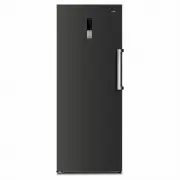
3 Product Features This is an upright single-door inverter refrigerator with electronic control. It features switchover between the fridge mode and the freezer mode. Under the freezer mode, it can be used for the preservation of fish, meat, etc. that need be frozen for the long-term storage. Under t...
Page 6 - Door reversal instruction
4 Door reversal instruction Door reversal job requests some spare parts which are in the accessory bag, top hinge, top hinge cover, bottom hinge and plastic door closer. For safety purpose, two people is recommended for the job. The following tool is required: ladder, flat screwdriver, phillips scre...
Page 8 - INSTALLATION INSTRUCTIONS
6 door to same color one from cabinet. l) Remove a magnet sensor from right top hinge cover (the one is removed at the beginning), the parts has two wires and a two pins socket. Install it under the new hinge cover from the accessory bag. C onnect the two pins socket to the wire harness from the cab...
Page 9 - ENERGY SAVING TIPS
7 Before Using the Refrigerator • Remove the exterior and interior packing. • Before connecting the Refrigerator to a power source, let the unit stand upright for approximately 4 hours to mitigate the possibility of a malfunction in the cooling system from improper handling during transportation. • ...
Page 10 - OPERATING INSTRUCTIONS; Child Lock function
8 OPERATING INSTRUCTIONS Function & Setting The display panel is on the door, the following picture will show the display symbols and functions. When the refrigerator is connected to power supply for the first time, all icons on the display panel gets illuminated for 2s, and the system runs in t...
Page 12 - Notes; Power cut memory
10 Temp. Setting Before changing the setting, please make sure lock function is turned off. Also make sure the fast freezer or fast cool mode is turned off. Keep pressing the ‘+’ or ‘-’ to adjust the temperature to desired setting, then press the OK key or wait for 5s to validate the temperature s...
Page 13 - GENERAL CARE AND MAINTENANCE; Vacation Time
11 GENERAL CARE AND MAINTENANCE Cleaning the Refrigerator • Upon installation of your new appliance, it is recommended that it be cleaned thoroughly and properly maintained thereafter. • Turn off the Refrigerator and then unplug the unit from the wall outlet. • Remove all food content before washing...
Page 14 - TROUBLESHOOTING GUIDE
12 TROUBLESHOOTING GUIDE Problem Solution The Refrigerator has no power Power cord isn’t plugged in properly. The circuit breaker tripped or a blown fuse. Try a different power point. Compressor runs all the time The room temperature is hotter than normal. A large amount of food has been a...
Page 16 - Customer Service
www.chiq.com.au Changhong Electric (Australia) P/L all rights reserved. c Customer Service 1300 796 688