Chieftec AS-01 - Manuals
Chieftec AS-01 PC Case – User Manual in PDF format online.
Manuals:
User Manual Chieftec AS-01
Summary
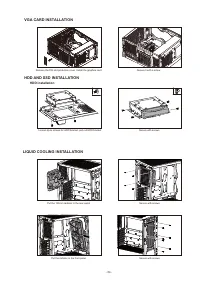
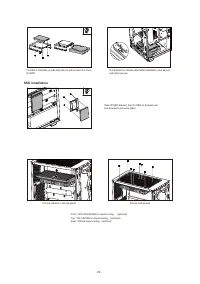
- 04 - HDD AND SSD INSTALLATION HDD installation Loosen 2pcs screws for HDD bracket, pull out HDD bracket Secure with screws VGA CARD INSTALLATION Remove the PCI slot protection cover. Install the graphics card Secure it with a screw. LIQUID COOLING INSTALLATION Put the 120mm radiator in the rear pa...
- 05 - SSD installation Take off SSD bracket, then fix SSD on bracket and lock bracket to previous place Fix SSD on bracket up side and secure with screws first, then fix HDD Put bracket on chassis after HDD installation, and secure with 2pcs screws Put the radiator in the top panel Secure with scre...
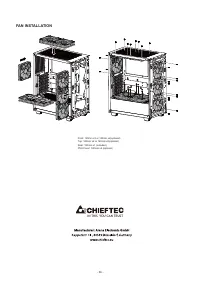
- 06 - FAN INSTALLATION Front: 120mm x3 or 140mm x2(optional)Top: 120mm x2 or 140mm x2(optional)Rear: 120mm x1 (included)PSU Cover: 120mm x2 (optional) IN THIS YOU CAN TRUST