Page 2 - Table of Contents; Owner’s Manual; European Disposal Guidelines; Do not; C o rrect D isp o sal o f T h is Pro d u ct
Table of Contents Owner’s Manual Safety Precautions ..................................................................................................03 Unit Specifications and Features ........................................................................05 1 2 Care and Maintenance .................
Page 3 - Page 3; Read Safety Precautions Before Operation and Installation; or; CAUTION; WARNING; EN Standard requirements; WARNINGS FOR PRODUCT USE; the fan may be rotating at high speeds.; Safety Precautions
Page 3 Safety Pr ecautions Read Safety Precautions Before Operation and Installation The seriousness of potential damage or injuries is classified as either a WARNING or CAUTION . WARNING This symbol indicates that ignoring instructions may cause death or Incorrect installation due to ignoring i...
Page 4 - Page 4; CLEANING AND MAINTENANCE WARNINGS; Note about Fluorinated Gasses; the
Page 4 Safety Pr ecautions CLEANING AND MAINTENANCE WARNINGS • Turn off the device and disconnect the power before cleaning. Failure to do so can cause electrical shock. • Do not clean the air conditioner with excessive amounts of water. • Do not clean the air conditioner with combustible cleani...
Page 5 - Page 5; Unit Specifications and Features; Indoor unit display; Display Code
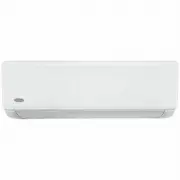
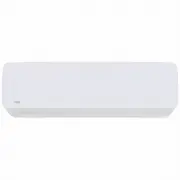
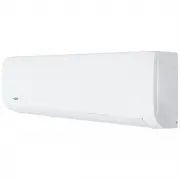
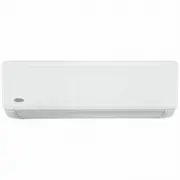
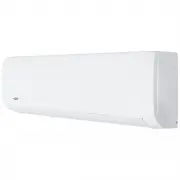
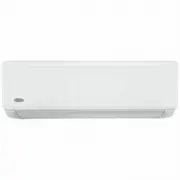
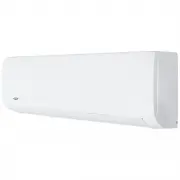
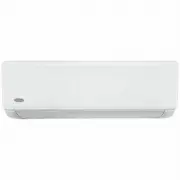
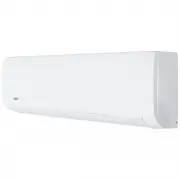
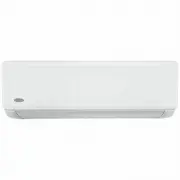
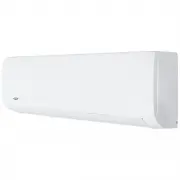
Page 5 Unit Specifications and Features 2 Unit Specifications and Featu res Indoor unit display Display Code Meanings Power Cable (Some Units ) Remote Control Remote Control Holder (Some Units) Functional Filter (On Back of Main Filter - Some Units) Louver Front Panel Display window (A) (B) (C) ...
Page 6 - Page 6
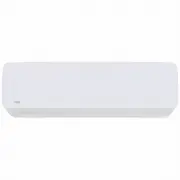
Page 6 Unit Specifications and Featu res (E) Display Code Meanings Power Cable (Some Units ) Remote Control Remote control Holder (Some Units) Functional Filter (On Back of Main Filter - Some Units) Louver Front Panel Display window Illustrations in this manual are for explanatory purposes. The ...
Page 7 - Page 7; Other Features; Wireless Control; Not all
Unit Specifications and Featu res Page 7 Other Features • Auto-Restart(some units) If the unit loses power, it will automatically restart with the prior settings once power has been restored. • Anti-mildew (some units) When turning off the unit from COOL, AUTO (COOL), or DRY modes, the air condi...
Page 8 - Page 8; To further optimize the performance of your unit, do the following:; Keep doors and windows closed.; Inverter Split Type; When outside; Normal Operating temperature
Unit Specifications and Featu res Page 8 Room Temperature 17°C-32°C (63°F-90°F) 0°C-30°C (32°F-86°F) 10°C-32°C (50°F-90°F) Outdoor Temperature 18°C-43°C (64°F-109°F) -7°C-24°C (19°F-75°F) 11°C-43°C (52°F-109°F) -7°C-43°C (19°F-109°F) (For models with low-temp cooling systems) 18°C-43°C (64°F-109...
Page 9 - Page 9; Setting vertical angle of air flow; NOTE ON LOUVER ANGLES; Do not put your fingers in or near the blower; Deflector
Page 9 Unit Specifications and Featu res Manual control button Setting vertical angle of air flow While the unit is on, use the SWING/DIRECT button on remote control to set the direction (vertical angle) of airflow. Please refer to the Remote Control Manual for details. The horizontal angle of t...
Page 10 - Care and Maintenance; Cleaning Your Air Filter; Cleaning Your Indoor Unit
Page 10 Manual Operation Care and Maintenance 3 Ca re and Maintenance Cleaning Your Air Filter A clogged air conditioner can reduce the cooling efficiency of your unit, and can also be bad for your health. Make sure to clean the filter once every two weeks.1. Lift the front panel of the indoor u...
Page 11 - button
Page 11 Ca re and Maintenance Air Filter Reminders (Optional) Air Filter Cleaning Reminder After 240 hours of use, the display window on the indoor unit will flash “CL.” This is a reminder to clean your filter. After 15 seconds, the unit will revert to its previous display. To reset the reminder...
Page 12 - Common Issues; Issue; Troubleshooting; SAFETY PRECAUTIONS; The power cord is damaged or abnormally warm
Page 12 Common Issues The following problems are not a malfunction and in most situations will not require repairs. Issue Possible Causes Unit does not turn on when pressing ON/OFF button The Unit has a 3-minute protection feature that prevents the unit from overloading. The unit cannot be resta...
Page 14 - Problem; Lower the temperature setting
Page 14 Tr oubleshooting Troubleshooting When troubles occur, please check the following points before contacting a repair company. Problem Possible Causes Solution Poor Cooling Performance Temperature setting may be higher than ambient room temperature Lower the temperature setting The heat exc...
Page 16 - for the latest version.
for the latest version. Any updates to the manual will be uploaded to the service website, please check product improvement. Consult with the sales agency or manufacturer for details. The design and specifications are subject to change without prior notice for