Cadillac ESCALADE HYBRID 2009 - Manuals
Cadillac ESCALADE HYBRID 2009 Car – User Manual in PDF format online.
Manuals:
User Manual Cadillac ESCALADE HYBRID 2009
Summary
GENERAL MOTORS, GM, the GM Emblem, CADILLAC,the CADILLAC Crest & Wreath, and the namesESCALADE and ESV are registered trademarks ofGeneral Motors Corporation. This manual includes the latest information at the time itwas printed. GM reserves the right to make changesafter that time without notic...
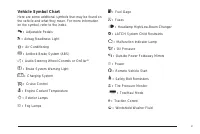
Vehicle Symbol Chart Here are some additional symbols that may be found onthe vehicle and what they mean. For more informationon the symbol, refer to the index. 0 : Adjustable Pedals 9 : Airbag Readiness Light # : Air Conditioning ! : Antilock Brake System (ABS) g : Audio Steering Wheel Controls or ...
Head Restraints . . . . . . . . . . . . . . . . . . . . . . . . . . . . . . . . . . . . . . . . . . . . . . .1-2 Front Seats . . . . . . . . . . . . . . . . . . . . . . . . . . . . . . . . . . . . . . . . . . . . . . . . . . . . . .1-3 Power Seats . . . . . . . . . . . . . . . . . . . . . . . . . . ...
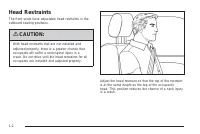
Head Restraints The front seats have adjustable head restraints in theoutboard seating positions. { CAUTION: With head restraints that are not installed andadjusted properly, there is a greater chance thatoccupants will suffer a neck/spinal injury in acrash. Do not drive until the head restraints fo...
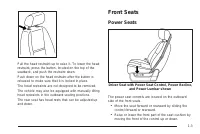
Pull the head restraint up to raise it. To lower the headrestraint, press the button, located on the top of theseatback, and push the restraint down. Push down on the head restraint after the button isreleased to make sure that it is locked in place. The head restraints are not designed to be remove...
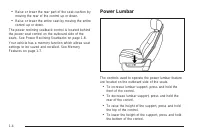
• Raise or lower the rear part of the seat cushion bymoving the rear of the control up or down. • Raise or lower the entire seat by moving the entirecontrol up or down. The power reclining seatback control is located behindthe power seat control on the outboard side of theseats. See Power Reclining ...
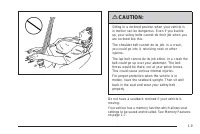
Let go of the control when the lower seatback reachesthe desired level of support. Your vehicle has a memory function which allows seatsettings to be saved and recalled. See MemoryFeatures on page 1-7 for more information. Keep in mind that as your seating position changes, asit may during long trip...
Heated and Cooled Seats If the front seats have theheated and cooled seatfeature, the buttonsused to control this featureare located on theclimate control panel. { (Cooled Seat): To cool the entire seat, press the button with the cooled seat symbol. This symbol will appear on the climate control dis...
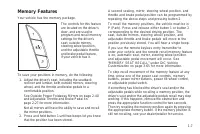
Memory Features Your vehicle has the memory package. The controls for this featureare located on the driver’sdoor, and are used toprogram and recall memorysettings for the driver’sseat, outside mirrors,steering wheel position,and the adjustable throttleand brake pedal feature,if your vehicle has it....
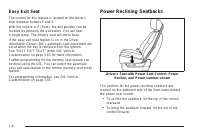
Easy Exit Seat The control for this feature is located on the driver’sdoor between buttons 1 and 2. With the vehicle in P (Park), the exit position can berecalled by pressing the exit button. You will heara single beep. The driver’s seat will move back. If the easy exit seat feature is on in the Dri...
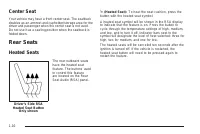
Center Seat Your vehicle may have a front center seat. The seatbackdoubles as an armrest and cupholder/storage area for thedriver and passenger when the center seat is not used.Do not use it as a seating position when the seatback isfolded down. Rear Seats Heated Seats The rear outboard seatshave th...
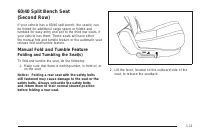
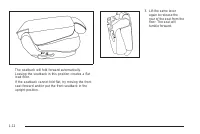
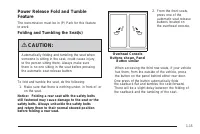
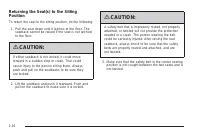
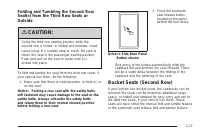
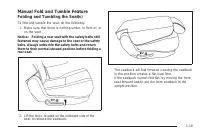
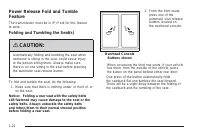
60/40 Split Bench Seat(Second Row) If your vehicle has a 60/40 split bench, the seat(s) canbe folded for additional cargo space or folded andtumbled for easy entry and exit to the third row seats, ifyour vehicle has them. These seats will have eitherthe manual fold and tumble feature or the automati...
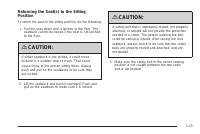
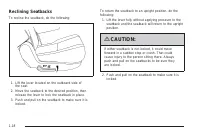
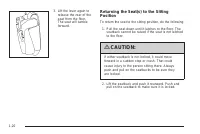
Reclining Seatbacks To recline the seatback, do the following: 1. Lift the lever located on the outboard side of the seat. 2. Move the seatback to the desired position, then release the lever to lock the seatback in place. 3. Push and pull on the seatback to make sure it is locked. To return the sea...
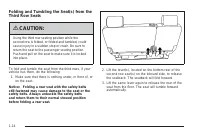
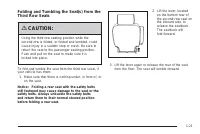
Third Row Seat If the vehicle has a third row seat, the seatback(s) canbe folded and the entire seat can be tumbled, orremoved from the vehicle. Folding the Seatback(s) To fold the seatback, do the following: 1. Open the liftgate to access the controls for the seat. 2. Remove all items on the seat c...
Unfolding the Seatback(s) To return the seatback to the upright position, do thefollowing: 1. Open the liftgate to access the controls for the seat. 2. Pull up on the seatback until it locks into the upright position. { CAUTION: If either seatback is not locked, it could moveforward in a sudden stop...
Safety Belts Safety Belts: They Are for Everyone This section of the manual describes how to usesafety belts properly. It also describes some things notto do with safety belts. { CAUTION: Do not let anyone ride where a safety belt cannotbe worn properly. In a crash, if you or yourpassenger(s) are no...
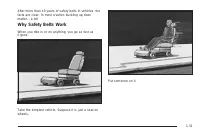
After more than 40 years of safety belts in vehicles, thefacts are clear. In most crashes buckling up doesmatter... a lot! Why Safety Belts Work When you ride in or on anything, you go as fast asit goes. Take the simplest vehicle. Suppose it is just a seat onwheels. Put someone on it. 1-31
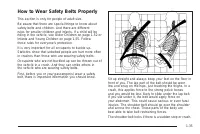
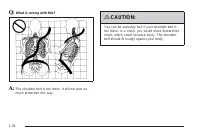
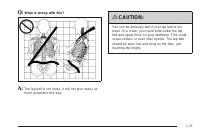
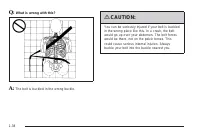
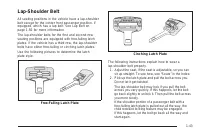
How to Wear Safety Belts Properly This section is only for people of adult size. Be aware that there are special things to know aboutsafety belts and children. And there are differentrules for smaller children and infants. If a child will beriding in the vehicle, see Older Children on page 1-52 orIn...
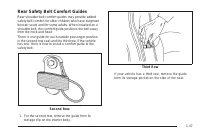
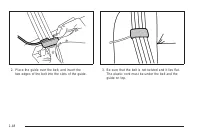
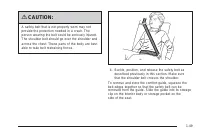
Rear Safety Belt Comfort Guides Rear shoulder belt comfort guides may provide addedsafety belt comfort for older children who have outgrownbooster seats and for some adults. When installed on ashoulder belt, the comfort guide positions the belt awayfrom the neck and head. There is one guide for each...
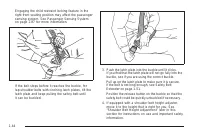
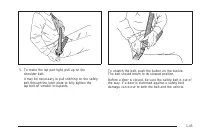
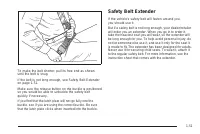
To make the belt shorter, pull its free end as shownuntil the belt is snug. If the belt is not long enough, see Safety Belt Extenderon page 1-51. Make sure the release button on the buckle is positionedso you would be able to unbuckle the safety beltquickly if necessary. If you find that the latch p...
Child Restraints Older Children Older children who have outgrown booster seats shouldwear the vehicle’s safety belts. The manufacturer’s instructions that come with thebooster seat, state the weight and height limitations forthat booster. Use a booster seat with a lap-shoulderbelt until the child pa...
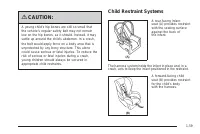
Infants and Young Children Everyone in a vehicle needs protection! This includesinfants and all other children. Neither the distancetraveled nor the age and size of the traveler changes theneed, for everyone, to use safety restraints. In fact, thelaw in every state in the United States and in everyC...
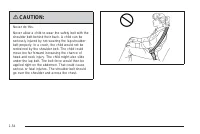
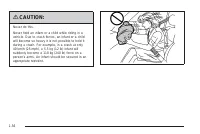
{ CAUTION: A young child’s hip bones are still so small thatthe vehicle’s regular safety belt may not remainlow on the hip bones, as it should. Instead, it maysettle up around the child’s abdomen. In a crash,the belt would apply force on a body area that isunprotected by any bony structure. This alo...
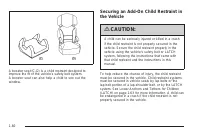
When securing an add-on child restraint, refer to theinstructions that come with the restraint which may be onthe restraint itself or in a booklet, or both, and to thismanual. The child restraint instructions are important, soif they are not available, obtain a replacement copyfrom the manufacturer....
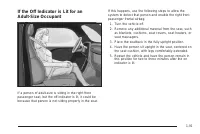
If the airbag is off, the off indicator in the passengerairbag status indicator will come on and stay on whenthe vehicle is started. If a child restraint has been installed and the onindicator is lit, see “If the On Indicator is Lit for a ChildRestraint” under Passenger Sensing System onpage 1-87 fo...
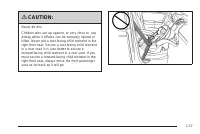
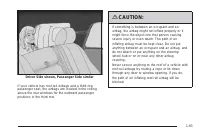
{ CAUTION: Children who are up against, or very close to, anyairbag when it inflates can be seriously injured orkilled. Airbags plus lap-shoulder belts offerprotection for adults and older children, but not foryoung children and infants. Neither the vehicle’ssafety belt system nor its airbag system ...
When Should an Airbag Inflate? Frontal airbags are designed to inflate in moderate tosevere frontal or near-frontal crashes to help reduce thepotential for severe injuries mainly to the driver’s orright front passenger’s head and chest. However, theyare only designed to inflate if the impact exceeds...
In many crashes severe enough to inflate the airbag,windshields are broken by vehicle deformation.Additional windshield breakage may also occur from theright front passenger airbag. • Airbags are designed to inflate only once. After anairbag inflates, you will need some new parts forthe airbag syste...
Restraint System Check Checking the Restraint Systems Safety Belts Now and then, check that the safety belt reminder light,safety belts, buckles, latch plates, retractors, andanchorages are all working properly. Look for any other loose or damaged safety belt systemparts that might keep a safety bel...
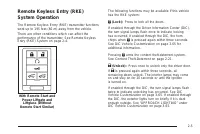
Keys . . . . . . . . . . . . . . . . . . . . . . . . . . . . . . . . . . . . . . . . . . . . . . . . . . . . . . . . . . . . . . .2-3 Remote Keyless Entry (RKE) System . . . . . . . . . . . . . . . .2-4Remote Keyless Entry (RKE) System Operation . . . . . . . . . . . . . . . . . . . . . . . . . . . ...
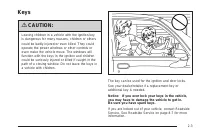
Keys { CAUTION: Leaving children in a vehicle with the ignition keyis dangerous for many reasons, children or otherscould be badly injured or even killed. They couldoperate the power windows or other controls oreven make the vehicle move. The windows willfunction with the keys in the ignition and ch...
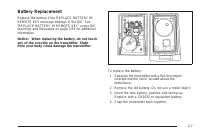
Battery Replacement Replace the battery if the REPLACE BATTERY INREMOTE KEY message displays in the DIC. See“REPLACE BATTERY IN REMOTE KEY” under DICWarnings and Messages on page 3-56 for additionalinformation. Notice: When replacing the battery, do not touchany of the circuitry on the transmitter. ...
Remote Vehicle Start This feature allows you to start the engine from outside ofthe vehicle. It may also start up the vehicle’s heating orair conditioning systems and rear window defogger.Normal operation of the system will return after the keyis turned to the ON/RUN position. During a remote start,...
Doors and Locks Door Locks { CAUTION: Unlocked doors can be dangerous. • Passengers, especially children, can easilyopen the doors and fall out of a moving vehicle.When a door is locked, the handle will not openit. The chance of being thrown out of thevehicle in a crash is increased if the doors are...
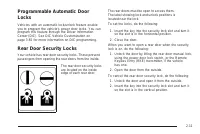
Programmable Automatic DoorLocks Vehicles with an automatic lock/unlock feature enableyou to program the vehicle’s power door locks. You canprogram this feature through the Driver InformationCenter (DIC). See DIC Vehicle Customization onpage 3-65 for more information on DIC programming. Rear Door Se...
Lockout Protection This feature protects you from locking the key in thevehicle when the key is in the ignition and a front dooris open. If the driver’s side power door lock switch is pressedwhen the driver’s door is open and the key is in theignition, all of the doors will lock and then the driver’...
Power Liftgate Power Liftgate Operation { CAUTION: Exhaust gases can enter the vehicle if it is drivenwith the liftgate, trunk/hatch open, or with anyobjects that pass through the seal between thebody and the trunk/hatch or liftgate. Engineexhaust contains Carbon Monoxide (CO) whichcannot be seen or...
The power liftgate can be power opened and closed inthe following ways: • Press and hold the power liftgate button on theRemote Keyless Entry (RKE) transmitter untilthe liftgate starts moving. Remote Keyless Entry(RKE) System Operation on page 2-5 for moreinformation. • Pressing the liftgate button ...
Manual Operation of Power Liftgate To change the liftgate to manual operation, press theswitch on the overhead console to the OFF position. With the power liftgate disabled and all of the doorsunlocked, the liftgate can be manually opened andclosed. To open the liftgate, press the touchpad on the ha...
Windows { CAUTION: Leaving children, helpless adults, or pets in avehicle with the windows closed is dangerous.They can be overcome by the extreme heat andsuffer permanent injuries or even death from heatstroke. Never leave a child, a helpless adult, or apet alone in a vehicle, especially with the w...
Power Windows { CAUTION: Leaving children in a vehicle with the keys isdangerous for many reasons, children or otherscould be badly injured or even killed. They couldoperate the power windows or other controls oreven make the vehicle move. The windows willfunction and they could be seriously injured...
Programming the Power Windows If the battery on the vehicle has been recharged,disconnected, or is not working, you will need toreprogram each front power window for the express-upfeature to work. Before reprogramming, replace orrecharge the vehicle’s battery. To program each front window, follow th...
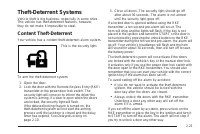
Theft-Deterrent Systems Vehicle theft is big business, especially in some cities.This vehicle has theft-deterrent features, however,they do not make it impossible to steal. Content Theft-Deterrent Your vehicle has a content theft-deterrent alarm system. This is the security light. To arm the theft-d...
Testing the Alarm To test the alarm: 1. From inside the vehicle, lower the driver’s window and open the driver’s door. 2. Activate the system by locking the doors with the power door lock switch while the door is open, orwith the RKE transmitter. 3. Get out of the vehicle, close the door and wait fo...
PASS-Key ® III+ Electronic Immobilizer Operation Your vehicle has PASS-Key ® III+ (Personalized Automotive Security System) theft-deterrent system.PASS-Key ® III+ is a passive theft-deterrent system. The system is automatically armed when the keyis removed from the ignition. The system is automatica...
Ignition Positions The ignition switch hasfour different positions. To shift out of P (Park), the ignition must be in ON/RUNor ACC/ACCESSORY and the regular brake pedal mustbe applied. A (LOCK/OFF): This position locks the ignition. It mayalso lock the steering wheel and automatic transmission.The k...
Retained Accessory Power (RAP) The following vehicle accessories can be used for up to10 minutes after the engine is turned off: • Audio System • Power Windows • OnStar ® System (if equipped) • Sunroof (if equipped) These features work when the key is in ON/RUN orACC/ACCESSORY. Once the key is turne...
2. If the engine does not start after 5-10 seconds, especially in very cold weather (below 0°F or − 18°C), it could be flooded with too much gasoline. Trypushing the accelerator pedal all the way to the floorand holding it there as you hold the key in STARTfor up to a maximum of 15 seconds. Wait at ...
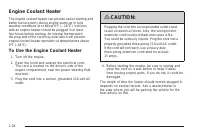
Engine Coolant Heater The engine coolant heater can provide easier starting andbetter fuel economy during engine warm-up in coldweather conditions at or below 0°F ( − 18°C). Vehicles with an engine heater should be plugged in at leastfour hours before starting. An internal thermostat inthe plug-end ...
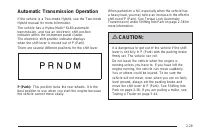
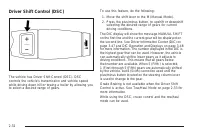
Automatic Transmission Operation If the vehicle is a Two-mode Hybrid, see the Two-modeHybrid manual for more information. The vehicle has a Hydra-Matic ® 6L80 automatic transmission, and has an electronic shift positionindicator within the instrument panel cluster.The electronic shift position indic...
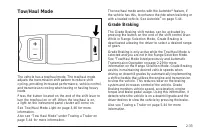
Tow/Haul Mode The vehicle has a tow/haul mode. The tow/haul modeadjusts the transmission shift pattern to reduce shiftcycling, providing increased performance, vehicle control,and transmission cooling when towing or hauling heavyloads. Press the button located on the end of the shift lever toturn th...
Cruise Grade Braking Cruise Grade Braking assists when driving on a downhillgrade. It maintains vehicle speed by automaticallyimplementing a shift schedule that uses the engine andthe transmission to slow the vehicle. Cruise GradeBraking operates while Cruise Control is engaged inTow/Haul mode to as...
Shifting Into Park { CAUTION: It can be dangerous to get out of the vehicle if theshift lever is not fully in P (Park) with the parkingbrake firmly set. The vehicle can roll. If you haveleft the engine running, the vehicle can movesuddenly. You or others could be injured. To besure the vehicle will ...
Torque Lock If you are parking on a hill and you do not shift thetransmission into P (Park) properly, the weight of thevehicle can put too much force on the parking pawl in thetransmission. It might be difficult to pull the shift lever outof P (Park). This is called torque lock. To prevent torqueloc...
Running the Vehicle While Parked It is better not to park with the engine running. But if youever have to, here are some things to know. { CAUTION: Idling a vehicle in an enclosed area with poorventilation is dangerous. Engine exhaust mayenter the vehicle. Engine exhaust contains CarbonMonoxide (CO)...
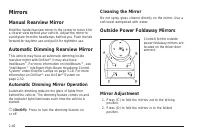
Mirrors Manual Rearview Mirror Hold the inside rearview mirror in the center to move it fora clearer view behind your vehicle. Adjust the mirror toavoid glare from the headlamps behind you. Push the tabforward for daytime use and pull it for nighttime use. Automatic Dimming Rearview Mirror This vehi...
Resetting the Power Foldaway Mirrors Reset the power foldaway mirrors if: • The mirrors are accidentally obstructed whilefolding. • They are accidentally manually folded/unfolded. • The mirrors will not stay in the unfolded position. • The mirrors vibrate at normal driving speeds. Fold and unfold th...
Outside Heated Mirrors < (Rear Window Defogger): Press to heat the mirrors. See “Rear Window Defogger” under Dual AutomaticClimate Control System on page 3-27 for moreinformation. Object Detection Systems Ultrasonic Rear ParkingAssist (URPA) For vehicles with the Ultrasonic Rear Parking Assist(UR...
The display is located nearthe passenger side rearwindow and can be seenby looking over your rightshoulder. URPA uses three color-coded lights to provide distanceand system information. How the System Works URPA comes on automatically when the shift lever ismoved into R (Reverse). The rear display b...
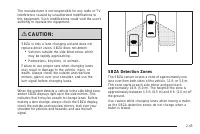
The manufacturer is not responsible for any radio or TVinterference caused by unauthorized modifications tothis equipment. Such modifications could void the user’sauthority to operate the equipment. { CAUTION: SBZA is only a lane changing aid and does notreplace driver vision. SBZA does not detect: ...
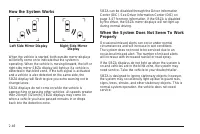
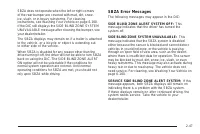
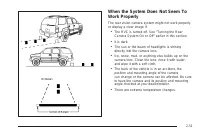
SBZA does not operate when the left or right cornersof the rear bumper are covered with mud, dirt, snow,ice, slush, or in heavy rainstorms. For cleaninginstructions, see Washing Your Vehicle on page 6-100.If the DIC still displays the SIDE BLIND ZONE SYSTEMUNAVAILABLE message after cleaning the bump...
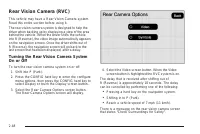
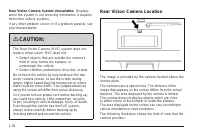
Rear Vision Camera System Unavailable: Displayswhen the system is not receiving information it requiresfrom other vehicle systems. If any other problem occurs or if a problem persists, seeyour dealer/retailer. { CAUTION: The Rear Vision Camera (RVC) system does notreplace driver vision. RVC does not...
OnStar Services Available with theSafe & Sound Plan • Automatic Notification of Airbag Deployment • Advanced Automatic Crash Notification (AACN)(If equipped) • Link to Emergency Services • Roadside Assistance • Stolen Vehicle Location Assistance • Remote Door Unlock/Vehicle Alert • OnStar Vehicl...
Your Responsibility Increase the volume of the radio if the OnStar advisorcannot be heard. If the light next to the OnStar buttons isred, the system may not be functioning properly. Pressthe OnStar button and request a vehicle diagnostic. If thelight appears clear (no light is appearing), your OnSta...
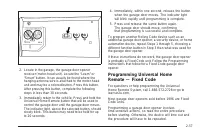
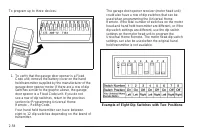
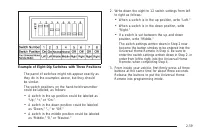
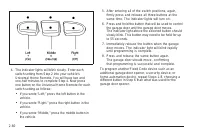
Using Universal Home Remote Press and hold the appropriate button for at leasthalf of a second. The indicator light will come onwhile the signal is being transmitted. Reprogramming Universal HomeRemote Buttons Any of the three buttons can be reprogrammed byrepeating the instructions. Erasing Univers...
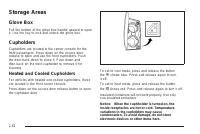
Storage Areas Glove Box Pull the bottom of the glove box handle upward to openit. Use the key to lock and unlock the glove box. Cupholders Cupholders are located in the center console for thefront passengers. Press down on the access doorrelease to open and use the front cupholders. Pushthe door bac...
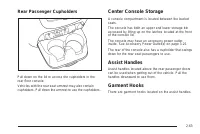
Rear Passenger Cupholders Pull down on the lid to access the cupholders in therear floor console. Vehicles with the rear seat armrest may also containcupholders. Pull down the armrest to use the cupholders. Center Console Storage A console compartment is located between the bucketseats. The console ...
Luggage Carrier For vehicles with a luggage carrier, items can be loadedon top of the vehicle. The luggage carrier has siderails attached to the roof andcrossrails, if equipped, which can be moved back andforth to help secure cargo. To adjust them, turn the knoblocated at each end of the crossrail c...
Rear Storage Area For vehicles with a rear storage area, it is located in therear cargo area of the vehicle on the driver’s side trimpanel. Turn the knobs and swing the storage door to accessthe storage compartment. The door can be removed. Rear Seat Armrest For vehicle with an armrest/storage compa...
Security Light . . . . . . . . . . . . . . . . . . . . . . . . . . . . . . . . . . . . . . . . . . . . . . .3-45Fog Lamp Light . . . . . . . . . . . . . . . . . . . . . . . . . . . . . . . . . . . . . . . . . . . .3-45Lights On Reminder . . . . . . . . . . . . . . . . . . . . . . . . . . . . . . . ....
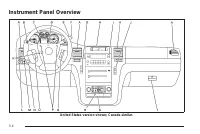
Instrument Panel Overview United States version shown; Canada similar. 3-4
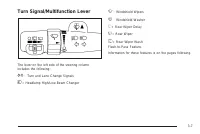
Turn Signal/Multifunction Lever The lever on the left side of the steering columnincludes the following: G : Turn and Lane Change Signals 5 : Headlamp High/Low-Beam Changer N : Windshield Wipers L : Windshield Washer 5 : Rear Wiper Delay Z : Rear Wiper = : Rear Wiper Wash Flash-to-Pass Feature. Info...
Turn and Lane-Change Signals An arrow on the instrumentpanel cluster flashes in thedirection of the turn orlane change. Move the lever all the way up or down to signal a turn. Raise or lower the lever for less than one seconduntil the arrow starts to flash to signal a lane change.This causes the tur...
Flash-to-Pass This feature lets you use the high-beam headlamps tosignal a driver in front of you that you want to pass.It works even if the headlamps are in the automaticposition. To use it, pull the turn signal lever toward you, thenrelease it. If the headlamps are in the automatic position or on ...
Rainsense™ II Wipers The vehicle has Rainsense™ II windshield wipers.These wipers automatically turn on when a sensor,mounted next to the inside rearview mirror, detectsmoisture on the windshield. When active, these wipersare able to detect moisture on the windshield andautomatically turn on the wip...
Windshield Washer { CAUTION: In freezing weather, do not use your washer untilthe windshield is warmed. Otherwise the washerfluid can form ice on the windshield, blocking yourvision. L (Washer Fluid): There is a paddle marked with the windshield washer symbol at the top of the multifunctionlever. To...
Rear Window Wiper/Washer { CAUTION: In freezing weather, do not use your washer untilthe windshield is warmed. Otherwise the washerfluid can form ice on the windshield, blocking yourvision. The rear wiper control is located on the turnsignal/multifunction lever. To turn the rear wiper on, slide the ...
Cruise Control { CAUTION: Cruise control can be dangerous where you cannotdrive safely at a steady speed. So, do not use thecruise control on winding roads or in heavy traffic. Cruise control can be dangerous on slippery roads.On such roads, fast changes in tire traction cancause excessive wheel sli...
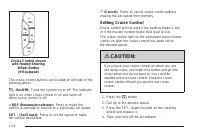
The cruise control buttons are located on left side of thesteering wheel. T (On/Off): Turns the system on or off. The indicator light is on when cruise control is on and turns offwhen cruise control is off. + RES (Resume/Accelerate): Press to make thevehicle accelerate or resume to a previously set ...
Resuming a Set Speed If the cruise control is set at a desired speed andthen the brakes are applied, this shuts off the cruisecontrol. But it does not need to be reset. Once the vehicle speed reaches about 25 mph(40 km/h) or more, press the +RES button on thesteering wheel. The vehicle returns to th...
Using Cruise Control on Hills How well the cruise control will work on hills dependsupon the vehicle speed, load, and the steepness ofthe hills. When going up steep hills, you might have tostep on the accelerator pedal to maintain the vehicle’sspeed. When going downhill, you might have to brakeor sh...
IntelliBeam ® Intelligent High-Beam Headlamp Control System For vehicles with this feature, be sure to read this entiresection before using it. IntelliBeam ® is an enhancement to the vehicle’s headlamp system. Using a digital light sensor on therearview mirror, this system will turn the vehicle’shig...
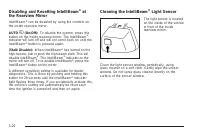
Disabling and Resetting IntelliBeam ® at the Rearview Mirror IntelliBeam ® can be disabled by using the controls on the inside rearview mirror. AUTO 3 (On/Off): To disable the system, press this button on the inside rearview mirror. The IntelliBeam ® indicator will turn off and will not come back on...
Headlamps on Reminder If a door is open, a reminder chime will sound whenthe headlamps or parking lamps are manually turned onand the key is out of the ignition. To turn off the chime,turn the headlamp switch to off or AUTO and then backon, or close and re-open the door. In the AUTO mode,the headlam...
There is a delay in the transition between the daytimeand nighttime operation of the Daytime Running Lamps(DRL) and the automatic headlamp systems so thatdriving under bridges or bright overhead street lightsdoes not affect the system. The DRL and automaticheadlamp system is only affected when the l...
Instrument Panel Brightness D (Instrument Panel Brightness): This feature controls the brightness of the instrument panel lightsand is located next to the exterior lamp control. Push the knob to extend out and then it can be turned. Turn the knob clockwise or counterclockwise to brightenor dim the i...
Battery Run-Down Protection This feature shuts off the dome lamps if they are lefton for more than 10 minutes when the ignition isin LOCK/OFF. This helps to prevent the batteryfrom running down. Accessory Power Outlet(s) The accessory power outlets let you plug in auxiliaryelectrical equipment, such...
Ashtray(s) and Cigarette Lighter The front ashtray and cigarette lighter are located in thecenter console near the cupholders, if the vehicle hasthem. Press on the access door to open it and usethe ashtray and lighter. Notice: If papers, pins, or other flammable itemsare put in the ashtray, hot ciga...
Climate Controls Dual Automatic Climate ControlSystem The heating, cooling, and ventilation in the vehicle canbe controlled with this system. The vehicle also hasa flow-through ventilation system described later inthis section. A. Driver and Passenger Temperature Controls B. AUTOC. Defrost D. Recirc...
Automatic Operation AUTO (Automatic): When automatic operation isactive the system will control the inside temperature,the air delivery, and the fan speed. Use the steps below to place the entire system inautomatic mode: 1. Press the AUTO button. When AUTO is selected, the display will change toshow...
Manual Operation y 9 z (Fan Control): Press the up or down arrows to increase or decrease the fan speed Pressing this button when the system is off will turn thesystem on. Pressing either arrow while using automatic operationwill place the fan in manual operation. The fan setting willdisplay and the...
Rear Window Defogger The rear window defogger uses a warming grid toremove fog from the rear window. < (Rear Window Defogger): Press to turn the rear window defogger on or off. It automatically turns off afterit has been activated. The defogger can also be turned offby turning off the engine. Do ...
Automatic Operation, If Equipped. AUTO: Press the air delivery mode button until thissetting is selected to control the inside temperature, airdelivery, and fan speed. AUTO appears in the displaywhen automatic operation is active. +/ − (Increase/Decrease Temperature): Press the + or − buttons to inc...
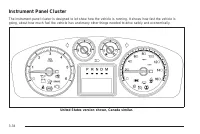
Instrument Panel Cluster The instrument panel cluster is designed to let show how the vehicle is running. It shows how fast the vehicle isgoing, about how much fuel the vehicle has and many other things needed to drive safely and economically. United States version shown, Canada similar. 3-34
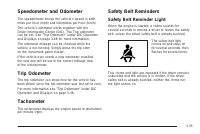
Speedometer and Odometer The speedometer shows the vehicle’s speed in bothmiles per hour (mph) and kilometers per hour (km/h). The vehicle’s odometer works together with theDriver Information Center (DIC). The Trip odometercan be set. See “Trip Odometer” under DIC Operationand Displays on page 3-48 ...
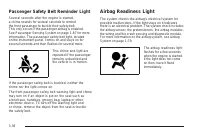
Passenger Safety Belt Reminder Light Several seconds after the engine is started,a chime sounds for several seconds to remindthe front passenger to buckle their safety belt.This only occurs if the passenger airbag is enabled.See Passenger Sensing System on page 1-87 for moreinformation. The passenge...
{ CAUTION: If the airbag readiness light stays on after thevehicle is started or comes on while driving, itmeans the airbag system might not be workingproperly. The airbags in the vehicle might notinflate in a crash, or they could even inflatewithout a crash. To help avoid injury, have thevehicle se...
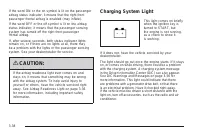
If the word ON or the on symbol is lit on the passengerairbag status indicator, it means that the right frontpassenger frontal airbag is enabled (may inflate). If the word OFF or the off symbol is lit on the airbagstatus indicator, it means that the passenger sensingsystem has turned off the right f...
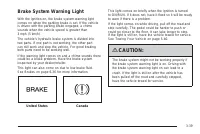
Brake System Warning Light With the ignition on, the brake system warning lightcomes on when the parking brake is set. If the vehicleis driven with the parking brake engaged, a chimesounds when the vehicle speed is greater than3 mph (5 km/h). The vehicle’s hydraulic brake system is divided intotwo p...
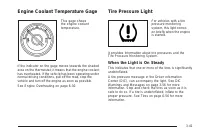
Engine Coolant Temperature Gage This gage showsthe engine coolanttemperature. If the indicator on the gage moves towards the shadedarea on the thermostat, it means that the engine coolanthas overheated. If the vehicle has been operating undernormal driving conditions, pull off the road, stop thevehi...
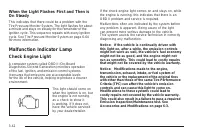
When the Light Flashes First and Then isOn Steady This indicates that there could be a problem with theTire Pressure Monitor System. The light flashes for abouta minute and stays on steady for the remainder of theignition cycle. This sequence repeats with every ignitioncycle. See Tire Pressure Monit...
Emissions Inspection and MaintenancePrograms Some state/provincial and local governments have ormight begin programs to inspect the emission controlequipment on the vehicle. Failure to pass this inspectioncould prevent getting a vehicle registration. Here are some things to know to help the vehicle ...
DIC Operation and Displays The DIC has different displays which can be accessedby pressing the DIC buttons located on the instrumentpanel, next to the steering wheel. The DIC displays trip, fuel, and vehicle systeminformation, and warning messages if a system problemis detected. A digital speedomete...
Trip/Fuel Menu Items 3 (Trip/Fuel): Press this button to scroll through the following menu items: Odometer Press the trip/fuel button until ODOMETER displays.This display shows the distance the vehicle hasbeen driven in either miles (mi) or kilometers (km). To switch between English and metric measu...
Vehicle Information Menu Items T (Vehicle Information): Press this button to scroll through the following menu items: Oil Life Press the vehicle information button until OIL LIFEREMAINING displays. This display shows an estimate ofthe oil’s remaining useful life. If you see 99% OIL LIFEREMAINING on ...
Relearn Remote Key This display allows you to match Remote KeylessEntry (RKE) transmitters to your vehicle. To matchan RKE transmitter to your vehicle: 1. Press the vehicle information button until PRESS V TO RELEARN REMOTE KEY displays. 2. Press the set/reset button until REMOTE KEY LEARNING ACTIVE...
Compass Zone The zone is set to zone eight upon leaving the factory.Your dealer/retailer will set the correct zone for yourlocation. Under certain circumstances, such as during a longdistance cross-country trip or moving to a new stateor province, it will be necessary to compensate forcompass varian...
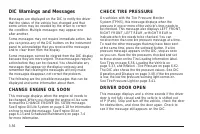
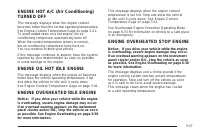
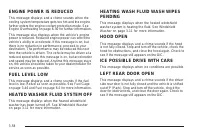
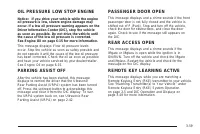
DIC Warnings and Messages Messages are displayed on the DIC to notify the driverthat the status of the vehicle has changed and thatsome action may be needed by the driver to correctthe condition. Multiple messages may appear oneafter another. Some messages may not require immediate action, butyou ca...
SERVICE BRAKES SOON This message displays if there is a problem with thebrake system. If this message appears, stop as soon aspossible and turn off the vehicle. Restart the vehicle andcheck for the message on the DIC display. If the messageis still displayed or appears again when you begin driving,t...
SERVICE THEFT DETERRENT SYSTEM This message displays when there is a problemwith the theft-deterrent system. The vehicle mayor may not restart so you may want to take the vehicleto your dealer/retailer before turning off the engine.See PASS-Key ® III+ Electronic Immobilizer Operation on page 2-23 fo...
DIC Vehicle Customization Your vehicle may have customization capabilities thatallow you to program certain features to one preferredsetting. Customization features can only be programmedto one setting on the vehicle and cannot be programmedto a preferred setting for two different drivers. All of th...
AUTO DOOR UNLOCK This feature allows you to select whether or not toturn off the automatic door unlocking feature. It alsoallows you to select which doors and when the doorswill automatically unlock. See Programmable AutomaticDoor Locks on page 2-11 for more information. Press the customization butt...
EXIT LIGHTING This feature allows you to select the amount of timeyou want the exterior lamps to remain on when it is darkenough outside. This happens after the key is turnedfrom ON/RUN to LOCK/OFF. Press the customization button until EXIT LIGHTINGappears on the DIC display. Press the set/resetbutt...
AUTO HIGH BEAMS If your vehicle has this feature, it allows you to selectto have the Intellibeam ® system turned off or on. See Exterior Lamps on page 3-16 for more information. Press the customization button until AUTO HIGHBEAMS appears on the DIC display. Press the set/resetbutton once to access t...
To select a setting, press the set/reset button while thedesired setting is displayed on the DIC. EASY EXIT SETUP If your vehicle has this feature, it allows you to selectwhich areas will recall with the automatic easy exitseat feature. It also allows you to turn off the automaticeasy exit feature. ...
REMOTE START If your vehicle has this feature, it allows you to turn theremote start off or on. The remote start feature allows youto start the engine from outside of the vehicle using theRemote Keyless Entry (RKE) transmitter. See RemoteVehicle Start on page 2-8 for more information. Press the cust...
FACTORY SETTINGS This feature allows you to set all of the customizationfeatures back to their factory default settings. Press the customization button until FACTORYSETTINGS appears on the DIC display. Press theset/reset button once to access the settings forthis feature. Then press the customizatio...
Deleting a Paired Phone 1. Press and hold b g for two seconds. The system responds with “Ready” followed by a tone. 2. Say “Bluetooth”. The system responds with “Bluetooth ready” followed by a tone. 3. Say “Delete”. The system asks which phone to delete followed by a tone. 4. Say the name of the pho...
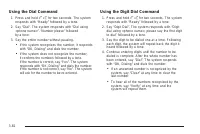
3. Say the first digit to be stored. The system will repeat back the digit it heard followed by a tone.Continue entering digits until the number to bestored is complete. • If an unwanted number is recognized by thesystem, say “Clear” at any time to clear thelast number. • To hear all of the numbers ...
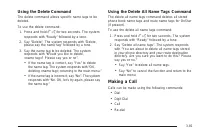
Using the Delete Command The delete command allows specific name tags to bedeleted. To use the delete command: 1. Press and hold b g for two seconds. The system responds with “Ready” followed by a tone. 2. Say “Delete”. The system responds with “Delete, please say the name tag” followed by a tone. 3...
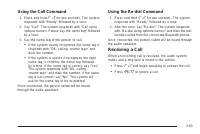
Using the Call Command 1. Press and hold b g for two seconds. The system responds with “Ready” followed by a tone. 2. Say “Call”. The system responds with “Call using <phone name>. Please say the name tag” followedby a tone. 3. Say the name tag of the person to call. • If the system clearly re...
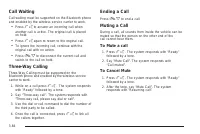
Call Waiting Call waiting must be supported on the Bluetooth phoneand enabled by the wireless service carrier to work. • Press b g to answer an incoming call when another call is active. The original call is placedon hold. • Press b g again to return to the original call. • To ignore the incoming ca...
Transferring a Call Audio can be transferred between the in-vehicleBluetooth system and the cell phone. To Transfer Audio to the Cell Phone During a call with the audio in the vehicle: 1. Press b g . The system responds with “Ready” followed by a tone. 2. Say “Transfer Call.” The system responds wit...
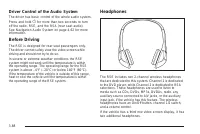
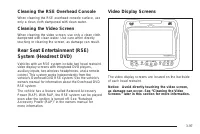
Driver Control of the Audio System The driver has basic control of the whole audio system.Press and hold O for more than two seconds to turn off the radio, RSE, and the RSA (rear seat audio).See Navigation Audio System on page 4-62 for moreinformation. Before Driving The RSE is designed for rear sea...
Audio Output Audio from the DVD player or auxiliary inputs can beheard through the following possible sources: • Wireless Headphones • Vehicle Speakers • Vehicle wired headphone jacks on the rear seataudio system, if the vehicle has this feature. The RSE system always transmits the audio signal toth...
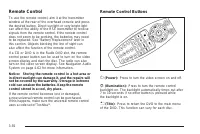
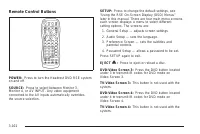
Remote Control To use the remote control, aim it at the transmitterwindow at the rear of the overhead console and pressthe desired button. Direct sunlight or very bright lightcan affect the ability of the RSE transmitter to receivesignals from the remote control. If the remote controldoes not seem t...
Problem Recommended Action The auxiliary source isrunning but there is nopicture or sound. Check that the RSE videoscreen is in the auxiliarysource mode.Check the auxiliary inputconnections at bothdevices. Sometimes the wirelessheadphone audio cutsout or buzzes. Check for obstructions,low batteries,...
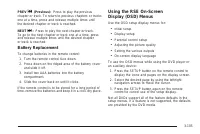
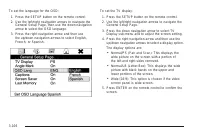
Using the RSE System DVD Player: The loading slot for the DVD player islocated at the top of the head restraint. Insert the discpartially into the loading slot with the printed side facingthe rear of the vehicle. The DVD player automaticallydraws the disc in, “Loading” displays on the screenalong wi...
Headphone Jack: Wired headphones can beplugged into the headphone jack with one-eighth inchstereo plugs. AV INPUT: (Audio/Video Input Jack): The audio/videoinput jack is located below the video display screenand allows viewing of auxiliary sources such as portableDVD players, game stations, or video...
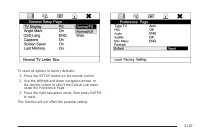
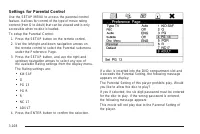
Settings for Parental Control Use the SETUP MENU to access the parental controlfeature. It allows for control of the type of movie ratingcontent (from G to Adult) that can be viewed and is onlyaccessible when no disc is loaded. To setup the Parental Control: 1. Press the SETUP button on the remote c...
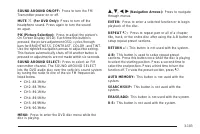
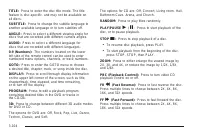
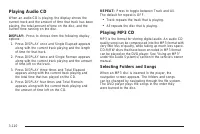
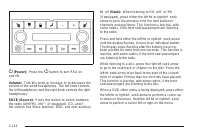
Playing Audio CD When an audio CD is playing, the display shows thecurrent track and the amount of time that track has beenplaying, the total amount of time on the disc, and thecurrent time running on the disc. DISPLAY: Press to choose from the following displayoptions: 1. Press DISPLAY once and Sin...
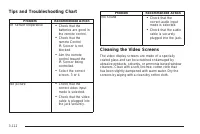
Tips and Troubleshooting Chart Problem Recommended Action IR Sensor Inoperative • Check that thebatteries are good inthe remote control. • Check that theremote ControlIR Sensor is notblocked. • Aim the remotecontrol toward theIR Sensor beingcontrolled. • Select the correctscreen, 3 or 4. No picture ...
Cleaning the Components Use care when touching or cleaning the componentssuch as the DVD player or the discs. Do not use DVD lens cleaners for DVD players becausethe lens of the DVD optics can become contaminatedby lubricants. Handle CDs and DVDs carefully. Store them in theiroriginal cases or other...
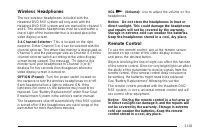
PROG (Program): Press this button to go to thenext preset radio station or channel set on the mainradio. This function is inactive, with some radios, if thefront seat passengers are listening to the radio. When a CD or DVD audio disc is playing, press thisbutton to go to the beginning of the CD or D...
b g (Mute/Push to Talk): Press to silence the vehicle speakers only. Press again to turn the sound on. For vehicles with OnStar ® or Bluetooth systems press and hold b g for longer than two seconds to interact with those systems. See OnStar ® System on page 2-52 and Bluetooth ® on page 3-75 for more...
XM™ Satellite Radio Service XM Satellite Radio Service gives digital radio receptionfrom coast-to-coast in the 48 contiguous United States,and in Canada. Just as with FM, tall buildings or hills caninterfere with satellite radio signals, causing the sound tofade in and out. In addition, traveling or...
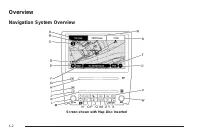
Overview Navigation System Overview Screen shown with Map Disc Inserted 4-2
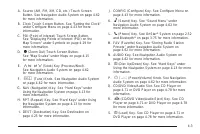
A. Source (AM, FM, XM, CD, etc.) Touch Screen Button. See Navigation Audio System on page 4-62for more information. B. Clock Touch Screen Button. See “Setting the Clock” under Configure Menu on page 4-43 for moreinformation. C. POI (Point of Interest) Touch Screen Button. See “Displaying Points of I...
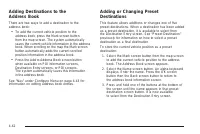
T. Map DVD Slot. See “Installing the Map DVD” under Maps on page 4-15 for information on how toinstall and eject a map DVD. U. Z (DVD Map Disc Eject) Key. See Maps on page 4-15 for more information. V. Mark Touch Screen Button. See “Adding Destinations to the Address Book” underDestination on page 4...
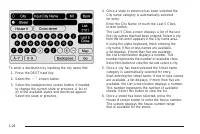
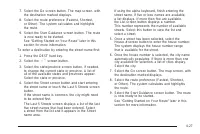
Entering an Address and Pointof Interest, and Storing PresetDestinations Entering an Address Enter a destination by inputting the city name first: 1. If the radio is already on with a map disc inserted, skip to Step 5. 2. Press O to turn the system on. 3. Insert the DVD map disc. See “Installing the...
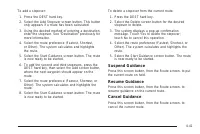
Storing Preset Destinations 1. If the radio is already on with a map disc inserted, skip to Step 5. 2. Press O to turn the system on. 3. Insert the DVD map disc. See “Installing the Map DVD” under Maps on page 4-15 for moreinformation. 4. A caution may appear. Touch the OK screen button to proceed. ...
4. A caution may appear. Touch the OK screen button to proceed. 5. Press the DEST hard key. 6. Select one of the available preset destination screen buttons. A map screen, with the destinationmarked appears. 7. Select the route preference (Fastest, Shortest, or Other). The system calculates and high...
Features and Controls Using the Navigation System This section presents basic information needed tooperate the navigation system. Use the hard keys located on the navigation systemalong with the available touch-sensitive screen buttonson the navigation screen to operate the system.See Navigation Sys...
5 (Phone): Press to access calling through OnStar ® . See OnStar ® System on page 2-52 and Bluetooth ® on page 3-75 for more information. e (Sound): Press to access the Sound screen to adjust bass, midrange, treble, and Digital SignalProcessing (DSP). See “Sound Menu” under NavigationAudio System on...
Alpha-Numeric Keyboard Letters of the alphabet, symbols, punctuation, andnumbers, when available, displays on the navigationscreen as an alpha or numeric keyboard. The alphakeyboard displays when the system requires entry ofa city or street name. All characters are touch-sensitive screen buttons.Tou...
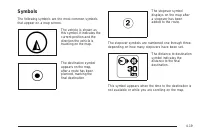
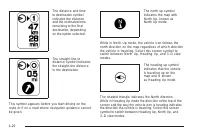
Symbols The following symbols are the most common symbolsthat appear on a map screen. The vehicle is shown asthis symbol. It indicates thecurrent position and thedirection the vehicle istraveling on the map. The destination symbolappears on the map,after a route has beenplanned, marking thefinal des...
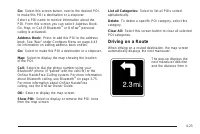
Go: Select this screen button, next to the desired POI,to make this POI a destination or a stopover. Select a POI name to receive information about thePOI. From this screen you can select: Address Book,Go, Map, or Call (if Bluetooth ® or OnStar ® personal calling is activated). Address Book: Press t...
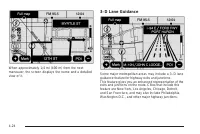
When approximately 1/4 mi (400 m) from the nextmaneuver, the screen displays the name and a detailedview of it. 3–D Lane Guidance Some major metropolitan areas may include a 3–D laneguidance feature for highway exits and junctions.This feature gives you an enhanced representation of theexits and jun...
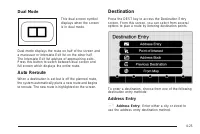
Dual Mode This dual screen symboldisplays when the screenis in dual mode. Dual mode displays the route on half of the screen anda maneuver or Interstate Exit list on the other half.The Interstate Exit list advises of approaching exits.Press this button to switch between dual screen andfull screen wh...
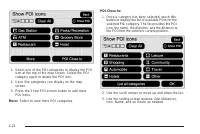
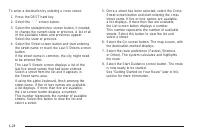
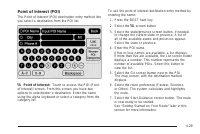
To use the point of interest destination entry method byselecting a category: 1. Press the DEST hard key. 2. Select the i screen button. 3. Select the Browse POI Categories screen button to view the list of POI categories. 4. Select a category. The system displays available POI names in theselected ...
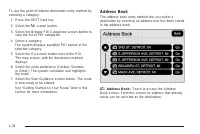
To use the address book entry method: 1. Press the DEST hard key. 2. Select the g screen button. A list of the address book addresses display. 3. Select the Go screen button next to the destination. The map screen, with the destination markeddisplays. 4. Select the route preference (Fastest, Shortes...
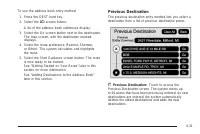
To use the previous destination entry method: 1. Press the DEST hard key. 2. Select the / screen button. 3. Select a previous destination from the list. Use the arrow to the right of the destination to view the entiredestination name as necessary. Use the scrollarrows to the left to scroll through t...
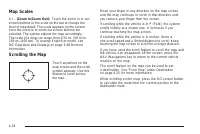
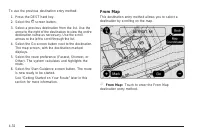
To use this destination entry method: 1. Press the DEST hard key. 2. Select the ) screen button. A map screen displays with the scrolling symbol. 3. Use the 0 / 1 screen buttons and touch on the map to find the area that you would like to selectas your destination. Pressing/holding and dragging your...
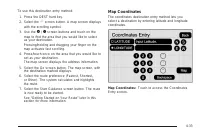
To use the coordinates destination entry method: 1. Press the DEST hard key. 2. Select the From Map screen button. 3. Select the Map Coordinates screen button. 4. Select Latitude and select either N (north) or S (south) to enter the direction of the latitudecoordinate. Enter the numeric portion of t...
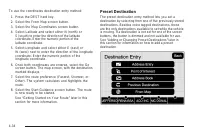
To use the preset destination entry method: 1. Press the DEST hard key. 2. Select the desired preset destination screen button. The screen buttons are labeled with the name thatwas selected for the destination when it was stored.The map screen, with the destination markeddisplays. 3. Select the rout...
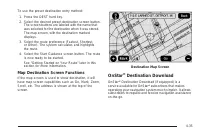
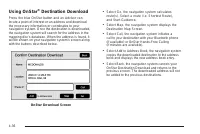
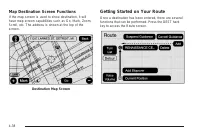
Map Destination Screen Functions If the map screen is used to show destination, it willhave map screen capabilities such as Go, Mark, Zoom,Scroll, etc. The address is shown at the top of thescreen. Getting Started on Your Route Once a destination has been entered, there are severalfunctions that can...
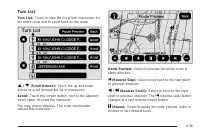
Turn List Turn List: Touch to view the list of turn maneuvers forthe entire route and to avoid turns on the route. r / q (Scroll Arrows): Touch the up and down arrows to scroll through the list of maneuvers. Avoid: Touch this screen button, next to the adjacentstreet name, to avoid the maneuver. The...
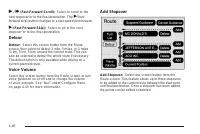
r / [ (Fast Forward Scroll): Select to scroll to the next stopover or to the final destination. The u (fast forward skip) button changes to a fast speed fast forward. u (Fast Forward Skip): Select to go to the next stopover or to the final destination. Detour Detour: Select this screen button from t...
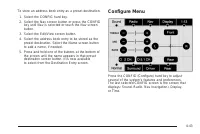
To store an address book entry as a preset destination: 1. Select the CONFIG hard key. 2. Select the Nav screen button or press the CONFIG key until Nav is selected or touch the Nav screenbutton. 3. Select the Edit/View screen button. 4. Select the address book entry to be stored as the preset desti...
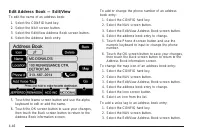
Edit Address Book — Edit/View To edit the name of an address book: 1. Select the CONFIG hard key. 2. Select the NAV screen button. 3. Select the Edit/View Address Book screen button. 4. Select the Address book entry. 5. Touch the Name screen button and use the alpha keyboard to edit or add the name....
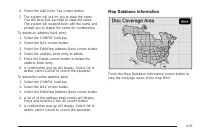
4. Select the Add Voice Tag screen button. 5. The system will ask for you to state the name. You will have four seconds to state the name.The system will respond back with the name andprompt you to repeat the name for confirmation. To delete an address book entry: 1. Select the CONFIG hard key. 2. S...
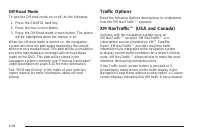
Off-Road Mode To turn the Off-road mode on or off, do the following: 1. Press the CONFIG hard key. 2. Press the Nav screen button. 3. Press the Off-Road mode screen button. The button will be highlighted when the feature is on. When the off-road mode is turned on, the navigationsystem will show the ...
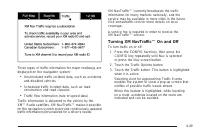
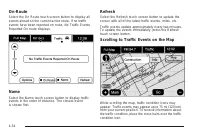
Three types of traffic information for major roadways aredisplayed on the navigation system: • Unscheduled traffic incident data, such as accidentsand disabled vehicles • Scheduled traffic incident data, such as roadconstruction and road closures • Traffic flow information (rate of speed data) Traff...
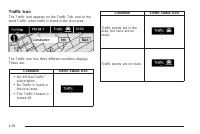
Traffic Icon The Traffic Icon appears on the Traffic Tab, next to theword Traffic, when traffic is found in the local area. The Traffic Icon has three different condition displays.These are: Condition Traffic Status Icon • No XM NavTraffic™subscription. • No Traffic is found inthe local area. • The ...
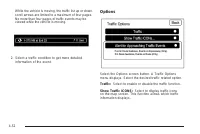
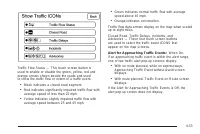
While the vehicle is moving, the traffic list up or down,scroll arrows are limited to a maximum of four pages.No more than four pages of traffic events may beviewed while the vehicle is moving. 2. Select a traffic condition to get more detailed information of the event. Options Select the Options sc...
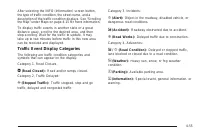
After selecting the INFO (information) screen button,the type of traffic condition, the street name, and adescription of the traffic condition displays. See “Scrollingthe Map” under Maps on page 4-15 for more information. To display traffic events in another state or a greatdistance away, scroll to ...
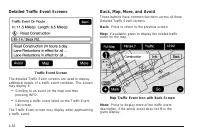
Detailed Traffic Event Screens The detailed Traffic Event screens are used to displayadditional details of a traffic event condition. This screenmay display if: • Scrolling to an event on the map and thenpressing INFO. • Selecting a traffic event listed on the Traffic EventList screen. The Traffic E...
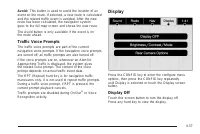
Avoid: This button is used to avoid the location of anevent on the route. If selected, a new route is calculatedand the related traffic event is avoided. After the newroute has been calculated, the navigation systemgoes to the full map screen and shows the new route. The Avoid button is only availab...
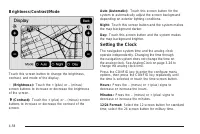
Brightness/Contrast/Mode Touch this screen button to change the brightness,contrast, and mode of the display. ] (Brightness): Touch the + (plus) or − (minus) screen buttons to increase or decrease the brightnessof the screen. _ (Contrast): Touch the + (plus) or − (minus) screen buttons to increase o...
Vehicle Positioning At times, the position of the vehicle on the map may beinaccurate due to one or more of the following reasons: • Road system has changed. • Vehicle is driving on slippery road surfaces such asin sand, gravel, and/or snow. • Vehicle is traveling on winding roads. • Vehicle is on a...
Problems with Route Guidance Inappropriate route guidance may occur under one ormore of the following conditions: • You have not turned onto the road indicated. • Route guidance may not be available when usingautomatic rerouting for the next right or left turn. • The route may not be changed when us...
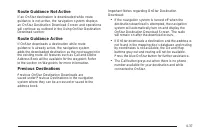
If you have any questions about the operation ofthe navigation system or the update process, contactthe GM Nav Disc Center toll-free phone number,1-877-NAV-DISC (1-877-628-3472) or go to the center’swebsite, gmnavdisc.com. If you need any updates ora replacement disc, because the current disc is los...
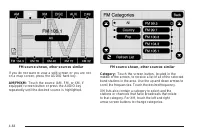
The station information appears on the display.See “Radio Menu” later in this section to add andremove XM categories from the category list. Removedcategories do not appear on the category list screen orwhen the right and left arrow category screen buttonsare used. FM lists may also contain a catego...
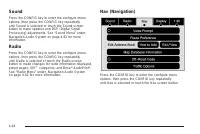
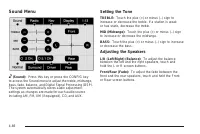
Sound Menu e (Sound): Press this key or press the CONFIG key to access the Sound menu to adjust the treble, midrange,bass, fade, balance, and Digital Signal Processing (DSP).The system automatically stores audio adjustmentsettings as changes are made for each audio sourceincluding AM, FM, XM (if equ...
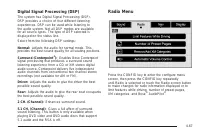
Digital Signal Processing (DSP) The system has Digital Signal Processing (DSP).DSP provides a choice of four different listeningexperiences. DSP can be used while listening tothe audio system. Not all DSP modes are availablefor all source types. The type of DSP selected isdisplayed on the status lin...
Radio Data System (RDS) The audio system has a Radio Data System (RDS).RDS features are available for use only on FM stationsthat broadcast RDS information. With RDS, the radiocan do the following: • Receive announcements concerning local andnational emergencies • Display messages from radio station...
XM™ Radio Messages XL (Explicit Language Channels): XL on the radiodisplay, after the channel name, indicates contentwith explicit language. These channels, or any others,can be blocked at a customer’s request by calling1-800-852-XMXM (9696). XM Updating: The encryption code in the receiver isbeing ...
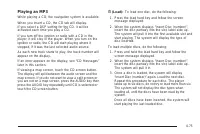
CD Player The player can be used for CD, MP3, DVD audio, andas a DVD video player. See DVD Player on page 4-78for more information about DVD audio and video. Six-Disc CD Player While playing a CD, the navigation system is available. When you insert a CD, the CD tab displays. If aDSP setting is selec...
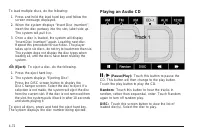
To load multiple discs, do the following: 1. Press and hold the load hard key and follow the screen message displayed. 2. When the system displays “Insert Disc (number)”, insert the disc partway into the slot, label side up.The system will pull it in. 3. Once a disc is loaded, the system will displa...
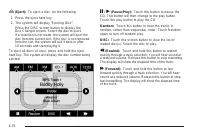
r (Rewind): Touch and hold this button to rewind quickly through a track selection. You will hear sound ata reduced volume. Release this button to stop rewinding.The display will show the elapsed time of the track. [ (Forward): Touch and hold this button to fast forward quickly through a track selec...
• It is recommended that there is a maximum of192 files on a disc. • The files can be recorded on a CD-R or CD-RW witha maximum capacity of 700MB. • DVD with MP3 are not playable on this system. Root Directory The root directory will be treated as a folder. If the rootdirectory has compressed audio ...
Playing an MP3 While playing a CD, the navigation system is available. When you insert a CD, the CD tab will display.If you select a DSP setting for the CD, it will beactivated each time you play a CD. If you turn off the ignition or radio with a CD in theplayer, it will stay in the player. When you...
q r (Folder/Artist/Album): Select the left or right arrow to go to the previous or next folder, artist,or album on the disc. Press the middle screen button, with the folder, artist,or album name, to sort the MP3 by folder, artist, or album.It may take a few minutes for the system to sort the MP3. y ...
DVD Player The player can be used for DVD audio and DVD video. DVD video will not display on the navigation screenunless the vehicle is in PARK (P). It will operate on therear seat entertainment screens while the vehicle ismoving. The Rear Seat Entertainment (RSE) videoscreen will start play of the ...
3. Once a disc is loaded, the system will display “Insert Disc (number)” again. Load the next disc.Repeat this procedure for each disc. The playertakes up to six discs, do not try to load more than six.The system will not display the disc types whenloading all, until the discs have been read by thes...
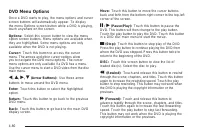
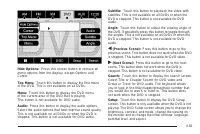
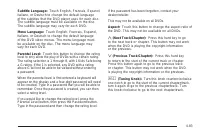
DVD Menu Options Once a DVD starts to play, the menu options and cursorscreen buttons will automatically appear. To displaythe menu Options screen button while a DVD is playing,touch anywhere on the screen. Options: Select this screen button to view the menuoption screen buttons. Menu options are av...
DVD Messages If Disc Read Error appears on the display and/or theDVD comes out, it could be for one of the followingreasons: • If a disc was inserted with an invalid or unknownformat. • If the disc is not from a correct region. • If the map DVD disc was installed into the DVDaudio/video slot. See “I...
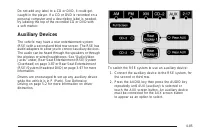
Do not add any label to a CD or DVD, it could getcaught in the player. If a CD or DVD is recorded on apersonal computer and a description label is needed,try labeling the top of the recorded CD or DVD witha soft marker. Auxiliary Devices The vehicle may have a rear entertainment system(RSE) with a s...
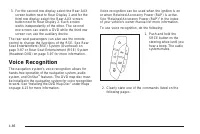
3. For the second row display select the Rear AUX screen button next to Rear Display 1 and for thethird row display select the Rear AUX screenbutton next to Rear Display 2. Each screenworks independently of the other. The secondrow screen can watch a DVD while the third rowscreen can use the auxilia...
Helpful Hints for Stating Commands • When a multiple command is available, choose thecommand that works best. • Words that are in brackets are optional.For example, for the command Radio [band][select] FM, stating Radio FM or Radio selectFM are both valid commands. • When the system recognizes the c...
Braking See Brake System Warning Light on page 3-39. Braking action involves perception time and reactiontime. Deciding to push the brake pedal is perceptiontime. Actually doing it is reaction time. Average reaction time is about three-fourths of a second.But that is only an average. It might be les...
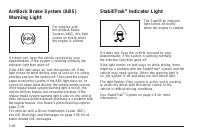
Antilock Brake System (ABS) This vehicle has the Antilock Brake System (ABS), anadvanced electronic braking system that helps prevent abraking skid. When the engine is started and the vehicle begins todrive away, ABS checks itself. A momentary motor orclicking noise might be heard while this test is...
Braking in Emergencies ABS allows the driver to steer and brake at the sametime. In many emergencies, steering can help more thaneven the very best braking. Brake Assist This vehicle has a Brake Assist feature designed to assistthe driver in stopping or decreasing vehicle speed inemergency driving c...
It is recommended to leave the system on for normaldriving conditions, but it may be necessary to turn thesystem off if the vehicle is stuck in sand, mud, ice orsnow, and you want to “rock” the vehicle to attempt tofree it. It may also be necessary to turn off the systemwhen driving in extreme off-r...
Steering Power Steering If the vehicle is a Two-mode Hybrid, see the Two-modeHybrid manual for more information. If power steering assist is lost because the engine stopsor the system is not functioning, the vehicle can besteered but it will take more effort. Steering Tips It is important to take cu...
Passing Passing another vehicle on a two-lane road can bedangerous. To reduce the risk of danger while passing: • Look down the road, to the sides, and to crossroadsfor situations that might affect a successful pass.If in doubt, wait. • Watch for traffic signs, pavement markings, andlines that could...
Before You Go Off-Roading • Have all necessary maintenance and servicework done. • Make sure there is enough fuel, that fluid levels arewhere they should be, and that the spare tire, if thevehicle has one, is fully inflated. • Be sure to read all the information aboutall-wheel-drive vehicles in this...
Controlling the vehicle is the key to successful off-roaddriving. One of the best ways to control the vehicleis to control the speed. At higher speeds: • You approach things faster and have less time toreact. • There is less time to scan the terrain for obstacles. • The vehicle has more bounce when ...
When driving over obstacles or rough terrain, keep a firmgrip on the steering wheel. Ruts, troughs, or other surfacefeatures can jerk the wheel out of your hands. When driving over bumps, rocks, or other obstacles, thewheels can leave the ground. If this happens, evenwith one or two wheels, you cann...
Approaching a Hill When you approach a hill, decide if it is too steep toclimb, descend, or cross. Steepness can be hard tojudge. On a very small hill, for example, there may be asmooth, constant incline with only a small change inelevation where you can easily see all the way to the top.On a large ...
Driving Downhill When off-roading takes you downhill, consider: • How steep is the downhill? Will I be able to maintainvehicle control? • What is the surface like? Smooth? Rough?Slippery? Hard-packed dirt? Gravel? • Are there hidden surface obstacles? Ruts? Logs?Boulders? • What is at the bottom of ...
Driving Across an Incline An off-road trail will probably go across the inclineof a hill. To decide whether to try to drive across theincline, consider the following: { CAUTION: Driving across an incline that is too steep willmake your vehicle roll over. You could beseriously injured or killed. If y...
Stalling on an Incline { CAUTION: Getting out on the downhill (low) side of a vehiclestopped across an incline is dangerous. If thevehicle rolls over, you could be crushed or killed.Always get out on the uphill (high) side of thevehicle and stay well clear of the rollover path. If the vehicle stalls...
Hard packed snow and ice offer the worst tire traction.On these surfaces, it is very easy to lose control.On wet ice, for example, the traction is so poor thatyou will have difficulty accelerating. And, if the vehicledoes get moving, poor steering and difficult braking cancause it to slide out of co...
If the water is not too deep, drive slowly through it. Atfaster speeds, water splashes on the ignition system andthe vehicle can stall. Stalling can also occur if you get thetailpipe under water. If the tailpipe is under water, you willnever be able to start the engine. When going throughwater, reme...
Driving in Rain and on Wet Roads Rain and wet roads can reduce vehicle tractionand affect your ability to stop and accelerate. Alwaysdrive slower in these types of driving conditionsand avoid driving through large puddles anddeep-standing or flowing water. { CAUTION: Wet brakes can cause crashes. Th...
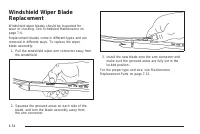
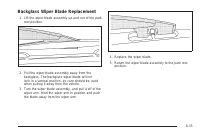
Before Leaving on a Long Trip To prepare your vehicle for a long trip, consider havingit serviced by your dealer/retailer before departing. Things to check on your own include: • Windshield Washer Fluid: Reservoir full? Windowsclean — inside and outside? • Wiper Blades: In good shape? • Fuel, Engine...
Hill and Mountain Roads Driving on steep hills or through mountains is differentthan driving on flat or rolling terrain. Tips for drivingin these conditions include: • Keep the vehicle serviced and in good shape. • Check all fluid levels and brakes, tires, coolingsystem, and transmission. • Going do...
Winter Driving Driving on Snow or Ice Drive carefully when there is snow or ice between thetires and the road, creating less traction or grip. Wet icecan occur at about 32°F (0°C) when freezing rain beginsto fall, resulting in even less traction. Avoid driving on wetice or in freezing rain until roa...
Blizzard Conditions Being stuck in snow can be in a serious situation. Staywith the vehicle unless there is help nearby. If possible,use the Roadside Service on page 8-7. To get help andkeep everyone in the vehicle safe: • Turn on the Hazard Warning Flashers on page 3-6. • Tie a red cloth to an outs...
Notice: Never use recovery hooks to tow thevehicle. Your vehicle could be damaged and it wouldnot be covered by warranty. For vehicles with recovery hooks at the front of thevehicle, you can use them if you are stuck off-road andneed to be pulled to some place where you cancontinue driving. Loading ...
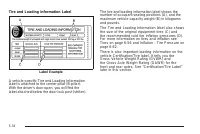
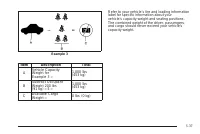
Tire and Loading Information Label A vehicle specific Tire and Loading Informationlabel is attached to the center pillar (B-pillar).With the driver’s door open, you will find thelabel attached below the door lock post (striker). The tire and loading information label shows thenumber of occupant seat...
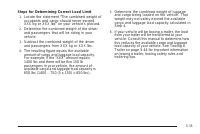
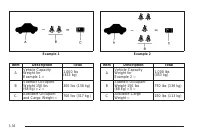
Steps for Determining Correct Load Limit 1. Locate the statement “The combined weight ofoccupants and cargo should never exceedXXX kg or XXX lbs” on your vehicle’s placard. 2. Determine the combined weight of the driverand passengers that will be riding in yourvehicle. 3. Subtract the combined weigh...
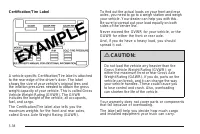
Certification/Tire Label A vehicle specific Certification/Tire label is attachedto the rear edge of the driver’s door. The labelshows the size of your vehicle’s original tires andthe inflation pressures needed to obtain the grossweight capacity of your vehicle. This is called GrossVehicle Weight Rat...
Using heavier suspension components to getadded durability might not change your weightratings. Ask your dealer to help you load yourvehicle the right way. If you put things inside your vehicle — likesuitcases, tools, packages, or anythingelse — they will go as fast as the vehiclegoes. If you have t...
The system is activated when the ignition key isturned to RUN and will automatically adjust vehicleheight thereafter. The system may exhaust (lowervehicle height) for up to 10 minutes after the ignitionkey has been turned to LOCK. You may hear the aircompressor operating when the height is beingadju...
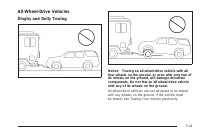
All-Wheel-Drive Vehicles Dinghy and Dolly Towing Notice: Towing an all-wheel-drive vehicle with allfour wheels on the ground, or even with only two ofits wheels on the ground, will damage drivetraincomponents. Do not tow an all-wheel-drive vehiclewith any of its wheels on the ground. All-wheel-drive...
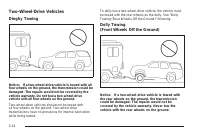
Two-Wheel-Drive Vehicles Dinghy Towing Notice: If a two-wheel-drive vehicle is towed with allfour wheels on the ground, the transmission could bedamaged. The repairs would not be covered by thevehicle warranty. Do not tow a two-wheel-drivevehicle with all four wheels on the ground. Two-wheel-drive v...
Two-wheel-drive vehicles should not be towed withthe rear wheels on the ground. Two-wheel-drivetransmissions have no provisions for internal lubricationwhile being towed. Dolly Towing (Rear Wheels Off the Ground) Use the following procedure to dinghy tow atwo-wheel-drive vehicle from the rear: 1. At...
To identify the trailering capacity of the vehicle, read theinformation in “Weight of the Trailer” that appearslater in this section. Trailering is different than just driving the vehicle by itself.Trailering means changes in handling, acceleration,braking, durability and fuel economy. Successful, s...
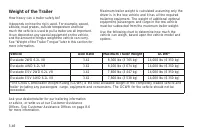
Weight of the Trailer How heavy can a trailer safely be? It depends on how the rig is used. For example, speed,altitude, road grades, outside temperature and howmuch the vehicle is used to pull a trailer are all important.It can depend on any special equipment on the vehicle,and the amount of tongue...
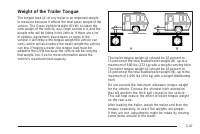
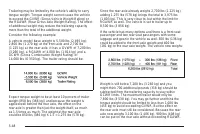
Weight of the Trailer Tongue The tongue load (A) of any trailer is an important weightto measure because it affects the total gross weight of thevehicle. The Gross Vehicle Weight (GVW) includes thecurb weight of the vehicle, any cargo carried in it, and thepeople who will be riding in the vehicle. I...
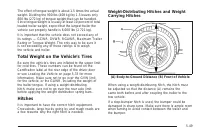
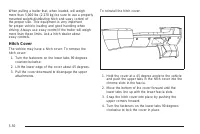
When pulling a trailer that, when loaded, will weighmore than 5,000 lbs (2 270 kg) be sure to use a properlymounted weight-distributing hitch and sway control ofthe proper size. This equipment is very importantfor proper vehicle loading and good handling whendriving. Always use sway control if the t...
Safety Chains Always attach chains between the vehicle and the trailer.Cross the safety chains under the tongue of the trailer tohelp prevent the tongue from contacting the road if itbecomes separated from the hitch. Instructions aboutsafety chains may be provided by the hitch manufactureror by the ...
{ CAUTION: It can be dangerous to get out of the vehicle if theshift lever is not fully in P (Park) with the parkingbrake firmly set. The vehicle can roll. If the engine has been left running, the vehicle canmove suddenly. You or others could be injured.To be sure the vehicle will not move, even whe...
Maintenance When Trailer Towing The vehicle needs service more often when pulling atrailer. See this manual’s Maintenance Schedule or Indexfor more information. Things that are especially importantin trailer operation are automatic transmission fluid,engine oil, axle lubricant, belts, cooling system...
Electric Brake Control WiringProvisions These wiring provisions are included with the vehicleas part of the heavy-duty trailer wiring package.These provisions are for an electric brake controller.The red/black stripe power feed will not be connectedto the battery until the ring terminal is unstowed ...
Service . . . . . . . . . . . . . . . . . . . . . . . . . . . . . . . . . . . . . . . . . . . . . . . . . . . . . . . . . . . .6-3 Accessories and Modifications . . . . . . . . . . . . . . . . . . . . . . . . . .6-3California Proposition 65 Warning . . . . . . . . . . . . . . . . . . . . .6-4Califor...
Service For service and parts needs, visit your dealer/retailer.You will receive genuine GM parts and GM-trained andsupported service people. Genuine GM parts have one of these marks: Accessories and Modifications When non-dealer/non-retailer accessories are added tothe vehicle, they can affect vehi...
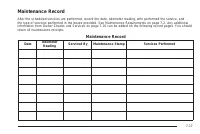
This vehicle has an airbag system. Before attemptingto do your own service work, see Servicing YourAirbag-Equipped Vehicle on page 1-93. Keep a record with all parts receipts and list themileage and the date of any service work performed.See Maintenance Record on page 7-17. Adding Equipment to the O...
At a minimum, E85 should meet ASTM SpecificationD 5798. By definition, this means that fuel labeled E85will have an ethanol content between 70% and 85%.Filling the fuel tank with fuel mixtures that do not meetASTM specifications can affect driveability and couldcause the malfunction indicator lamp t...
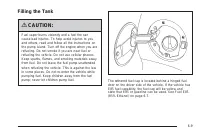
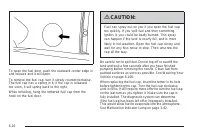
Filling the Tank { CAUTION: Fuel vapor burns violently and a fuel fire cancause bad injuries. To help avoid injuries to youand others, read and follow all the instructions onthe pump island. Turn off the engine when you arerefueling. Do not smoke if you are near fuel orrefueling the vehicle. Do not ...
If the vehicle has a Driver Information Center (DIC), theTIGHTEN GAS CAP message displays if the fuelcap is not properly installed. { CAUTION: If a fire starts while you are refueling, do notremove the nozzle. Shut off the flow of fuel byshutting off the pump or by notifying the stationattendant. Le...
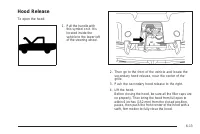
Hood Release To open the hood: 1. Pull the handle with this symbol on it. It islocated inside thevehicle to the lower leftof the steering wheel. 2. Then go to the front of the vehicle and locate the secondary hood release, near the center of thegrille. 3. Push the secondary hood release to the right...
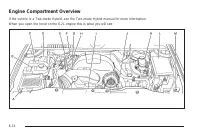
Engine Compartment Overview If the vehicle is a Two-mode Hybrid, see the Two-mode Hybrid manual for more information. When you open the hood on the 6.2L engine this is what you will see: 6-14
A. Engine Air Cleaner/Filter on page 6-19. B. Coolant Surge Tank and Pressure Cap. See Cooling System on page 6-24. C. Remote Positive (+) Terminal. See Jump Starting on page 6-40. D. Battery on page 6-39. E. Engine Oil Fill Cap. See “When to Add Engine Oil” under Engine Oil on page 6-15. F. Automat...
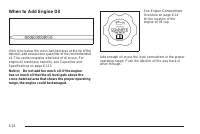
When to Add Engine Oil If the oil is below the cross-hatched area at the tip of thedipstick, add at least one quart/liter of the recommendedoil. This section explains what kind of oil to use. Forengine oil crankcase capacity, see Capacities andSpecifications on page 6-113. Notice: Do not add too muc...
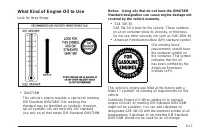
What Kind of Engine Oil to Use Look for three things: • GM4718M This vehicle’s engine requires a special oil meetingGM Standard GM4718M. Oils meeting thisstandard may be identified as synthetic. However,not all synthetic oils will meet this GM standard.Use only an oil that meets GM Standard GM4718M....
Engine Oil Additives / Engine OilFlushes Do not add anything to the oil. The recommended oilswith the starburst symbol that meet GM standards areall that is needed for good performance and engineprotection. Engine oil system flushes are not recommended andcould cause engine damage not covered by the...
If the CHANGE ENGINE OIL SOON message comesback on when the vehicle is started, the Engine Oil LifeSystem has not reset. Repeat the procedure. What to Do with Used Oil Used engine oil contains certain elements that can beunhealthy for your skin and could even cause cancer.Do not let used oil stay on...
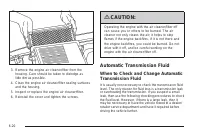
3. Remove the engine air cleaner/filter from the housing. Care should be taken to dislodge aslittle dirt as possible. 4. Clean the engine air cleaner/filter sealing surfaces and the housing. 5. Inspect or replace the engine air cleaner/filter. 6. Reinstall the cover and tighten the screws. { CAUTION...
Cold Check Procedure Use this procedure only as a reference to determine if thetransmission has enough fluid to be operated safely untila hot check procedure can be made. The hot checkprocedure is the most accurate method to check thefluid level. Perform the hot check procedure at the firstopportuni...
Hot Check Procedure Use this procedure to check the transmission fluid levelwhen the transmission fluid temperature is between160°F and 200°F (71°C and 93°C). The hot check is the most accurate method to check thefluid level. The hot check should be performed at the firstopportunity in order to veri...
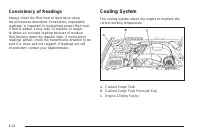
Consistency of Readings Always check the fluid level at least twice usingthe procedures described. Consistency (repeatablereadings) is important to maintaining proper fluid level.If fluid is added, it may take 15 minutes or longerto obtain an accurate reading because of residualfluid draining down t...
{ CAUTION: An electric engine cooling fan under the hood canstart up even when the engine is not running andcan cause injury. Keep hands, clothing, and toolsaway from any underhood electric fan. { CAUTION: Heater and radiator hoses, and other engine parts,can be very hot. Do not touch them. If you d...
What to Use { CAUTION: Adding only plain water to the cooling system canbe dangerous. Plain water, or some other liquidsuch as alcohol, can boil before the proper coolantmixture will. The vehicle’s coolant warning systemis set for the proper coolant mixture. With plainwater or the wrong mixture, the...
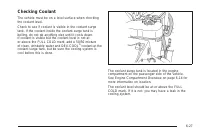
Checking Coolant The vehicle must be on a level surface when checkingthe coolant level. Check to see if coolant is visible in the coolant surgetank. If the coolant inside the coolant surge tank isboiling, do not do anything else until it cools down.If coolant is visible but the coolant level is not ...
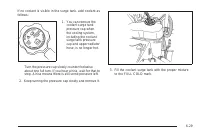
How to Add Coolant to the Surge Tank { CAUTION: You can be burned if you spill coolant on hotengine parts. Coolant contains ethylene glycoland it will burn if the engine parts are hot enough.Do not spill coolant on a hot engine. Notice: This vehicle has a specific coolant fillprocedure. Failure to f...
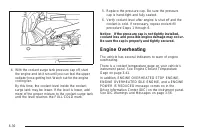
4. With the coolant surge tank pressure cap off, start the engine and let it run until you can feel the upperradiator hose getting hot. Watch out for the enginecooling fan. By this time, the coolant level inside the coolantsurge tank may be lower. If the level is lower, addmore of the proper mixture...
When to Check Power Steering Fluid It is not necessary to regularly check power steering fluidunless you suspect there is a leak in the system oryou hear an unusual noise. A fluid loss in this systemcould indicate a problem. Have the system inspectedand repaired. How to Check Power Steering Fluid To...
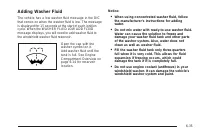
Adding Washer Fluid The vehicle has a low washer fluid message in the DICthat comes on when the washer fluid is low. The messageis displayed for 15 seconds at the start of each ignitioncycle. When the WASHER FLUID LOW ADD FLUIDmessage displays, you will need to add washer fluid tothe windshield wash...
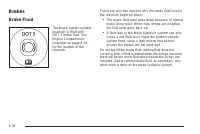
Brakes Brake Fluid The brake master cylinderreservoir is filled withDOT 3 brake fluid. SeeEngine CompartmentOverview on page 6-14for the location of thereservoir. There are only two reasons why the brake fluid level inthe reservoir might go down: • The brake fluid level goes down because of normalbr...
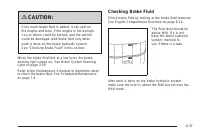
{ CAUTION: If too much brake fluid is added, it can spill onthe engine and burn, if the engine is hot enough.You or others could be burned, and the vehiclecould be damaged. Add brake fluid only whenwork is done on the brake hydraulic system.See “Checking Brake Fluid” in this section. When the brake ...
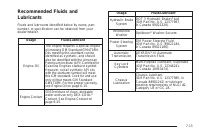
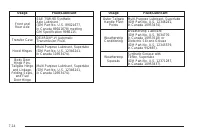
What to Add Use only new DOT 3 brake fluid from a sealed container.See Recommended Fluids and Lubricants on page 7-13. Always clean the brake fluid reservoir cap and thearea around the cap before removing it. This helps keepdirt from entering the reservoir. { CAUTION: With the wrong kind of fluid in...
Properly torqued wheel nuts are necessary to helpprevent brake pulsation. When tires are rotated, inspectbrake pads for wear and evenly tighten wheel nuts inthe proper sequence to torque specifications inCapacities and Specifications on page 6-113. Brake linings should always be replaced as complete...
Vehicle Storage { CAUTION: Batteries have acid that can burn you and gasthat can explode. You can be badly hurt if youare not careful. See Jump Starting on page 6-40for tips on working around a battery withoutgetting hurt. Infrequent Usage: If the vehicle is driven infrequently,remove the black, neg...
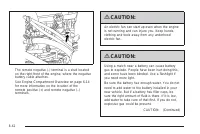
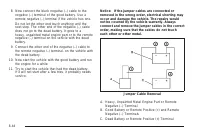
To disconnect the jumper cables from both vehicles dothe following: 1. Disconnect the black negative ( − ) cable from the vehicle that had the bad battery. 2. Disconnect the black negative ( − ) cable from the vehicle with the good battery. 3. Disconnect the red positive (+) cable from the vehicle w...
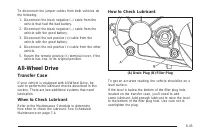
What to Use Refer to the Maintenance Schedule to determine whatkind of lubricant to use. See Recommended Fluidsand Lubricants on page 7-13. Rear Axle When to Check Lubricant It is not necessary to regularly check rear axle fluidunless you suspect there is a leak or you hear anunusual noise. A fluid ...
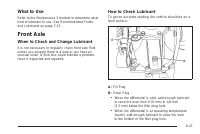
What to Use Refer to the Maintenance Schedule to determine whatkind of lubricant to use. See Recommended Fluidsand Lubricants on page 7-13. Front Axle When to Check and Change Lubricant It is not necessary to regularly check front axle fluidunless you suspect there is a leak or you hear anunusual no...
What to Use Refer to the Maintenance Schedule to determine whatkind of lubricant to use. See Recommended Fluidsand Lubricants on page 7-13. Headlamp Aiming The vehicle has a visual optical headlamp aimingsystem. The aim of the headlamps have been preset atthe factory and should need no further adjus...
Bulb Replacement For the proper type of replacement bulbs, seeReplacement Bulbs on page 6-53. For any bulb changing procedure not listed in thissection, contact your dealer/retailer. High Intensity Discharge (HID)Lighting { CAUTION: The low beam high intensity discharge lightingsystem operates at a ...
Backglass Wiper Blade Replacement 1. Lift the wiper blade assembly up and out of the park rest position. 2. Pull the wiper blade assembly away from the backglass. The backglass wiper blade will notlock in a vertical position, so care should be usedwhen pulling it away from the vehicle. 3. Turn the w...
Tires Your new vehicle comes with high-quality tiresmade by a leading tire manufacturer. If you everhave questions about your tire warranty and whereto obtain service, see your vehicle Warrantybooklet for details. For additional information referto the tire manufacturer. { CAUTION: • Poorly maintain...
Tire Sidewall Labeling Useful information about a tire is molded into thesidewall. The following illustration is an exampleof a typical P-Metric tire sidewall. (A) Tire Size : The tire size code is a combination of letters and numbers used to define a particulartire’s width, height, aspect ratio, co...
(G) Maximum Cold Inflation Load Limit : Maximum load that can be carried and themaximum pressure needed to support that load.For information on recommended tire pressuresee Inflation - Tire Pressure on page 6-62and Loading the Vehicle on page 5-33. Tire Size The following examples show the different...
Tire Terminology and Definitions Air Pressure : The amount of air inside the tire pressing outward on each square inch of thetire. Air pressure is expressed in pounds persquare inch (psi) or kilopascal (kPa). Accessory Weight : This means the combined weight of optional accessories. Some examples of...
Inflation - Tire Pressure If your vehicle is a Two-mode Hybrid, see theTwo-mode Hybrid manual for more information. Tires need the correct amount of air pressureto operate effectively. Notice: Do not let anyone tell you thatunder-inflation or over-inflation is all right.It is not. If your tires do n...
How to Check Use a good quality pocket-type gage to check tirepressure. You cannot tell if your tires are properlyinflated simply by looking at them. Radial tiresmay look properly inflated even when they areunderinflated. Check the tire’s inflation pressurewhen the tires are cold. Cold means your ve...
Tire Pressure Monitor System The Tire Pressure Monitor System (TPMS) uses radioand sensor technology to check tire pressure levels. TheTPMS sensors monitor the air pressure in your vehicle’stires and transmit tire pressure readings to a receiverlocated in the vehicle. Each tire, including the spare ...
Federal Communications Commission(FCC) and Industry and ScienceCanada The Tire Pressure Monitor System (TPMS) operates ona radio frequency and complies with Part 15 of theFCC Rules. Operation is subject to the following twoconditions: 1. This device may not cause harmful interference. 2. This device...
Using the DIC, tire pressure levels can be viewed by thedriver. For additional information and details about theDIC operation and displays see DIC Operation andDisplays on page 3-48 and DIC Warnings and Messageson page 3-56. The low tire pressure warning light may come on in coolweather when the veh...
• One or more TPMS sensors are missing ordamaged. The DIC message and the TPMSmalfunction light should go off when the TPMSsensors are installed and the sensor matchingprocess is performed successfully. See your dealer/retailer for service. • Replacement tires or wheels do not match yourvehicle’s or...
Tire Inspection and Rotation We recommend that you regularly inspect yourvehicle’s tires, including the spare tire, for signs ofwear or damage. See When It Is Time for NewTires on page 6-70 for more information. Tires should be rotated every 5,000 to 8,000 miles(8 000 to 13 000 km). See Scheduled Ma...
Reset the Tire Pressure Monitor System. See TirePressure Monitor Operation on page 6-65. Make certain that all wheel nuts are properlytightened. See “Wheel Nut Torque” underCapacities and Specifications on page 6-113. { CAUTION: Rust or dirt on a wheel, or on the parts towhich it is fastened, can ma...
You need new tires if any of the following statementsare true: • You can see the indicators at three or more placesaround the tire. • You can see cord or fabric showing through thetire’s rubber. • The tread or sidewall is cracked, cut, or snaggeddeep enough to show cord or fabric. • The tire has a b...
Treadwear The treadwear grade is a comparative rating basedon the wear rate of the tire when tested undercontrolled conditions on a specified governmenttest course. For example, a tire graded 150 wouldwear one and a half (1.5) times as well on thegovernment course as a tire graded 100. Therelative p...
Used Replacement Wheels { CAUTION: Putting a used wheel on the vehicle is dangerous.You cannot know how it has been used or how farit has been driven. It could fail suddenly andcause a crash. If you have to replace a wheel, usea new GM original equipment wheel. Tire Chains { CAUTION: Do not use tire...
If a Tire Goes Flat It is unusual for a tire to blowout while you are driving,especially if you maintain your vehicle’s tires properly.If air goes out of a tire, it is much more likely to leak outslowly. But if you should ever have a blowout, hereare a few tips about what to expect and what to do: I...
Changing a Flat Tire If your vehicle is a Two-mode Hybrid, see the Two-modeHybrid manual for more information. If a tire goes flat, avoid further tire and wheel damage bydriving slowly to a level place. Turn on the hazardwarning flashers. See Hazard Warning Flashers onpage 3-6. { CAUTION: Changing a...
Removing the Spare Tire and Tools The equipment you will need is stored under thestorage tray, which is located on the driver’s side trimpanel (over the rear wheelhouse). 1. Remove the tray to access the tools by pulling up on the finger depression under the jack symbol. 2. Remove the wing nut (B) u...
Secondary Latch System Your vehicle has an underbody-mounted tire hoistassembly equipped with a secondary latch system. It isdesigned to stop the spare tire from suddenly fallingoff your vehicle. For the secondary latch to work,the spare must be installed with the valve stem pointingdown. See Storin...
Spare Tire Your vehicle, when new, had a fully-inflated spare tire.A spare tire may lose air over time, so check itsinflation pressure regularly. See Inflation - Tire Pressureon page 6-62 and Loading the Vehicle on page 5-33for information regarding proper tire inflation and loadingyour vehicle. For...
Fabric/Carpet Use a vacuum cleaner with a soft brush attachmentfrequently to remove dust and loose dirt. A canistervacuum with a beater bar in the nozzle may only be usedon floor carpet and carpeted floor mats. For any soil,always try to remove it first with plain water or club soda.Before cleaning,...
TEHAMA™ Leather The leather surface on the seat was not designed to beaggressively cleaned using any commercial product. Usea well wrung cloth dampened with water to remove dust.Do not use a wet cloth or saturate the leather surface withwater. Allow the leather to dry naturally. If a soil occursthat...
Wood Panels Use a clean cloth moistened in warm, soapy water (usemild dish washing soap). Dry the wood immediatelywith a clean cloth. Speaker Covers Vacuum around a speaker cover gently, so that thespeaker will not be damaged. Clean spots withjust water and mild soap. Care of Safety Belts Keep belts...
Rinse the vehicle well, before washing and after toremove all cleaning agents completely. If they areallowed to dry on the surface, they could stain. Dry the finish with a soft, clean chamois or an all-cottontowel to avoid surface scratches and water spotting. High pressure car washes may cause wate...
The surface of these wheels is similar to the paintedsurface of the vehicle. Do not use strong soaps,chemicals, abrasive polishes, abrasive cleaners,cleaners with acid, or abrasive cleaning brusheson them because they could damage the surface.Do not use chrome polish on aluminum wheels. Notice: Usin...
Underbody Maintenance Chemicals used for ice and snow removal and dustcontrol can collect on the underbody. If these are notremoved, corrosion and rust can develop on theunderbody parts such as fuel lines, frame, floor pan,and exhaust system even though they have corrosionprotection. At least every ...
Service Parts Identification Label This label is on the inside of the glove box. It isvery helpful if parts need to be ordered. The label hasthe following information: • Vehicle Identification Number (VIN) • Model designation • Paint information • Production options and special equipment Do not remo...
Fuses Usage 21 Power Door Lock 1 (Lock Feature) 22 Driver Information Center (DIC) 23 Rear Wiper 24 Cooled Seats 25 Driver Seat Module, RemoteKeyless Entry System 26 Driver Power Door Lock(Unlock Feature) Circuit Breaker Usage LT DR Driver Side Power Window CircuitBreaker Harness Connector Usage LT ...
Harness Connector Usage HEADLINER 3 Headliner Harness Connector 3 HEADLINER 2 Headliner Harness Connector 2 HEADLINER 1 Headliner Harness Connector 1 SEO/UPFITTER Special Equipment Option UpfitterHarness Connector Circuit Breaker Usage CB1 Passenger Side Power WindowCircuit Breaker CB2 Passenger Sea...
Capacities and Specifications The following approximate capacities are given in English and metric conversions. See Recommended Fluids andLubricants on page 7-13 for more information. Application Capacities English Metric Air Conditioning Refrigerant For the air conditioning system refrigerant charg...
Maintenance Schedule Introduction Important: Keep engine oil at the proper level andchange as recommended. Have you purchased the GM Protection Plan? The Plansupplements the vehicle warranties. See the Warrantyand Owner Assistance booklet or your dealer/retailerfor details. Maintenance Requirements ...
Using the Maintenance Schedule We want to help keep this vehicle in good workingcondition. But we do not know exactly how you will driveit. You might drive very short distances only a few timesa week. Or you might drive long distances all the time invery hot, dusty weather. You might use the vehicle...
Owner Checks and Services on page 7-10 tells whatshould be checked, when to check it, and what can easilybe done to help keep the vehicle in good condition. The proper replacement parts, fluids, and lubricants touse are listed in Recommended Fluids and Lubricantson page 7-13 and Maintenance Replacem...
Additional Required Services The following services should be performed at the first maintenance service after the indicated miles (kilometers)shown for each item. Additional Required Services Service and Miles (Kilometers) 25,000 (40 000) 50,000 (80 000) 75,000 (120 000) 100,000 (160 000) 125,000 (...
Maintenance Footnotes † The U.S. Environmental Protection Agency or theCalifornia Air Resources Board has determined that thefailure to perform this maintenance item will not nullifythe emission warranty or limit recall liability prior to thecompletion of the vehicle’s useful life. We, however,urge ...
Owner Checks and Services These owner checks and services should be performedat the intervals specified to help ensure vehiclesafety, dependability, and emission control performance.Your dealer/retailer can assist with these checks andservices. Be sure any necessary repairs are completed at once.Whe...
At Least Once a Year Starter Switch Check { CAUTION: When you are doing this inspection, the vehiclecould move suddenly. If the vehicle moves, you orothers could be injured. 1. Before starting this check, be sure there is enough room around the vehicle. 2. Firmly apply both the parking brake and the...
Ignition Transmission Lock Check While parked, and with the parking brake set, try to turnthe ignition to LOCK/OFF in each shift lever position. • The ignition should turn to LOCK/OFF onlywhen the shift lever is in P (Park). • The ignition key should come out only inLOCK/OFF. Contact your dealer/ret...
Maintenance Replacement Parts Replacement parts identified below by name, part number, or specification can be obtained from your dealer/retailer. Maintenance Replacement Parts Part GM Part Number ACDelco Part Number Engine Air Cleaner/Filter 15908916 A3086C Oil Filter 89017524 PF48 Spark Plugs 1260...
Engine Drive Belt Routing If your vehicle is a Two-mode Hybrid, see the Two-modeHybrid manual for more information. 7-16
Maintenance Record After the scheduled services are performed, record the date, odometer reading, who performed the service, andthe type of services performed in the boxes provided. See Maintenance Requirements on page 7-2. Any additionalinformation from Owner Checks and Services on page 7-10 can be...
Customer Assistance and Information . . . . . . . . . . . . . . .8-2 Customer Satisfaction Procedure . . . . . . . . . . . . . . . . . . . . . .8-2Online Owner Center . . . . . . . . . . . . . . . . . . . . . . . . . . . . . . . . . . . . . .8-5Customer Assistance for Text Telephone (TTY) Users . . ...
Customer Assistance andInformation Customer Satisfaction Procedure Your satisfaction and goodwill are important toyour dealer and to Cadillac. Normally, any concernswith the sales transaction or the operation of the vehiclewill be resolved by the dealer’s sales or servicedepartments. Sometimes, howe...
Online Owner Center Online Owner Center (U.S.) —www.gmownercenter.com/cadillac Information and services customized for your specificvehicle — all in one convenient place. • Digital owner manual, warranty information,and more • Online service and maintenance records • Find Cadillac dealers for servic...
Customer Assistance for TextTelephone (TTY) Users To assist customers who are deaf, hard of hearing, orspeech-impaired and who use Text Telephones (TTYs),Cadillac has TTY equipment available at its CustomerAssistance Center. Any TTY user can communicate withCadillac by dialing: 1-800-833-CMCC (2622)...
GM Mobility ReimbursementProgram This program, available to qualified applicants, canreimburse you up to $1,000 of the cost of eligibleaftermarket adaptive equipment required for your vehicle,such as hand controls or a wheelchair/scooter lift. The offer is available for a very limited period of time...
Transportation Options Warranty service can generally be completed while youwait. However, if you are unable to wait, GM helpsto minimize your inconvenience by providing severaltransportation options. Depending on the circumstances,your dealer can offer you one of the following: Shuttle Service Part...
Additional Program Information All program options, such as shuttle service, may not beavailable at every dealer. Please contact your dealerfor specific information about availability. All CourtesyTransportation arrangements will be administeredby appropriate dealer personnel. General Motors reserve...
Managing the Vehicle Damage RepairProcess In the event that your vehicle requires damage repairs,GM recommends that you take an active role in its repair.If you have a pre-determined repair facility of choice, takeyour vehicle there, or have it towed there. Specify to thefacility that any required r...
Current and Past Model Order Forms Technical Service Bulletins and Manuals are availablefor current and past model GM vehicles. To requestan order form, specify year and model name ofthe vehicle. ORDER TOLL FREE: 1-800-551-4123Monday-Friday 8:00 AM - 6:00 PMEastern Time For Credit Card Orders Only(V...
Event Data Recorders This vehicle has an Event Data Recorder (EDR).The main purpose of an EDR is to record, in certaincrash or near crash-like situations, such as an airbagdeployment or hitting a road obstacle, data that will assistin understanding how a vehicle’s systems performed.The EDR is design...
OnStar ® If your vehicle has OnStar and you subscribe to theOnStar services, please refer to the OnStar Terms andConditions for information on data collection and use.See also OnStar ® System on page 2-52 in this manual for more information. Navigation System If your vehicle has a navigation system,...