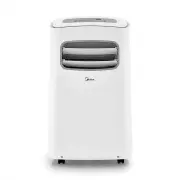
Page 2 - Read This Manual; CAUTION; Owner’s Manual; physical, sensory or mental capabilities without supervision.
Page 2 Read This Manual Inside you’ll find many helpful hints on how to use and maintain your air conditioner properly. Just a little preventive care on your part can save you a great deal of time and money over the life of your air conditioner. You’ll find many answers to common problems in the cha...
Page 3 - WARNING; Safety Precautions; This symbol indicates the possibility of death or serious injury.
Please read through these instructions before you start the installation process. Improper installation can cause damage to the unit and/or personal property and can be a personal safety hazard. • Installation must be performed according to the installation instructions. Improper installation can ca...
Page 4 - service agent, or similarly qualified persons; allow it to
Page 4 WARNING CAUTION • This appliance is not intended for use by persons (including children) with reduced physical, sensory or mental capabilities or lack of experience and knowledge, unless they have been given supervision or instruction concerning use of the appliance by a person responsible fo...
Page 5 - Page 5; WARNINGS (for using R32 refrigerant only); mm; Read this manual
Page 5 Safety Pr ecautions Safety Precautions WARNINGS (for using R32 refrigerant only) • Do not use any m eans to accelerate the defrosting process or to clean the unit, other than those reco mm ended by the m anufacturer. • Do not use or store the appliance in spaces with potential ignition source...
Page 6 - Energy Rating Information:; Unit Specifications and Features
Preparation Design and Compliance Notes Unit Specification s and F eatur es Design Notice: In order to ensure the optimal performance of our products, the design specifications of the unit and remote control are subject to change without prior notice. Energy Rating Information: This product is teste...
Page 7 - Control Panel Features; Swing Button; (Applicable to the models with auto swing; Operating Instructions; When you restart the wireless
7 e g a P Oper ating Instructions Control Panel Features Swing Button (Applicable to the models with auto swing Wireless button(On some models) Used to initiate the wireless connection mode. For the first time to use wireless function, press the wireless button for 3 seconds to initiate the wireless...
Page 8 - LED display; NOTE; Power button; NOTE
Oper ating Instructions Control Panel Features (cont.) Page 8 NOTE When one of the above malfunctions occurs, turn off the unit and check for any obstructions. Restart the Unit. If the malfunction persists, turn off the unit and unplug the power cord. Contact the manufacturer, its service agents, or...
Page 10 - TEMP SENSING; Other Features; On so; Water drainage; The louver will swing up and down automatically.
TEMP SENSING Feature (optional) Other Features On so m e m odels the louver can be adjusted m anually only): To activate the Temp Sensing feature, point the remote control towards the unit and press the Temp Sensing button. The remote display is actual temperature at its location. The remote control...
Page 11 - • During heat pump mode, remove the lower drain
Oper ating Instructions NOTE Make sure the hose is secure so there are no leaks. Direct the hose toward the drain, m aking sure that there are no kinks that will i m pede water flow. Place the end of the hose into the drain and m ake sure the end of the hose is directed downward to let the water flo...
Page 12 - Choosing the Right Location; Note About Fluorinated Gasses; • Product recycling must be done according to local regulations.; remote control; Installation Instructions
Installation Instructions Your installation location should meet the following requirements: • Make sure that you install your unit on an even surface to minimize noise and vibration. • The unit must be installed near a grounded plug, and the Collection Tray Drain (found on the backof the unit) must...
Page 13 - Tools Needed; Quantity
• Medium Phillips screwdriver • Tape measure or ruler • Knife or scissors • Saw (optional, to shorten window adaptor for narrow windows). Your Window Installation Kit fits windows 67.5-123 cm (26.5”-48”) and can be shortened for smaller windows. Tools Needed Accessories n o i t p i r c s e D t r a P...
Page 14 - Window Installation Kit; Depending on the size of your
Installation Instructions Window Installation Kit Unit adaptor Window slider adaptor Exhaust hose Exhaust hose assembly Hook Hole Seat Lower groove Adaptor Make sure the adaptoris inserted into thelower groove of theair outlet. 1+2 : Bolt 1+2+3 : Bolt Bolt 1+2+3+4 : Bolt Bolt Bolt 1+4 : Bolt Window ...
Page 15 - Type 1: Hung window installation; Window; Insert the window slider assembly into the window
Type 1: Hung window installation 1. Cut the adhesive foam seal A and B strips to theproper lengths, and attach them to the window sashand frame as shown. NOTE Once the Exhaust Hose assembly and Adjustable Window Slider are prepared, choose from one of the following two installation methods. Foam sea...
Page 16 - Type 2: Sliding window installation
Type 2: Sliding window installation 1. Cut the adhesive foam seal A and B strips to theproper lengths, and attach them to the window sashand frame as shown. Window slider A Window slider B (if required) Foam seal B(Adhesivetype-shorter) Foam seal A (Adhesive type) Foam seal C (Non-adhesive type) 2 S...
Page 17 - Maintenance Tips; • Be sure to clean the air filter every; heat can shorten the lifespan of the unit.; Care and Cleaning
Safety Precautions Clean the Air Filter Clean the Unit Store the Unit When Not in Use Car e and Cleaning Maintenance Tips • Be sure to clean the air filter every 2 weeks for optimal performance. • The water collection tray should be drained immediately after P1error occurs, and before storage toprev...
Page 18 - Problem; Malfunction Diagnosis; Troubleshooting Tips
T roubleshooting T ips Problem Possible Cause Troubleshooting Unit does not turn on when pressing ON/OFF button P1 Error Code. The water collection tray is full.Turn off the unit, drain the water from the water collection tray and restart the unit. In COOL mode: room temperature is lower than the se...
Page 19 - Model; Remote Control Instructions
Remote Control Specifications Function Buttons Before you begin using your new air conditioner, make sure to familiarize yourself with its remote control. The following is a brief introduction to the remote control itself. For instructions on how to operate your air conditioner, refer to the Operati...
Page 20 - NOT SURE WHAT A FUNCTION DOES?; Handling the Remote Control; SPECIAL NOTE; Button designs on your unit; BATTERY NOTES
Oper ating Instructions (With R emot e ) NOT SURE WHAT A FUNCTION DOES? Refer to the Operating Instructions section of this manual for a detailed description of how to use your air conditioner. INSERTING AND REPLACING BATTERIES Your air conditioning unit comes with two AAA batteries. Insert the batt...
Page 21 - Remote LED Screen Indicators
Remote LED Screen Indicators AUTO COOLDRY HEATFAN Transmission Indicator Lights up when remote sends signal to unit MODE display Displays the currentmode, including: TIMER ON display Displays when TIMER ON is set TIMER OFF display Displays when TIMER OFF is set SILENT display Not available on this u...
Page 22 - Basic Functions; SETTING THE DESIRED TEMPERATURE; FAN SPEED cannot be set in AUTO; FAN SPEED cannot be set in DRY
Basic Functions 1 3 2 O N /O F F T E M P SHORT CUT TIMER ON TIMER OFF MODE FAN SLEEP SWING L ED 13 2 4 O N /O F F T E M P SHORT CUT TIMER ON TIMER OFF MODE FAN SLEEP LED SWING 1 3 2 O N /O F F T E M P SHORT CUT TIMER ON TIMER OFF MODE FAN LED SLEEP SWING SETTING THE DESIRED TEMPERATURE The operating...
Page 23 - FAN operation; HEAT operation
NOTE As outdoor te m perature drops, the perfor m ance of your unit’s HEAT function m ay be affected. In such instances, we reco mm end using this air conditioner in conjunction with another heating appliance. NOTE You cannot set te m perature in FAN m ode. As a result, your re m ote control’s LCD s...
Page 24 - Timer Functions; sec; TIMER OFF function
Your air conditioning unit has two timer-related functions: TIMER ON - sets the amount of time after which the unit will automatically turn on. TIMER OFF - sets the amount of time after which the unit will automatically turn off. TIMER ON function The TIMER ON function allows you to set a period of ...
Page 25 - Wait 2 seconds, then the TIMER OFF function will be; T i m e r on; Your remote display
NOTE When setting the TIMER ON or TIMER OFF functions, up to 10 hours, the ti m e will increase in 30 m inute incre m ents with each press. After 10 hours and up to 24, it will increase in 1 hour incre m ents. The ti m er will revert to zero after 24 hours. You can turn off either function by settin...
Page 26 - Advanced Functions; NOTES
Advanced Functions SHORTCUT Function SWING Function Note: O N /O F F T E M P SHORT CUT TIMER ON TIMER OFF MODE FAN LED SLEEP SWING SLEEP Function The SLEEP function is used to decrease energy use while you sleep (and don’t need the same temperature settings to stay comfortable). This function can on...
Page 27 - • Reorient or relocate the receiving antenna.
NOTES • When there are differences between features or operation implied by the remote control illustration and the actual functions described in the USERMANUAL, please refer to the descriptions in the USER MANUAL. • The device may comply with local national regulations. In Canada, it should comply ...
Page 28 - Warranty
W a rr a n ty Air Conditioner Limited Warranty Your product is protected by this Limited Warranty: Warranty service must be obtained from Midea Consumer Services or an authorized Midea servicer. Warranty • One-year limited warranty from original purchase date. Five-year compressor warranty from orig...
Page 29 - How to Stay Cool with a New Portable Air Conditioner
How to Stay Cool with a New Portable Air Conditioner Because of a new federal test procedure for Portable Air Conditioners, you may notice that the cooling capacity claims on portable air conditioner packaging are significantly lower than that of models produced prior to 2017. This is due to changes...
Page 30 - Important Safety Instructions of Power Supply Cord; Operation of Current Device
Important Safety Instructions of Power Supply Cord WARNING ! NOTE ! To reduce the risk of the fire, electric shock, or injury to persons, read the Important Safety Instructions of Power Supply Cord before operating this appliance. Operation of Current Device ! The power supply cord with this air con...