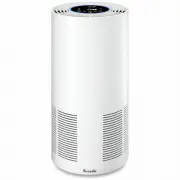
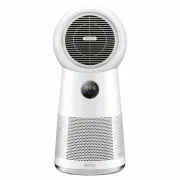
Page 2 - Contents; BREVILLE; SPECIFICATIONS; IMPORTANT; READ ALL
2 Contents BREVILLE RECOMMENDS SAFETY FIRST At Breville we are very safety conscious. We design and manufacture consumer products with the safety of you, our valued customer, foremost in mind. In addition, we ask that you exercise a degree of care and adhere to the following precautions. SPECIFICATI...
Page 6 - Misuse may
6 • To protect against electric shock, do not immerse the power cord, power plug or appliance in water or any other liquid or allow moisture to come in contact with the part, unless it is recommended in the cleaning instructions. • The appliance is not intended for use by persons (including children...
Page 8 - Components; REMOTE CONTROL PANEL
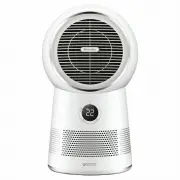
8 B A B C E D A C D E F G H Components A. Front GrilleB. LED DisplayC. Control Panel D. Front Vent (air inlet)E. Oscillating BaseF. Remote ControlG. 3- Layer FilterH. Removable Back Vent (rear cover) NOT PICTURED • Power Cord and Plug • Remote Control Storage • Non-Slip/Non-Marking Rubber Feet REMOT...
Page 9 - Control Panel; OUTER CONTROL PANEL; DISPLAY SCREEN
9 A A B D E D HG E F C B C Control Panel OUTER CONTROL PANEL A. Power ON/OFF & Wi-Fi button B. Timer (up to 7 hours) buttonC. Oscillation 60°C, 120°C, 180°C & Filter Reset button D. Cooling LOW/MEDIUM/ HIGH, temp decrease & Child Lock button E. Heating LOW/HIGH, temp increase & Set T...
Page 10 - SAFETY FEATURES; Features
10 WHAT IS THE AIRROUNDER™ CONNECT PURIFIER FAN HEATER? The Breville AirRounder™ Connect purifier fan heater features an air purifier, heater and cooling fan in one. The Purifier improves your indoor air quality using 3 distinct levels of protection. 1. A Pre-Filter Captures larger airborne particle...
Page 11 - Assembly; BEFORE FIRST USE
11 Assembly BEFORE FIRST USE • Remove and safely discard any packaging material or promotional labels attached to your purifier fan heater and filter. Check for any missing or damaged parts as per the components list. • Remove the filter from the purifier fan heater (see REPLACING THE FILTER on page...
Page 12 - Functions
12 ROOM AMBIENT TEMPERATURE To help maintain a comfortable environment, your Breville Air Rounder™ Connect purifier fan heater is fitted with a temperature sensor that detects the room temperature (in °C) which will display on the LED display screen. The number displayed is only an indication of the...
Page 13 - WARNING; NOTE
13 2. To cancel a cooling setting, press the button to stop operation. If the operation is stopped, the unit will enter standby mode and the LED display screen will be dimmed and display the ambient room temperature. Heating + Purifying Mode Your purifier fan heater has 2 heat settings LOW and HIGH ...
Page 14 - TIMER
14 Night Mode Your purifier fan heater is fitted with a light- sensitive sensor that will intelligently stop the LED display screen from illuminating at night when in a dark place.The Night mode will automatically turn off all lights on the LED display panel and operate in the last setting.Press any...
Page 20 - FILTER CARE & CLEANING
20 Care, Cleaning & Storage The purifier fan heater and filter should be cleaned at least once every month. Ensure the purifier fan heater is switched off and disconnected from the power outlet and allow all parts to cool before cleaning or storing. • Use a clean, dry cloth to clean all external...
Page 21 - REPLACING THE FILTER
21 REPLACING THE FILTER Your AirRounder™ Connect purifier fan heater filter should be replaced in the time frames indicated below. The filter life is approximately 3 months if used 24 hours daily, or 6 months if used 12 hours daily. • The filter life may vary to this timing depending on environmenta...
Page 22 - REPLACEMENT FILTERS; STORAGE
22 REPLACEMENT FILTERS Replacement filters must be purchased from the Breville website^ or at participating retail outlets.See the table below for the replacement product code to suit this Breville Purifier Fan Heater. Breville Purifier Fan Heater Model No. Filter Replacement Product Code the AirRou...
Page 23 - Troubleshooting; MINI TROUBLESHOOTING GUIDE
23 Troubleshooting MINI TROUBLESHOOTING GUIDE Before carrying out any of the following service checks, unplug the unit from the mains. PROBLEM WHAT TO DO Unit will not start • Check that the power plug is connected to a power outlet and the outlet is turned on. • Check that purifier fan heater is as...
Page 24 - BREVILLE HOME CONNECTTM APP TROUBLESHOOTING
24 BREVILLE HOME CONNECT™ APP TROUBLESHOOTING PROBLEM WHAT TO DO Why can’t I connect my purifier fan heater to Wi-Fi network? • Check that your purifier is within range of the Wi-Fi router • During the setup process you must be on a secure 2.4GHz Wi-Fi network. • Make sure the Wi-Fi password you ent...
Page 26 - Note
Page 28 - Breville Customer Service Centre
Australian CustomersPhone: 1300 139 798 Web: www.breville.com New Zealand CustomersPhone: 0800 273 845 Web: www.breville.com Breville Customer Service Centre Breville, the Breville logo, Master Every Moment, AirRounder, ThermoSecure and Breville Home Connect are trademarks of Breville Pty. Ltd. A.B....