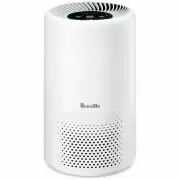
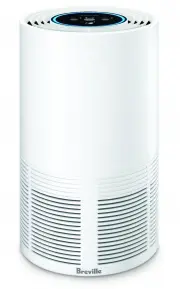
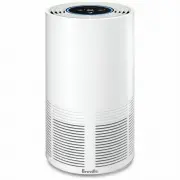
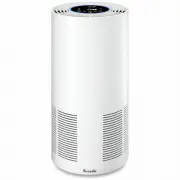
Page 2 - SPECIFICATIONS; IMPORTANT; READ ALL; Contents
2 BREVILLE RECOMMENDS SAFETY FIRST At Breville we are very safety conscious. We design and manufacture consumer products with the safety of you, our valued customer, foremost in mind. In addition, we ask that you exercise a degree of care and adhere to the following precautions. SPECIFICATIONS Filte...
Page 5 - Misuse may cause injury.; FOR HOUSEHOLD USE ONLY
5 Breville Service Centre for examination and/or repair. • Any maintenance other than cleaning should be performed at an authorised Breville Service Centre. • This appliance is for household use only. Do not use this appliance for anything other than its intended use. Do not use in moving vehicles o...
Page 6 - Components
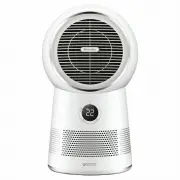
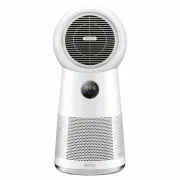
6 Components A. Control PanelB. Main Housing BodyC. Air InletD. Microbe Shield TM UV-C Light and Light Guard E. 3-Layer FilterF. Base Plate G. Locking Knob NOT PICTURED Air OutletAdaptor Inlet SocketAdaptor Plug A B C D E F G
Page 7 - Control Panel
7 Control Panel A. Power On/Off/Wi-Fi and Filter Reset Button B. Microbe Shield TM /Night Mode C. Timer (up to 8 hours) D. Fan Speed (includes 4 speed modes; Low, Medium, High and Turbo) FILTER RESET TIMER SPEED MIC ROBE SHIEL D 2H 4H 8H LOW MED HIGH TURBO NIGHT D B A C
Page 8 - YOUR BREVILLE AIR PURIFIER; Features; BEFORE FIRST USE
8 YOUR BREVILLE AIR PURIFIER Your Breville Easy Air TM Connect Purifier improves your indoor air quality using 4 distinct levels of protection. 3-LAYER, HEAVY-DUTY FILTER: 1. A Pre-Filter Captures larger airborne particles such as human hair, pet dander and dust particles. 2. A True HEPA Filter Trap...
Page 9 - Functions; OPERATING YOUR AIR PURIFIER; Microbe Shield; NOTE
9 Functions OPERATING YOUR AIR PURIFIER 1. Press the POWER button to turn on and the POWER symbol light will illuminate. 2. The air purifier will begin operation.3. The air purifier will begin operation in the last setting selected, including Night mode and Timer. 4. To adjust how the air purifier o...
Page 11 - FILTER CLEANING AND REPLACING
11 CONNECT YOUR PURIFIER TO WI-FI 1. Ensure the mobile device is connected to a home Wi-Fi network. 2. To set up the purifier, turn it on at the power outlet. The purifier must be turned on via the control panel. Press and hold the button for 5 seconds until the symbol light is flashing rapidly. The...
Page 12 - REPLACING THE FILTER
12 REPLACING THE FILTER Your Easy Air TM Connect Purifier filter should be replaced in the time frames indicated below. • The filter life is approximately 6 months if used 24 hours daily, or 12 months if used 12 hours daily. • The filter life may vary to this timing, depending on environmental condi...
Page 13 - Troubleshooting; MINI TROUBLESHOOTING GUIDE
13 Troubleshooting MINI TROUBLESHOOTING GUIDE Before carrying out any of the following service checks, unplug the unit from the mains. PROBLEM WHAT TO DO Unit will not start. • Check that the power plug is connected to a power outlet and the outlet is turned on. • Check that air purifier is assemble...
Page 16 - Breville Customer Service Centre
Australian CustomersPhone: 1300 139 798 Web: www.breville.com New Zealand CustomersPhone: 0800 273 845 Web: www.breville.com Breville Customer Service Centre Breville, the Breville logo, Master Every Moment, Easy Air, the Breville Home Connect and the Microbe Shield logo are trademarks of Breville P...