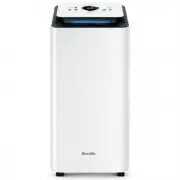
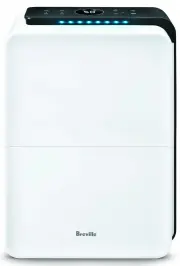
Page 2 - READ ALL INSTRUCTIONS; Contents
2 BREVILLE RECOMMENDS SAFETY FIRST At Breville we are very safety conscious. We design and manufacture consumer products with the safety of you, our valued customer, foremost in mind. In addition, we ask that you exercise a degree of care and adhere to the following precautions. IMPORTANT SAFEGUARDS...
Page 4 - Misuse may cause injury.
4 • Keep the dehumidifier and dust filters clean. Follow the cleaning instructions provided in this book. Dehumidification Capacity 8 Litres/day (30°C 80%) Product Dimension 351x180x500mm Water Capacity 2L For Room Size Up to 50m² Noise Level 50dB Power Consumption 650W Weight 7kg IMPORTANT SAFEGUAR...
Page 5 - WARNING
5 • The installation of a residual current device (safety switch) is recommended to provide additional safety protection when using electrical appliances. It is advisable that a safety switch with a rated residual operating current not exceeding 30mA be installed in the electrical circuit supplying ...
Page 6 - Components
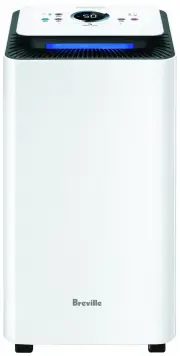
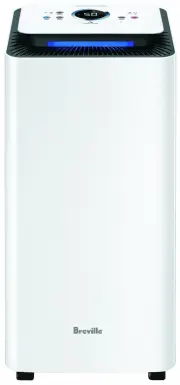
6 Components A. Control PanelB. Air OutletC. Housing BodyD. Water Level WindowE. BaseF. Carry HandleG. Air Inlet and FilterH. Continuous Drainage Outlet HoleI. Water Tank Not Pictured Drainage Hose (gravity-assisted)Power CordWater Tank CoverContinuous Drainage OutletDust Filter A B C D F G H I E Fr...
Page 7 - Control Panel
7 OVERHEAT EMPTY ME LOW MED HIGH 40% 50% 60% CONTINUOUS 1H ON 2H 4H 8H SPEED HUMIDITY ION FILTER TIMER Control Panel A. Power On/OffB. Fan SpeedC. Humidity SettingD. Timer G F A B C D E E. Ion Filter On/OffF. Overheat Warning LightG. Empty Me Warning Light
Page 8 - Assembly; Features
8 WHAT IS A DEHUMIDIFIER? Your Breville dehumidifier is designed to reduce and maintain the level of humidity in the air as well as to prevent condensation and mildew on the ceilings and walls. HOW DOES A DEHUMIDIFIER WORK? Your Breville dehumidifier regulates the relative humidity of your home by d...
Page 9 - Functions
9 Functions USING YOUR BREVILLE DEHUMIDIFIER 1. To operate the dehumidifier, press the POWER button. 2. The unit will start with a default fan speed of Medium and the humidity setting set to Continuous. 3. To turn the dehumidifier off, press the POWER button again. 4. The internal fan will continue ...
Page 13 - Troubleshooting
13 Troubleshooting TROUBLESHOOTING GUIDE Before carrying out any of the following service checks, unplug the unit from the mains. PROBLEM POSSIBLE CAUSES WHAT TO DO Not working. • Power plug is disconnected. • Plug the power cord into the power socket. • The tank is full of water. • Empty the water ...
Page 14 - Notes
Page 16 - Breville Customer Service Centre
Australian CustomersPhone: 1300 139 798 Web: www.breville.com New Zealand CustomersPhone: 0800 273 845 Web: www.breville.com Breville Customer Service Centre Breville, the Breville logo, Master Every Moment, All Climate and SenSair are trademarks of Breville Pty. Ltd. A.B.N. 98 000 092 928. Copyrigh...