Page 2 - Contents; IMPORTANT; READ ALL INSTRUCTIONS
2 BREVILLE RECOMMENDS SAFETY FIRST At Breville we are very safety conscious. We design and manufacture consumer products with the safety of you, our valued customer, foremost in mind. In addition, we ask that you exercise a degree of care and adhere to the following precautions. 2 Breville Recommend...
Page 5 - Misuse may cause injury.; FOR HOUSEHOLD USE ONLY; WARNING
5 • Any maintenance other than cleaning should be performed at an authorised Breville Service Centre. • This appliance is for household use only. Do not use this appliance for anything other than its intended use. Do not use in moving vehicles or boats. Do not use outdoors. Misuse may cause injury. ...
Page 6 - Components; Not pictured
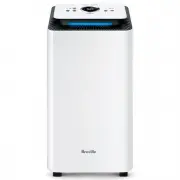
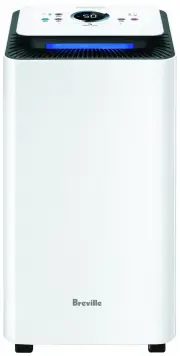
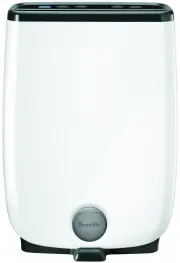
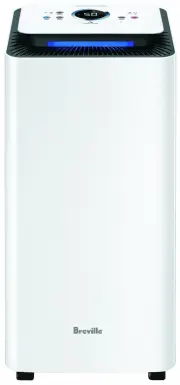
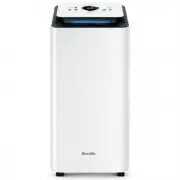
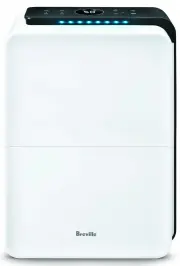
6 Components A. Control PanelB. Air OutletC. Carry HandlesD. Housing BodyE. Air Inlet and FilterF. Water TankG. Continuous Drainage Outlet Not pictured Power CordDrainage Hose (gravity-fed)WheelsCarbon FilterWater Level IndicatorWater Tank Lid (LAD308 only) A B C D E F G Front Back
Page 7 - Control Panel
7 EMPTY ME DEFROST TIMER SPEED NIGHT HUMIDITY SETTING LOW HIGH Control Panel A. Fan SpeedB. Low & High Fan LightC. TimerD. Night ModeE. Humidity SettingF. Mode and Wi-Fi Hold for 5 seconds to initiate Wi-Fi paring G. Defrost LightH. Empty Me LightI. Power On/Off J. Display Screen C D G F E H I J...
Page 8 - Assembly; BEFORE FIRST USE; Features
8 WHAT IS A DEHUMIDIFIER? Your Breville dehumidifier is designed to reduce and maintain the level of humidity in the air, as well as to prevent condensation and mildew on the ceilings and walls. HOW DOES A DEHUMIDIFIER WORK? Your Breville dehumidifier regulates the relative humidity of your home by ...
Page 9 - Functions; USING YOUR BREVILLE DEHUMIDIFIER; SENSAIRTM LIVE HUMIDITY CONTROL; NOTE; FAN SPEED
9 Functions USING YOUR BREVILLE DEHUMIDIFIER 1. To operate the dehumidifier, press the POWER button. 2. The icon for the last mode used will illuminate on the display screen or another mode can be selected. 3. If in Auto mode, adjust the humidity level if desired (see Humidity Setting). 4. The unit ...
Page 12 - CONNECT YOUR DEHUMIDIFIER TO WI-FI; BLUETOOTH
12 Wi-Fi Connectivity This Breville Home connected product can be controlled both through Wi-Fi and Bluetooth. While Wi-Fi allows for connectivity and control remotely, Bluetooth allows for control within range of the product, even without Wi-Fi.The Breville Smart Dry™ Connect & Smart Dry Plus™ ...
Page 13 - IMPORTANT NOTE; and Smart Dry PlusTM Connect
13 Voice Assistants The Breville Smart Dry™ Connect & Smart Dry Plus™ Connect come with the added feature of voice assistance, allowing you to control your dehumidifier using your voice by linking your Breville Home Connect™ app with Amazon Alexa and Google Home/Assistant.To link your Breville H...
Page 14 - VOICE CONTROL WITH GOOGLE HOME/ASSISTANT
14 VOICE CONTROL WITH GOOGLE HOME/ASSISTANT Before you can voice control your Breville Smart Dry™ Connect or Smart Dry Plus™ Connect dehumidifier with Google Home/Assistant, you need to link the Breville Home Connect™ account to the Google Home/Assistant app as per the instructions. Google Home/Assi...
Page 16 - FILTER FREQUENT CLEANING
16 FILTER CLEANING The air inlet grille at the back of the dehumidifier also acts as the filter holder. The filter includes a mesh dust filter to capture larger airborne particles, and a black carbon filter for finer debris and to help reduce odours and smoke. WARNING It is important to keep the fil...
Page 17 - Troubleshooting; TROUBLESHOOTING GUIDE; PROBLEM; POSSIBLE CAUSES; WHAT TO DO
17 Troubleshooting TROUBLESHOOTING GUIDE Before carrying out any of the following service checks, unplug the unit from the power outlet. PROBLEM POSSIBLE CAUSES WHAT TO DO Not working. • Power plug is disconnected. • Plug the power cord into the power socket. • The tank is full of water. • Empty the...
Page 18 - ERROR CODES; ERROR CODE; TROUBLESHOOTING GUIDE FOR AMAZON ALEXA
18 ERROR CODES ERROR CODE POSSIBLE CAUSES WHAT TO DO E2 is on the display screen. • The humidity sensor is not working. • Contact Breville customer service. E3 is on the display screen. • There is damage to the automatic defrost sensor. • Contact Breville customer service. E6 is on the display scree...
Page 19 - Notes
Page 20 - Breville Customer Service Centre
Australian CustomersPhone: 1300 139 798 Web: www.breville.com New Zealand CustomersPhone: 0800 273 845 Web: www.breville.com Breville Customer Service Centre Breville, the Breville logo, Master Every Moment, Smart Dry, Smart Dry Plus and SensAir are trademarks of Breville Pty. Ltd. A.B.N. 98 000 092...