Page 2 - Table of contents; Environmental protection and
en 2 Futher information and explanations areavailable online: Table of contents 1 Safety ............................................ 4 1.1 General information .................... 41.2 Intended use............................... 41.3 Restriction on user group........... 41.4 Safe installation .......
Page 4 - Safety; Observe the following safety instructions.; General information; Read this instruction manual carefully.; Restriction on user group
en Safety 4 1 Safety Observe the following safety instructions. 1.1 General information ¡ Read this instruction manual carefully. ¡ Keep the instruction manual and the product information safefor future reference or for the next owner. ¡ Do not connect the appliance if it has been damaged in transi...
Page 5 - Safe installation; WARNING ‒ Risk of electric shock!
Safety en 5 1.4 Safe installation Take note of the safety instructions when installing the appliance. WARNING ‒ Risk of electric shock! Improper installation is dangerous. ▶ Connect and operate the appliance only in accordance with thespecifications on the rating plate. ▶ Connect the appliance to a...
Page 6 - WARNING ‒ Risk of injury!
en Safety 6 WARNING ‒ Risk of injury! The high weight of the appliance may result in injury when lifted. ▶ Do not lift the appliance on your own. If this appliance is not correctly installed in a washer-dryer stack,the installed appliance may fall. ▶ Only stack the dryer on a washing machine using ...
Page 8 - WARNING ‒ Risk of poisoning!
en Safety 8 WARNING ‒ Risk of poisoning! Condensation water from this appliance is not suitable for drinkingand may be contaminated with fluff. ▶ Do not drink or reuse the condensation water from the appli-ance. Detergents and care products may result in poisoning if con-sumed. ▶ If accidentally sw...
Page 9 - WARNING ‒ Risk of fire!; Safe cleaning and maintenance
Safety en 9 WARNING ‒ Risk of fire! If drying is interrupted early, the laundry is not cooled sufficientlyand may ignite. ▶ Do not interrupt the drying programme early. ▶ If drying is interrupted early, remove the laundry immediatelyand spread it out. CAUTION ‒ Risk of injury! The covering plate ma...
Page 11 - Preventing material; Disposing of packaging
Preventing material damage en 11 2 Preventing material damage Follow these instructions to avoid ma-terial damage and damage to the ap-pliance. ATTENTION! The functionality of the appliancemay be impaired if you use thewrong quantity of fabric softener, de-tergent, care product or cleaningagent. ▶ ...
Page 12 - thoroughly; Energy saving mode; Installation and con-; Unpacking the appliance; Close the appliance door.; Scope of delivery
en Installation and connection 12 Spin the laundry in the washing ma-chine before drying. a If the laundry is excessively damp,this extends the programme dura-tion and increases energy con-sumption. Observe the programme's maximumload capacity. → "Programmes", Page 23 a If the maximum load...
Page 13 - Description; stallation location; Tilt the appliance carefully.
Installation and connection en 13 ▶ Replace the accessories in ques-tion before operating the appli-ance. → "Accessories", Page 25 Included withthe appliance Description Tumble dryer Accompanyingdocuments Water drain hosewith connectionadapter, fixingmaterial and el-bow. → "Water drai...
Page 14 - Connecting the water drain hose; Requirements
en Installation and connection 14 Installation loca-tion Requirements In a washer-dryerstack Only use the ori-ginal connectionset from thedryer manufac-turer when set-ting up this appli-ance in awasher-dryerstack. → "Accessories", Page 25 → "Accessories", Page 25 This appliancemus...
Page 15 - When removing the con-
Installation and connection en 15 1. Pull out the condensation hosefrom the connecting piece. The condensation hose is connec-ted to the connecting piece at thefactory. Note: When removing the con- densation hose, liquid may leakout of the connecting piece. 2. Push the condensation hose intothe ho...
Page 16 - Water outlet connection types; You can; Aligning the appliance
en Installation and connection 16 Water outlet connection types ATTENTION! In the event of a blocked or coveredoutlet, accumulated wastewater canflow back into the appliance. ▶ Before operating the appliance, en-sure that the wastewater drainsaway quickly and eliminate anyblockages. Drainage into a...
Page 17 - Familiarising yourself with your appliance; You can find an overview of the parts of your appliance here.
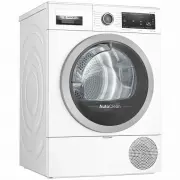
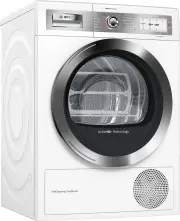
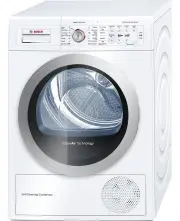
Familiarising yourself with your appliance en 17 5 Familiarising yourself with your appliance 5.1 Appliance You can find an overview of the parts of your appliance here. 1 2 3 4 5 6 On certain models, specific details such as the colour and shape may differfrom those pictured. 1 Air inlet 2 Mainten...
Page 18 - Programmes →
en Familiarising yourself with your appliance 18 5.2 Control panel You can use the control panel to configure all functions of your appliance andto obtain information about the operating status. 2 3 1 1 4 4 1 Programmes → Page 23 2 Programme selector→ Page 26 3 Display → Page 19 4 Buttons → Pag...
Page 19 - Display
Display en 19 6 Display The display shows the current settings, options or relevant information. Display Designation Description 0:40 1 Programme dura-tion/programmetime remaining Approximate expected programme dura-tion or programme time remaining. 1:25 Timed programme The timed programme is set. ...
Page 21 - Buttons; Button
Buttons en 21 7 Buttons Below is an overview of the buttons and their setting options. Button Selection Description Start/Pause ¡ Start ¡ Cancel ¡ Pause Start, cancel or pausethe programme. 3 sec. ¡ Activate ¡ Deactivate Activate or deactivate thechildproof lock.Disable the control panelto preven...
Page 22 - Dryness level; Dryness level Laundry; Changing the dryness; Press
en Dryness level 22 8 Dryness level Each automatic programme has a specified dryness level. The dryness leveldefines how dry or damp your laundry is after the programme ends. Dryness level Laundry Drying result Cupboard Ex-tra Dry Multi-layered, thick laundrythat does not dry readily. The laundry i...
Page 23 - Programmes; Automatic programmes; Tips
Programmes en 23 9 Programmes You can dry your fabrics using either an automatic programme or a timed pro-gramme. 9.1 Automatic programmes Automatic programmes are pro-grammes in which humidity sensorsmeasure the residual moisture in thelaundry during the drying cycle. Theprogramme only ends once t...
Page 24 - Programme
en Programmes 24 Programme Description Max. load(kg) Super 40' Dry items made of synthetics and lightcotton. 1.0 Towels Dry hard-wearing, heat-resistant towelsand dressing gowns made of cotton orlinen. 6.0 9.2 Timed programmes Timed programmes are programmes with a defined or adjustable programmedu...
Page 25 - 0 Accessories; Some accessories are avail-
Accessories en 25 10 Accessories Use original accessories. These havebeen made especially for your appli-ance. Note: Some accessories are avail- able in other colours. Contact → "Customer Service", Page 41 . Use Order number Connection kit To save space, stack theappliance on a suitablewa...
Page 26 - Use; Preparing the laundry; 2 Basic operation; ance
en Laundry 26 Use Order number Platform Install the appliance at araised height so that itcan be easily loaded andunloaded. WTZPW20D 11 Laundry Note: You can find further information in the digital instruction manual byscanning the QR code in the table ofcontents or on www.bosch-home.com. 11.1 Pre...
Page 27 - Setting a programme; gramme
operation en 27 12.2 Setting a programme ▶ Turn the programme selector toset the required programme.→ "Programmes", Page 23 12.3 Loading laundry Note: To prevent creasing, take note of the maximum load for the → "Programmes", Page 23 . Requirement: The laundry is pre- pared.→ &...
Page 28 - Turn the programme selector to; Cleaning the fluff filter; If you do not clean the appli-
en operation 28 12.9 Switching off the appli- ance ▶ Turn the programme selector to Off . 12.10 Fluff filter During drying, fluff from the laundry iscollected in the fluff filter. The fluff fil-ter protects the appliance from fluff. Cleaning the fluff filter If the drying programme has finishedor t...
Page 29 - Open the two fluff filters.; base unit; Notes
operation en 29 6. Open the two fluff filters. 7. Remove the fluff. 8. Clean the two fluff filters thoroughlyunder warm, running water andthen dry them off. 9. Close the two fluff filters and putthem together. 10. Insert the two-part fluff filter. 11. Close the door. 12.11 Filter system on the base...
Page 31 - tainer; Operate this appliance using
operation en 31 12.12 Condensation con- tainer Condensation forms during drying,which your appliance uses for auto-matic cleaning. By default, the con-densation is collected in the appli-ance's condensation container. Note: Operate this appliance using the water drain hose provided. If youconnect ...
Page 32 - 3 Childproof lock; Activating the childproof; 4 Basic settings; Tips on cleaning and; Opening the base unit
en Childproof lock 32 13 Childproof lock Secure your appliance against beingoperated unintentionally using thecontrols. 13.1 Activating the childproof lock ▶ Press and hold the two 3 sec. buttons for approx. 3 seconds. a The display shows . a The controls are locked. a The childproof lock remains...
Page 33 - Open the maintenance flap.; Cleaning the base unit; CAUTION
Cleaning and servicing en 33 1. Open the maintenance flap. If you place a cloth beneath themaintenance flap, you can collectthe remaining water from the baseunit. 2. Open the lever for the heat ex-changer cover. 3. Pull out the heat exchanger coverby the handle. Cleaning the base unit You can remov...
Page 34 - Close the base unit →; Closing the base unit; The base unit is open.; Cleaning the moisture sensor
en Cleaning and servicing 34 4. Clean the opening with a soft,damp cloth. 5. Close the base unit → Page 34 . Closing the base unit Requirement: The base unit is open. → "Opening the base unit", Page 32 1. Insert the heat exchanger cover bythe handle. 2. Close the lever for the heat ex-ch...
Page 36 - 6 Troubleshooting; WARNING
en Troubleshooting 36 16 Troubleshooting You can rectify minor faults on your appliance yourself. Read the troubleshoot-ing information before contacting after-sales service. This will avoid unneces-sary costs. WARNING Risk of electric shock! Incorrect repairs are dangerous. ▶ Repairs to the applia...
Page 37 - Fault
Troubleshooting en 37 Fault Cause and troubleshooting Creasing. ▶ Set the suitable programme for the type of fabric. → "Programmes", Page 23 Easy-Care fabrics are dried for too long. ▶ → "Changing the dryness level", Page 22 . ▶ → "Adjusting the dryness level", Page 22 . ...
Page 40 - age and disposal; Preparing the appliance; The appliance may contain re-
en Transportation, storage and disposal 40 17 Transportation, stor- age and disposal You can find out here how to prepareyour appliance for transportation andstorage. You will also find out how todispose of old appliances. 17.1 Preparing the appliance for transportation ATTENTION! If the appliance ...
Page 41 - Cut through the power cord.; 8 Customer Service; On the inside of the door.
Customer Service en 41 1. Unplug the appliance from themains. 2. Cut through the power cord. 3. Dispose of the appliance in an en-vironmentally friendly manner.Information about current disposalmethods are available from yourspecialist dealer or local authority. This appliance is la-belled in accor...
Page 42 - 9 Consumption values; 0 Technical data
en Consumption values 42 19 Consumption values The specified values are indicativeonly and were determined in accord-ance with the applicable standardIEC61121.The actual values may deviate fromthe indicated values depending onthe type of fabric, composition oflaundry to be dried, residual moisturei...
Page 44 - Register your new device on MyBosch now and profit directly from:
Thank you for buying a Bosch Home Appliance! Register your new device on MyBosch now and profit directly from: • Expert tips & tricks for your appliance• Warranty extension options• Discounts for accessories & spare-parts• Digital manual and all appliance data at hand• Easy access to Bosch H...