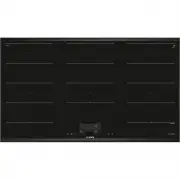
Page 2 - Further information and explanations are available online:; Table of contents; Observe the following safety instructions.
en Safety 2 Further information and explanations are available online: Table of contents 1 Safety ................................................................... 2 2 Avoiding material damage.................................. 4 3 Environmental protection and saving en-ergy .......................
Page 3 - Restriction on user group
Safety en 3 2750-10. If these conditions are satisfied, andif, in addition, non-metal cooking utensils andcookware with non-metal handles are used, itis safe to use this induction hob as intended. 1.3 Restriction on user group This appliance may be used by children aged8 or over and by people who h...
Page 4 - WARNING ‒ Risk of injury!; Avoiding material damage
en Avoiding material damage 4 The insulation on cables of electrical appli-ances may melt if it touches hot parts of theappliance. ▶ Never bring electrical appliance cables intocontact with hot parts of the appliance. If metallic objects come into contact with thefan that is located on the undersid...
Page 5 - Environmental protection and saving energy; Disposing of packaging; Size and characteristics of the cookware
Environmental protection and saving energy en 5 Damage Cause Measure Damage to the appli-ance Cooking with frozen cookware. Never use frozen cookware. Damage to the cook-ware or the appliance Cooking without contents. Never place or heat empty cookware on ahot cooking zone. Glass damage Melted mate...
Page 7 - Familiarising yourself with your appliance; Touch buttons
Familiarising yourself with your appliance en 7 Familiarising yourself with your appliance 5 Familiarising yourself with your appliance 5.1 Control panel Individual details, such as colour and shape, may differ from the figure. Notes ¡ Always keep the control panel clean and dry. ¡ Do not place an...
Page 9 - Before using for the first time; ReStart
Before using for the first time en 9 5.3 Distribution of the cooking zones The specified power has been measured with thestandard pots, which are described in IEC/EN60335-2-6. The power may vary depending on the sizeof the cookware or cookware material. B A A Area Highest power level Power leve...
Page 10 - Changing the power level and switching off the
en Basic operation 10 1. Touch the required cooking zone. a The settings area for the cooking zone that youhave selected appears on the display panel. 2. Swipe your finger over the settings area and touchthe power level that you require. a The power level has been set. 3. To return to the main scre...
Page 11 - FlexInduction; Positioning the cookware; As a connected cooking zone
FlexInduction en 11 Fish and fish fillet, breaded 6 - 7 8 - 20 Fish, breaded and frozen, e.g.fish fingers 6 - 7 8 - 15 Prawns and scampi 7 - 8 4 - 10 Sautéing fresh vegetables andmushrooms 7 - 8 10 - 20 Stir-fry, vegetables, meat cut instrips Asian-style 7 - 8 15 - 20 Frozen dishes, e.g. stir-fries...
Page 12 - Caution; FlexInduction connect; FlexInduction disconnecting; MoveMode; Positioning and moving the cookware
en MoveMode 12 Caution Do not place cookware in the middle between the rightand left zones. The cooking zones are not activatedcorrectly and you do not achieve a good cooking res-ult. 8.2 FlexInduction connect By default, the FlexZone is configured as two separatecooking zones. Switch on the follow...
Page 13 - 0 Time-setting options; 1 PowerBoost; Switching on PowerBoost
Time-setting options en 13 Time-setting options 10 Time-setting options Your hob has various functions for setting the cookingtime: ¡ Switch-off timer ¡ Timer ¡ Count-up timer 10.1 Switch-off timer You can use this function to programme a cookingtime for one or more cooking zones. The cooking zone...
Page 14 - Recommended applications; 3 Keep-warm function; 4 Transfer settings; Transfer settings
en PanBoost 14 PanBoost 12 PanBoost You can use this function to heat up pans more quicklythan with power level 9.This function is available for all cooking zones,provided the other cooking zone in the same group isnot in use. 12.1 Recommended applications ¡ Do not place a lid on the pan. ¡ Never ...
Page 15 - PerfectFry Sensor; Temperature levels
Assist en 15 If you have selected the required temperature, thesensors continuously measure the temperature of thecookware and keep it constant during the cooking pro-cess. Advantages ¡ Once the selected temperature is reached, it auto-matically keeps it constant, saving energy. ¡ The oil will not ...
Page 16 - PerfectCook Sensor
en Assist 16 Cookware Egg dishes Fried eggs in butter 2 2-6 Fried eggs 4 2-6 Scrambled eggs 2 4-9 Omelette 2 3-6 French toast 3 4-8 Crêpes, blinis, pancakes, ta-cos 5 1-3 Vegetables Roast potatoes 5 6-12 Chips 4 15-25 Potato pancakes 5 2-4 Onions, roasted garlic 2 2-10 Onion rings 3 5-10 Courgettes...
Page 18 - Connecting the wireless cooking sensor; Resetting the wireless cooking sensor; 6 Wireless cooking sensor; Scope of delivery
en Wireless cooking sensor 18 Mushrooms, breaded orbattered 180 4-8 Desserts Jam-filled doughnuts anddoughnuts 180 5-10 Frozen products Chips 180 4-8 15.3 Wireless cooking sensor To use PerfectCook Sensor, you must purchase a wire-less cooking sensor.You can purchase the wireless cooking sensor fro...
Page 19 - Attaching the wireless cooking sensor
Wireless cooking sensor en 19 1. The adhesive area on the cookware must be freefrom grease. Clean and dry the container thor-oughly, and rub the adhesive area using alcohol, forexample. 2. Remove the protective film from the silicone patch.Adhere the silicone patch to the outside of the cook-ware i...
Page 20 - Cooking sensor; 7 Meal assistant; 8 Childproof lock
en Meal assistant 20 4. Close the cap on the cooking sensor. The indenta-tions for the screws on the cap must be aligned withthe indentations on the lower section of the housing.Use a screwdriver to tighten the screws and securethe silicone cover on the lower section of the cook-ing sensor housing....
Page 21 - 9 Wipe protection; Switching on Wipe protection; 0 Individual safety switch-off; 1 Basic settings; Overview of the basic settings
Wipe protection en 21 You can find out how to switch the function on and offin the "Basic settings" section → Page 21 . Wipe protection 19 Wipe protection You can use this function to lock the control panel forcleaning so that you do not accidentally change thesettings.The lock has no eff...
Page 22 - Calling up basic settings; 2 Cookware test; Carrying out Cookware test; 3 Home Connect; Setting up Home Connect
en Cookware test 22 Setting Description and options Setting theboiling point You can enter your height above sealevel to improve the cooking sensor'saccuracy. Cookware test You can use this function to test thequality of the cookware. Appliance in-formation You can use this function to call upinfor...
Page 23 - Remote diagnostics
Home Connect en 23 3. Follow the instructions in the Home Connect app. 23.2 Overview of the Home Connectsettings You can adjust the settings and network settings forHome Connect by going to your hob's basic settings.The hob shows the setting "Set using the assistant" ifthe hob is not connec...
Page 24 - 4 Hob-based hood control; Resetting Home Connect settings; Setting the fan; Overview of the hood control settings
en Hob-based hood control 24 Tip: For further information and details about the avail- ability of Remote Diagnostics in your country, pleasevisit the service/support section of your local website:www.home-connect.com. 23.7 Data protection Please see the information on data protection.The first tim...
Page 25 - 5 Cleaning and servicing; Cleaning products
Cleaning and servicing en 25 Setting 1 Selection Description Fan control (automatic start) ¡ Switched off – The extractor hoodmust be switched on manually, if re-quired. ¡ Switched on in automatic mode 2 – In automatic mode, the hoodswitches itself on when you switchon any of the cooking zones. ¡ S...
Page 26 - 6 Troubleshooting; Information on the display panel
en Troubleshooting 26 Troubleshooting 26 Troubleshooting You can rectify minor faults on your appliance yourself.Read the troubleshooting information before contactingafter-sales service. This will avoid unnecessary costs. WARNING ‒ Risk of injury! Improper repairs are dangerous. ▶ Repairs to the ...
Page 27 - Normal noises from your appliance; Disposing of old appliance
Disposal en 27 Fault Cause and troubleshooting The hob is unable to connect to your home network or the extractor hood. 1. Acknowledge the fault display by touching any of the sensor fields. You can cook asusual without a connection. 2. If the problem persists, contact our technical after-sales ser...
Page 28 - 8 Declaration of Conformity; 9 Customer Service
en Declaration of Conformity 28 This appliance is labelled in accord-ance with European Directive2012/19/EU concerning used elec-trical and electronic appliances(waste electrical and electronic equip-ment - WEEE).The guideline determines the frame-work for the return and recycling ofused appliances...
Page 29 - 0 Test dishes; Melting the chocolate coating; Preparing Béchamel sauce; Cooking rice pudding with the lid on
Test dishes en 29 Test dishes 30 Test dishes These recommended settings are intended for test in-stitutes to facilitate the testing of our appliances. Thetests were carried out using our cookware sets for in-duction hobs. If required, these accessory sets can bepurchased at a later point from spec...
Page 30 - Roasting a pork loin
en Test dishes 30 30.8 Roasting a pork loin Initial temperature of the loin: 7 °C ¡ 24 cm pan without lid, ingredients: 3 pork loins,total weight approx. 300 g, 1 cm thick, and 15 gsunflower oil– Heating up: Duration approx. 1 min. 30 sec., power level 9 – Simmering: Power level 7 30.9 Preparing cr...
Page 32 - • Expert tips & tricks for your appliance; BSH Hausgeräte GmbH
Thank you for buying a Bosch Home Appliance! Register your new device on MyBosch now and profit directly from: • Expert tips & tricks for your appliance • Warranty extension options • Discounts for accessories & spare-parts • Digital manual and all appliance data at hand • Easy access to Bos...