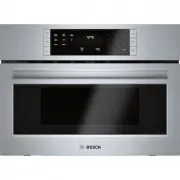
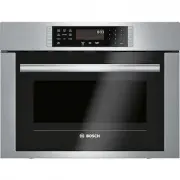
Page 2 - Table of contents; Safety; Observe the following safety instructions.
en Safety 2 Table of contents INFORMATION FOR USE 1 Safety .................................................................... 2 2 Preventing material damage ............................... 5 3 Environmental protection and saving en-ergy .............................................................
Page 4 - WARNING ‒ Risk of fire!
en Safety 4 1.5 Microwave CAREFULLY READ THE IMPORTANT SAFETYINSTRUCTIONS AND KEEP THEM SAFE FORFUTURE USE WARNING ‒ Risk of fire! Using the appliance for anything other than itsintended purpose is dangerous and maycause damage. For example, heated slippersand pillows filled with grain or cereal ma...
Page 5 - WARNING ‒ Risk of scalding!; Preventing material damage
Preventing material damage en 5 WARNING ‒ Risk of scalding! There is a possibility of delayed boiling whena liquid is heated. This means that the liquidreaches the boiling temperature without theusual steam bubbles rising to the surface. Ex-ercise caution even when only gently shakingthe container....
Page 6 - Environmental protection and saving energy; Disposing of packaging
en Environmental protection and saving energy 6 2.2 Microwave Follow these instructions when using the microwave. ATTENTION! Metal touching the wall of the cooking compartmentwill cause sparks, which may damage the appliance orthe inner door pane. ▶ Metal (e.g. a spoon in a glass) must be kept at l...
Page 7 - Familiarising yourself with your appliance; Door opener
Familiarising yourself with your appliance en 7 4 Familiarising yourself with your appliance 4.1 Control panel You can use the control panel to configure all functionsof your appliance and to obtain information about theoperating status. 1 2 4 3 1 Display Display clock or cooking time. 2 Rotary se...
Page 8 - Fitting the turntable
en Accessories 8 4.2 Types of heating Here you can find an overview of the types of heating. You can find recommendations on using the types of heating. Symbol Name Use 90–800 Microwave For defrosting, cooking and heating foods and liquids.Microwave power settings: ¡ 90 W ¡ 180 W ¡ 360 W ¡ 600 W ¡ ...
Page 9 - Basic operation; Microwave power settings
Basic operation en 9 6.4 Setting the time After connecting the appliance to the power supply orfollowing a power cut, the following prompt appears inthe display for the setting the time. 1. Set the time using the rotary selector. 2. Press to confirm the time. 7 Basic operation 7.1 Microwave pow...
Page 10 - Configuring the microwave settings; Grill; Setting the grill
en Grill 10 7.4 Configuring the microwave settings WARNING ‒ Risk of scalding! There is a possibility of delayed boiling when a liquid isheated. This means that the liquid reaches boiling tem-perature without the usual steam bubbles rising to thesurface. Even if the container only vibrates a little...
Page 11 - Memory
Memory en 11 4. Press . a An audible signal sounds once the cooking timehas elapsed. Note: If you open the cooking compartment door while the appliance is in operation, the appliance stops theoperation and keeps the set time schedule. If you wantto restart the operation, close the door and press...
Page 12 - Cooking with the automatic programmes; Cooking food with the automatic programmes; 1 Childproof lock; Activating the childproof lock
en Childproof lock 12 7. The defrosted food should be left to stand for an ad-ditional 10 to 30 minutes until it reaches an eventemperature. Large pieces of meat require a longer standing timethan smaller pieces. For poultry, remove the gibletsafter the resting time. 8. Continue to prepare the food...
Page 15 - Setting the cleaning aid; 4 Troubleshooting
Troubleshooting en 15 13.8 Cleaning aid The cleaning aid is a quick alternative for occasionallycleaning the cooking compartment. The cleaning aidsoftens dirt by vaporising the soapy water. The dirt canthen be removed more easily. Setting the cleaning aid 1. Add a few drops of washing-up liquid to ...
Page 16 - Disposing of old appliance; 6 Customer Service; Defrosting food
en Disposal 16 15 Disposal 15.1 Disposing of old appliance Valuable raw materials can be reused by recycling. ▶ Dispose of the appliance in an environmentallyfriendly manner.Information about current disposal methods areavailable from your specialist dealer or local author-ity. This appliance is l...
Page 17 - Defrosting with the microwave
How it works en 17 3. Note: Liquid is produced when you defrost meat and poultry.Drain off any liquid when turning and under no cir-cumstances use it for other purposes or allow it tocome into contact with other foods. 4. Redistribute the food or turn it once or twice as itdefrosts. Turn large pie...
Page 20 - Cooking with the microwave
en How it works 20 Cooking with the microwave Food Amount Accessories Mi-crowavepowersettingin W Type ofheating Cookingtimein mins Information Chicken pieces, e.g.chicken quarters 800 g Cookwarewithout lid+Wire rack 360 30-40 Place with the skin side up.Do not turn the food. Chicken wings, mar-i...
Page 22 - 8 Installation instructions; Scope of delivery
en Installation instructions 22 Food Microwave powersetting in W Cooking time in mins Note: Biscuit 600 8–10 Place a 22 cm diameter Pyrexdish on the turntable. Meatloaf 600 23 - 28 Place a Pyrex dish on theturntable. Defrosting with the microwave Recommended settings for using the microwave to defr...
Page 23 - Installation in a wall unit
Installation instructions en 23 ¡ Cut-out work on the units should be carriedout before installing the appliance. Removeany shavings. Otherwise, the correct opera-tion of electrical components may be ad-versely affected. ¡ Only a licensed professional may connectappliances without plugs. Damage cau...
Page 24 - Preparing the units
en Installation instructions 24 18.7 Preparing the 25 l appliance ▶ Route the connecting cable along the back of theappliance so that it does not become hot, kinked ortrapped. 18.8 Preparing the units ▶ Install the tilt protection. 18.9 Installing the appliance 1. Centre the appliance. 2. Screw the...
Page 28 - • Expert tips & tricks for your appliance; BSH Hausgeräte GmbH
Thank you for buying a Bosch Home Appliance! Register your new device on MyBosch now and profit directly from: • Expert tips & tricks for your appliance • Warranty extension options • Discounts for accessories & spare-parts • Digital manual and all appliance data at hand • Easy access to Bos...